
Download für Tapo C250
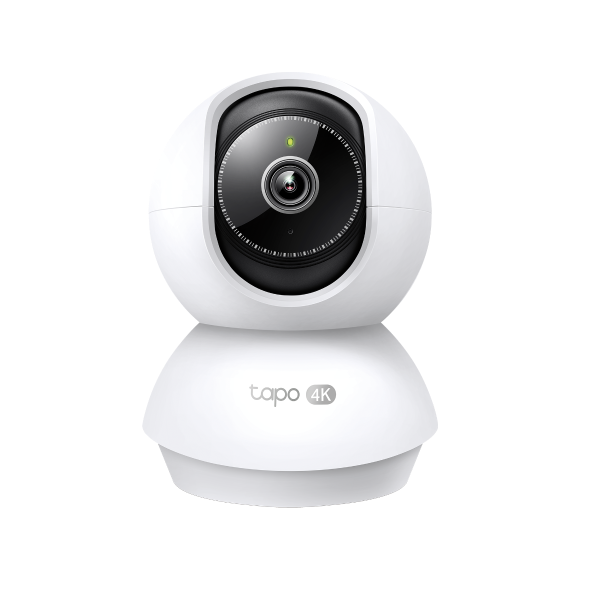 4K 8MP Überwachungskamera Innen 360°
Setup Video
-
Tapo Smart Camera Unboxing and Configuration Video
-
How to Setup Tapo Wireless Camera with VIGI NVR
00:00 - Introduction 00:08 - Connection Diagram 00:13 - Setting up the Tapo camera ONVIF account 00:37 - Adding the Tapo camera in the VIGI NVR 02:36 - Fix Tapo camera IP address on router 03:00 - Controlling the Tapo camera from the NVR
More Fold -
How to Reset Your Tapo Pan&Tilt Camera (Tapo C220/Tapo C230/TC71/Tapo C250)
Tapo smart cameras do much more than traditional cameras. High resolution videos deliver crystal-clear images while smart motion detection and instant notifications make sure you never miss a thing. Two-way audio lets you communicate with your loved ones in real time.
More Fold -
How to Install microSD Card for Tapo Pan&Tilt Camera (Tapo C220/Tapo C230/TC71/Tapo C250)
Tapo smart cameras do much more than traditional cameras. High resolution videos deliver crystal-clear images while smart motion detection and instant notifications make sure you never miss a thing. Two-way audio lets you communicate with your loved ones in real time.
More Fold -
How to Mount Your Tapo Pan&Tilt Camera (Tapo C220/Tapo C230/TC71/Tapo C250)
Tapo smart cameras do much more than traditional cameras. High resolution videos deliver crystal-clear images while smart motion detection and instant notifications make sure you never miss a thing. Two-way audio lets you communicate with your loved ones in real time.
More Fold -
Quick Tips: How to Link your TP-Link Tapo Account to Google Assistant
This video will show you how to link your TP-Link Tapo account to Google Assistant
More Fold -
Quick Tips: How to Link you TP-Link Tapo Account to Amazon Alexa
This Video will show you how to integrate your Tapo account to Amazon Alexa
More Fold
Häufig gestellte Fragen
- Wie kann man die Tapo-Kamera bei einem anderen Konto (TP-Link ID) erneut einschreiben ?
- Wie kann ich mein Tapo-/Kasa-Gerät mit Amazon Alexa verwenden?
- So verbinden Sie Tapo- und Kasa-Smart-Geräte mit Google Home
- Welche TP-Link Tapo-Kameras/Geräte sind mit dem Tapo Hub kompatibel?
- Tapo-Kamera verbindet sich nicht mit Wi-Fi: Anleitung zur Fehlerbehebung
- Tapo-/Kasa-Kamera auf einem Google-Gerät streamen
- Warum erhalte ich keinen SMS-Verifizierungscode von der Tapo-App? So beheben Sie das Problem
- So verwenden Sie Widgets zur Steuerung von Tapo-Geräten
- Tapo Zuhause- und Abwesenheitsmodus: Was ist das und wie richten Sie die Modi für Kasa- und Tapo-Kameras und Türklingeln ein?
- Anleitung zur Installation und Formatierung einer SD-Karte für Tapo-Kameras
- So zeigen Sie Aufzeichnungen von der SD-Karte einer Kamera auf einem Computer an
- So beheben Sie Probleme, wenn die SD-Karte einer Tapo- oder Kasa-Kamera bzw. -Türklingel nicht formatiert oder erkannt wird
- Was kann ich tun, wenn die Firmware-Aktualisierung bei Tapo-/Kasa-Smart-Geräten fehlschlägt?
- Was tun, wenn Sie Ihre Tapo-Kamera in der Tapo-App nicht finden können?
- Was soll ich tun, wenn ich die Bestätigungs-E-Mail für die Registrierung einer TP-Link ID oder das Zurücksetzen des Passworts nicht erhalte?
- Nutzungslimits für AI Chat in Aireal verstehen
- So lösen Sie Ihren Tapo Care-Einlösecode ein
- So setzen Sie Ihre Tapo-Kamera auf die Werkseinstellungen zurück: Zwei Methoden
- So zeigen Sie eine Tapo-Kamera auf PC, NAS oder NVR über RTSP/ONVIF an
- So konfigurieren Sie Zuhause und Räume in der Tapo App
- So richten Sie Geofencing in der Tapo/Kasa-App ein
- Fehlerbehebung bei Problemen mit der Manipulationserkennung von Smart-Kameras
- So übertragen Sie eine TP-Link Kamera/Türklingel über den Tapo Smart CentralHub auf einen Fernseher
- So erhalten Sie Diagnoseprotokolle von Tapo-Kameras und Türklingeln
- Tapo SD-Karten-Wiedergabeprobleme: Probleme bei der Videowiedergabe Ihrer Kamera beheben
- Allgemeine Fragen zu Tapo Care
- Announcement: IFTTT Services Ending for Tapo and Kasa Products
- Was kann ich tun, wenn ich mein Passwort für das Cloud-Konto vergessen habe (Tapo Smart Plug, Smart Camera, Smart Bulb)?
- Wie kann ich neue Kameras zu meinem Tapo Care Plan hinzufügen?
- Wie kann ich mein Tapo Care-Abonnement upgraden oder downgraden?
- How to Fix No Sound and Audio Quality Issues on Your Tapo Camera or Doorbell
- How to Troubleshoot Tapo and Kasa Notifications Not Working or Delayed
- General Questions about Tapo/Kasa Geofencing
- What is Video Summary
- How to fix a flickering issue on Live View of the Tapo Camera
- How to set up routines for Tapo devices via Alexa app
- How to set a static IP for your Tapo Camera/Doorbell
- Set Privacy Zone for Tapo Camera and Doorbell
- How to update or change the payment method for Tapo Care or Kasa Care
- Warum muss ich TP-Link-Apps in IOS 14 lokale Zugriffsrechte erteilen?
- Wie registriere ich ein TP-Link-Produkt mit meiner TP-Link-ID?
- Wie finde ich die Seriennummer auf TP-Link-Geräten?
- So reduzieren Sie Störgeräusche bei Tapo-Kameras
- Wie finde ich die Modellnummer meines TP-Link Geräts?
- Wie finde ich die Hardware Version auf einem TP-Link Gerät?
Firmware Release Note
Refer the FAQ to update firmware.
|
Tapo C250(EU)_V1_1.1.3 Build 260306 |
|---|
| Datum der Veröffentlichung: 2026-04-02 |
|
Modifications and Bug Fixes: |
|
Tapo C250(EU)_V1_1.1.1 Build 250919 |
|---|
| Datum der Veröffentlichung: 2026-01-13 |
|
Modifications and Bug Fixes: |
GPL-Code
Von United States?
Erhalten Sie Produkte, Events und Leistungen speziell für Ihre Region