
How to configure Sleep Analysis for Tapo baby camera
 4829
4829Introduction
The Sleep Analysis feature of Tapo C840 helps to track your baby’s sleep data and generate a sleep report. This article introduces Sleep Analysis and provides step-by-step instructions for configuration.
Requirement
Make sure you have set up your baby camera successfully. If you haven’t, set up your Tapo camera first.
Configuration
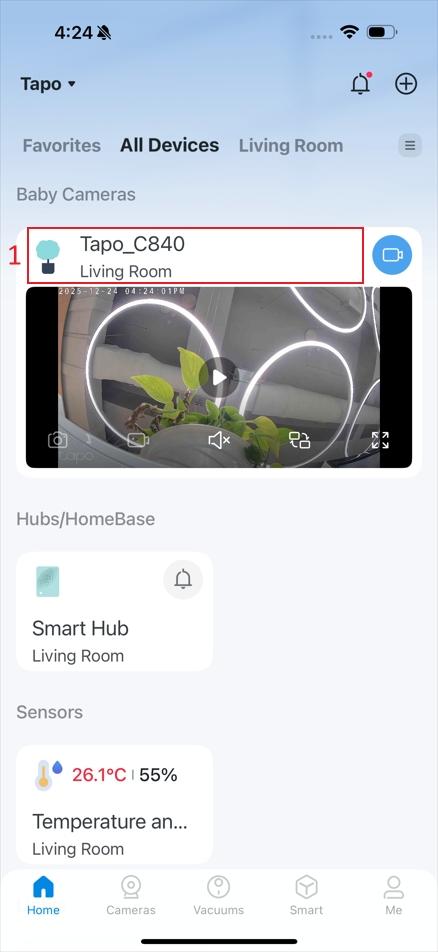
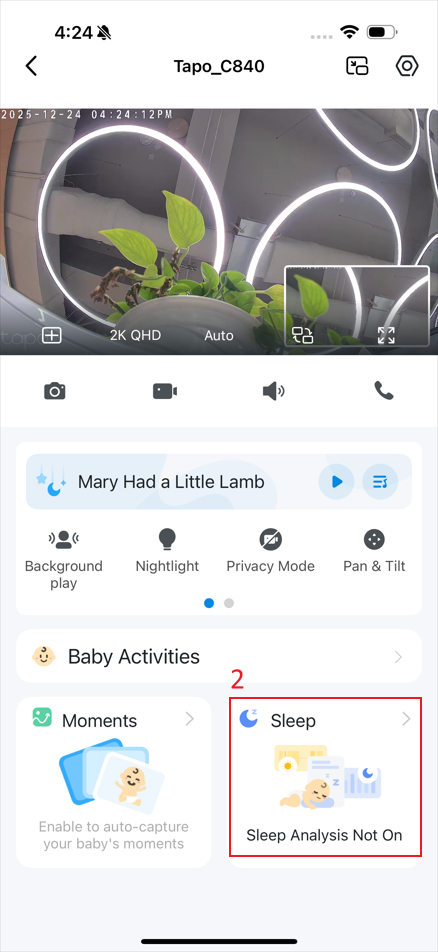
Step 1. In the app, tap the device card to enter the live view page, and then tap Sleep.
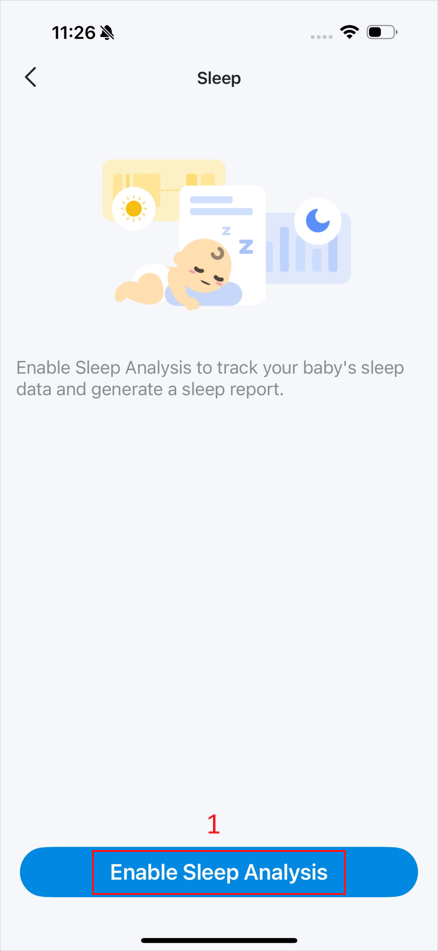
Step 2. Tap Enable Sleep Analysis.
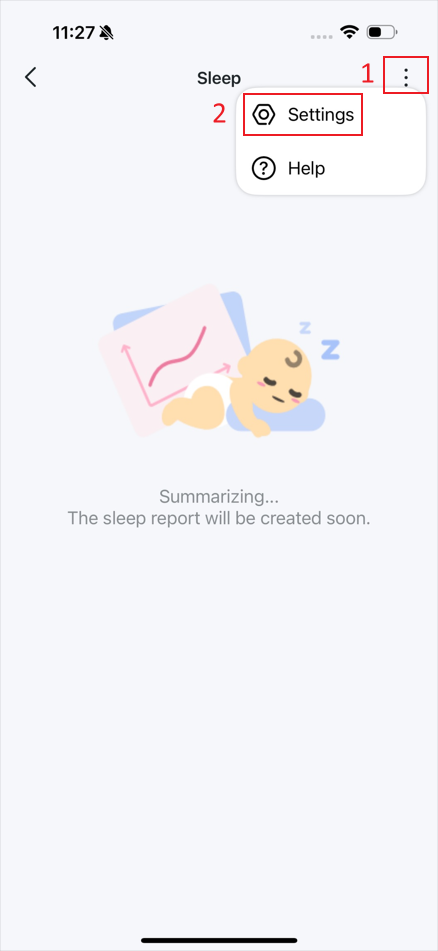
Step 3. Tap the kebab menu on the sleep page and then Settings.
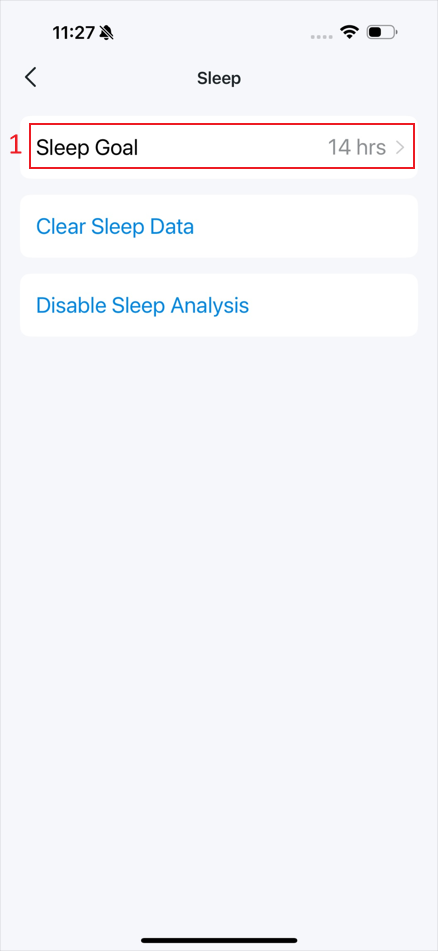
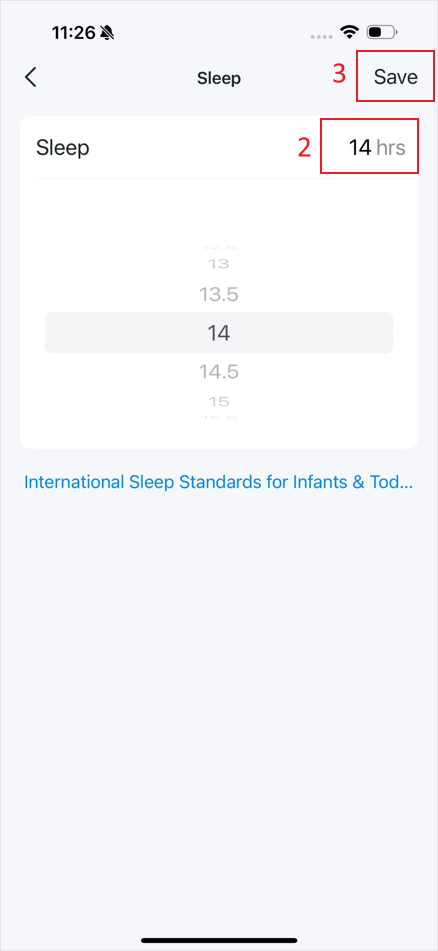
Step 4. Tap Sleep Goal to set a sleep duration for your baby and then Save.
Step 5. After collecting your baby’s sleep data, you can check the sleep report on the Sleep page.
Get to know more details of each function and configuration please go to Download Center to download the manual of your product.
Is this faq useful?
Your feedback helps improve this site.


TP-Link Community
Still need help? Search for answers, ask questions, and get help from TP-Link experts and other users around the world.