What Is a Router and Which One is Right For You? Everything You Need to Know
Key Takeaways
- A router is a device that connects all your home devices to the internet and manages traffic between them.
- A modem brings the internet into your home; a router distributes it to every device.
- Your router, not your internet plan, is often the reason for slow speeds, dead zones, and dropped connections.
- Routers assign IP addresses, manage bandwidth, and act as a basic security firewall between your devices and the internet.
- Advanced routers use smart features to optimize connections and include options like parental controls, guest access, and built-in network security.
- The right router type depends on your home's size, how many devices you use, and whether you need coverage in outdoor areas.
A Router Is the Traffic Controller of Your Home Network
A router is a networking device that directs data between your home devices and the internet. To understand how a router works, it helps to know how data travels. When you load a webpage or start a video call, your device sends and receives information in small chunks called data packets. Your router reads where each packet needs to go and sends it to the right device.
Every device on your network gets a unique identifier called an IP address (Internet Protocol address). These IP addresses tell the router exactly where to deliver each packet.
The collection of all those devices connected in your home is called your local network. Your router sits at the center of that network, constantly directing traffic so that your laptop, phone, smart TV, and every other connected device all get the data they need at the same time.
Functions of a Wi-Fi Router
Most people think of a Wi-Fi router as just a box that sends out a wireless signal. But a router does more than that. There are three things a router handles that many people don't realize.
First, it assigns each device on your network a unique IP address. This is what allows your router to send the right data to the right device, so your laptop gets your work files while your TV gets its video stream.
Second, it acts as a basic security firewall between your home devices and the internet. It filters incoming traffic and blocks unauthorized connections before they reach your devices.
Third, it manages how bandwidth is shared across everything on your network. When multiple people are streaming, gaming, and video calling at the same time, your router is working to keep those connections balanced and running smoothly.
Modern households also connect far more than just computers and phones. Wearables, smart home devices, security cameras, and IoT-enabled appliances all share your network, and that number keeps growing. Advanced routers are built to handle dozens of simultaneous connections without slowdowns.
Security features have also expanded beyond basic firewall protection. Some routers include parental controls and built-in protection against threats to your network, connected devices, and data privacy. These are features worth considering as more of your home relies on a steady, secure connection.
Router vs. Modem: Understanding the Difference
Most home networks use two separate devices to get you online: a modem and a router. They work together, but they do different jobs. Understanding the difference helps explain why upgrading one but not the other can still leave you with problems.
What a Modem Does
A modem is the device that connects your home to your internet service provider (ISP). It translates the signal from your ISP, whether that comes through a cable, fiber, or phone line, into a digital connection your home network can use.
A modem alone can only connect one device at a time. That's why you also need a router. An internet router works alongside your modem to take that single connection and share it across every device in your home.
What a Router Does
A router solves the modem's key limitation: it takes the single internet connection coming into your home, and simultaneously shares it across every phone, laptop, smart TV, and connected gadget in your home. It creates your local network, assigns each device its own IP address, and manages the flow of data between them and the internet.
For most home setups, the router is where your Wi-Fi signal comes from.
Your Router Directly Affects Your Internet Speed
If your video calls freeze, your streaming buffers, or your signal disappears in the back bedroom, the culprit is often your router, not your internet plan. What routers do behind the scenes has a direct impact on real-world performance.
An older or underpowered router may not be able to keep up with the number of devices and data demands in a modern home. It can also struggle to broadcast a signal to every room, especially in larger or multi-story homes.
Even if your ISP plan offers fast speeds, your router sets a ceiling on what actually reaches your devices. Upgrading your router is often the most effective fix for slow or unreliable Wi-Fi.
What to Look for in a Home Router
Before choosing a router, it helps to understand a few key specs. You don't need to memorize every technical detail, but knowing what these terms mean makes it easier to choose a router that fits your home.
Wi-Fi generation refers to the wireless standard the router uses. Wi-Fi 5 is older and suitable for light use. Wi-Fi 6 handles more devices more efficiently and is a solid choice for most homes. Wi-Fi 7 is the latest generation, delivering significantly faster speeds and lower latency.
If your household has a high number of connected devices, an extensive smart home setup, or high-demand activities like 4K streaming and gaming, Wi-Fi 7 makes a noticeable difference.
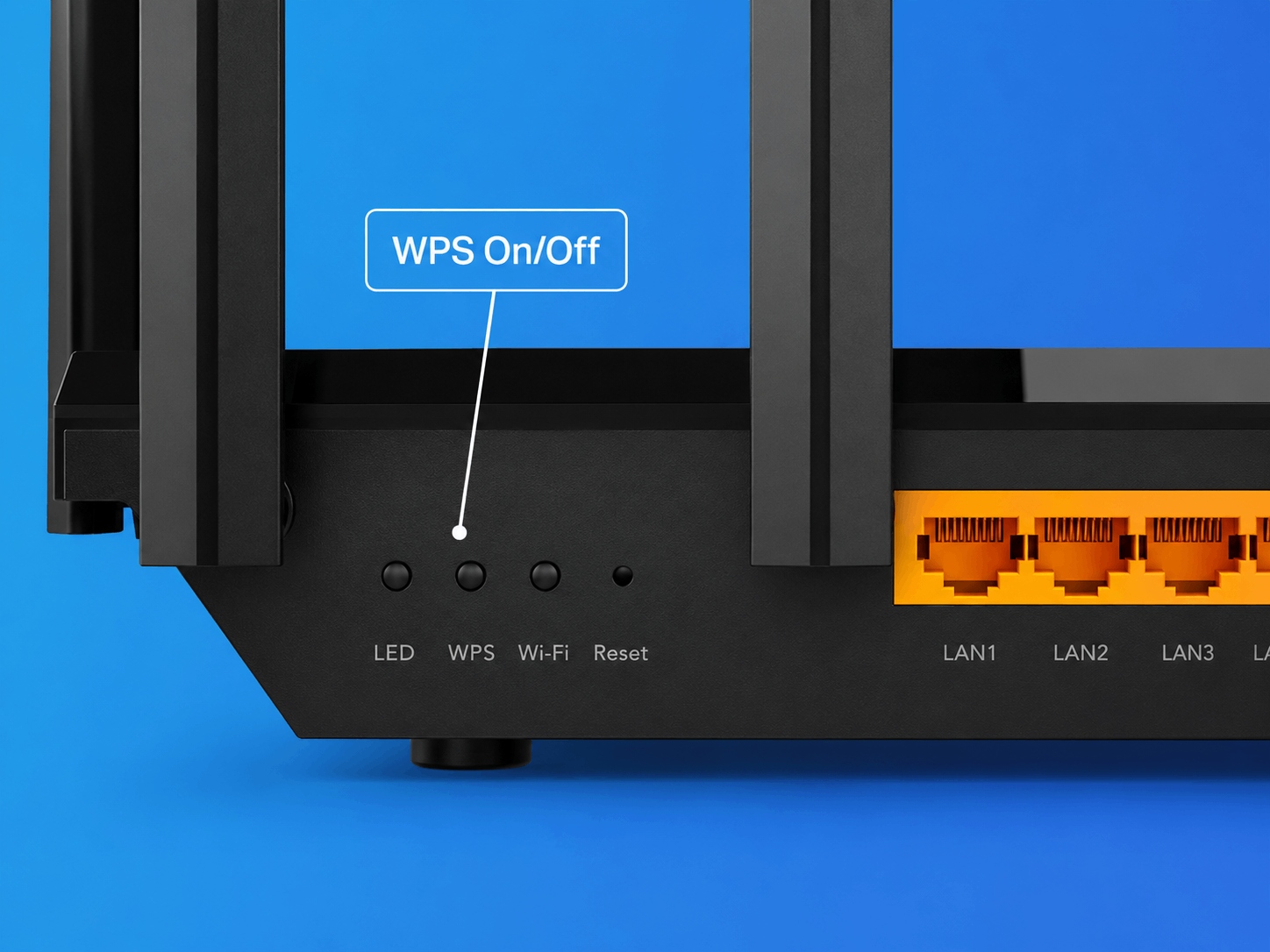
Ports are the physical connections on the back of your router. The most important one is the WAN port, which connects your router to your modem and to the Internet. Its speed needs to match or exceed the speed of the Internet plan you're paying for. If you're on a 2.5G plan but your router only has a 1G WAN port, your speeds are capped at 1G regardless of what your provider delivers. You'd be paying for speed your router can't actually use. LAN ports are the additional wired connections for devices like desktop computers, gaming consoles, or a home server. If you plan to connect devices this way, check that the LAN port speeds match your needs.
Speed ratings like BE10000 or AX3000 represent the combined maximum speeds across all the router's frequency bands. These are theoretical maximums, but higher ratings generally mean more capacity to handle multiple devices at once.
Frequency bands are the radio channels a router uses to send data. The 2.4 GHz band travels farther and passes through walls more easily, but it's slower. The 5 GHz band is faster but has a shorter range. The 6 GHz band, available on Wi-Fi 6E and Wi-Fi 7 routers, offers the fastest speeds and the least congestion.
Older bands tend to be more congested simply because more devices use them. A multi-band router can automatically connect newer laptops, smartphones, and gaming consoles to the faster, less crowded bands. That frees up the lower bands for older devices, so everything on your network gets a better connection.
Coverage area is a practical consideration of your home’s area and layout. A single router works well for smaller homes, but larger or multi-story homes often need a mesh system to cover every room reliably.
Types of Routers for the Home
There are several router types to know about, each suited to different homes and needs. The right router type will depend on your home's size, how many devices you use, and whether you need coverage outside. If you’re a frequent traveler, also consider whether you want a router you can take along on the road. Here's what's available.
Single Router
A single router is a standalone device that broadcasts Wi-Fi from one point in your home. It's a straightforward option for small homes and apartments where one unit can reach every room.
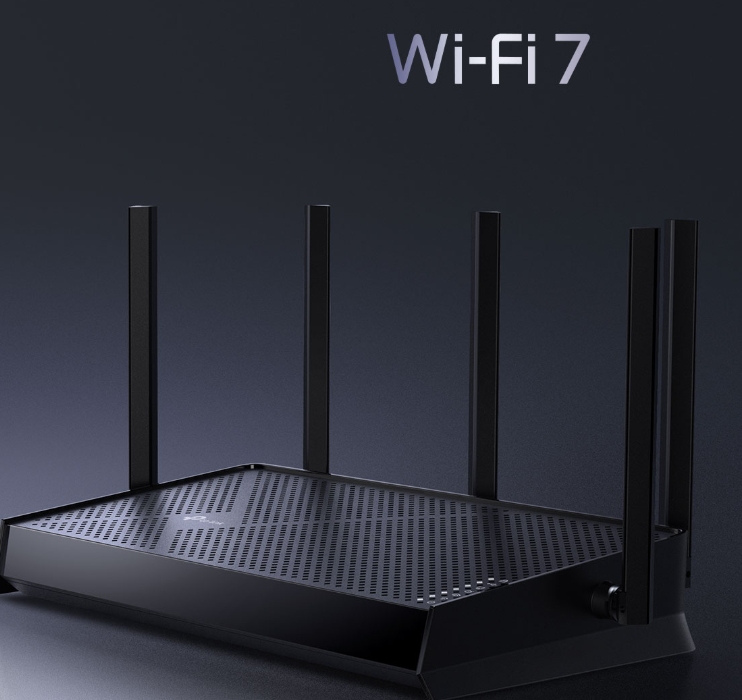
If you're looking for a capable single-unit option, the Archer BE600 is a tri-band Wi-Fi 7 router with combined speeds up to 9.7 Gbps. It uses Multi-Link Operation (MLO), a Wi-Fi 7 feature that sends data across multiple bands at once for faster, more reliable connections. Its wired ports support multi-gig speeds, so it won't slow you down if you're on a fast Internet plan. And if you ever need more coverage, it's EasyMesh-compatible, so you can add a second router or range extender without starting your setup over.
Mesh Wi-Fi System
A mesh Wi-Fi system uses multiple units placed around your home to create a single, seamless network. Instead of one router trying to reach every room, you place nodes where you need them to eliminate dead zones. The units work together and automatically connect your devices to the strongest signal, so your connection stays fast and reliable even as you move between rooms.
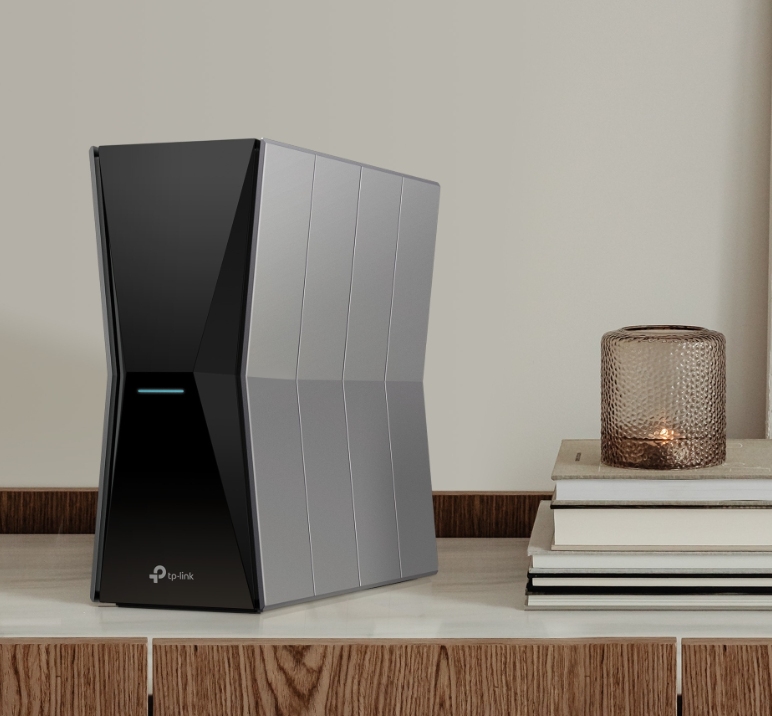
Mesh systems are particularly effective for larger homes, multi-story layouts, and homes with thick walls or challenging layouts. The Deco BE67 is a tri-band Wi-Fi 7 option in the Deco mesh Wi-Fi collection, designed for whole-home coverage with speeds up to 14 Gbps.
Outdoor Mesh
Outdoor mesh units extend your home network beyond your walls to a garage, backyard, pool area, or patio. They connect to your existing mesh system to deliver the same seamless Wi-Fi outdoors, in a device that can handle the weather. This is especially useful if you run smart outdoor cameras, work from a patio, or want reliable streaming in outdoor entertainment areas. The Deco BE5000 Outdoor is a Wi-Fi 7 option built for exactly this.
Travel Routers
A travel router is a pocket-sized device that creates your own secure Wi-Fi network wherever you go. It's useful when you want to quickly connect multiple devices in a hotel or vacation rental, or want to keep your connection private on a public network.
The TP-Link Roam 7 is a dual-band Wi-Fi 7 travel router that supports multiple connection modes, including router, hotspot, and access point, and fits easily in a bag or pocket. Browse the full portable travel router collection for more options.
Routers Specifically Optimized for Gamers
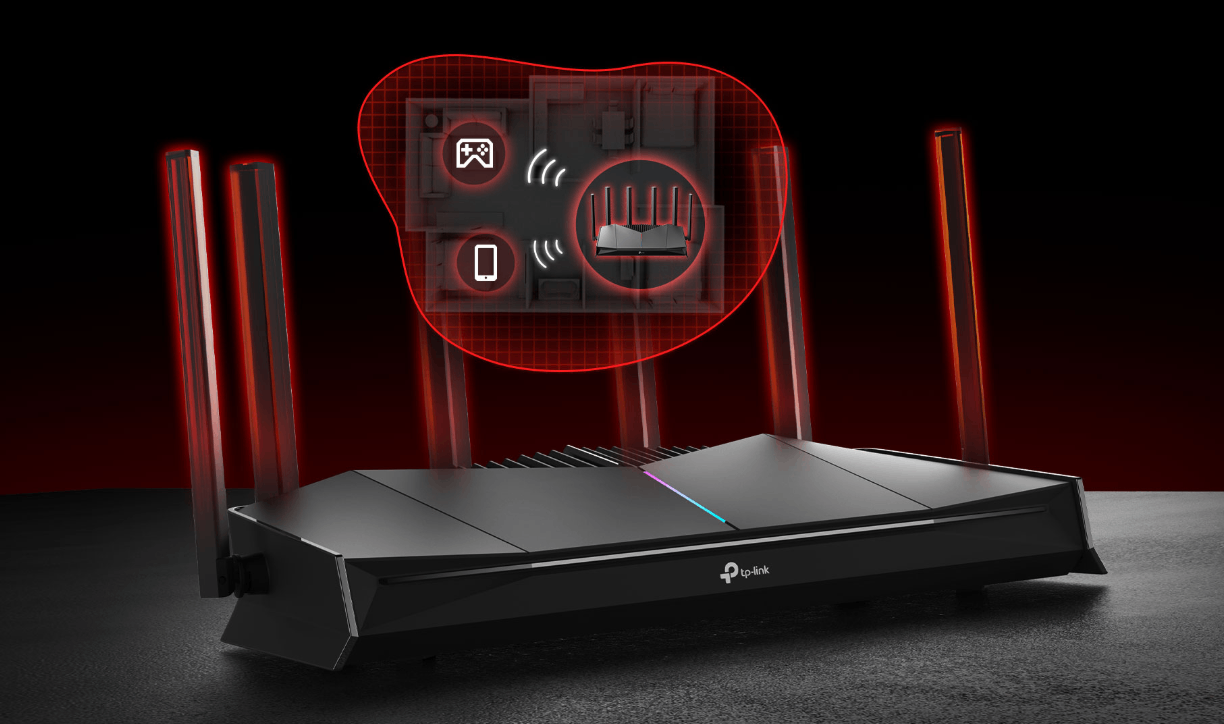
Online gaming puts different demands on your network than streaming or browsing. Competitive gaming needs a consistently fast, stable connection, and even small interruptions can affect your performance. The problem with a standard router is that it treats all network traffic the same. Your game competes for bandwidth with everyone else in the house, whether that's a 4K stream, a video call, or a software update running in the background.
A gaming router solves this by making sure your game gets priority. TP-Link's gaming router lineup includes two options depending on how demanding your setup is.
The Archer GE650 is a tri-band Wi-Fi 7 router with combined speeds up to 11 Gbps and a dedicated 5 GHz gaming band that keeps your gaming traffic separate from everything else on the network. It accelerates your game at three levels: a dedicated gaming LAN port so your device isn't competing for bandwidth, wireless game acceleration that automatically prioritizes gaming traffic, and GPN service powered by WTFast that routes your gaming traffic through a faster path to the game server. A one-month WTFast trial is included with purchase.
For households that need even more, the Archer GE800 steps up to 19 Gbps tri-band Wi-Fi 7 with dual 10G wired ports and the same three-level game acceleration approach.
A real-time game panel in the Tether app lets you monitor network status, router performance, and connected devices at a glance on both models.
If you want gaming performance spread across your whole home, the Deco mesh Wi-Fi collection lets you prioritize devices and activities so gaming always gets what it needs regardless of what else is happening on the network. Parental controls, guest access, and built-in HomeShield security are all managed from the Deco app.
Find the Right Router for Your Setup
A router does more than most people realize. It manages every connection in your home, shapes your Wi-Fi speeds, and keeps your network running smoothly across all your devices. The right router for your home depends on how large your space is, how many devices you use, and what you need your network to do.
Explore TP-Link's full router and mesh Wi-Fi lineup to find options built for every kind of home network, from straightforward single-room setups to whole-home Wi-Fi 7 mesh systems.
Frequently Asked Questions
Do you need a router if you have Wi-Fi?
Wi-Fi is the wireless signal your router broadcasts; it comes from the router itself. Without a router, there's no Wi-Fi. Even if your modem connects your home to the internet, you need a router to create the Wi-Fi network your devices connect to.
What is the main purpose of a router?
The main purpose of a router is to connect all the devices in your home to the internet and manage the flow of data between them. It assigns each device a unique IP address, directs traffic so every device gets the right data, and acts as a basic firewall between your home network and the internet.
What's the difference between a router and a modem?
A modem connects your home to your internet service provider, bringing the internet signal in. A router takes that connection and distributes it across all your devices as Wi-Fi or a wired connection. Most home networks need both. Many ISPs offer a combined modem-router device, but purchasing them separately often gives you better performance.
Can I use Wi-Fi without a router?
No, your router is what creates the Wi-Fi network. Without one, your devices have no wireless network to connect to. If you have a modem-router combo device from your ISP, the router function is built in, so you may not realize they're separate.