
EasyMesh, OneMesh, and Proprietary Mesh: A Guide to Wi-Fi Mesh Standards
When you're shopping for a new router or range extender, what does "EasyMesh certified" mean for your home network?
EasyMesh is a Wi-Fi Alliance standard that enables certified devices from different brands to work together in a single mesh network. That's the short answer. The longer one involves understanding how it compares to proprietary mesh systems, and whether it matters for your setup.
This guide covers what EasyMesh is, how it works, where proprietary systems fit in, and how TP-Link supports both.
Key Takeaways
- EasyMesh is an open Wi-Fi standard that lets certified devices from different brands form a single mesh network.
- Proprietary mesh systems are brand-locked; eero, Google Nest, and Netgear Orbi only work within their own ecosystems.
- Same-brand EasyMesh setups perform best, even though the standard allows mixing brands.
- TP-Link supports both EasyMesh and OneMesh. Virtually all Wi-Fi 7 Archer routers and newer extenders use EasyMesh.
- EasyMesh is the better choice if you want flexibility. If you're staying within one brand and want a fully optimized setup, a proprietary system works just as well.
What Is EasyMesh?
EasyMesh, officially known as Wi-Fi EasyMesh, is an open standard developed by the Wi-Fi Alliance, the industry organization that certifies Wi-Fi devices and maintains Wi-Fi standards.
The standard defines a common set of rules that lets certified routers and range extenders from any brand communicate and cooperate as one network. A device that carries Wi-Fi EasyMesh certification has been tested to confirm it follows those rules.
Before EasyMesh, mesh networking was entirely proprietary. Every brand had its own system, and devices couldn't cross brands. EasyMesh changed that by giving manufacturers a shared technical rulebook to follow.
How Does EasyMesh Work?
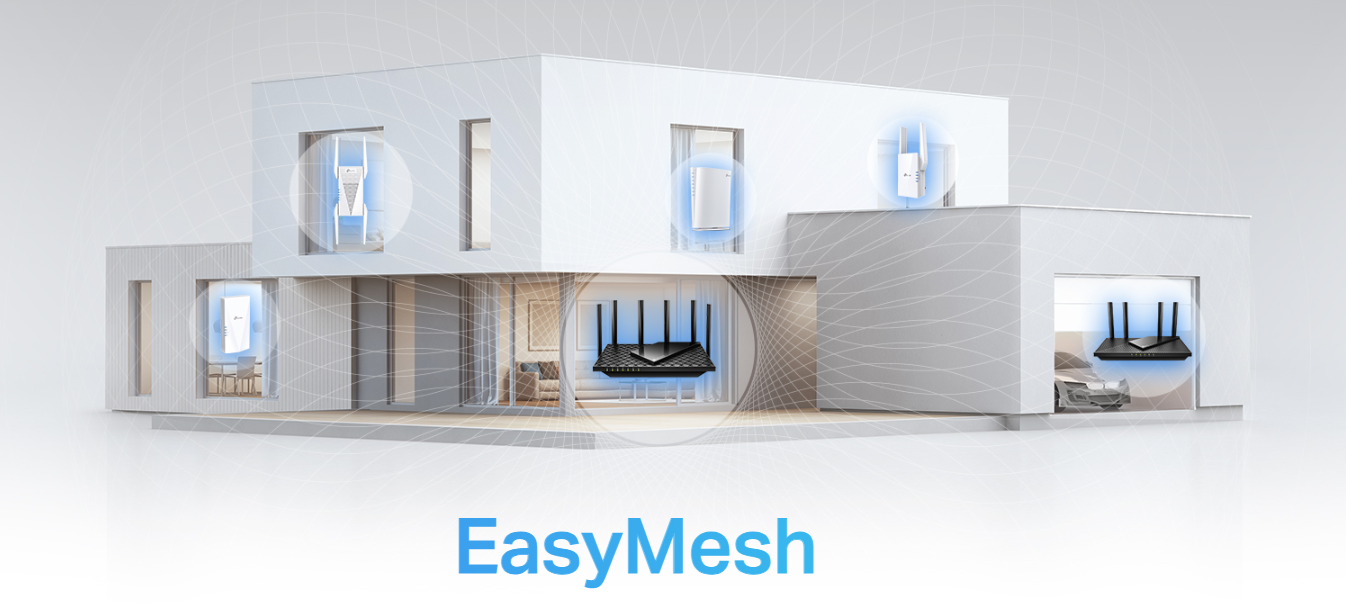
EasyMesh networks use a controller/agent model. One device acts as the controller, the main router that manages your network. It handles traffic routing, channel selection, and network decisions. The additional nodes or extenders act as agents, taking direction from the controller and relaying the network throughout your home.
When you walk from room to room, EasyMesh automatically connects your device to whichever node has the strongest signal, a feature called client steering. The controller also handles channel selection, assigning each node to the best available frequency to reduce interference between them. The result is seamless roaming: your phone or laptop stays connected as you move through your home, without any drops or interruptions.
Open Standards vs. Proprietary Mesh: What's the Difference?
Proprietary mesh systems are closed ecosystems. Brands like eero, Google Nest, and Netgear Orbi each use their own communication protocols, which means their devices only work with other devices from the same brand. Adding a second router or extender to a proprietary system requires buying from the same manufacturer every time.
EasyMesh works more like a shared rulebook. Any device that is certified to follow that rulebook can join the same network, regardless of who made it. In theory, you could use a certified router from one brand and certified extenders from another, and they would cooperate as a single mesh network.
In practice, cross-brand EasyMesh setups work, but same-brand setups tend to perform better. Manufacturers can tune their own hardware more precisely than they can optimize for a third-party device they didn't design.
|
Feature |
EasyMesh |
Proprietary Mesh |
|
Brand flexibility |
Mix certified devices from different brands |
Single brand only |
|
Interoperability |
Open standard, cross-brand compatible |
Closed ecosystem |
|
Setup |
Varies by manufacturer |
Typically optimized within brand |
|
Real-world reliability |
Good; best results with same brand |
Excellent within ecosystem |
|
Examples |
TP-Link Archer BE230, RE653BE, others |
eero, Google Nest, Netgear Orbi |
What Is EasyMesh on My Router?
If your router has an EasyMesh label, it means the device is certified or compatible to the Wi-Fi Alliance's EasyMesh standard and can act as either a controller or an agent in a multi-device mesh network.
An EasyMesh router can connect with other EasyMesh-certified devices to extend your network, even if those devices are from a different brand. Enabling EasyMesh functionality may require a firmware update, and how the feature is labeled or accessed varies by manufacturer. Check your router's app or settings to confirm EasyMesh is active.
EasyMesh Pros and Cons
EasyMesh is a genuinely useful standard that points home networking in the right direction. That said, it's worth knowing both what it delivers and where it still has limitations.
EasyMesh Pros
- No brand lock-in. You can add EasyMesh-certified devices from different manufacturers to expand your network without replacing existing equipment.
- ISP-friendly. Many Internet service providers (ISPs) are beginning to offer EasyMesh-certified gateways, which means your ISP-provided device can act as a controller for compatible third-party nodes.
- Scalable by design. Adding coverage to a new room or floor means adding a compatible device, and you're not limited to what one brand offers in your price range.
- Built on an open standard. Because EasyMesh is maintained by the Wi-Fi Alliance, it's a forward-looking choice. As more manufacturers certify devices, the compatible device pool grows.
EasyMesh Cons
- Cross-brand performance varies. The standard defines how devices communicate, but not how well they do it. Mixed-brand setups can have inconsistencies in roaming timing and channel selection that same-brand setups avoid.
- Client steering isn't standardized in detail. EasyMesh specifies that client steering should occur, but the timing and thresholds may differ across implementations. Moving between nodes of different brands can occasionally feel less smooth than within a single-brand system.
- Same-brand setups still outperform. When a manufacturer designs a controller and agents together, they can optimize the firmware interaction in ways that cross-brand pairs can’t match. If performance is the priority, staying within one brand's ecosystem, even an EasyMesh-certified one, gives better results.
What Devices Use EasyMesh?
EasyMesh is supported across a range of device types, including:
- Standalone Wi-Fi routers (used as the controller or as an agent)
- Range extenders (used as agents to expand coverage)
- Whole-home mesh system nodes (both controller and agent roles)
- ISP-provided gateways (increasingly EasyMesh-certified by providers)
Both standalone routers and range extenders can participate in an EasyMesh network. Wi-Fi 6 and Wi-Fi 7 devices are increasingly being certified, and as the standard matures, more options are available across brands and price points.
TP-Link EasyMesh: Products and Setup
TP-Link supports both EasyMesh and OneMesh. OneMesh is TP-Link's proprietary mesh standard, used by older TP-Link routers and extenders. Starting in late 2023, TP-Link began transitioning its newer products to EasyMesh, reflecting the broader industry move from closed proprietary systems toward open, interoperable standards. Virtually all Wi-Fi 7 Archer routers, as well as newer home-grade extenders and access points, now use EasyMesh.
If you're expanding an existing TP-Link OneMesh setup, OneMesh devices remain a strong same-brand option. If you're building a new network, or want the flexibility of an open standard, TP-Link's EasyMesh lineup gives you that, with the performance of a well-optimized same-brand setup.
TP-Link EasyMesh devices work together through the Tether app, with unified management from the controller node. Setup takes a few minutes, and all compatible devices, including routers and extenders, join the same network under one name.
TP-Link EasyMesh Devices
TP-Link's EasyMesh device lineup covers a range of uses and budgets. Here are four to consider depending on your setup.
If you're upgrading from an older router and want Wi-Fi 7 performance with room to expand later, the Archer BE230 is a strong starting point. It's TP-Link's entry-level Wi-Fi 7 EasyMesh router, and you can add compatible nodes as your needs grow, without replacing the whole setup.
For households dealing with congestion from too many devices, like multiple people streaming, video calling, and gaming at the same time, the Archer BE400 handles the load well. It works as a capable controller node in a multi-room or multi-floor EasyMesh setup.
If you have a large home or a high-demand network, the Archer BE600 is built for it. It's TP-Link's tri-band Wi-Fi 7 router. Its dedicated 6 GHz band gives your mesh nodes an uncongested channel to communicate, keeping that traffic off the same bands your older devices use, so performance stays consistent throughout the home.
Not ready to replace your router? The RE653BE is a tri-band Wi-Fi 7 range extender that connects to your existing EasyMesh-compatible router and pushes coverage into dead zones. It's the right option when you want to eliminate weak spots without starting your network over from scratch.
Find the Right EasyMesh Setup for Your Home
EasyMesh is the right direction for home mesh networking. It removes the brand lock-in that made expanding a network frustrating, and as more manufacturers certify their devices, the options will only improve.
For most homes today, the best setup is a same-brand EasyMesh configuration. You get the flexibility of an open standard without the performance trade-offs that can come with mixing brands. TP-Link's EasyMesh lineup is built on this premise: open and interoperable by standard, optimized by design.
If you're ready to explore your options, visit TP-Link's EasyMesh hub to see the full range of compatible devices and find the right fit for your home.
FAQs
What is EasyMesh on my router?
If your router shows an EasyMesh label, it means the device is compatible with the Wi-Fi Alliance's EasyMesh standard. It can act as a controller (the main router that manages your network) or an agent (a node that extends coverage) in a multi-device mesh setup. You may need to update your router's firmware to enable EasyMesh functionality.
Is EasyMesh any good?
Yes, EasyMesh is a genuinely useful standard for home networking. It lets you expand your network with compatible devices from different brands, giving you more flexibility than a fully proprietary system. That said, same-brand EasyMesh setups tend to perform better than mixed-brand ones, so pairing TP-Link EasyMesh devices together is a practical way to get flexibility and reliable performance.
What devices use EasyMesh?
EasyMesh is supported by routers, range extenders, whole-home mesh nodes, and some ISP-provided gateways. Any device that carries EasyMesh certification or compatibility can join an EasyMesh network. Wi-Fi 6 and Wi-Fi 7 devices are increasingly EasyMesh-certified as the standard continues to grow.
What are the downsides of mesh routers?
Mesh routers cost more than a single router and range extender setup. Proprietary mesh systems also create brand lock-in, meaning you can only expand using devices from the same manufacturer. EasyMesh addresses the lock-in issue by allowing certified devices from different brands to work together, but cross-brand performance can still vary. Same-brand mesh setups, whether proprietary or EasyMesh, tend to deliver the most consistent results.
Is EasyMesh the same as Wi-Fi EasyMesh?
Yes. EasyMesh and Wi-Fi EasyMesh refer to the same standard. Wi-Fi EasyMesh is the official name used by the Wi-Fi Alliance. EasyMesh is the shorthand version commonly used on product packaging and manufacturer websites.
Can I mix TP-Link EasyMesh with other brands?
Yes, in principle. EasyMesh is an open standard, so certified devices from different brands can connect to the same mesh network. In practice, TP-Link EasyMesh devices perform best when paired with other TP-Link EasyMesh devices, since TP-Link can optimize firmware interaction within its own lineup more precisely than across brands. For most home setups, sticking with TP-Link EasyMesh devices delivers the best balance of flexibility and performance.