
How to use USB sharing function in TL-WR810N_V1
 67154
67154Эта статья подходит для:
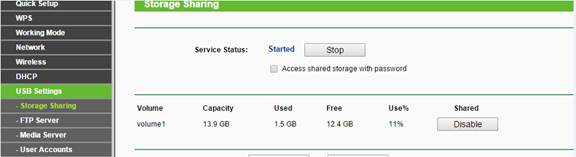
1 Make sure the USB sharing function is enabled as the picture below:
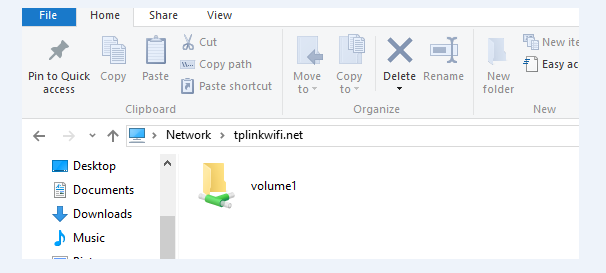
2 Type in \\tplinkwifi.net in the file path bar (it works for router, AP or Repeater mode) and you could access the USB storage.
3 Please go to find the management IP address of the TL-WR810N (AP, Repeater mode) in the main router if there is a problem with the access through the domain name.
Type in the management IP of the TL-WR810N_V1: \\192.168.1.1 in the file path bar as above.
Полезен ли этот FAQ?
Ваши отзывы помогают улучшить этот сайт.
From United States?
Получайте информацию о продуктах, событиях и услугах для вашего региона.