




TL-WR1502X
AX1500 Wi-Fi 6 Travel Router
- Seven Ways to Connect Anywhere: With modes including Router, Access Point, Range Extender, USB Tethering, 3G/4G USB Modem, Client, and Hotspot, Roam™ 6 gives you seven flexible ways to set up Wi-Fi at home, in hotel stays, or on the road.
- Wider Coverage With Tethering Mode: Share your phone's cellular data through tethering mode for a more stable, wider-reaching connection than a standard phone hotspot.
- One-Step Captive Portal Authentication: Complete the hotel or public Wi-Fi login once during setup, and every device on your network gets online without repeating the process.
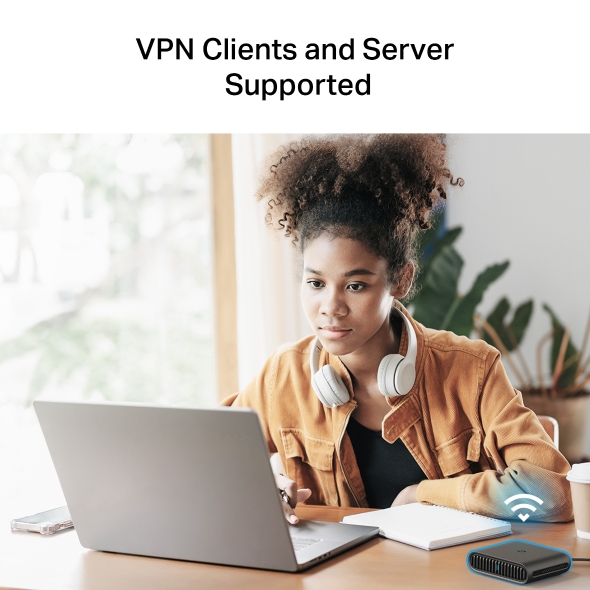
- Private and Protected on Public Wi-Fi: Built-in support for OpenVPN and WireGuard, as both a VPN client and a VPN server, keeps your connection private on public or hotel Wi-Fi, or lets you securely reach your home network while traveling. Learn more about VPN technology.
- Fast Dual-Band AX1500 Wi-Fi 6: Reach speeds up to 1.5 Gbps combined, with 1201 Mbps on 5 GHz and 300 Mbps on 2.4 GHz, enough bandwidth for streaming, video calls, and gaming without lag. See how Wi-Fi 6 fits into TP-Link's wireless lineup.†‡
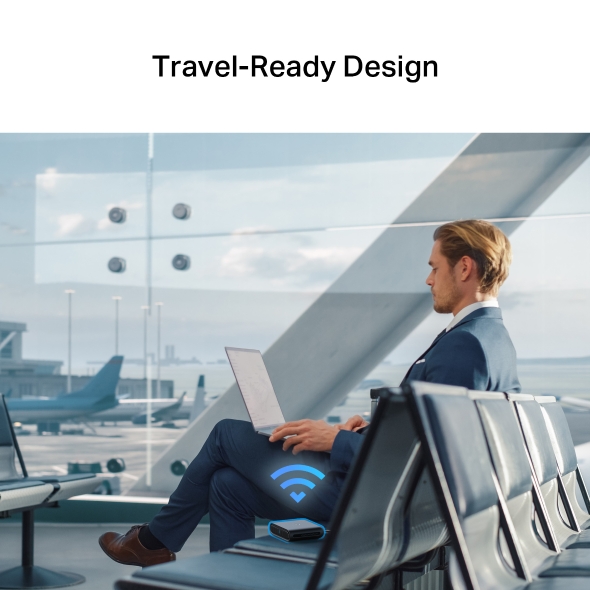
- A Portable Router Built for Travel: Compact and durable, Roam™ 6 is a portable router built to slip into a bag or pocket for your next trip.
- Wired Speed When You Need It: A Gigabit WAN port and a Gigabit LAN port give you a dependable wired option for bandwidth-hungry devices like a smart TV, game console, or NAS.△
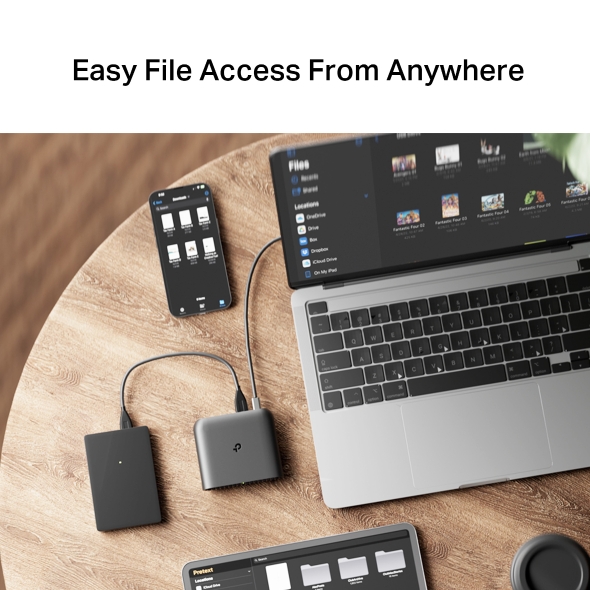
- Turn It Into Your Personal File Hub: Connect an external USB drive to the router, and every device on your network can pull up shared files instantly.
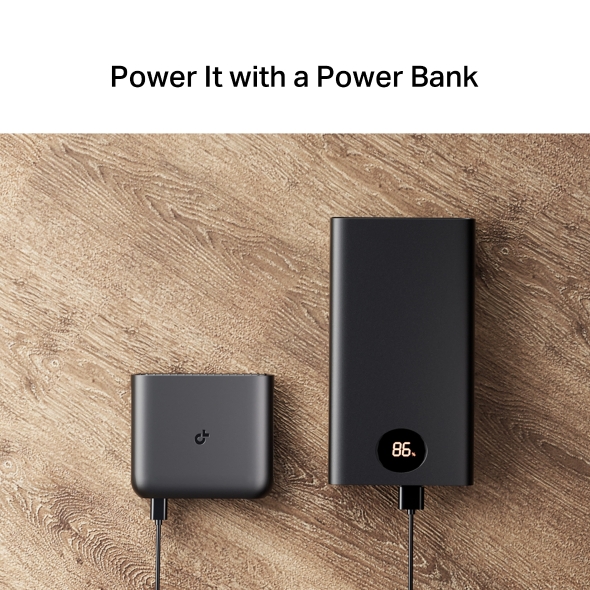
- Power It From Anywhere: Roam™ 6 has a Type-C port that works with 9V/12V PD/QC power banks, so you can keep it running on the go without needing a wall outlet.*
- Easy Control With the Tether App: Configure and manage Roam™ 6 through the TP-Link Tether app, then let your devices reconnect automatically after the first setup.

Travel Light. Surf Fast.
AX1500 Wi-Fi 6 Travel Router
TL-WR1502X
Enjoy Flawless Connection Everywhere
TL-WR1502X, with its versatile modes including Router, USB Tethering, 3G/4G USB Modem, Hotspot, Access Point, Range Extender, and Client, enables flexible WiFi setup for homes, hotel stays, and travel.


Share your Mobile’s Cellular Data for Wider Coverage
The tethering mode can use your phone signal to create a localised wireless internet connection. Compared with the normal hotspot mode, it can provide a more stable and wider coverage network.
Impressively Fast. Impossibly Light.
Merging WiFi 6 technology, TL-WR1502X delivers 1.5 Gbps Wi-Fi speeds for uninterrupted video streaming, downloading, and online gaming all at the same time. ‡

Powerful WiFi, Pocket-sized
-
Type-C Power Port (PD/QC-compatible)
Convenient power supply
-
One-Click Switch
Quickly switch modes
-
USB Port
Enables file & USB internet sharing
-
2× Gigabit Ports
Connect multiple devices
24/7 Secure Surfing with VPN Encryption
VPN Clients and Server Supported
Supporting OpenVPN and WireGuard®, TL-WR1502X maintains your network's privacy and security, whether you're working remotely abroad or using public WiFi. This device can simultaneously run a VPN and regular internet connections, offering protection and flexibility.
Captive Portal Authentication in One Single Step
Turn the public network into your private secure network via the tether app. In just one simple step, effortlessly complete the captive portal authentication during the router configuration process, freeing you from the hassle of authenticating each one of your devices.
Your Tacit Companion on the Road
Say Goodbye to Messy Files and Cable Clutter
-

Your Digital Filing Cabinet
By plugging into an external drive, keep all your important files in one secure hub accessible to every device on your network.
-

Your Flexible Mobile Router
Equipped with a USB Type-C port (9V/12V), the router powers up effortlessly with a power bank or any standard charger—perfect for life on the go.*
TL-WR1502X | AX1500 Wi-Fi 6 Travel Router
A travel router is a compact, portable device that creates your own private Wi-Fi network from hotel Ethernet, public Wi-Fi, or a phone hotspot, so all your devices connect securely with one login. The TP-Link Roam™ 6 (TL-WR1502X) is an AX1500 Wi-Fi 6 travel router built for exactly that: fast, secure connections wherever you go.
Looking for a different fit? Compare the TL-WR1502X, with the TL-WR3002X, and TL-WR902AC, or browse the full lineup of Wi-Fi routers to find the right match for your next trip.
FAQs
Is the TL-WR1502X a Wi-Fi 6 router, and how fast is AX1500?
Yes. The TL-WR1502X is an AX1500 dual-band Wi-Fi 6 router, reaching speeds up to 1201 Mbps on the 5 GHz band and 300 Mbps on the 2.4 GHz band, for a combined 1.5 Gbps. That's enough headroom for 4K streaming, video calls, and online gaming at the same time. For a closer look at how Wi-Fi 6 compares to the newer Wi-Fi 7 standard, see TP-Link's Wi-Fi 6 vs. Wi-Fi 7 guide.
Does the TL-WR1502X have a built-in VPN (OpenVPN / WireGuard)?
Yes. The TL-WR1502X supports OpenVPN and WireGuard as both a VPN client and a VPN server, so you can encrypt your connection on public networks or securely connect back to your home network from anywhere.
Can I use the TL-WR1502X with hotel or public Wi-Fi?
Yes. The TL-WR1502X is built for exactly this. It connects to hotel or public Wi-Fi and creates your own private network, and its one-step captive portal authentication handles the login for every connected device at once. For more on whether a travel router is worth it for hotel stays, check out TP-Link's guide on travel routers for hotel Wi-Fi.
Can I power the TL-WR1502X from a power bank over USB-C?
Yes. The TL-WR1502X has a Type-C power port that supports 9V/12V PD/QC power banks, letting you run the router on the go without a wall outlet.
What connection modes does the TL-WR1502X support?
The TL-WR1502X supports seven modes: Router, Access Point, Range Extender, USB Tethering, 3G/4G USB Modem, Client, and Hotspot. Switching between them lets you adapt the router to home use, hotel stays, or travel. For a broader look at what to consider, see TP-Link's guide on choosing a travel router.
What connection mode should I use for what scenario?
Can the TL-WR1502X work as a range extender or access point?
Yes. Range Extender mode and Access Point mode are both included among the TL-WR1502X's seven working modes, so the same device can boost an existing signal or add Wi-Fi to a wired connection.
Does the TL-WR1502X's tethering mode give wider coverage than a phone hotspot?
Yes. Tethering mode uses your phone's cellular signal to create a local wireless connection, and compared to a standard phone hotspot, it provides a more stable connection with wider coverage.
Can I share files from a USB drive plugged into the TL-WR1502X?
Yes. Plug an external USB drive into the router's USB port, and every device connected to your network can access and share those files.
Does Roam 6 provide its own internet?
No. Roam™ 6 doesn't generate an internet connection on its own; it needs an existing source to work from, such as hotel Ethernet, public Wi-Fi, or a cellular connection through USB tethering or a 3G/4G USB modem. Once connected to one of those sources, Roam™ 6 creates your own private Wi-Fi network so every device connects securely with a single login.
| Standards and Protocols | Wi-Fi 6IEEE 802.11ax/ac/n/a 5 GHzIEEE 802.11n/b/g 2.4 GHz |
|---|---|
| WiFi Speeds | AX15005 GHz: 1201 Mbps (802.11ax)2.4 GHz: 300 Mbps (802.11n) |
| WiFi Capacity | High Dual-BandAllocate devices to different bands for optimal performanceAirtime FairnessImproves network efficiency by limiting excessive occupation4 StreamsConnect your devices to more bandwidth |
| Working Modes | Router ModeAccess Point ModeRange Extender ModeUSB Tethering Mode3G/4G USB Modem ModeClient ModeHotspot Mode (WISP Mode) |
| Network Security | SPI FirewallAccess ControlIP & MAC BindingApplication Layer Gateway |
|---|---|
| Guest Network | 1× 5 GHz Guest Network1× 2.4 GHz Guest Network |
| VPN Server | • OpenVPN Server• PPTP VPN Server• L2TP VPN Server• Wireguard VPN Server |
| VPN Client | • Open VPN Client• PPTP VPN Client• L2TP VPN Client• Wireguard VPN Client |
| WiFi Encryption | WPA2-PSKWPA3-PersonalWPA/WPA2-Enterprise |
| Ethernet Ports | 1× Gigabit WAN Port1× Gigabit LAN Port |
|---|---|
| USB Support | 1× USB 2.0 Port |
| Power | 12V/1.5A,External DC power adapter No built-in battery |
| Buttons | WPS/Reset ButtonMode Switch |
| Protocols | IPv4IPv6 |
|---|---|
| WAN Types | Dynamic IPStatic IPPPPoEPPTPL2TP |
| Quality of Service | QoS by Device |
| NAT Forwarding | Port ForwardingPort TriggeringDMZUPnP |
| DHCP | DHCP ServerDHCP Client ListAddress Reservation |
| DDNS | TP-LinkNO-IPDynDNS |
| Management Features | Tether AppWebpage |
| Network Services Enabled by Default | Web Server Manage and configure device through web (HTTP/HTTPS) • Port: 80/443 Protocol: TCP DNS DNS • Port: 53 Protocol: TCP & UDP DHCP Server IP address assignment (DHCP) • Port: 67 Protocol: UDP App management Manage and configure device through app • Port: 20001 Protocol: TCP • Port: 30001 Protocol: TCP • Port: 20002 Protocol: UDP |
|---|---|
| Certifications | FCC, CE |
| Environment | Operating Temperature: 0℃~40℃ (32℉ ~104℉)Storage Temperature: -40℃~60℃ (-40℉ ~140℉)Operating Humidity: 10%~90% non-condensingStorage Humidity: 5%~90% non-condensing |
| WiFi Transmission Power | CE: <20dBm(2.4 GHz)<23dBm(5.15 GHz~5.25 GHz)FCC:<30dBm(2.4 GHz & 5.15 GHz~5.825 GHz) |
|---|---|
| WiFi Reception Sensitivity | 2.4GHz11b 1M:-96dBm11n HT20M MCS7:-73dBm11n HT40M MCS7:-70dBm5GHz11a 6M:-93dBm11ax HE20M MCS11:-63dBm11ax HE40M MCS11:-60dBm11ax HE80M MCS11:-59dBm |
| Dimensions (W×D×H) | 4.09 × 3.54 × 1.10 in(104 × 90 × 28 mm) |
|---|---|
| Package Content | TL-WR1502XPower AdapterRJ45 Ethernet CableUSB CableQuick Installation Guide |
†Maximum wireless signal rates are the physical rates derived from IEEE Standard 802.11 specifications. Actual wireless data throughput, wireless coverage and number of connected devices are not guaranteed and will vary as a result of network conditions, client limitations, and environmental factors, including building materials, obstacles, volume and density of traffic, and client location.
‡Use of 802.11ax (Wi-Fi 6) and its features require clients to also support corresponding features.
△Actual network speed may be limited by the rate of the product's Ethernet WAN or LAN port, the rate supported by the network cable, internet service provider factors, and other environmental conditions.
*The power bank needs to support the PD/QC protocol. It is recommended to use the supplied power adapter. If you use other power adapters, there is a risk of damaging the device.