PoE Mesh Wi-Fi With Deco 7: Benefits, Models, and Setup Requirements
PoE mesh Wi-Fi is a mesh system whose units get power through the same Ethernet cable that carries their data. Power over Ethernet (PoE) lets one cable do both jobs. That means you can mount a mesh unit on a ceiling or wall without a nearby outlet. PoE Wi-Fi is worth a look if you have Ethernet in the walls, a PoE switch for cameras, or a dead spot with no outlet.
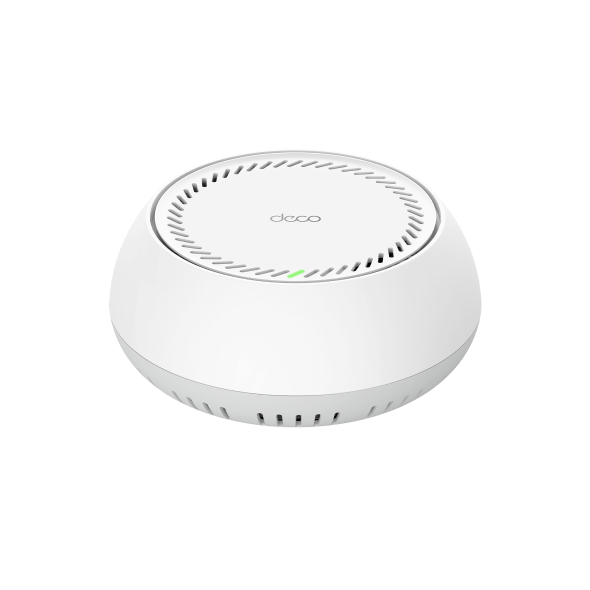
This guide introduces you to the Deco BE65-PoE, a Deco 7 system with PoE. Below, you’ll see how PoE mesh differs from standard mesh and PoE access points, why you might choose Deco PoE, and what you need to set it up.
Key Takeaways
- PoE mesh Wi-Fi sends power and data to each mesh unit over one Ethernet cable, so units don’t need a nearby outlet.
- You need a PoE switch or injector that supports 802.3at, plus Ethernet cables and a connection to your modem, to set up PoE mesh Wi-Fi.
- Wired mesh Wi-Fi passes data between units over Ethernet instead of a shared Wi-Fi band, which helps keep speeds steady across your home.
- TP-Link’s Deco PoE units run in router mode or access point mode, so they can replace your router or work alongside your existing one.
What Is PoE Mesh Wi-Fi?
PoE mesh Wi-Fi is a mesh network in which each unit draws its power from the Ethernet cable that also connects it to your network. A PoE switch, a small box with several Ethernet ports, powers each cable plugged into it. A PoE injector does the same for a single cable. The mesh unit at the other end runs on that power while it sends and receives data.
When people wonder “what is PoE Wi-Fi,” the answer is any Wi-Fi device that gets its power over an Ethernet cable. A single access point can work this way, adding Wi-Fi to one area. So can a mesh system, which links several units into one network. Because the cable carries power, you place the device where your signal needs to reach, like a hallway ceiling, instead of next to an outlet.
PoE Mesh Wi-Fi vs. Standard Mesh Wi-Fi
The main difference is power: standard mesh units plug into wall outlets, while PoE mesh units get power from an Ethernet cable.
A standard mesh unit links to the others wirelessly. That makes it a simple choice when your outlets are in good spots.
A PoE mesh unit is wired to your network by design, because its power cable also carries data. You get wired links and more mounting freedom, but need an Ethernet run to each spot.
PoE Mesh vs. PoE Access Points
A PoE mesh system runs several units as one network, while a PoE Wi-Fi access point is one standalone unit that adds Wi-Fi. Which one fits depends on how much of your home you need to cover and whether you need a router:
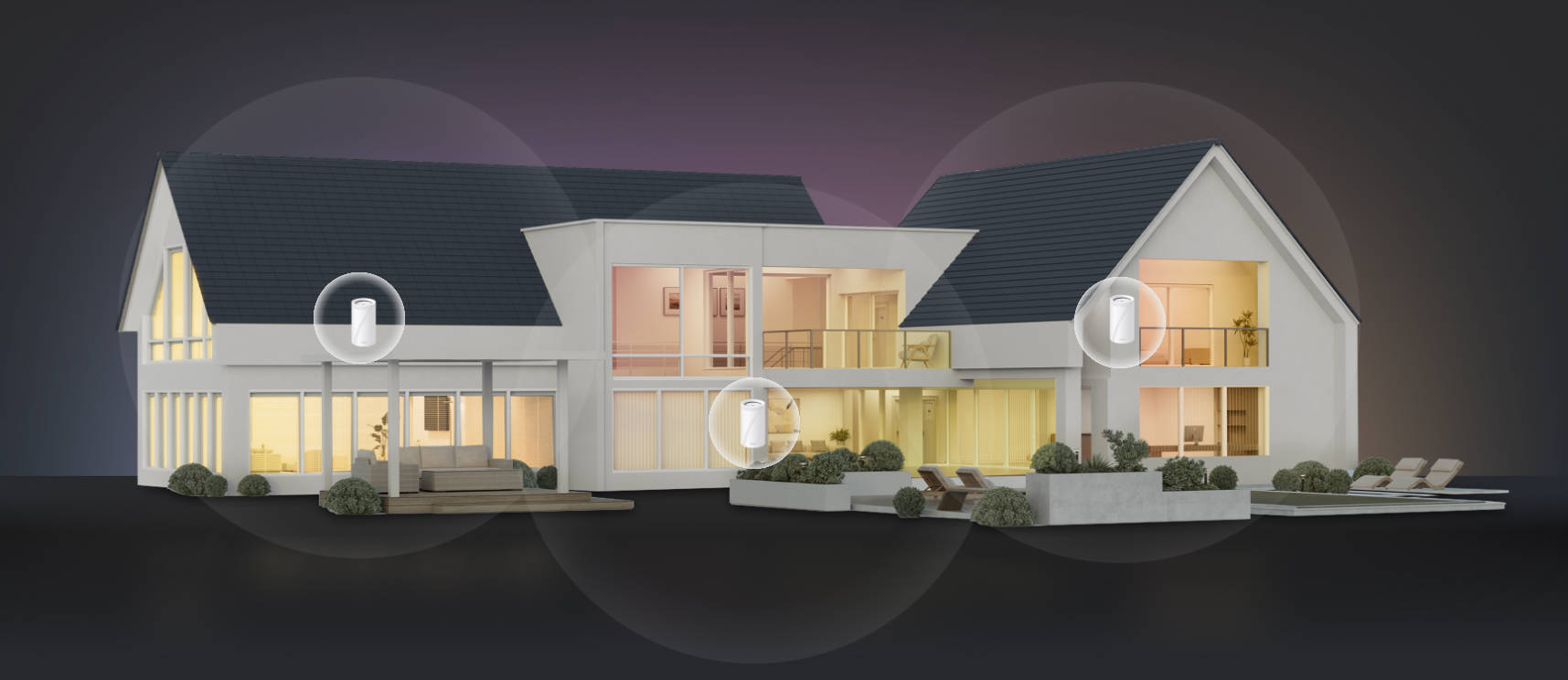
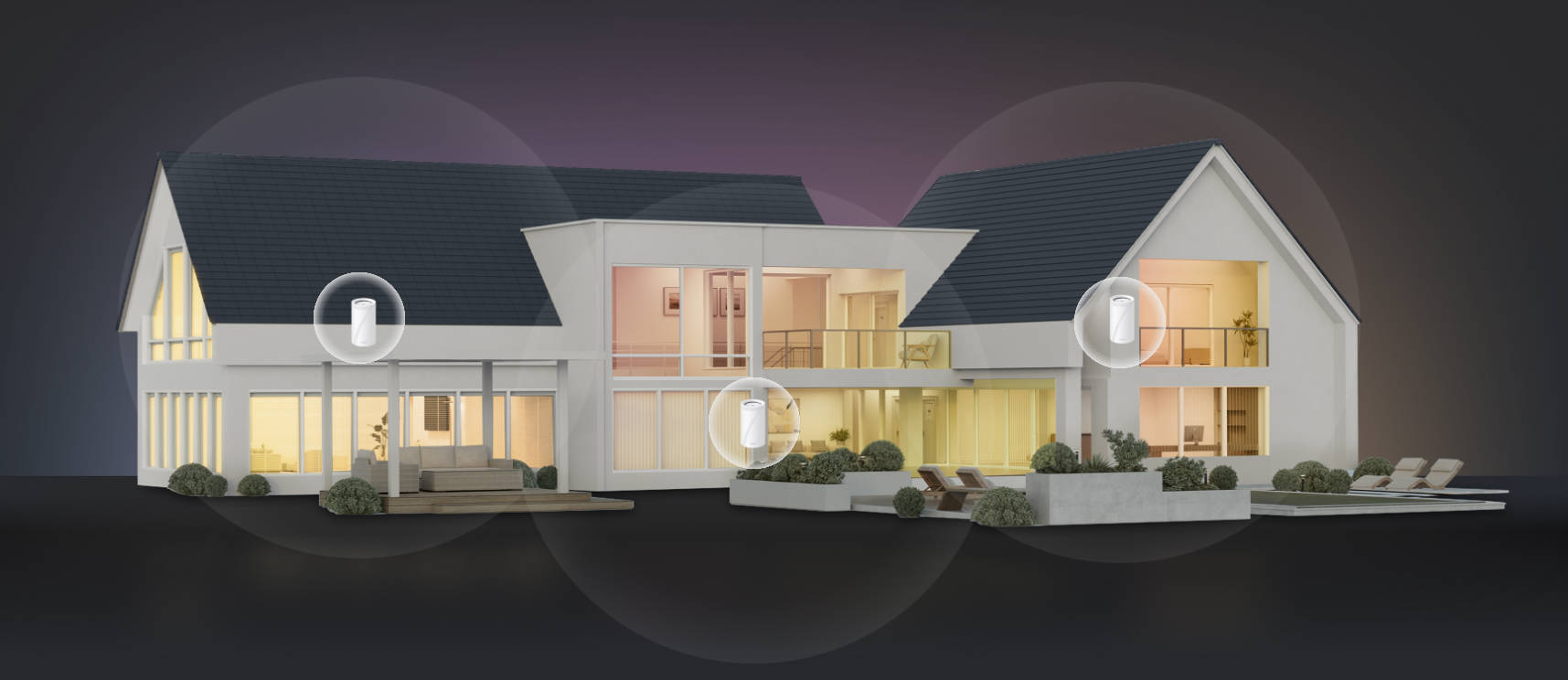
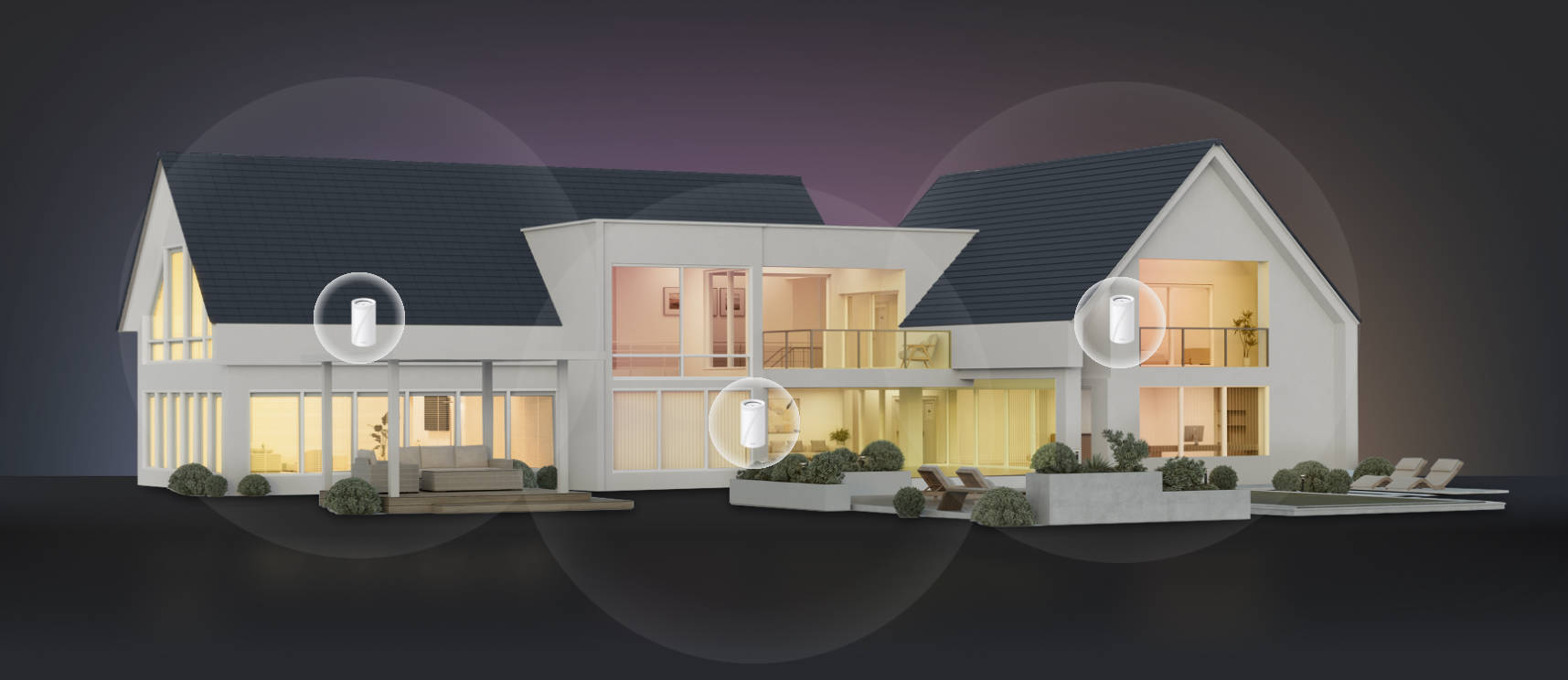
- Whole-home coverage. A PoE mesh system gives several units one network name and one app to manage. Units link over Ethernet through PoE, or wirelessly to non-PoE Deco units, so you can cover spots a cable can’t reach.
- Replacing your router. In router mode, a Deco PoE system connects to your modem and acts as your router on its own.
- One weak spot. A single PoE Wi-Fi access point can fill a garage or basement on your current network.
- Keeping your router. Deco PoE models can also run in access point mode, alongside a router you already own.
What You Need to Set Up PoE Mesh Wi-Fi
To set up PoE mesh Wi-Fi, you need a PoE source and an Ethernet cable, plus a connection to your modem or router.
- A PoE switch or injector. Either one must support 802.3at, also called PoE+, the standard Deco PoE models use, so check the label or spec sheet for either name. A switch like the TL-SG105MPE PoE+ switch has four 802.3at PoE ports, so you can power up to four wired units from one box.
- An Ethernet cable. Run one cable from the switch to each PoE-powered unit, since a single cable carries both power and data. Each run can be up to 100 meters.
- Enough power for every unit. A switch’s power budget is the total power its PoE ports can share, and your units’ combined draw has to stay under it. TP-Link’s PoE power requirements FAQ shows how to check.
Why Choose a PoE Mesh System?
A PoE mesh system lets you place a mesh unit where there's no power outlet, using one Ethernet cable for both power and data.
- Flexible placement and a cleaner look. Units mount on a ceiling or wall, closer to where you use Wi-Fi, instead of taking up shelf space.
- A tidier install. Each unit needs one cable rather than a network cable plus a power adapter, so there's no power brick hanging near a ceiling unit.
- Fewer outlets tied up. Power comes from the switch, leaving wall outlets free for lamps, TVs, and chargers.
- Wired backhaul. Backhaul is the link mesh units use to talk to each other. Wired mesh Wi-Fi sends it over Ethernet instead of sharing a Wi-Fi band, which avoids a bottleneck that can slow your devices down.
- Easy expansion. Deco PoE models work with non-PoE Deco units, so you can use PoE where cables run and add units later where they don’t.
When to Use a PoE Mesh System
A PoE mesh system suits homes where running an Ethernet cable is easier than reaching a power outlet.
- A pre-wired home or planned wiring: Ethernet in the walls, or planned for a new build, gives each unit a ready power and data line.
- An existing PoE switch: A switch that already powers your cameras may have spare ports and power for mesh units, if it supports 802.3at.
- Larger or multi-story homes: Wired links between floors connect each unit directly instead of relaying the signal wirelessly.
- A busy household: With many devices online, Ethernet backhaul keeps mesh traffic off their shared Wi-Fi band, leaving room for streaming and calls.
Deco for PoE Mesh Wi-Fi
Deco is TP-Link’s mesh Wi-Fi line, where several small Wi-Fi devices, called mesh units, work together as one network. Units placed around your home share a single Wi-Fi name, so your devices stay on the same network as you move between rooms. Deco PoE models are PoE mesh systems that get power and data over one Ethernet cable, so each unit can sit where there’s no outlet.
TP-Link is the world’s number one provider of Wi-Fi products. Its Deco 7 series brings Wi-Fi 7 to mesh, so you can match a system to the Wi-Fi your devices use. The Deco app handles setup and day-to-day management from your phone. You can see which devices are online and prioritize your laptop, so a video call gets first share of your Internet connection when others are streaming. You can also set up a guest network, so visitors get online without joining your main one.
Deco PoE models come in one- and three-packs, and every unit you add joins the same network. You can add units later, since Deco PoE models work with other Deco models. Each unit includes a power adapter, so you can plug into a wall outlet wherever PoE isn’t set up yet.
TP-Link’s Deco PoE lineup includes the Deco BE65-PoE from the Deco 7 series and the Deco X50-PoE, a Wi-Fi 6 option. Here’s how they compare:
|
Feature |
Deco BE65-PoE (Deco 7) |
Deco X50-PoE |
|
Wi-Fi generation |
Wi-Fi 7 |
Wi-Fi 6 |
|
Wi-Fi bands |
Tri-band: 6 GHz, 5 GHz, 2.4 GHz |
Dual-band: 5 GHz, 2.4 GHz |
|
Max combined Wi-Fi speed |
Up to 11 Gbps |
Up to 3.0 Gbps |
|
Ethernet ports |
2× 5 Gbps |
2× 2.5 Gbps |
|
Power options |
802.3at PoE or included 12V DC adapter |
802.3at PoE or included 12V DC adapter |
|
Mounting |
Ceiling, wall, or tabletop |
Ceiling, wall, or tabletop |
|
Working modes |
Router or access point |
Router or access point |
|
Connected devices |
Up to 200 |
Up to 150 |
|
Wi-Fi capacity rating |
Very high |
High |
Deco BE65-PoE: The Deco 7 With PoE
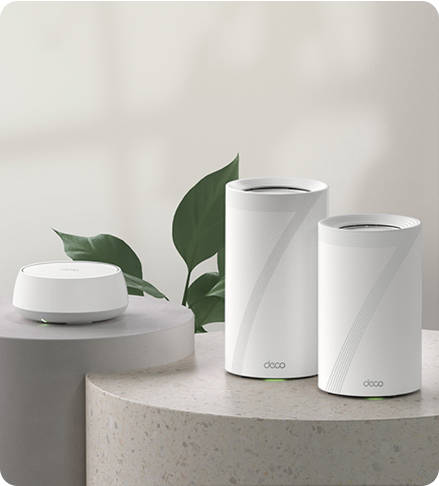
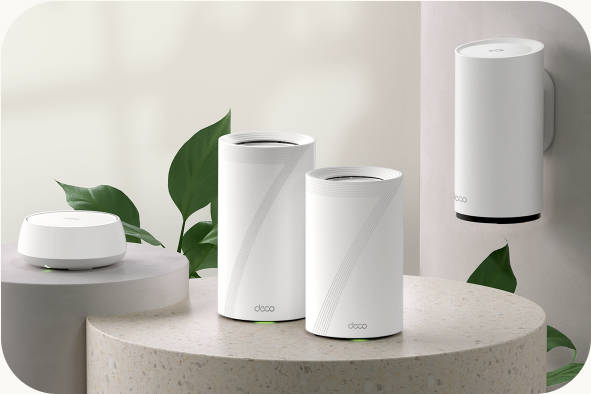
The Deco BE65-PoE is the Deco 7 model built for PoE, so you can power tri-band Wi-Fi 7 with one Ethernet cable or the included adapter.
Tri-band means the Deco BE65-PoE broadcasts on three frequency bands, and your devices can spread out instead of crowding onto one. The 6 GHz band helps cut congestion for devices that support it. Multi-Link Operation (MLO) lets compatible devices send and receive data across multiple bands at once. In a busy home, that can mean less lag on a video call while someone else streams a movie.
Its two 5 Gbps Ethernet ports are faster than standard 1 Gbps ports. That headroom matters if you have a multi-gig Internet plan, which requires compatible service and equipment. Each unit can mount on a ceiling or wall with the included kit, keeping it off your shelves, or sit on a tabletop. The BE65-PoE is worth a close look if you have a multi-gig plan, Wi-Fi 7 devices, or a household with many connected devices.
How to Set Up the Deco BE65-PoE
Setting up the Deco BE65-PoE takes four steps.
- Choose a mode. Use router mode if the Deco will replace your router, or access point mode if you want to keep your existing router.
- Connect the main Deco. Plug the main Deco into your modem or existing router, then power it with the included adapter or an 802.3at PoE source.
- Wire the satellites. Satellites are the extra Deco units you place around your home. Connect your PoE switch to the network, then run an Ethernet cable from it to each satellite.
- Finish in the Deco app. Download the Deco app, and it will walk you through the rest of the setup.
Plan Your Deco PoE Setup
PoE mesh Wi-Fi lets you put each unit where your signal needs to reach, like a hallway ceiling, with one cable from a PoE switch. The Deco BE65-PoE brings Wi-Fi 7 to your setup, though you’ll need Wi-Fi 7-compatible devices to use its newest features. The Deco X50-PoE offers a Wi-Fi 6 option. In router mode, the main Deco replaces your current router, giving you a PoE Wi-Fi router and mesh system in one.
Learn more about whole-home mesh and compare both product pages to see which fits your layout and wiring.
Frequently Asked Questions
Is there a mesh Wi-Fi system that uses PoE?
Yes. Some Deco systems get both power and their network connection from a single Ethernet cable connected to a PoE switch. You can then mount a unit on a ceiling or wall, even where there’s no power outlet.
What's the difference between a PoE access point and a PoE mesh system?
An access point is a single Wi-Fi source that connects to your router and adds coverage in one area. A mesh system is a group of units that share one network, so your phone can switch units as you move between rooms. Choose mesh when you want to cover most of your home.
Which Deco models support PoE?
The Deco BE65-PoE and the Deco X50-PoE both support PoE. The BE65-PoE is Wi-Fi 7 and part of the Deco 7 series, while the X50-PoE is Wi-Fi 6, so choose the model that matches your devices.
Will any PoE switch power a Deco?
No. A Deco needs a switch that supports 802.3at, also called PoE+. Check the switch’s spec sheet for 802.3at, as on the TL-SG105MPE.
How many Deco PoE units can one switch power?
It depends on the switch’s PoE port count and its total power budget. The TL-SG105MPE has four PoE ports and up to 120W to share.
Do I need a PoE switch to use a Deco PoE unit?
No. Each pack includes a power adapter for every unit, so a standard wall outlet works too. You only need a PoE switch if you want to power a unit through its Ethernet cable instead.