Wi-Fi 7 Speed: Real-World Performance and What to Expect
Wi-Fi 7's spec sheet advertises speeds up to 46 Gbps. That number is real, and it's also one your home network will never reach. The gap between the box and your speed test isn't a flaw; it's just how wireless works in practice. This post breaks down what Wi-Fi 7 speed actually looks like at home, what shapes it, and whether upgrading makes sense for your setup.
Key Takeaways
- Wi-Fi 7 delivers real-world speeds of up to 4 Gbps under ideal home conditions, with headroom to grow as Internet plans and devices catch up to the 46 Gbps theoretical ceiling.
- Four factors determine your actual Wi-Fi 7 speed: your Internet plan, your device's Wi-Fi adapter, whether it supports 160 MHz or 320 MHz channels, and how far you are from the router.
- Wi-Fi 7 only outpaces Wi-Fi 6E when the full chain supports it. You need a multi-gig Internet plan, a Wi-Fi 7-compatible device, and a router with 320 MHz tri-band support.
- The biggest real-world gains are Multi-Link Operation (MLO) and lower latency, not peak speed. These matter most in households running many devices at once.
- For most homes on gigabit or slower plans, Wi-Fi 6E is still sufficient. Wi-Fi 7 makes the most sense for multi-gig plans, dense smart home setups, or future-proofing.
What Is Wi-Fi 7? A Quick Refresher
Wi-Fi 7 (802.11be) is the latest Wi-Fi standard, designed for higher throughput, lower latency, and better performance in dense device environments.
Three features drive its speed improvements. First, 320 MHz channels are twice as wide as what Wi-Fi 6 and Wi-Fi 6E use, which means more data moves through at once. Second, 4K-QAM is a modulation technique that packs more data into each wireless signal, enabling faster speeds. Third, Multi-Link Operation (MLO) lets devices use multiple frequency bands simultaneously rather than one at a time, reducing latency and improving reliability. Wi-Fi 7 routers and compatible devices are widely available now.
How Fast Is Wi-Fi 7? Theoretical Max vs. Real-World Speed
Wi-Fi 7's theoretical maximum speed is 46 Gbps. That's the theoretical maximum if every band, stream, and channel ran at full capacity at the same time. No single device can use all of that at once, which is why the number never shows up on a speed test.
In practice, speeds are much lower. With the right setup (a Wi-Fi 7 device, 320 MHz channel support, and a multi-gig Internet plan), most users see speeds between 1 and 4 Gbps on a Wi-Fi 7 speed test. In a typical room, expect 500 Mbps to 1.5 Gbps. Add distance, walls, or floors, and speeds drop further.
Why You'll Never Hit 46 Gbps
The 46 Gbps figure adds up every band at maximum capacity all at once. No real device can use all of that at the same time. A typical Wi-Fi 7 laptop or phone uses two data streams at once, which puts its actual speed well below what the router advertises.
What Real Wi-Fi 7 Speeds Look Like in a Typical Home
In the same room as the router, you're most likely to hit the higher end of the real-world range. One wall away, speeds land somewhere in the middle. At the far end of the house or through multiple floors, numbers drop noticeably, often to a fraction of same-room performance. A 1 to 2 Gbps result on a speed test is excellent and reflects real-world capability. Variation based on your layout is completely normal.
Wi-Fi 7 vs. Wi-Fi 6 Speed: Where the Real Gains Show Up
Here is how the three standards compare on paper and in practice.
|
Standard |
Theoretical Max |
Typical Real-World Speed |
|
Wi-Fi 6 |
9.6 Gbps |
~1 Gbps |
|
Wi-Fi 6E |
9.6 Gbps |
~1.5 Gbps |
|
Wi-Fi 7 |
46 Gbps |
1 to 4 Gbps (ideal conditions) |
Wi-Fi 7 doesn't double your everyday speeds. On a 1 Gbps Internet plan or slower, the difference between Wi-Fi 6E and Wi-Fi 7 is often barely noticeable. The real gains show up in peak throughput on multi-gig connections, congestion handling in busy households, and latency for gaming and video calls.
For a deeper look at how the two standards compare, see Wi-Fi 7 vs. Wi-Fi 6: How Is Wi-Fi 7 Different?
Where Wi-Fi 7 Wins: MLO, Latency, and Multi-Device Performance
Multi-Link Operation (MLO) is a Wi-Fi 7 feature that lets a device send and receive data across multiple frequency bands at the same time, instead of locking into just one. The practical result is lower latency, fewer dropped connections, and smoother performance when many devices are active at the same time. If your household has everyone online simultaneously with video calls, streaming, and gaming, MLO is where Wi-Fi 7 earns its value, even when raw speed numbers look similar to Wi-Fi 6E.
For a full breakdown of how MLO works and what it means for your network, see What Is Wi-Fi 7's Multi-Link Operation?
What Affects Real-World Wi-Fi 7 Speed
Hitting near-max Wi-Fi 7 speeds requires every link in the chain to be Wi-Fi 7-ready. If any one piece isn't keeping up, that component becomes your ceiling. Here are the four main factors.
Your Internet Plan
Your Internet plan is the most common ceiling. A 1 Gbps plan caps your speed test at roughly 1 Gbps regardless of the router. Wi-Fi 7's speed advantages become clearly visible on multi-gig plans of 2 Gbps and up. On a standard gigabit plan, you'll still benefit from MLO and lower latency, but the raw speed gain over Wi-Fi 6E will be modest.
Your Client Device
Your device needs to support Wi-Fi 7 to use Wi-Fi 7 speeds. A Wi-Fi 6 phone or laptop connecting to a Wi-Fi 7 router will only get Wi-Fi 6 speeds. Even two Wi-Fi 7 devices can see different speeds from each other, since phones and laptops have different hardware capabilities built in.
Channel Width: 160 MHz vs. 320 MHz
Channel width is like lane width on a highway: wider means more data moves through at once. Wi-Fi 7's 320 MHz channels are double the width of Wi-Fi 6E's 160 MHz maximum. The caveat is that 320 MHz channels are only available in the 6 GHz band, and your router, client device, and local regulations all need to support them. Without all three, the router falls back to narrower channels.
For more details on whether 320 MHz channels are worth it in a real home, see 320 MHz: Are Wi-Fi 7's Ultra-Wide Channels Worth It?
Distance and Obstacles
Wi-Fi 7's fastest band, 6 GHz, also has the shortest range and the weakest ability to pass through walls. Speeds can be three to five times higher in the same room as the router compared to two rooms away. Physical obstacles like walls, floors, furniture, and appliances absorb and reflect signals, especially at higher frequencies.
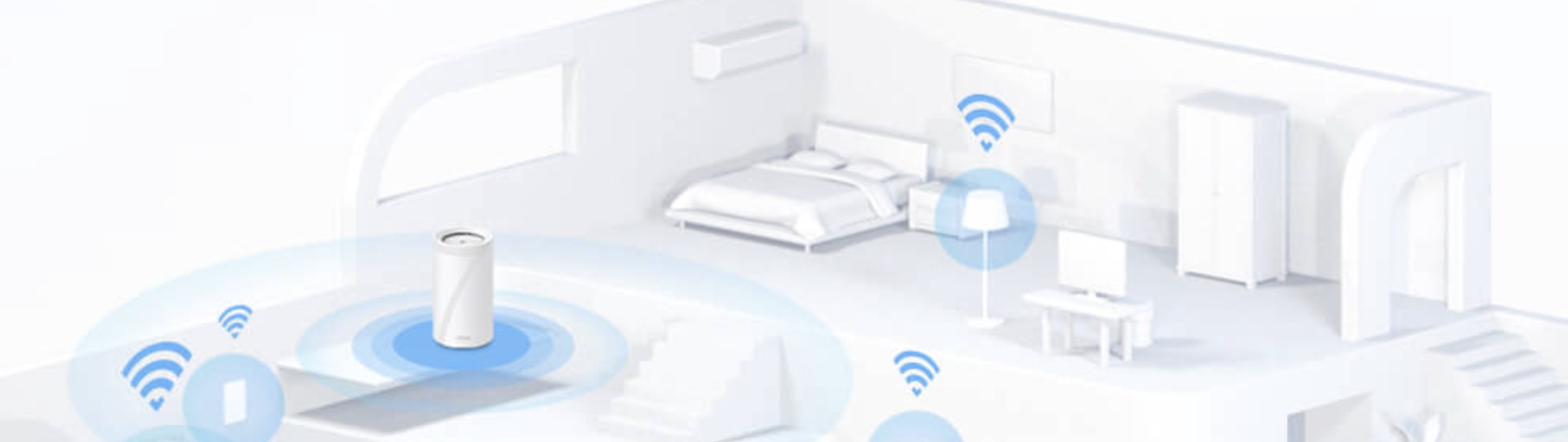
For larger or multi-story homes, a Wi-Fi 7 mesh system addresses this directly by placing additional access points closer to where devices actually live. The Deco BE series brings Wi-Fi 7 performance to the whole home, not just the room with the router.
Will You Actually See Wi-Fi 7 Speeds? A Reality Check
The honest answer depends on your setup. Walk through this checklist before deciding whether a Wi-Fi 7 upgrade will deliver noticeable speed gains for you.
- Multi-gig Internet plan (2 Gbps or faster)
- Wi-Fi 7-capable client devices (laptops, phones, tablets)
- A Wi-Fi 7 router with 320 MHz channel support
- Close proximity to the router, or a mesh system that puts nodes near your devices
If any of these are missing, that's your current ceiling. For most people on gigabit Internet with Wi-Fi 6 or 6E devices, the speed gain from upgrading today will be modest.
The stronger case for Wi-Fi 7 right now is future-proofing, MLO benefits, and better multi-device handling, not raw speed test numbers. That said, if you're dealing with lag or congestion in a busy household, the latency improvements are real and worth considering regardless of your Internet plan.
How to Get the Most Out of Wi-Fi 7
If you already own a Wi-Fi 7 router or are planning to buy one, these steps help you get closer to real Wi-Fi 7 performance.
- Choose a tri-band router. The 6 GHz band is where 320 MHz channels live. A dedicated 6 GHz band gives you the best conditions for peak throughput.
- Place the router centrally and elevated. Signal travels in all directions. A central position means shorter distances to devices throughout the home.
- Upgrade your most-used devices first. The router's speed only matters if your device can keep up. Start with your primary laptop or phone.
- Consider a multi-gig Internet plan. Wi-Fi 7's speed advantages show up most clearly when the Internet connection itself isn't the bottleneck.
- For larger homes, use a mesh system. A Wi-Fi 7 mesh system delivers consistent speeds throughout the home, not just near the router.
For more on how fast Wi-Fi 7 routers perform in real testing, see How Fast Are Wi-Fi 7 Routers?
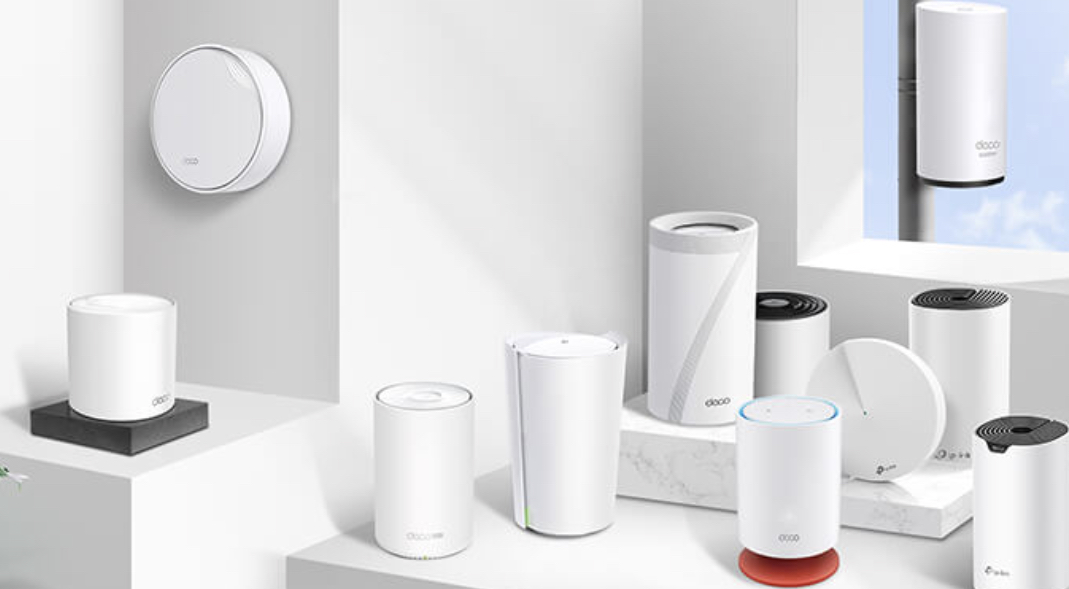
TP-Link's Wi-Fi 7 lineup includes the Archer BE series for single-router setups and the Deco BE series for whole-home mesh. Explore our Wi-Fi routers to find the setup that fits your home.
Get the Wi-Fi 7 Speed Your Home Actually Needs
Wi-Fi 7's 46 Gbps headline figure is theoretical, and real-world speeds in most homes land in the 1 to 4 Gbps range under good conditions. The biggest practical gains from Wi-Fi 7 come from MLO, lower latency, and better multi-device handling rather than peak speed alone.
Who benefits most from upgrading now? Households with multi-gig Internet, dense smart home setups, and a mix of streaming, gaming, and remote work happening simultaneously. If your current setup is working fine and you're on a standard gigabit plan, you can wait. When you're ready to upgrade, Wi-Fi 7 is the right direction.
Explore TP-Link's Wi-Fi 7 routers and Deco mesh systems to find the setup that matches your home and your needs.
Frequently Asked Questions
How fast is Wi-Fi 7 in real-world use?
Real-world Wi-Fi 7 speeds depend heavily on your setup. Close to the router with a Wi-Fi 7 device and a multi-gig Internet plan, most users see 1 to 4 Gbps. On a standard gigabit plan or further from the router, expect lower numbers.
What is the maximum speed of Wi-Fi 7?
The theoretical maximum is 46 Gbps, but no single device can reach it. That figure represents total combined capacity across all bands simultaneously. Your real ceiling is your Internet plan speed, your device's adapter, and your distance from the router.
Is Wi-Fi 7 actually faster than Wi-Fi 6E in everyday use?
On a 1 Gbps Internet plan, the raw speed difference is modest. The meaningful gains are in latency, multi-device handling through MLO, and peak throughput on multi-gig connections. If you have many devices active at once or a plan faster than 1 Gbps, the difference is noticeable.
Is Wi-Fi 7 worth it if I have gigabit Internet?
Speed gains will be limited since your plan is the ceiling. You'll still benefit from MLO and lower latency in a busy household, and Wi-Fi 7 is a solid future-proof investment as faster Internet plans become more common.
Does Wi-Fi 7 penetrate walls better than Wi-Fi 6?
No. Wi-Fi 7's fastest band, 6 GHz, has shorter range and weaker wall penetration than the 5 GHz band. For larger or multi-story homes, a Wi-Fi 7 mesh system is a more practical solution than a single router.
Do I need a new device to use Wi-Fi 7 speeds?
Your device needs to support Wi-Fi 7 to get Wi-Fi 7 speeds. A Wi-Fi 6 device will still connect to a Wi-Fi 7 router, but at Wi-Fi 6 speeds. If you want the full benefit, upgrading your router and your primary laptop or phone together makes the biggest difference.