What Is a Mobile Hotspot and How Does It Work?
You're in a café, halfway through a video call, and the Wi-Fi cuts out. Or you're on the road and need to get your laptop online with no Ethernet port in sight. This is exactly the situation a mobile hotspot is built for.
A mobile hotspot creates its own private Wi-Fi network using cellular data; no fixed Internet connection required. You can use your phone's built-in hotspot feature, or carry a dedicated hotspot device that does the job independently. Either way, your other devices connect to it just like they'd connect to Wi-Fi at home.
This article covers what a mobile hotspot is, how it works, the different types available, and when it makes sense to use one.
Key Takeaways
- A mobile hotspot uses cellular data to create a private Wi-Fi network for your devices, with no fixed Internet connection needed.
- You can use your phone's built-in hotspot or a dedicated hotspot device. A dedicated device is more reliable for longer sessions and multiple connections.
- Mobile hotspot data works just like regular cellular data. Every device that connects draws from your data plan.
- A mobile hotspot is more secure than public Wi-Fi because it's password-protected and only accessible to people you share the password with.
- A travel router extends your hotspot to support more devices, better performance, and added security, making it essential for anyone who relies on a hotspot regularly.
What Is a Mobile Hotspot?
A mobile hotspot is a device or feature that takes a cellular data signal and turns it into a Wi-Fi network your other devices can join. Think of it as a portable router that runs on your cellular plan instead of a fixed Internet line.
Your phone or hotspot device connects to the nearest cell tower, the same way it does for calls and data, then shares that connection as a Wi-Fi signal that your laptop, tablet, or any other device can join.
Say you're working from a hotel and the in-room Wi-Fi isn't cutting it. You turn on your mobile hotspot device, your laptop connects, and you're back online using your own private network instead of the hotel's.
How Does a Mobile Hotspot Work?
A mobile hotspot works in two steps. First, it connects to a cellular network, either 4G LTE or 5G, depending on what's available. Then it rebroadcasts that connection as a Wi-Fi signal your other devices can detect and join, just like any other Wi-Fi network.
Mobile hotspot data is the cellular data your plan provides. Every device that connects through the hotspot draws from that data allowance, and so does everything it does online, from streaming to video calls to file downloads. If you're on a limited plan, high-bandwidth activities like video streaming will use it up faster.
The hotspot itself is simply a bridge. Your devices' Internet traffic flows from them through the hotspot and out to the cellular network.
Hotspot vs. Mobile Hotspot: What's the Difference?
The terms "hotspot" and "mobile hotspot" get used interchangeably, but they're not quite the same thing.
A hotspot is any location or access point that provides wireless Internet access. The Wi-Fi at your local café, the connection at the airport lounge, the library's public network: these are all hotspots. They're tied to a fixed location and a fixed Internet source.
A mobile hotspot creates its own Internet source using cellular data, so it moves with you. You're not depending on whatever Wi-Fi happens to be available nearby.
There are two main forms you'll encounter:
The hotspot on your phone, sometimes called a personal hotspot, uses your phone's cellular data and broadcasts it as Wi-Fi. It's convenient, but your phone is doing double duty as both a connected device and a hotspot, which drains the battery quickly and can affect performance if you're also using it for calls or apps.
A dedicated mobile hotspot device is a standalone device with its own cellular connection and its own battery. It's built specifically to broadcast a hotspot signal. That focus makes it more reliable, better at handling multiple connected devices at once, and easier on your phone.
Your phone's personal hotspot is great for quick, occasional use. A dedicated hotspot device is the better fit for longer sessions or when you need to connect more than one or two devices.
Types of Dedicated Mobile Hotspot Devices
If you need reliable connectivity on a regular basis, a dedicated hotspot device is worth considering. There are a few different types depending on how you work and travel.
Pocket or Portable Hotspots
Compact and battery-powered, these fit in a bag or pocket and are the most common choice for travelers and remote workers. They're easy to carry, simple to set up, and capable of connecting multiple devices at once.
USB Dongle Hotspots
These plug directly into a laptop's USB port for a straightforward connection. They're a good fit for solo users who primarily work from one device and want something minimal and lightweight.
MiFi Devices
A specific type of portable hotspot built to handle multiple simultaneous connections. If you're traveling with a group or regularly connecting several devices at the same time, a MiFi device handles that load more efficiently.
The right choice depends on how many devices you're connecting and how often you need reliable Internet away from home.
When Should You Use a Mobile Hotspot?
Here's how to use a mobile hotspot and when it makes the most sense.
- Jumping on a video call from a café when the venue's Wi-Fi is slow or unreliable, and you need a stable private connection for the call.
- Working remotely from a hotel, Airbnb, or co-working space where the Wi-Fi is shared and the speeds are unpredictable.
- Streaming on a long trip without relying on patchy in-transit Wi-Fi.
- Keeping the kids entertained on a road trip so everyone stays connected to one network without fighting over data.
- Staying connected during a home Internet outage while you wait for service to come back.
- Camping or traveling to areas without reliable Wi-Fi, anywhere cellular coverage reaches.
- Traveling internationally without access to local Wi-Fi, especially in accommodations where the connection isn't guaranteed.
- Sharing a connection with travel companions so everyone gets online without separate logins or separate data costs.
Setup is simple: turn the hotspot on, connect your devices using the network name and password, and you're online. Most phones and dedicated devices walk you through the first-time setup in just a few steps.
What to Know Before You Use a Mobile Hotspot
A mobile hotspot is a convenient way to get online almost anywhere, but it works differently than a home Wi-Fi connection. Cellular data, battery life, and signal strength all play a role in how well it performs and how long it lasts. Before you rely on one for work, travel, or everyday use, here's what's worth understanding:
Data Usage
Every device that connects draws from your data allowance, and so does everything it does online. Streaming video, video calls, and large downloads will use mobile hotspot data much faster than browsing or email. If you're on a limited plan, it's worth keeping an eye on usage.
Speed
Hotspot speeds depend on your cellular signal strength and the available network generation. 5G hotspots are significantly faster where 5G coverage exists. In 4G LTE areas, speeds are slower but still usable for most everyday tasks.
Battery Drain
Using your phone as a hotspot drains the battery quickly. Keep a charger handy, or consider a dedicated hotspot device for longer sessions so your phone stays available for calls.
Security
A mobile hotspot is more secure than public Wi-Fi. It's password-protected, so only people you share the password with can connect, and other users on a nearby public network can't see or intercept your traffic.
Mobile Hotspot vs. Wi-Fi: Key Differences
The main difference between a mobile hotspot and Wi-Fi is the source of the Internet connection. Wi-Fi connects your devices to a fixed Internet connection, like your home router or a café's network. A mobile hotspot generates its own Internet source from cellular data, independent of any fixed connection.
When Wi-Fi is the better option: at home or anywhere with a fast, reliable fixed connection. A home Wi-Fi network is typically faster and more consistent than cellular data, and it doesn't count against a data plan.
When a mobile hotspot is the better option: anywhere a fixed connection isn't available, reliable, or trustworthy. Travel, remote work, and outages are the situations where a hotspot fills the gap.
TP-Link Travel Routers: The Next Step for Hotspot Users
If you find yourself relying on a hotspot regularly, a travel router can take that setup further. It connects to your hotspot and rebroadcasts the connection as a private Wi-Fi network for all your devices. That means a single login for public Wi-Fi, better performance across multiple connections, and built-in Virtual Private Network (VPN) protection. A VPN encrypts your traffic to keep it private on shared networks, and it covers every device on your network automatically.
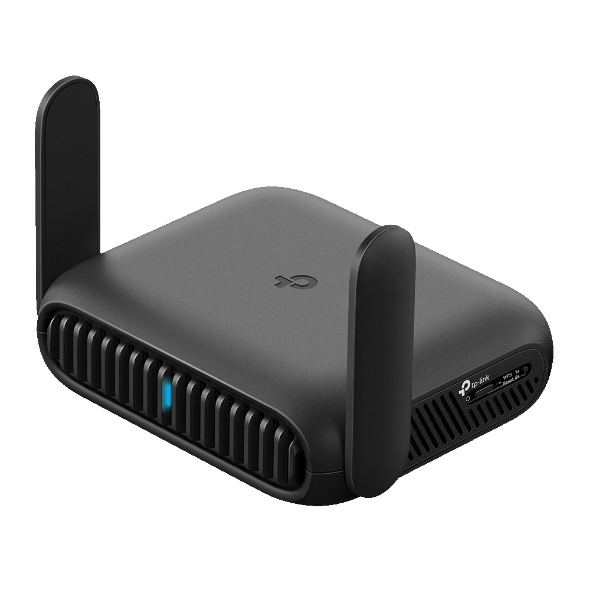
TP-Link's Roam™ lineup is built for remote workers, frequent travelers, and anyone who needs reliable on-the-go connectivity. Both models fit in your bag, set up quickly via the TP-Link Tether app, and support multiple devices simultaneously.
TP-Link Roam™ 6 (AX3000)
The Roam™ 6 AX3000 is the reliable everyday option for remote workers and travelers who need consistent connectivity across multiple devices. It runs on Wi-Fi 6 and supports multiple operating modes, so it works with your mobile hotspot, hotel ethernet, or phone data, depending on what's available. VPN support and one-step captive portal authentication are also included.
It's a practical fit if you regularly work from hotels or co-working spaces and need a private, secure connection without having to log into each device separately. Families traveling with multiple devices, from tablets to laptops to phones, can connect everything through one network without per-device hotel logins. If you're staying somewhere with an Ethernet port but no reliable in-room Wi-Fi, the Roam 6 turns that wired connection into a Wi-Fi network for all your devices. It also supports file sharing via microSD card (sold separately), which is useful if you need access to local files across devices on the road.
TP-Link Roam™ 7 (BE3600)
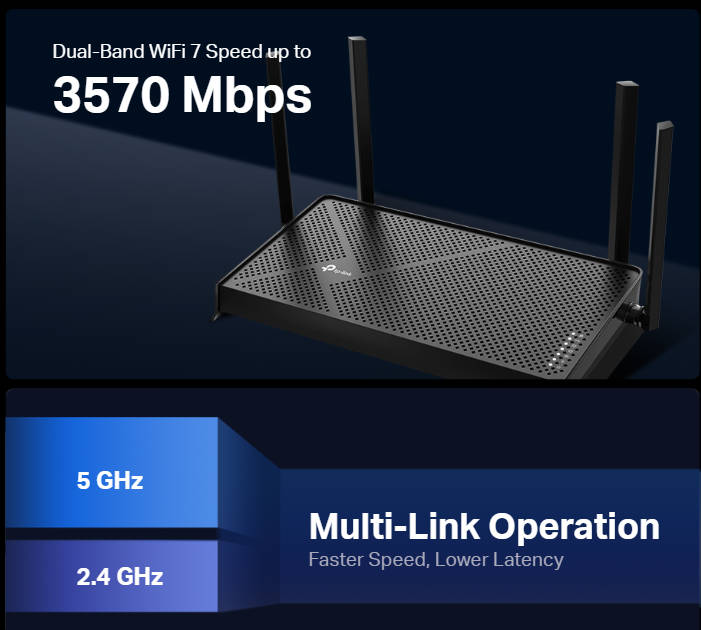
The Roam™ 7 is the high-performance option for frequent travelers and power users. It runs on Wi-Fi 7 and delivers fast, stable speeds across two bands, all in a device that fits in your pocket.
It's the stronger choice if you connect five or more devices at the same time, frequently run video calls alongside file transfers, or work with large files on the road. The 2.5G WAN port means it can take full advantage of faster Ethernet connections in hotels and venues that have upgraded their infrastructure. USB 3.0 lets you plug in an external drive and share files across your private network, which is useful if you need access to large project files without relying on cloud storage. For remote workers handling sensitive data, VPN runs at the router level, so every connected device gets encrypted protection without any additional setup on each one.
Take Your Connection With You
A mobile hotspot is one of the most practical tools for staying connected away from home. Whether you're working from a hotel, riding out a home Internet outage, or keeping everyone online on a road trip, your cellular-powered network goes where you go.
If you find yourself reaching for your hotspot often, explore the TP-Link Roam™ lineup to see how a travel router makes the whole experience faster, more secure, and easier across all your devices.
FAQs
What is the difference between a mobile hotspot and Wi-Fi?
Wi-Fi uses a fixed Internet connection, such as a home router or a business network, to deliver wireless access in a single location. A mobile hotspot uses cellular data to create its own Internet source, so it works wherever you have a cell signal, no fixed connection required. The practical difference: Wi-Fi is the right choice when you're somewhere with a reliable fixed connection; a mobile hotspot is the right choice when you're not.
Is a personal hotspot the same as a mobile hotspot?
Not exactly. A personal hotspot is a feature built into your phone that lets it share its cellular data as Wi-Fi. A mobile hotspot can refer to that feature, or to a dedicated device designed specifically for the job. The dedicated device has its own battery, its own cellular connection. It doesn't compete with your phone's other functions, making it the better choice for extended use or for connecting several devices at once.
How much data does a mobile hotspot use?
It depends on what you're doing. Browsing and messaging use very little data. Video streaming and video calls use significantly more. If you're on a limited data plan, it's worth monitoring usage when you're connected, especially if multiple devices are active at the same time.
Can I use a mobile hotspot as my home Internet?
It's possible as a short-term or backup option, but it's not ideal for everyday home use. Cellular data plans typically come with data limits and can't match the consistent speeds of a home broadband connection. A mobile hotspot is designed for on-the-go connectivity, not as a long-term home Internet replacement.
What is the difference between a mobile hotspot and a travel router?
A mobile hotspot generates a Wi-Fi network from cellular data. A travel router takes an existing Internet source, whether that's your hotspot, hotel Wi-Fi, or a wired connection, and rebroadcasts it as a private network for all your devices. The key advantages of a travel router are: VPN protection automatically covers every connected device, public Wi-Fi logins occur once instead of on each device, and multi-device performance is more consistent.