How to Set Up a Smart Home: A Beginner's Guide to Your First Devices
Picture this: you get home, and the lights are already on. Your favorite lamp turned on automatically at sunset, and the plug for your space heater switched off hours ago because you forgot again this morning. From your desk at work, you check a camera on your phone just to see that everything at home is fine.
That is what a smart home feels like once it is up and running. If you are wondering how to set up a smart home for the first time, the process is simpler than it looks.
This guide explains what a smart home is and how its components work together. You will also learn how to choose a platform like Alexa or Google Home, which devices make the most sense as your starting point, and how some ecosystems make adding your next device even easier as your setup grows.
Key Takeaways
- A smart home connects everyday devices to your Wi-Fi network, so you can control lights, plugs, and cameras from your phone or by voice.
- Most smart home devices set up in minutes through a companion app, with no wiring or installer visit required.
- Smart plugs and smart bulbs are among the easiest first devices for beginners, since they install quickly and show results right away.
- You do not need a hub to get started. Many devices connect directly over Wi-Fi, and a hub becomes useful once your setup grows larger.
- Choosing a platform, such as Amazon Alexa, Google Home, or Apple HomeKit, ties every device together in one app and unlocks voice control.
What Is a Smart Home?
A smart home is a home where everyday devices, such as lights, plugs, cameras, and locks, connect to the Internet so you can control them remotely from a phone or by voice. Instead of flipping a switch or checking a lock in person, you manage everything through an app.
Most smart home devices connect through your home Wi-Fi network, and setup happens inside an app rather than through complicated wiring.
A smart home setup can be as simple as a single smart plug or as extensive as a fully automated system with dozens of connected devices. There is no required starting point. You get to decide how far you want to take it, and you can always add more later.
What Can a Smart Home Do?
Once your devices are connected, a smart home can:
- Turn lights on and off automatically or on a schedule, so you never worry about forgetting before you leave the house.
- Let you control lights, plugs, and cameras remotely from anywhere using your phone.
- Send motion alerts and live video so you can check in on deliveries, pets, or entry points.
- Run routines that handle multiple actions at once, like turning off all the lights and locking the door when you leave.
- Respond to voice commands through Alexa, Google Home, or Apple HomeKit, so you can control lights, plugs, and speakers without touching your phone.
- Track energy usage and cut waste by scheduling smart plugs to power down devices sitting on standby.
Building a smart home like this doesn’t happen overnight. Most people start with one or two of these features and add more as they go.
How a Smart Home Works: Platforms, Devices, and Hubs
Every smart home setup relies on three core components: devices, platforms, and hubs. Understanding what each does and how they work together makes the rest of this guide easier to follow.
Smart Home Devices
Smart home devices are the physical products you buy and install, such as lights, plugs, cameras, and locks, that connect to your home Wi-Fi and are controlled through an app. They are the foundation of any smart home. Everything else in this guide, like platforms and hubs, exists to connect and control these devices.
Common examples include smart plugs that add remote control to lamps or small appliances, smart bulbs that replace standard light bulbs, and smart cameras that let you check in on your home from anywhere. Learning how to build a smart home starts with understanding what these devices do on their own before you add a platform or hub to the mix.
The App
Every smart home brand has a companion app, and it is where most of the work happens. You use the app to set up new devices, control them day-to-day, and build automations, such as turning lights on at sunset.
This app-first approach makes setting up a smart home for beginners more approachable. You don’t need any technical knowledge to create a routine or schedule a device. Most apps also connect to smart home platforms, so your devices can respond to voice commands once they are set up.
Smart Home Platforms
A smart home platform is a software ecosystem, such as Amazon Alexa, Google Home, or Apple HomeKit. It lets you control every connected device from one place and set up automations across your whole home.
The right platform depends on what you already own and which devices you want to add. iPhone users often lean toward Apple HomeKit for its close integration with other Apple devices. Android users tend toward Google Home. Anyone who wants the widest possible device selection usually chooses Alexa, since it works with a broad range of smart home brands.
Smart Home Hubs
A smart home hub is a central device that connects and manages your smart home devices locally, without relying entirely on the cloud. Many modern devices connect directly over Wi-Fi and do not require a separate hub.
Once you have several devices working together, though, a hub becomes useful for managing everything smoothly and keeping communication fast. Browse TP-Link's smart hub collection to see how a hub fits into a larger setup.
How It All Works Together
Here is how the three layers connect. Devices connect to your home Wi-Fi network; the platform ties them together in one app; and, when you use one, a hub manages local communication between devices.
A smart plug connects to your Wi-Fi, appears in the Alexa app, and can be turned on or off by voice or included in a routine. That is the complete cycle, a simple example of how to make your home a smart home, one device at a time.
Where to Start: Your First Smart Home Devices
If you are wondering how to start a smart home, the most common question beginners ask is simple: what should I buy first? The good news is you don’t have to buy everything at once. Start with one or two smart home devices for beginners, and build from there as your budget and interest allow.
Smart Plugs
A smart plug is a small adapter that plugs into any outlet and lets you control whatever is connected to it, like a lamp or space heater, from your phone. They are one of the easiest smart home devices for beginners, since setup takes just a few minutes and you can start scheduling or controlling devices remotely right away. Explore TP-Link's smart plug collection to see the options.
Smart Bulbs
A smart bulb is a light bulb that connects to your Wi-Fi and can be controlled, dimmed, or scheduled directly from an app. They are one of the most visible upgrades you can make, since the change is obvious the first time your lights turn on without you touching a switch. Browse TP-Link's smart bulb collection to get started.
Smart Sensors
A smart sensor detects motion, temperature changes, or an open door. It can automatically trigger other devices, such as turning on lights when you enter a room or sending an alert when it detects unexpected motion. Sensors are a beginner-friendly way to start building automations, since they work quietly in the background once set up. See TP-Link's smart sensor options to learn more.
Smart Cameras
A smart camera lets you check in on your home from anywhere, with live video and motion alerts sent straight to your phone. They are a natural next step once you have plugs and bulbs set up, though they involve a bit more setup. Explore TP-Link's smart camera options to compare models.
Smart Locks
A smart door lock lets you lock and unlock your door remotely or automatically, and it can grant access to specific people without a physical key. Setup is straightforward, but many first-time buyers treat a lock as a considered upgrade rather than a first device, since the stakes of a lock feel higher than a plug or a bulb.
You don’t need to buy all five device types to have a working smart home. Add devices when you are ready, and your setup will grow at your own pace.
How to Set Up Your Smart Home Step by Step
Now that you understand the pieces, here is how to build a smart home in practice. These five steps apply whether you are setting up one smart plug or several devices at once.
- Choose your platform. Decide whether Alexa, Google Home, or Apple HomeKit best fits your household, based on the devices you already use and the phone you carry.
- Download the app. Most smart home devices set up through a companion app. For TP-Link devices, that is the Tapo app or the Kasa app, depending on the product line.
- Connect to Wi-Fi. Open the app and follow the setup steps, which walk you through connecting the device to your home Wi-Fi network with on-screen prompts.
- Add the device to your platform. Link the device to your chosen platform, such as Alexa or Google Home, to unlock voice control and automations across your other devices. Many Tapo devices connect directly to major platforms through the app.
- Set up your first automation. Once your device is connected, create a simple routine, like turning lights on at sunset or switching a plug off at bedtime. The Tapo app includes preset automation templates that make this easy for first-time users.
How TP-Link Makes Getting Started Easy
TP-Link designs its smart home system installation process with beginners in mind. Every device sets up through an app. Many devices connect directly to platforms like Alexa and Google Home, with select models also compatible with Apple HomeKit, so you are not locked into one ecosystem before you even get started.
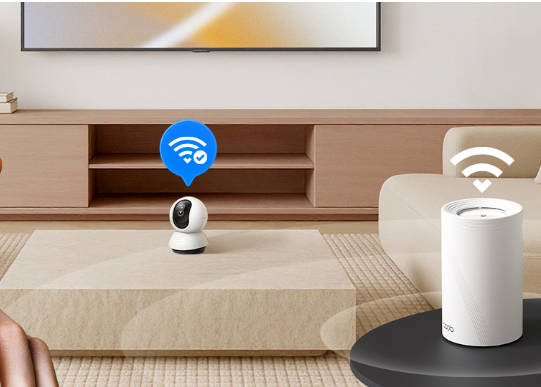
Tapo devices work with or without a hub. Most connect directly through Wi-Fi, and a Tapo hub adds local control and extra capabilities as you connect more devices, without relying on the cloud for every action.
If you run into questions along the way, TP-Link's support library and FAQ resources cover common setup questions, so you are not stuck figuring things out alone.
One-Tap Setup With TP-Link Simple Setup (TSS)
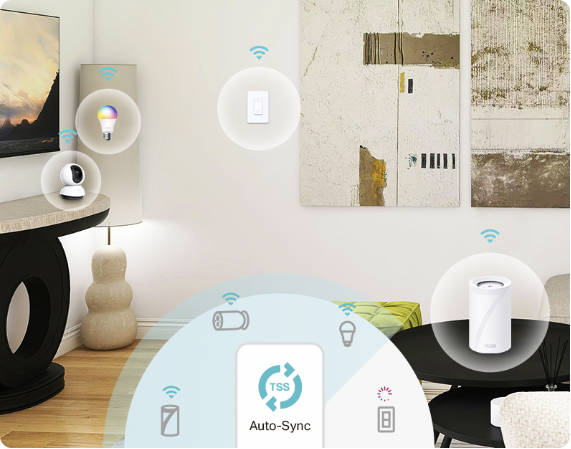
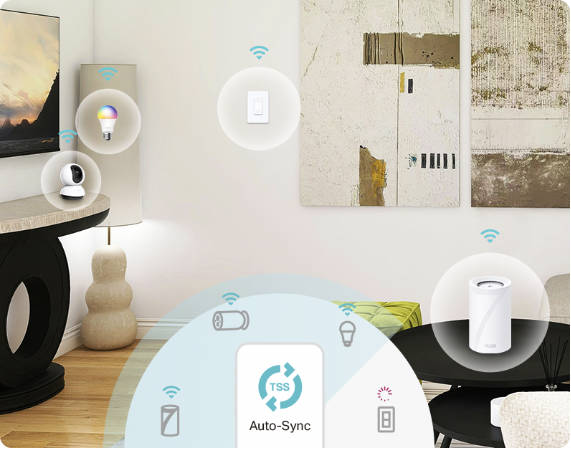
As your smart home grows, TP-Link Simple Setup (TSS) makes adding each new device even easier. TSS is not something that sets up your very first device. Instead, it works once you already have a TP-Link device connected to your network, and it takes over from there.
TSS automatically detects a new TP-Link device when you power it on and adds it to your network with a single tap, no QR codes or manual Wi-Fi entry required. For a beginner who has already set up one or two devices, this removes the most repetitive part of expanding a smart home.
TSS also handles network changes automatically. If your Wi-Fi password ever changes, TSS-connected devices update without needing to be manually reconnected. Learn more on the TP-Link Simple Setup page.
Your First Smart Home Starts With One Device
Whether you are exploring how to create a smart home for convenience, security, or energy savings, the starting point is the same. Learning how to set up a smart home doesn’t require a big investment or any technical expertise. One or two devices, a platform choice, and an app are all it takes to get started.
Start small, and let your smart home grow with you. Add a smart plug this month and a smart bulb the next, then decide from there whether a camera, sensor, or lock fits your household. If you go with TP-Link, TSS handles device detection and network changes automatically as your setup expands, so adding new devices stays just as easy as it was the first time.
Ready to see what is possible? Read What Can Smart Homes Do? for more ideas on how it all comes together.
FAQs
What is the easiest smart home device to start with?
A smart plug is usually the easiest smart home device to start with. It plugs into any outlet, sets up in a few minutes through an app, and lets you control or schedule whatever is plugged into it right away.
Do I need a hub to set up a smart home?
No. Many smart home devices connect directly to your Wi-Fi network and do not require a hub. A hub is helpful when you have several devices working together and want more local control among them.
What is the difference between Alexa, Google Home, and Apple HomeKit?
All three are smart home platforms that let you control your devices from one app and by voice. Alexa works with a broad range of devices, Google Home pairs naturally with Android phones, and Apple HomeKit integrates closely with other Apple devices.
Do smart home devices work without the Internet?
Most smart home devices need an Internet connection for remote control, voice commands, and app updates. Some devices can perform basic functions locally through a hub, but a stable Wi-Fi connection is needed for the full experience.
How do I know if a smart home device is compatible with my phone?
Check the product page or app store listing before you buy. Most smart home apps support both iPhone and Android, and platform compatibility, such as Alexa or Google Home, is usually clearly listed on the packaging or product page.
How do I add a new device to my smart home?
Open your smart home app, follow the prompts to connect the new device to your Wi-Fi network, and then link it to your platform if you want voice control. TP-Link devices that use TSS can skip most of these steps, since compatible devices are automatically detected and added with a single tap.
Is there an app to control all my smart home devices?
It depends on the brands you choose. Devices from the same brand, like TP-Link's Tapo, typically live in one app. A platform like Alexa or Google Home can also bring devices from multiple brands together in a single interface.