Powerline Adapter vs. Wi-Fi Extender: Find the Fix for Your Dead Zone
Your router is doing its job, but you just can't get the signal everywhere you need it. You've restarted it, moved it a few inches, and still the back bedroom or basement office gets a weak, unreliable connection.
When comparing a powerline adapter vs. Wi-Fi extender, here's what you need to know: a Wi-Fi extender receives your existing wireless signal and rebroadcasts it to reach farther into your home. A powerline adapter sends your Internet signal through your home's electrical wiring, delivering a wired-style connection to any room with an outlet. The key difference is how each one carries the signal: wirelessly through the air, or physically through your walls.
Neither option increases the Internet speed coming into your home. Both work with what you already have and aim to get more of that signal to the places your router can't reach on its own.
This guide covers how each device works, when each is the better call, and what to consider before choosing.
Key Takeaways
- For gaming, 4K streaming, and video calls, a powerline adapter is the more reliable choice. It uses your home's electrical wiring to deliver a stable, low-latency connection, though performance depends on wiring quality and outlet placement.
- For lighter tasks in smaller spaces, a Wi-Fi extender is the simpler fix. It rebroadcasts your existing wireless signal with no wiring required, but needs a strong signal to work well, and placement makes a big difference.
- Powerline adapters work best when plugged directly into a wall outlet on the same circuit as your router. Surge protectors, old wiring, and separate circuits can all reduce performance.
- A powerline adapter vs. Wi-Fi extender comparison comes down to your home and how you use the connection. Neither option increases the Internet speed coming into your home; both extend what you already have.
- If neither solves the problem, a mesh Wi-Fi system or a direct Ethernet run may be the next step. Dead zones that persist after trying an extender or powerline adapter usually point to a coverage gap that a single device can't fix.
What Is a Wi-Fi Extender and How Does It Work?
A Wi-Fi extender is a device that receives your existing Wi-Fi signal and rebroadcasts it at a stronger reach to cover areas your router can't. It connects wirelessly to your router and creates a secondary network. All it needs is a power outlet and a decent signal from your router to work.
Setup is simple: plug it in, connect it to your existing network, and it starts extending coverage. No cables are required beyond the power outlet. That simplicity is a big part of the appeal.
Benefits of a Wi-Fi Extender
A Wi-Fi extender is easy to set up: plug it in, connect it to your network, and it's working in minutes with no technical knowledge required. There's no extra cabling and no wiring compatibility to check, so it works in almost any home with a Wi-Fi network.
If your dead zone shifts or you move, the extender moves with you. That flexibility makes it a practical option for renters or anyone who doesn't want a permanent setup. When comparing Wi-Fi vs. powerline, the extender is almost always the faster option to get up and running.
Limitations of a Wi-Fi Extender
Speeds through a Wi-Fi extender are typically lower than a direct connection. The extender uses part of your available bandwidth to receive the signal before rebroadcasting it, which leaves less throughput for your devices.
Performance also degrades with distance and physical obstacles. Thick walls, multiple floors, and interference from other devices all weaken the signal the extender has to work with before it rebroadcasts. Some extenders create a separate network name for the extended signal, requiring you to manually switch connections as you move through your home. TP-Link extenders with EasyMesh support avoid this by keeping a single network name, so your devices switch automatically.
Wi-Fi extenders are not always the best fit for bandwidth-heavy tasks like gaming, 4K streaming, or frequent video calls, though Wi-Fi 6, Wi-Fi 6E, and Wi-Fi 7 range extenders can handle these use cases significantly better than older models.
When a Wi-Fi Extender Makes Sense
A Wi-Fi extender is a good fit in several common situations:
- Smaller homes and apartments where the dead zone is relatively close to the router.
- Light everyday use, like browsing, standard-definition streaming, smart home sensors, or voice assistants.
- Rental properties or homes where you can't guarantee the quality of the electrical wiring. Old or poor-quality wiring is one of the biggest factors affecting powerline performance, making a Wi-Fi extender the safer call.
- Flexible setups where the dead zone may shift. When comparing powerline vs. Wi-Fi extender options for portability, the extender wins because you simply unplug it and move it wherever you need it.
How Powerline Adapters Use Your Home's Wiring to Deliver Internet
A powerline adapter uses your home's existing electrical wiring to carry your Internet signal from one room to another with no wireless signal required. One adapter plugs in near your router and connects to it via an Ethernet cable. The second plugs into a wall outlet in the room with the dead zone and delivers a wired connection directly to your device.
Speed results depend on your electrical environment. The quality and age of your wiring, the presence of electrical interference, and whether the two outlets share the same electrical circuit all affect how well the connection performs.
Benefits of a Powerline Adapter
A powerline adapter delivers a more stable, lower-latency connection than a Wi-Fi extender because the signal travels through wiring rather than wirelessly through the air. It works through walls, floors, and other obstacles that degrade Wi-Fi performance. That makes it better suited to bandwidth-heavy tasks like gaming, 4K streaming, video calls, and home offices where a reliable connection matters.
When asking whether powerline Ethernet is better than Wi-Fi extender options for demanding use, the answer is often yes because the wired signal path is simply more consistent. Speed can still be affected by electrical noise and wiring quality, but under good conditions, the performance difference over a Wi-Fi extender is noticeable.
Limitations of a Powerline Adapter
Performance depends on your home's electrical wiring. Older wiring, circuit breakers, and other electrical interference can reduce speeds. Homes where the router and the dead zone are on separate electrical circuits may see reduced performance or no connection at all. Powerline adapters work best when both units are on the same circuit.
Surge protectors and power strips can interfere with how powerline adapters work. They're built to block the kind of electrical noise that powerline technology actually relies on to carry your signal. For the best results, plug both adapters directly into a wall outlet.
Setup is slightly more involved than a Wi-Fi extender, since you need to run Ethernet cables between the adapter and your router (and between the second adapter and the device). Outlets must be accessible in both rooms.
When a Powerline Adapter Makes Sense
A powerline adapter is the stronger choice in a few specific situations:
- Larger homes, multi-story layouts, or thick walls where Wi-Fi drops significantly before reaching the dead zone.
- Bandwidth-heavy use cases like gaming, 4K streaming, video calls, or a home office. Using a powerline adapter for gaming is a popular application because the wired signal path is less prone to the spikes and interruptions that wireless connections can produce.
- Stable, wired-style connections without running visible cable through the home. The signal travels through your existing electrical wiring, so there's nothing to route through walls or along baseboards.
- Homes where both outlets are on the same electrical circuit as the router. This is the ideal setup for getting the best performance out of a powerline adapter.
- Rooms that need wireless coverage, not just a wired port. Look for powerline kits that include built-in Wi-Fi to get both in one device.
To learn more about how powerline technology works, see TP-Link's guide to powerline adapters.
Powerline Adapter vs. Wi-Fi Extender: Side-by-Side Comparison
For most bandwidth-heavy use cases in larger or multi-story homes, powerline adapters deliver more reliable performance. For lighter use in smaller spaces closer to the router, a Wi-Fi extender is simpler to set up and often sufficient. The right choice depends on your home layout, the devices you're connecting, and how demanding those activities are.
|
Feature |
Powerline Adapter |
Wi-Fi Extender |
|
Setup complexity |
Moderate; requires Ethernet cable runs between adapter and router/device |
Low; plug in, connect to network, done |
|
Connection type |
Wired (Ethernet through electrical wiring) |
Wireless (rebroadcasts Wi-Fi signal) |
|
Speed and stability |
More stable; lower latency; dependent on wiring quality |
Lower throughput; degrades with distance and obstacles |
|
Best use case |
Gaming, 4K streaming, video calls, home office |
Light browsing, standard streaming, smart home sensors |
|
Key limitations |
Wiring quality, circuit layout, no surge protector |
Needs a strong signal to rebroadcast |
|
Ideal home type |
Multi-story, thick walls, large floor plans |
Apartments, smaller homes, rental properties |
For a broader look at range extender options, TP-Link’s guide to choosing a Wi-Fi booster covers a variety of solutions worth considering.
TP-Link Powerline Adapters and Wi-Fi Extenders
TP-Link makes powerline adapters and Wi-Fi extenders, with options across both categories to match different home sizes, use cases, and performance needs. Whether you've decided on one approach or are still deciding, you can find powerline Wi-Fi solutions and range extenders in TP-Link's lineup.
TP-Link Powerline Adapters
TP-Link's powerline adapter collection includes kits for different performance levels and home setups.
For busier households, the TL-PA9020P KIT is a solid choice. Each adapter has two gigabit Ethernet ports, allowing you to connect a gaming console and a smart TV in the same room. It also includes an integrated power socket, so plugging it in doesn't require an extra outlet. If your dead zone is a living room, home office, or entertainment setup with multiple wired devices, this kit handles it without compromise.
The TL-PA7017 KIT is a straightforward option for extending a reliable wired connection to a single device, like a desktop computer, a streaming device, or a game console. It works over long distances through your home's electrical wiring, so it's practical even in larger homes. There's no configuration required: connect one adapter to your router, plug the second into a wall outlet in the room you need, and you're done.
Both kits include an automatic power-saving mode that reduces energy use when a connected device is not active.
TP-Link Wi-Fi Extenders
TP-Link's range extender collection offers options for different homes and use cases, including Wi-Fi 6 and Wi-Fi 7 models.
The RE615X is a Wi-Fi 6 range extender that handles everyday use well: streaming, browsing, smart home devices, and video calls. It includes a gigabit Ethernet port, so you can also plug in a wired device like a smart TV or computer directly. Setup is simple via the Tether app, or using the WPS: press the WPS button on your router, then press it on the RE615X, and you're connected. It's EasyMesh-compatible, which means if one dead zone turns into two, you can add another compatible device later and build out whole-home coverage without starting over.
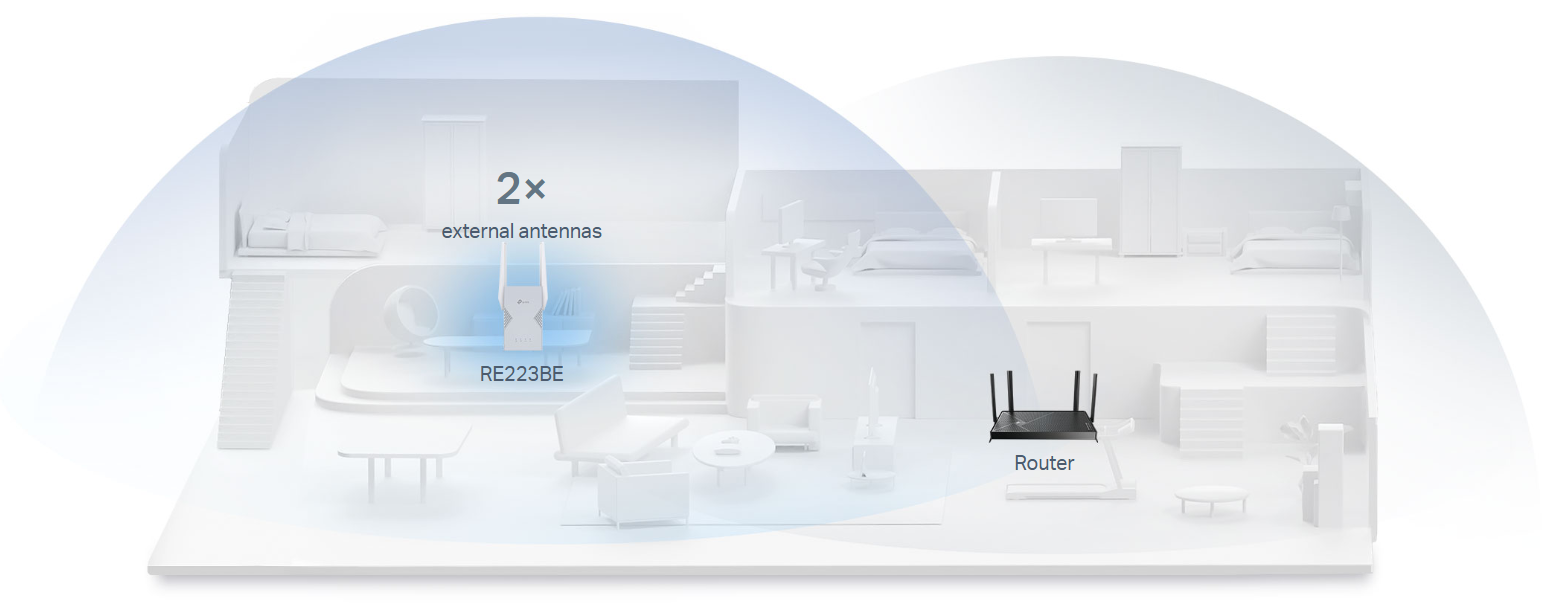
For households that need more, consider the RE223BE Wi-Fi 7 range extender. It delivers faster, more consistent speeds and handles more devices at once without slowing down. That makes it a good fit if the dead zone room has multiple people streaming, gaming, or working simultaneously. It includes a gigabit Ethernet port for wired devices and is EasyMesh-compatible.
If you already have a Wi-Fi 7 router or plan to upgrade to one, the RE223BE extends that same performance to the parts of your home your router can't reach on its own.
Find the Right Fix for Your Home
Powerline adapters use your home's electrical wiring to deliver a stable, wired-style connection, and they're best for demanding use like gaming and 4K streaming, and for reaching rooms where Wi-Fi struggles due to thick walls or multiple floors. Wi-Fi extenders rebroadcast your existing wireless signal. They're simpler to set up and work well for connecting smaller spaces or in rental homes where wiring quality is uncertain.
If neither option fully resolves the problem, it may point toward a more complete solution: a mesh Wi-Fi system that places multiple access points throughout the home, with seamless roaming as you move between rooms. The best choice depends on your home layout, your electrical setup, and what you're doing with the connection.
Explore TP-Link's powerline adapters and Wi-Fi range extenders to find the option that fits your home.
Frequently Asked Questions
What is a powerline adapter and how does it work?
A powerline adapter uses your home's existing electrical wiring to carry an Internet signal from one room to another. One adapter connects to your router, the second plugs into an outlet in the room where you need coverage, and the two communicate through the wiring inside your walls. No cables need to run between rooms.
Is a powerline adapter better than a Wi-Fi extender?
It depends on your home and how you use the connection. Powerline adapters generally deliver a more stable, lower-latency connection, which makes them better suited for gaming, video calls, and 4K streaming. Wi-Fi extenders are simpler to set up and work well for lighter use in smaller spaces. In homes with old wiring or outlets on separate circuits, a Wi-Fi extender may actually perform better.
Does a powerline adapter work in any home?
Not always. They work best when both adapters are on the same electrical circuit, and the wiring is in good condition. Older wiring, separate circuits, or plugging into a surge protector can all reduce performance.
Can a Wi-Fi extender fix a dead zone in a large house?
It can help, but results depend on signal strength. If the dead zone is far from the router or blocked by thick walls and multiple floors, the extender may not have a strong enough signal to rebroadcast effectively. In larger homes, a mesh Wi-Fi system is the more complete solution.
What's the difference between a powerline adapter and a mesh Wi-Fi system?
A powerline adapter is a targeted fix for a single room, using your electrical wiring to extend the network there. A mesh Wi-Fi system uses multiple units working together to seamlessly cover the whole home. Mesh is the better choice for homes with several dead zones, multiple floors, or large floor plans where one router can't reach every room.
Where should I place a Wi-Fi extender?
Halfway between your router and the dead zone is the best starting point. Too close to the router, and it won't reach the problem area. Too far, and it won't have a strong enough signal to rebroadcast. Most extenders include a signal indicator to help you find the sweet spot. Avoid corners, thick walls, and spots near large appliances.

KIT-4.0-package_1569220530663e.jpg)