
Tải về cho T1600G-28TS
QUAN TRỌNG: Tính khả dụng của kiểu máy và phiên bản phần cứng khác nhau tùy theo khu vực. Vui lòng tham khảo trang web TP-Link theo khu vực của bạn để xác định tình trạng sẵn có của sản phẩm.
- Tổng quan Sản phẩm
- Tài Liệu
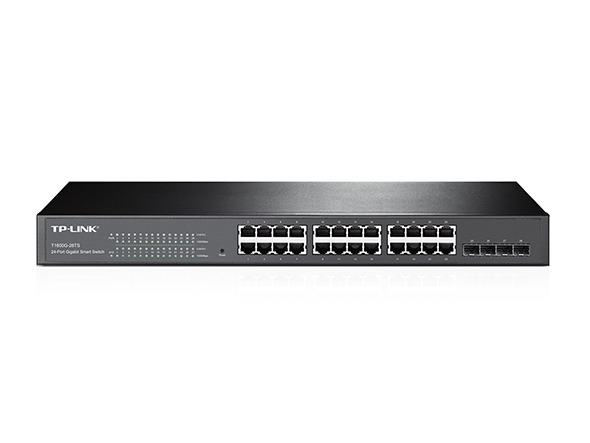 Switch Smart JetStream 24 cổng Gigatbit với 4 khe cắm SFP
MIBs Files
|
T1600G-28TS_v1_MIB_20151215 |
Tải Về | |
|---|---|---|
| Ngày Phát Hành: 2015-12-15 | Ngôn Ngữ: English | Kích cỡ tập tin: 145 KB |
Hệ Điều Hành: Win2000/XP/2003/Vista/7/8/8.1/10/Mac/Linux |
||
|
Notes: For T1600G-28TS_v1_20151215 and subsequent versions |
||
802.1X Client
|
TP-LINK_802.1X_Client_Software |
Tải Về | |
|---|---|---|
| Ngày Phát Hành: 2017-09-05 | Ngôn Ngữ: English | Kích cỡ tập tin: 5.5MB |
Hệ Điều Hành: Win2000/XP/2003/Vista/7/8/8.1/10 |
||
|
|
||
Câu hỏi thường gặp
- Cách kiểm tra tính năng Jumbo Frame Pass-Through trên TP-Link Switches
- What Should I Do if I Cannot Access the Web Management Page of My TP-Link Switch
- How to Configure a Switch as a DHCP Server in Standalone Mode
- What Is the Difference Between Voice VLAN and Auto VoIP
- How to Configure OpenSSH 7.0 (and Above) to Log In to Smart and Managed Switches
- How to Block Unknown Devices to Access the Switch by Using IP Source Guard
- How to Configure Voice VLAN on TP-Link Smart and Managed Switches Using the New GUI
- How to Configure DHCP Relay on TP-Link Switches
- What Is the Effect of QoS on TP-Link Switches
- What Are the SNMP OIDs Used to Display CPU and Memory Utilization on TP-Link T1600/T2600 Series Switches
- How to Set Up an Enterprise VPN Using TP-Link Products
- How to Build a Wireless Network for School Canteens Using TP-Link Products
- How to Build a Wireless Network for Chain Stores Using TP-Link Products
- How to Set Up Multi SSID on EAP Products
- How to Configure the Default Gateway of Smart and Managed Switches Using the Old GUI
- Why Does the Firmware Version Not Change After Upgrading on T Series Switches
- How to Configure MAC ACL on Smart/Managed Switches
- How to Change the IP Address of Smart and Managed Switches Using the Old GUI and CLI
- How to Block a Client with a Specific IP Address from Accessing the Network Using TP-Link Managed Switches
- How to Build Up a Multi-Nets Network via Multi-Nets NAT Feature on TP-Link Router with L2+/L3 Switches
- How to Limit the Port Rate of Incoming Traffic Using ACL
- How to Configure 802.1Q VLAN on Smart Switches
- How to Configure Port Isolation on Layer 2 Managed Switches Through Web Browser
- Làm thế nào cấu hình Mở rộng IP ACL
- How to Upgrade Firmware of a Switch via the Bootutil Menu
- How to Configure Port Mirror on TP-Link Smart Switches and L2 Managed Switches
- How to Configure LACP on Smart/Managed Switches
Firmware
A firmware update can resolve issues that the previous firmware version may have and improve its current performance.
To Upgrade
IMPORTANT: To prevent upgrade failures, please read the following before proceeding with the upgrade process
- Please upgrade firmware from the local TP-Link official website of the purchase location for your TP-Link device, otherwise it will be against the warranty. Please click here to change site if necessary.
- Please verify the hardware version of your device for the firmware version. Wrong firmware upgrade may damage your device and void the warranty.
Làm sao để biết phiên bản phần cứng của thiết bị TP-Link - Do NOT turn off the power during the upgrade process, as it may cause permanent damage to the product.
- To avoid wireless disconnect issue during firmware upgrade process, it's recommended to upload firmware with wired connection unless there is no LAN/Ethernet port on your TP-Link device.
- It's recommended that users stop all Internet applications on the computer, or simply disconnect Internet line from the device before the upgrade.
- Use decompression software such as WinZIP or WinRAR to extract the file you download before the upgrade.
|
T1600G-28TS_v1_20151215 |
Tải Về | |
|---|---|---|
| Ngày Phát Hành: 2015-12-15 | Ngôn Ngữ: English | Kích cỡ tập tin: 13.47 MB |
|
Notes: First firmware released of T1600G-28TS_v1
|
||
Sử dụng Firmware của bên thứ 3 trên sản phầm TP-Link
Một số firmware chính thức của các sản phẩm TP-LINK có thể được thay thế bằng firmware của bên thứ ba chẳng hạn như DD-WRT. TP-LINK không cung cấp vấn đề hỗ trợ kĩ thuật và đảm bảo hiệu năng cũng như tính ổn định của firmware bên thứ ba. Khi sản phẩm bị hư hại do sử dụng firmware của bên thứ 3 thì chế độ bảo hành sản phẩm sẽ bị vô hiệu.