Mesh Wi-Fi vs. Range Extender: Full Home Upgrade or Targeted Fix
Your router works fine in the living room. But the home office two floors up, the bedroom at the end of the hall, or the backyard? Dead zones. If you're comparing a Wi-Fi extender vs. mesh to fix the problem, here's the short answer: a range extender targets one or two specific weak spots at a lower cost, while a mesh Wi-Fi system adds a new whole-home network with seamless coverage throughout your home.
Both solve dead zones. The right choice depends on how many you have, where they are, and how much of your home needs reliable coverage.
This guide walks through how each device works, when each one wins, and a clear framework for choosing between them.
Key Takeaways
- Range extenders target one or two specific dead zones by rebroadcasting your router's existing signal. It’s a lower-cost fix that doesn’t require replacing your current setup. They're not designed for whole-home upgrades.
- Mesh Wi-Fi is the better fit for larger homes, multi-story layouts, and eliminating weak areas. A mesh system uses multiple nodes that work together as one unified network, so your devices roam seamlessly between rooms with fewer interruptions.
- Extender placement determines how well it performs. Position it halfway between your router and the dead zone, where it can still receive a strong signal. Place it inside the dead zone itself, and it has too little signal to rebroadcast effectively.
- Neither a range extender nor a mesh system increases the Internet speed coming into your home. What both can do is bring your existing speed to more areas, and to more devices, more reliably.
- EasyMesh-compatible extenders reduce or eliminate manual network switching by bringing the extender into your existing network under the same name, rather than creating a separate one you have to connect to manually when you move to a different room.
How a Range Extender Works and When It's Enough
A range extender is a device that connects wirelessly to your existing router and rebroadcasts its signal to reach areas the router can't cover on its own. It doesn't create a stronger Internet connection; it takes the signal your router is already sending and pushes it further.
Setup is simple. Plug the extender into an outlet somewhere between your router and the dead zone, connect it to your network, and it begins rebroadcasting. The extender works with your router and doesn't require replacing your existing hardware.
Placement is the most important factor in how well a range extender performs. It needs to be close enough to the router to receive a strong signal, but positioned far enough toward the dead zone to actually extend coverage into it. If you place it where the signal is already weak, it has little to work with.
The Spot-Fix Solution
A range extender is the right tool when the problem is contained. You can get coverage in one or two more rooms without replacing your router or reconfiguring your network. It’s a practical choice when most of your home already has reliable Wi-Fi.
When comparing an extender vs. mesh for a smaller home or apartment, an extender often covers what you need. It's fast to set up, easy to reposition, and costs less upfront than a full mesh system.
For connecting a smart home device, like a sensor, a smart bulb, or a voice assistant, an extender is frequently all you need to get that device online in a hard-to-reach room.
Range Extender Drawbacks
The most common frustration with range extenders is the network name issue, sometimes called the SSID problem. Some extenders create a second network name when they rebroadcast your router's signal. That means your phone or laptop may not automatically switch to the stronger connection as you move through your home; you have to do it manually. EasyMesh extenders work with compatible routers to reduce or eliminate this manual switching by bringing the extender into a unified network under one name.
Speed is the other consideration. Because the extender uses part of its bandwidth to receive the signal before rebroadcasting it, speeds are typically lower than a direct connection to your router. Walls, interference from other devices, and the quality of your existing router all affect how reliably the extender performs. The performance gap narrows with newer Wi-Fi 6 and Wi-Fi 7 extenders, particularly when paired with a compatible router. For streaming or browsing in a quiet bedroom, this usually isn't noticeable. In a home office running video calls and large file transfers, or a room dedicated to streaming and gaming, the difference can show up.
The Right Situation for a Range Extender
A range extender is a strong fit if any of these apply to your home:
- You have one or two specific dead zones, not a whole-home coverage problem.
- You're in a smaller home or apartment, and your router already covers most of the space.
- Budget is a consideration, and a full mesh upgrade isn't necessary right now.
- You want a quick fix without replacing existing hardware.
- You're renting and want a solution you can take with you.
What Is a Mesh Wi-Fi System and How Does It Work?
A mesh Wi-Fi system is a network built from multiple units working together as one. The main unit connects to your modem, and additional units called nodes are placed around your home. Each node is part of the same network rather than a separate one.
The nodes communicate with each other using a dedicated connection called a backhaul, either a wireless signal between nodes or a wired Ethernet connection. This coordination allows your devices to stay on one network name, called an SSID. Your devices connect automatically to the strongest node as you move between rooms. This automatic handoff is called seamless roaming, and it's the key difference from a range extender.
Mesh performance depends on how well the system is set up. Node placement, backhaul quality, your home's layout, and sources of interference all affect how consistently the network performs. It isn't automatic, and a poorly placed node will deliver results similar to a poorly placed extender.
Benefits of a Mesh Wi-Fi System
One network name covers the whole home. When comparing a mesh router vs. extender, the single-network experience is the clearest advantage of mesh. Your devices connect to the strongest node automatically, whether you're in the kitchen, the upstairs office, or the garage.
Mesh systems are also built to handle more connected devices without performance dropping off. As device count grows across laptops, phones, tablets, smart TVs, cameras, and smart home sensors, mesh handles the load more consistently than a router-plus-extender setup where devices compete across fragmented signals.
Coverage scales with your setup. If you add a room, finish a basement, or need to extend Wi-Fi outside, you add another node rather than starting over. Mesh is also useful when you are moving through your home while working, streaming, or on calls. Because your device stays connected to the same network and hands off automatically to the nearest node, you can move from the kitchen to your office to the backyard without a call dropping or a video buffering mid-stream.
Limitations of a Mesh Wi-Fi System
The upfront cost is higher than a range extender. A mesh system requires purchasing a multi-unit kit, and the more coverage you need, the more nodes you add. For a smaller home with one dead zone in a single room, that investment may be more than the situation calls for.
There's also more hardware to set up and place thoughtfully around your home. The system works best when nodes are positioned at regular intervals rather than crammed into one corner of the house.
When a Mesh Wi-Fi System Makes Sense
Mesh is the better answer when the dead zone isn't isolated to one room. When comparing wifi mesh vs. extender for larger homes, multi-story layouts, or open floor plans with multiple weak areas, mesh delivers coverage an extender can't match because it was built for whole-home scale.
A mesh system is the right choice when:
- You have dead zones throughout the home, not in one specific area.
- You want whole-home coverage under one network name with no manual switching.
- Multiple people and devices are online simultaneously; gaming, streaming, video calls, and smart home devices all running at once.
- You're ready to upgrade your network rather than patch your current setup.
Mesh Wi-Fi vs. Range Extender: Side-by-Side
Here's the direct comparison most readers come to this article for. Neither option is the universal answer; the right one depends on your home, your dead zones, and your goals.
|
|
Range Extender |
Mesh Wi-Fi System |
|
Setup complexity |
Simple; plug in, connect to router |
Moderate; place multiple nodes, configure via app |
|
Coverage approach |
Extends signal from existing router to one or two areas |
Creates a unified network across the whole home |
|
Network experience |
May require manual network switching (reduced with EasyMesh-compatible models) |
One network name, automatic device handoff between nodes |
|
Best use case |
One or two isolated dead zones in a smaller home |
Larger homes, multiple weak areas, high device count |
|
Limitations |
Lower speeds than direct connection; placement-sensitive |
Higher upfront cost; more hardware to place and manage |
|
Cost |
Lower upfront cost |
Higher upfront cost; scales with home size |
When you’re choosing a Wi-Fi booster, mesh is the stronger solution for whole-home coverage and a seamless experience. For a targeted, lower-cost fix in a smaller space with one or two dead zones, a range extender is a smart and practical choice.
Knowing which situation you're in makes the decision straightforward. You can also learn more about how mesh Wi-Fi works and explore tips for boosting your home Wi-Fi if you want to go deeper before deciding.
TP-Link Range Extenders and Mesh Wi-Fi Systems
TP-Link makes both range extenders and the Deco mesh Wi-Fi system, with options built for different home sizes and coverage needs. Whether you're looking for a simple spot fix or a full whole-home upgrade, there's a starting point for either direction.
TP-Link Range Extenders
TP-Link's range extender lineup covers both Wi-Fi 6 and Wi-Fi 7 options, so you can match the extender to your existing router and your budget.
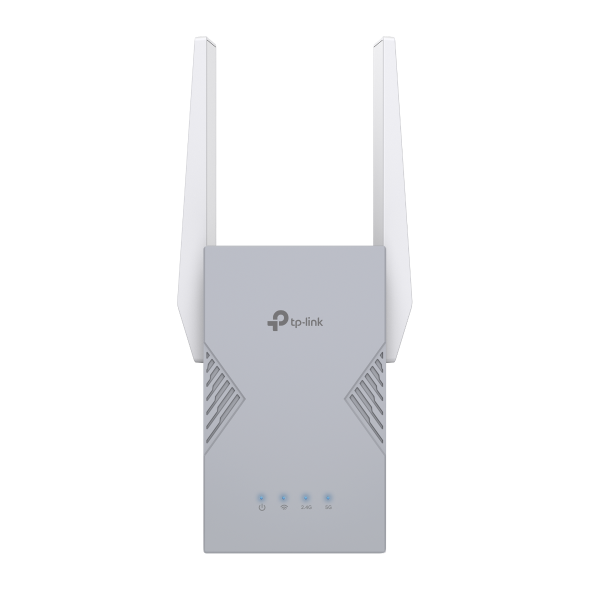
If you're dealing with a single dead zone (a bedroom that barely gets a signal, a basement where streaming constantly buffers, or a home office where video calls drop), the RE615X is a straightforward Wi-Fi 6 fix. It plugs into any outlet, connects to your router, and extends coverage to the problem area.
With a Gigabit Ethernet port, you can also plug in a wired device like a smart TV or desktop directly, which gets around the speed reduction that comes with a wireless connection through an extender. Smart Roaming and EasyMesh compatibility mean that, when paired with a compatible router, your devices can move between the router and extender without you manually switching networks.
The RE223BE is the right choice if your router is Wi-Fi 7 and you want the extender to keep pace with it. It supports Multi-Link Operation (MLO), which lets the extender send and receive data across multiple bands at the same time. This is useful if the extended zone is handling a lot of simultaneous traffic, like a family room where multiple people are streaming and gaming at once. It also includes a Gigabit Ethernet port and EasyMesh compatibility for the same seamless network experience as the RE615X.
Both models let you avoid network-switching, joining your existing network under the same name rather than creating a separate one to manage. Check whether your router works with either model using the TP-Link EasyMesh compatibility guide.
TP-Link Deco Mesh Wi-Fi
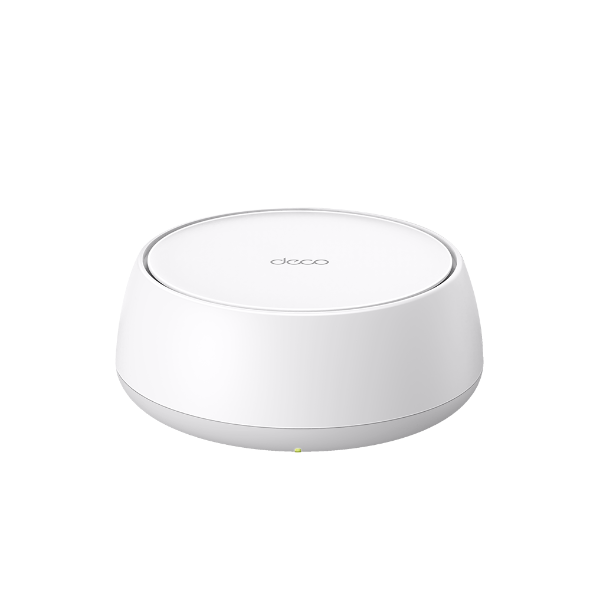
Deco mesh Wi-Fi systems are built for homes where dead zones aren't isolated to one room: where the signal is unreliable on an entire floor, drops off halfway through the house, or can't keep up with everyone online at once. All Deco systems form a unified network under a single name, and AI-Driven Roaming automatically connects your devices to the strongest node as you move through your home. You never have to think about which network you're on.
The Deco BE25 is a dual-band Wi-Fi 7 mesh system that covers whole-home dead zones without the complexity of a high-end setup. It's available in one-, two-, and three-pack configurations, so whether you're covering a two-bedroom apartment or a larger multi-story home, you start with what you need and add nodes later if your coverage needs grow. MLO and AI-Driven Roaming keep connections stable even when multiple people are working, streaming, or on calls simultaneously.
If your home has a high device count (smart home sensors, multiple gaming consoles, several people on video calls simultaneously), the Deco BE63 handles that load. Its tri-band setup adds a 6 GHz band with 320 MHz channels, which opens up more bandwidth for devices that need it most and keeps the network from getting congested when everything is running at once.
For larger homes where coverage is the primary challenge, the Deco BE77 covers up to 8,500 square feet across a three-pack, with tri-band Wi-Fi 7 and a 10 Gbps wired port. If a weak signal on the far side of a large home or in a detached space is the issue, a three-pack BE77 setup eliminates it.
For coverage that extends beyond your walls, the Deco BE25-Outdoor is an IP65-rated Wi-Fi 7 node built to handle outdoor conditions. It supports Power over Ethernet (PoE), so a single cable handles both data and power, and it mounts to a pole, wall, or flat surface to cover yards, pools, and outdoor entertaining areas as part of the same unified Deco network inside your home.
All Deco models work together, so you can start with one pack and expand as your setup grows.
Find the Fix That Fits Your Home
Range extenders and mesh systems solve the same problem from different angles. A range extender is a simple, lower-cost fix for one or two isolated dead zones; it gets you coverage where you need it without replacing your network. A mesh system delivers seamless coverage to every corner of your property, under a single network name, keeping your devices connected as you move between rooms.
The right choice comes down to your home size, how many dead zones you're dealing with, and whether a targeted patch or a full upgrade better matches your situation. If you're working with one tricky room, explore TP-Link's range extenders. If you’re dealing with dead zones and lag in more than one room, or you're ready for a whole-home upgrade, browse the Deco mesh Wi-Fi collection to find the right fit.
FAQs
What is the difference between a Wi-Fi extender and a mesh network?
A Wi-Fi extender connects to your existing router and rebroadcasts its signal to reach areas with poor coverage. A mesh network replaces your single router with multiple units that work together as one unified system, covering the whole home under one network name. The key difference is that mesh provides seamless whole-home coverage, while an extender addresses one or two specific weak spots.
Is mesh Wi-Fi better than a range extender?
Mesh Wi-Fi delivers better whole-home coverage, a seamless single-network experience, and stronger performance for high-device households. A range extender is the better choice when you have one or two isolated dead zones, you want a lower-cost fix, and you don't need to upgrade your whole network. Neither is universally better. The right choice depends on how many dead zones you have and how much of your home needs coverage.
Do Wi-Fi extenders slow down your Internet?
A Wi-Fi extender doesn't slow your Internet connection, but speeds through an extender are typically lower than speeds through a direct connection to your router. The extender uses some of its bandwidth to receive the signal before rebroadcasting it, which reduces the throughput available to devices connected through it. Placement also affects performance. An extender placed in a weak-signal area has less to work with.
Can I use a Wi-Fi extender with a mesh system?
In most cases, it's better to add another mesh node rather than mixing in a range extender. Mesh nodes are designed to work together and maintain seamless roaming. Adding a standalone extender can create a separate network name and undermine the unified experience a mesh system provides. If you want to expand a Deco mesh system, adding a compatible Deco node is the recommended approach.
How many mesh nodes do I need for my home?
A good starting point is one node per 1,500 to 2,000 square feet, though your home's layout and materials may affect this. Thick walls, multiple floors, and large open areas all influence how far each node's signal reaches. Most Deco systems are available in one-, two-, and three-pack configurations, and all Deco models are compatible with each other, so you can add nodes as your coverage needs grow.
Where should I place a Wi-Fi extender?
Place your extender about halfway between your router and the dead zone, where it can still receive a strong signal from the router. Avoid placing it inside the dead zone itself, as the extender needs a strong signal to rebroadcast, and if it's already in a weak area, performance will suffer. Most TP-Link extenders include a signal indicator to help you find the best placement spot.
Does mesh Wi-Fi replace my router?
Yes. A mesh Wi-Fi system replaces your existing router. The main Deco unit connects directly to your modem and acts as your router, while the additional nodes extend coverage throughout your home. You don't need a separate router alongside a mesh system.
Will mesh Wi-Fi or a range extender make my Internet faster?
Neither option increases the Internet speed coming into your home; that's determined by your Internet service provider and plan. Both devices can bring that existing speed to more areas of your home, more reliably. A range extender extends coverage to a specific room. A mesh system distributes consistent coverage across the whole home, which means more devices can access your full available speed without competing over a weak or fragmented signal.