


RE505X
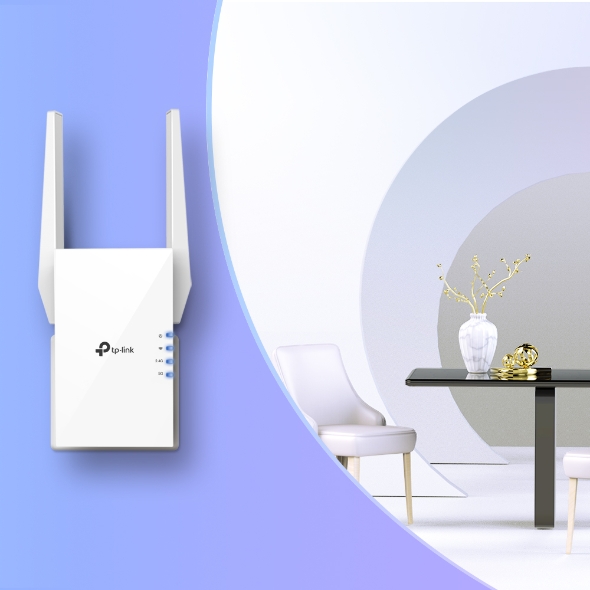
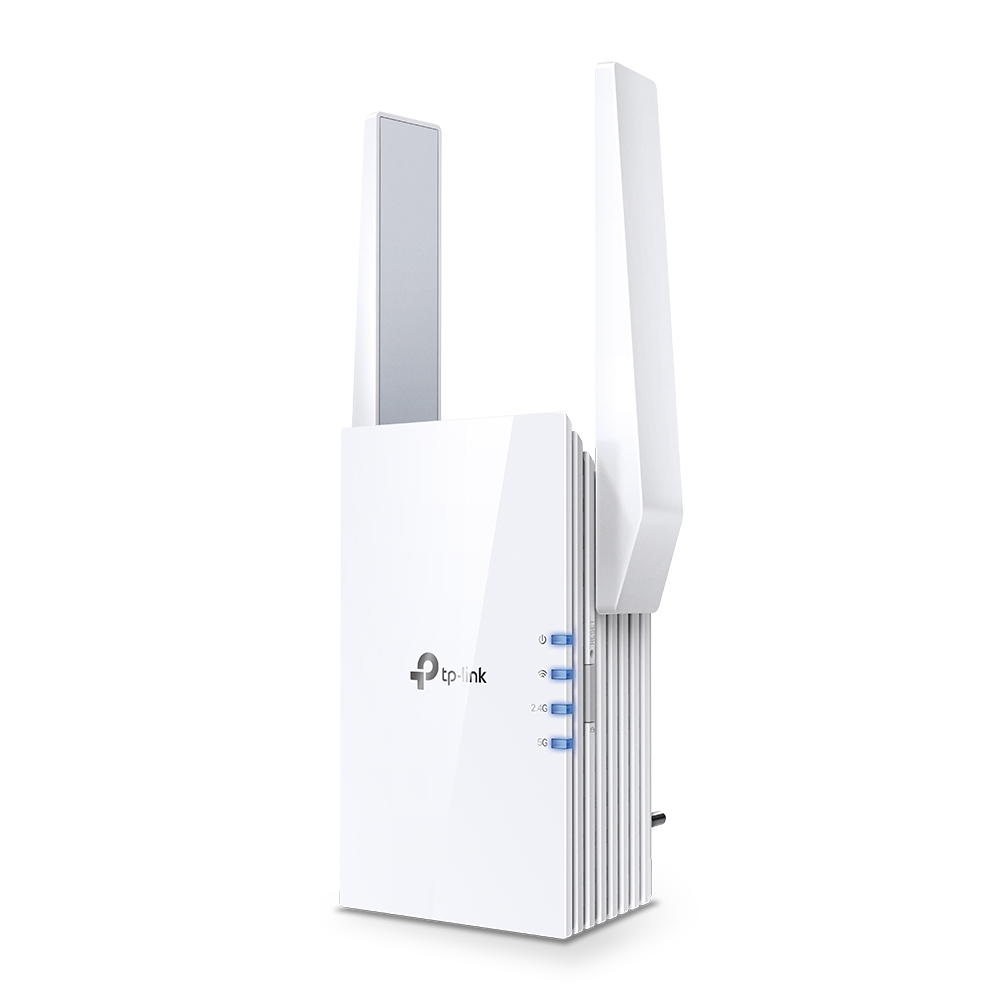
NewAX1500 Wi-Fi 6 Range Extender
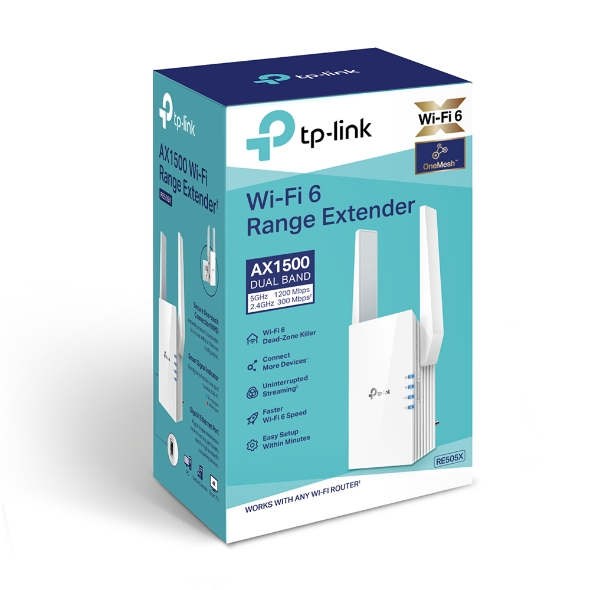
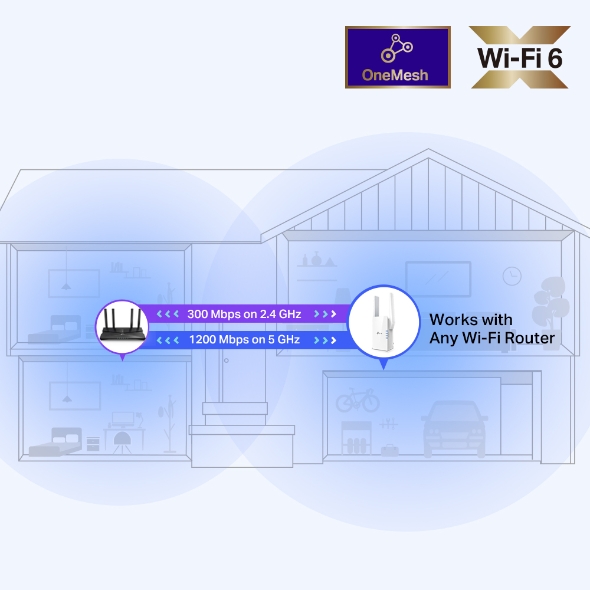
- AX1500 Dual-Band Wi-Fi 6 Speeds: Combined Wi-Fi 6 speeds reach up to 1.5 Gbps, made up of up to 1200 Mbps on the 5 GHz band and up to 300 Mbps on the 2.4 GHz band. The RE505X puts that speed toward smoother streaming, gaming, and downloads.1 2
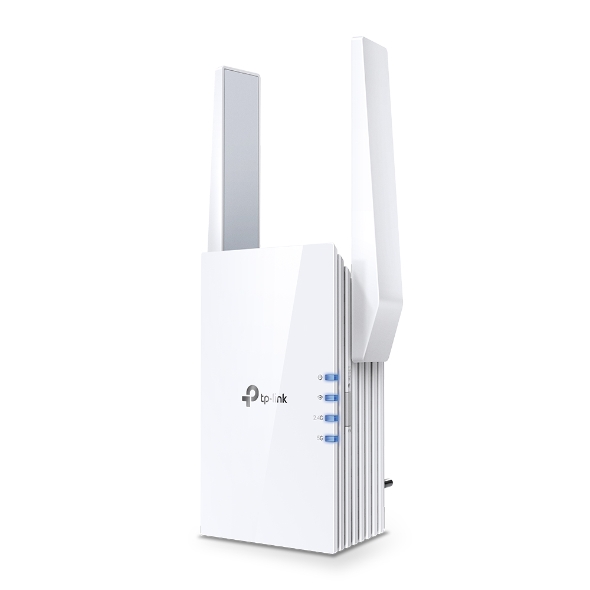
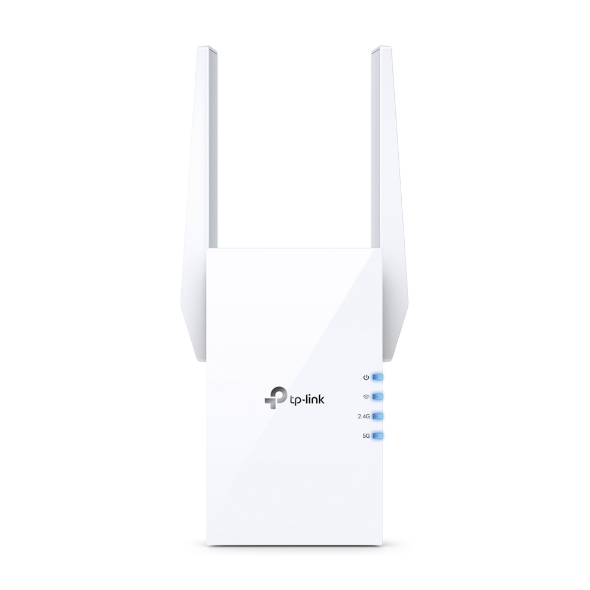
- High-Gain Antennas: Two external, high-gain antennas push signal into the rooms your router cannot reach.
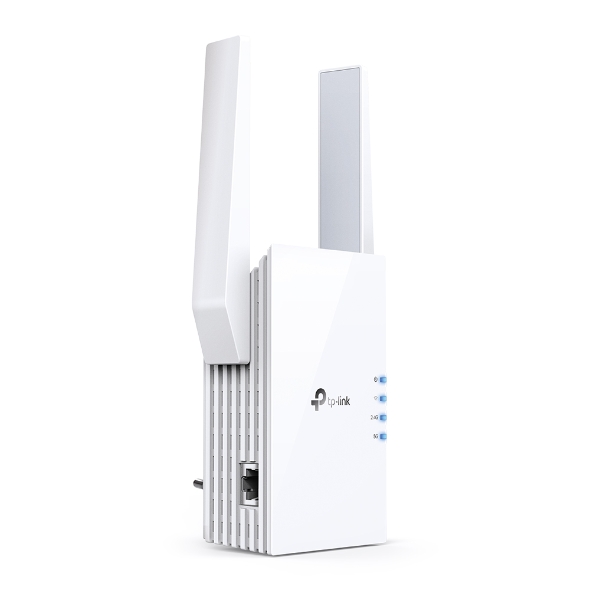
- Gigabit Ethernet Port: This Wi-Fi extender with an Ethernet port provides a wired connection wherever the RE505X is plugged in, for reliable wired speeds throughout your home.
- Built-In Access Point Mode: The RE505X's Wi-Fi extender access point mode is a second working mode alongside range extender mode. It converts a wired Ethernet connection into a Wi-Fi signal, useful for a room with Ethernet but no wireless coverage.
- TP-Link OneMesh™ Technology: Pair the RE505X with a OneMesh™-compatible router, like the Archer AX55, to create a mesh network under one Wi-Fi name. OneMesh™ requires a compatible router; the RE505X doesn't create a mesh network on its own.3
- Smart Roaming: When paired with a OneMesh™-compatible router, Smart Roaming helps your device hand off to the stronger signal instead of holding onto a weak one.3
- Connect More Devices: Devices that are out of range from your main router can connect through the RE505X instead of struggling with poor performance, helping you extend Wi-Fi range throughout your home.
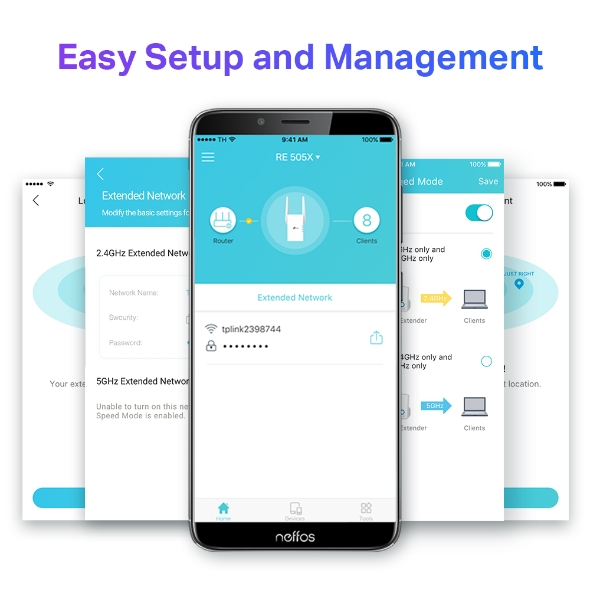
- Easy Setup With the TP-Link Tether App: Set up this TP-Link Wi-Fi 6 extender in a few quick steps using the intelligent signal indicator and the TP-Link Tether app (Android, iOS).
- Universal Compatibility: The RE505X works with all Wi-Fi-enabled routers and access points, including newer AX-standard phones, laptops, and other devices.4
- Compact Design: At 2.9 x 1.8 x 4.9 inches, this TP-Link Wi-Fi 6 range extender fits into nearly any outlet.



Expand Coverage of the Fastest Next-Gen WiFi
Cutting-Edge Wi-Fi 6
The latest WiFi technology eliminates annoying lag, endless loading, and dead spots. Enjoy the future of faster network connections.1 2
-
5 GHz
-
2.4 GHz
- Higher Speed
- Larger Capacity
- Ultra-Low Latency
Any WiFi Router
Fill Every Inch of Your Home with Wi-Fi 6
The RE505X wirelessly connects to your router, boosting your Wi-Fi 6 signal throughout your home so you can binge-watch your favorite show anywhere.
Built-In Access Point Mode
RE505X is more than just a wireless range extender.
Simply plug an Ethernet cable into its port to easily turn that wired connection into a high-speed dual-band wireless signal.
TP-Link OneMesh TM
OneMeshTM is a simple way to form a Mesh network with a single WiFi name for seamless whole-home coverage. Just connect an OneMeshTM range extender to an OneMeshTM router so you can stop searching around for a stable connection.
-
Smart RoamingUninterrupted streaming when moving around your home
-
One WiFi NameNo more switching WiFi network names
-
Easy CreationOneMesh TM Router and OneMesh TM Range Extenders pair instantly
-
Unified ManagementManage the entire network all from the TP-Link Tether app
-
Traditional Router with ExtenderWiFiRouterExtender
-
OneMesh TM Router + Range ExtenderWiFiWhole Home
Enjoy an AX Mesh Network with Your Existing Router
Want a Mesh network? Hesitant about whether you should replace your current router with a new Mesh set?
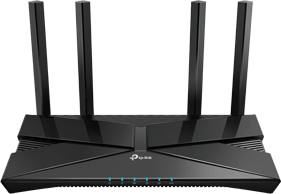
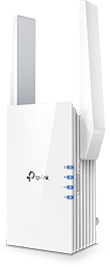

Control at Your Fingertips
Set up and manage your WiFi through the TP-Link Tether app from your smartphone (Android, iOS), including TP-Link routers and range extenders.



RE505X: AX1500 Dual-Band Wi-Fi 6 Extender for Wider Coverage
A Wi-Fi 6 extender picks up your router's signal and rebroadcasts it into the rooms your network can't reach on its own. The TP-Link RE505X is an AX1500 dual-band Wi-Fi 6 extender built for spots like a back bedroom, upstairs office, or basement with a weak signal. Plug it into any outlet to extend your Wi-Fi range without replacing your router.
Explore other coverage options in TP-Link's range extender lineup, including the RE305, or browse TP-Link's full lineup of Wi-Fi extenders to find the right fit for your home.
FAQs
What does the RE505X Wi-Fi 6 extender do?
As a Wi-Fi 6 extender, the RE505X extends your existing Wi-Fi range using AX1500 dual-band speeds and high-gain antennas, so rooms with a weak signal get reliable coverage. To see how extenders compare to other coverage devices, check out TP-Link's guide to Wi-Fi extenders and boosters.
Does the RE505X have a Gigabit Ethernet port for wired devices?
Yes. The RE505X includes one Gigabit Ethernet port, giving you a wired connection for a smart TV, game console, or computer anywhere the extender is placed.
Can the RE505X form a mesh network with my existing router through OneMesh?
Yes, if your router is OneMesh™-compatible. TP-Link OneMesh™ lets the RE505X join your router in a single mesh network under one Wi-Fi name. If you're deciding between a mesh setup and a standalone extender, this comparison of mesh Wi-Fi and range extendersbreaks down the difference.
Can I use the RE505X as an access point instead of a range extender?
Yes. The RE505X supports access point mode in addition to range extender mode. In access point mode, a wired Ethernet connection becomes a Wi-Fi signal, which is useful if you have Ethernet running to a room without wireless coverage.
Will the RE505X work with routers from other brands, or only TP-Link?
The RE505X is compatible with all Wi-Fi-enabled routers and access points, not just TP-Link models, including newer AX-standard devices. OneMesh™ features are the exception, since those require a OneMesh™-compatible router.
Does the RE505X support Smart Roaming so devices stay connected while moving around the house?
Yes. Smart Roaming is part of the RE505X's OneMesh™ feature set, and it's designed to keep your connection from dropping as you move between rooms. It's built for devices that support the 802.11k/v standard.
How many devices can connect to the RE505X at once?
TP-Link doesn't publish a maximum device count for the RE505X. Real-world capacity depends on your network setup and how much bandwidth each connected device uses.
If you're consistently running multiple devices at once, TP-Link's RE705X and RE715X step up to AX3000 speeds with more headroom. For a look at how Wi-Fi 6 compares to Wi-Fi 5 in handling multiple devices, see TP-Link's Wi-Fi 5 vs. Wi-Fi 6 guide.
How do you set up the RE505X Wi-Fi 6 range extender?
Setup happens through the TP-Link Tether app (Android, iOS), which walks you through pairing the RE505X with your network in a few short steps. The intelligent signal indicator on the extender helps you find a strong spot to plug it in first. For more on finding the best spot for reliable coverage, see TP-Link's guide on router placement.
Will a Wi-Fi extender slow down my internet?
A Wi-Fi extender doesn't reduce your overall Internet speed, since that's set by your Internet plan, not the extender itself. Devices connected through an extender may see slightly slower wireless speeds than devices connected directly to your router, since the extender uses some of its own bandwidth to receive the signal before rebroadcasting it. Placement matters too: the stronger the signal an extender receives from your router, the less that difference shows up in everyday use.
Do I need a Wi-Fi extender or a mesh system?
It depends on the scope of your coverage needs. If you have one or two specific dead zones and want a straightforward fix that keeps your existing router in place, a Wi-Fi extender is a practical solution. If your coverage gaps span multiple floors or a larger home, a full mesh system may be the better fit. Some extenders can also pair with a compatible router through technology like OneMesh™ to create a mesh network under one Wi-Fi name, giving you a middle ground between a standalone extender and a full mesh system.

| Working Modes | Range Extender/Access Point |
|---|---|
| Interface | 1 Gigabit Ethernet Port |
|---|---|
| Button | WPS Button, Reset Button |
| Input Power | 100-240V~50/60Hz |
| Max. Power Consumption | 10W |
| Dimensions ( W x D x H ) | 2.9×1.8×4.9 in. (74.0×46×124.8 mm) |
| Antenna | 2 External Antennas |
| Wireless Standards | IEEE 802.11a/n/ac/ax 5GHz, IEEE 802.11b/g/n 2.4GHz |
|---|---|
| Frequency | 2.4GHz and 5GHz |
| Signal Rate | 300 Mbps at 2.4GHz, 1200 Mbps at 5GHz |
| Working Modes | Range Extender/Access Point |
| Reception Sensitivity | 5GHz: 11a 6Mbps: -93dBm, 11a 54Mbps: -75dBm 11ac HT20 MCS0: -92dBm, 11ac HT20 MCS8: -70dBm 11ac HT40 MCS0: -90dBm, 11ac HT40 MCS9: -66dBm 11ac HT80 MCS0: -87dBm, 11ac HT80 MCS9: -62dBm 2.4GHz: 11g 54Mbps: -77dBm, 11n HT20 MCS7: -75dBm 11n HT40 MCS7: -72dBm |
| Wireless Functions | Enable/Disable Wireless Radio, Wireless Statistics |
| Wireless Security | 64/128-bit WEP, WPA/WPA2-PSK encryptions |
| Transmission Power | CE: 2.4GHz ≤20dBm, 5GHz ≤30dBm |
| Certification | FCC |
|---|---|
| Package Content | Wi-Fi Range Extender RE505X Quick Installation Guide |
| System Requirements | Microsoft Windows 98SE, NT, 2000, XP, Vista™ or Windows 7, 8, 8.1, 10, MAC OS, NetWare, UNIX or Linux Internet Explorer 11, Firefox 12.0, Chrome 20.0, Safari 4.0, or other Java-enabled browser |
| Certifications | FCC, RoHS |
| Environment | Operating Temperature: 0℃~40℃ (32℉ ~104℉)Storage Temperature: -40℃~70℃ (-40℉ ~158℉)Operating Humidity: 10%~90% non-condensingStorage Humidity: 5%~90% non-condensing |
- This range extender may not support all the mandatory features as ratified in Draft 3.0 of IEEE 802.11ax specification. Further software upgrades for feature availability may be required.
- Maximum wireless signal rates are the physical rates derived from IEEE Standard 802.11 specifications. Actual wireless data throughput and wireless coverage, and number of connected devices are not guaranteed and will vary as a result of network conditions, client limitations, and environmental factors, including building materials, obstacles, volume and density of traffic, and client location.
- Smart Roaming is designed for devices that support the 802.11k / v standard.
- The product may not be compatible with routers or gateways with firmware that has been altered, is based on open source programs, or is non-standard or outdated.
Actual network speed may be limited by the rate of the product's Ethernet WAN or LAN port, the rate supported by the network cable, Internet service provider factors and other environmental conditions.