
RJ11 vs RJ45 Connectors: Size, Pins, and What Each One Is Used For
RJ stands for Registered Jack. Both RJ45 and RJ11 are registered jack connector types used in home and office networks, but they serve different purposes. RJ45 is the standard connector for Ethernet networking, while RJ11 is used for telephone lines and digital subscriber line (DSL) modem connections. The two connectors differ in pin count — the metal contacts inside the connector that carry the signal. This page walks you through identifying each connector type and where to find them on a TP-Link modem router.
Key Takeaways
- RJ45 connectors have eight positions and up to eight conductors and are used for Ethernet networking to connect routers, switches, and cable or fiber modems.
- RJ11 connectors have six positions and up to four conductors and are used for telephone lines and ADSL/VDSL modem connections.
- RJ45 connectors are larger than RJ11 — approximately 6mm x 11mm compared to 6mm x 9.5mm for RJ11.
- An RJ11 connector can physically fit into an RJ45 port, but this will not work and may damage the RJ45 port.
- On a TP-Link modem router, RJ11 ports connect to the telephone or DSL line, while the yellow RJ45 ports connect Ethernet devices.
RJ11 vs RJ45 Connectors
RJ stands for Registered Jack.
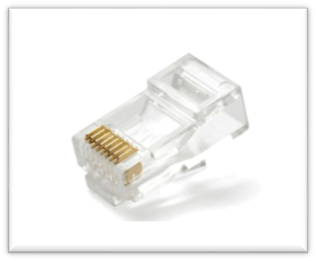
RJ45
- 8 Position
- 8 Pin/Conductor (4/8 options)
- Mainly used in network wiring.
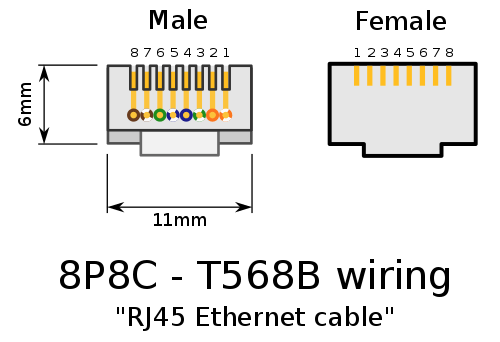
- 6mm * 11mm
RJ45 connector (male)
RJ45 Jack (female)

RJ45-plug-jack-schematic
RJ11
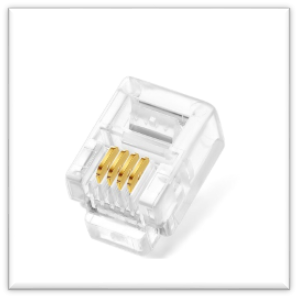
- 6 Position
- 4 Pin/Conductor (2/4/6 options)
- Used for telephone, (ADSL/VDSL) modem, etc.
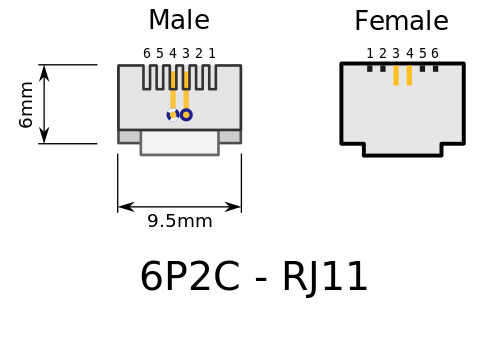
- 6mm * 9.5mm
RJ11 6P4C connector (male)
RJ11 6P4C Jack (Female)
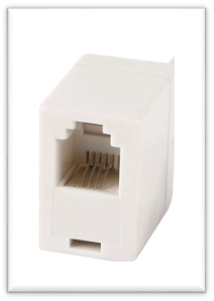
RJ-11-plug-jack-schematic
RJ45 and RJ11 Ports on TP-Link Modem Routers
RJ11 & RJ45 ports on TP-Link modem Router
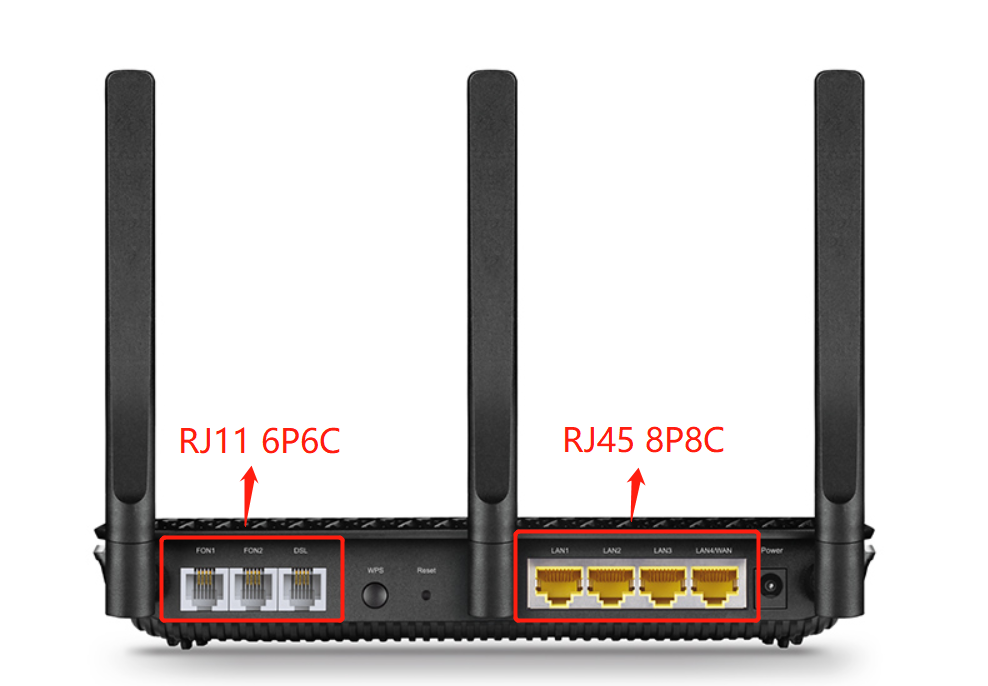
The first 3 ports are RJ11 (6P6C/6P4C/6P2C) Jack. These ports are normally used with an RJ11 connector (telephone line).
The 4 yellow ports are RJ45 (8P8C/8P4C) Jack. These ports are normally used with an RJ45 connector (Ethernet cable).
RJ11 vs RJ45: Comparison
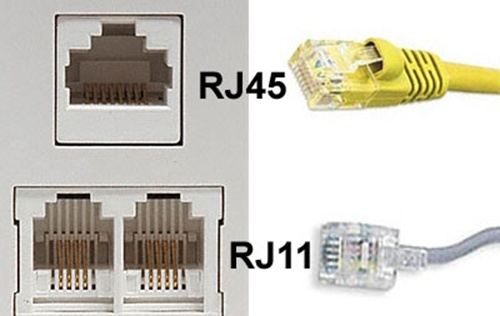
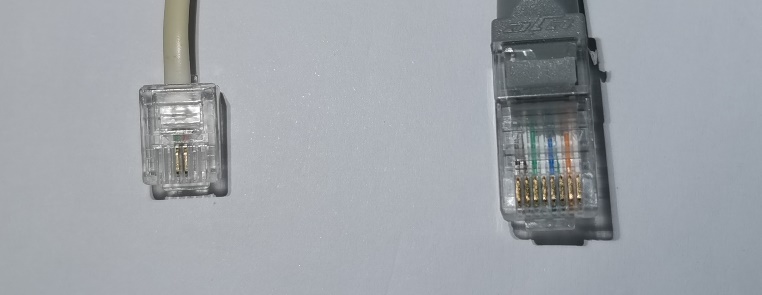
Figure 8: RJ45&RJ11 Pairs Figure 9: RJ11 in real RJ45 in real
Table 1: Comparison between RJ45 & RJ11
|
Configuration |
6P4C (6 positions, 4 conductors) |
8P8C (8 positions, 8 conductors) |
|
Usage |
Phones, ADSL/VDSL lines, modem cables. RJ11 is mostly used for voice applications. |
Computer networking. RJ45 is used in Ethernet or connecting cable/fiber modems or NBN boxes with Wi-Fi routers. |
|
Bandwidth |
RJ11 connectors can support about 100+Mbps |
RJ45 connectors can support up to 10Gbps over Ethernet, provided the other equipment, like network cables, also supports that speed. |
|
Shape and size |
Compact, square-shaped |
Longer, more rectangular |
Conclusion
- RJ45 is mostly used for Ethernet cables, while RJ11 is used for telephone units.
- RJ45 has 8 wires inside, while RJ11 has 4 wires.
- RJ45 is larger than RJ11.
- An RJ45 connector cannot be plugged into an RJ11 port. However, an RJ11 connector can physically fit into an RJ45 port — this is a common mistake that will not work and may damage the RJ45 port, as telephone lines carry power from the provider.
Looking For More
Is this faq useful?
Your feedback helps improve this site.

TP-Link Community
Still need help? Search for answers, ask questions, and get help from TP-Link experts and other users around the world.