How do I check if the TCP/IP properties are correct on my computer when it’s connected to my TP-Link device (Windows XP, 7, vista, 8,10, MAC)
User Application Requirement
Updated 11-10-2025 11:17:02 AM360860
Note: In order to connect to your TP-Link device for configuration, the IP address of your computer must be in the same subnet of TP-Link device’s IP.
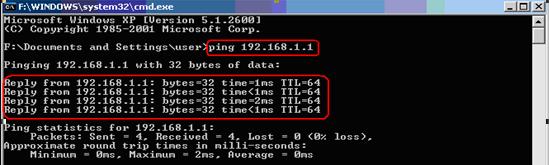
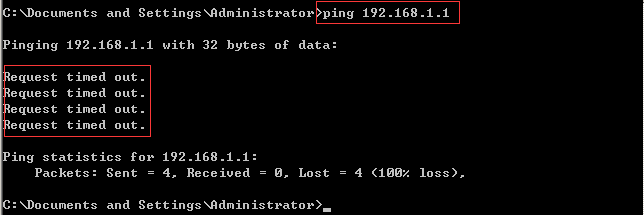
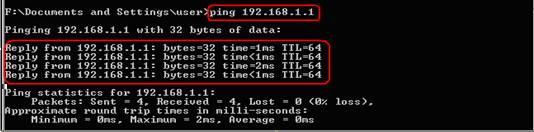
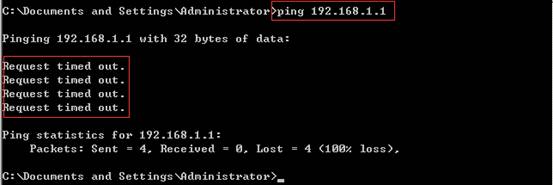
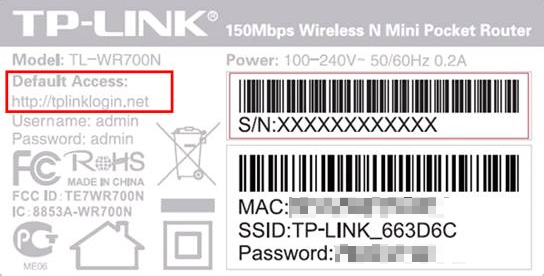
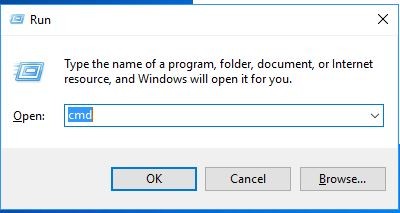
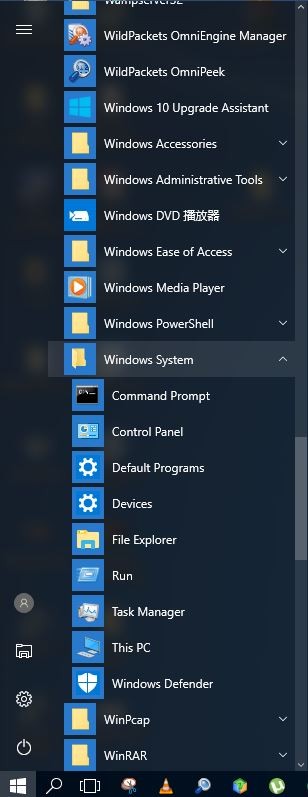
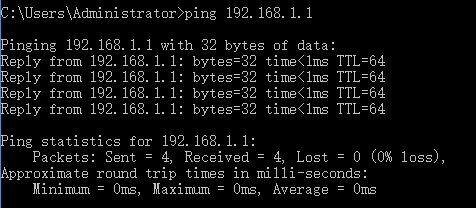
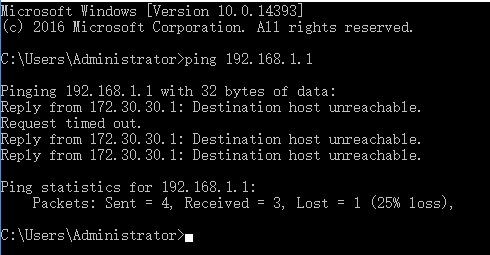
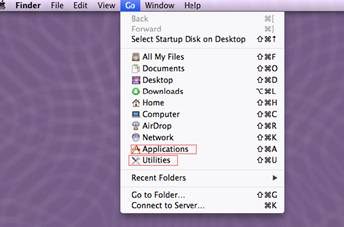
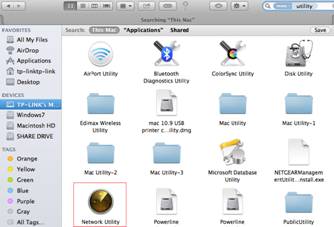
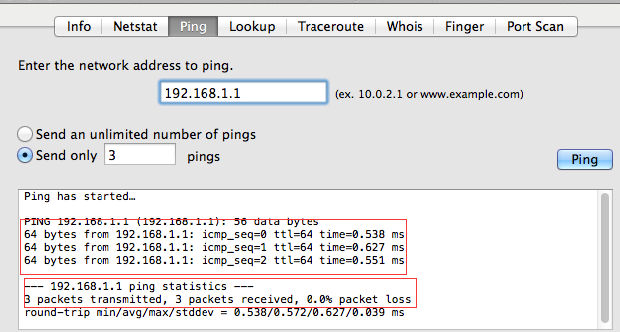
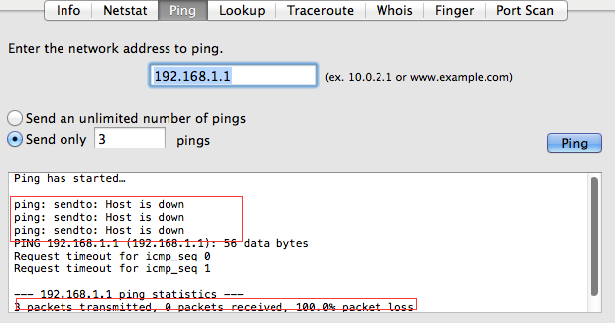
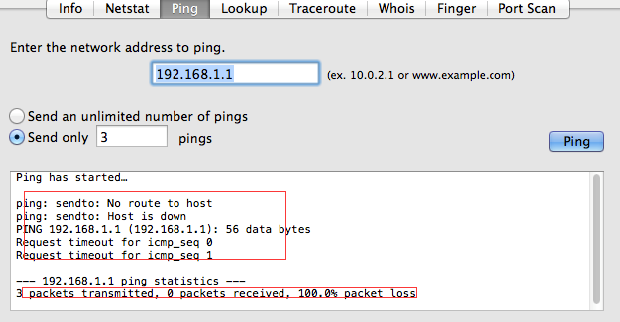
We take an example here. If the router’s default access or LAN IP address is 192.168.1.1, then you may use the ping command to check if the TCP/IP properties are correct on your computer.
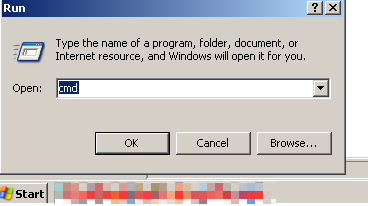
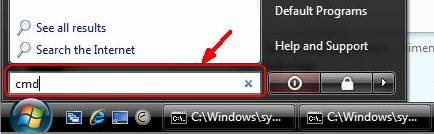
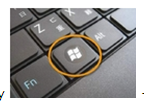
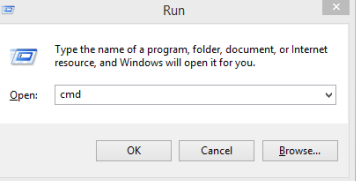
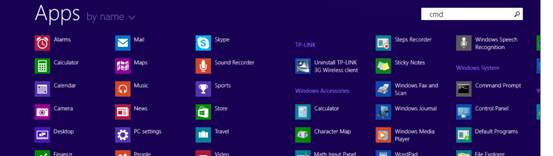
Choose your computer’s operating system to ping the IP address of the router.
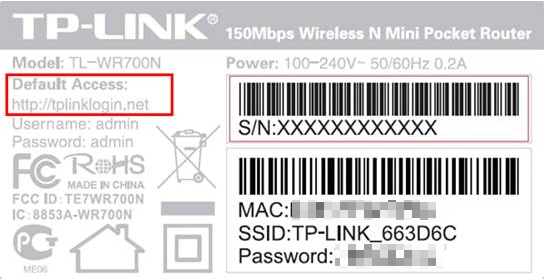
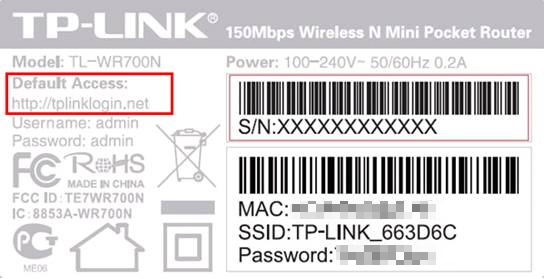
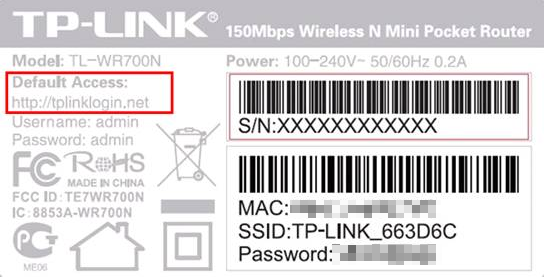
Note: Each kind of product has its specific default access, it might not be an IP address, but you still able to use ping command to ping the default access.
For below example please type ping tplinklogin.net and press Enter.
Note: Each kind of product has its specific default access, it might not be an IP address, but you still able to use ping command to ping the default access.
For below example please type ping tplinklogin.net and press Enter.
Note: Each kind of product has its specific default access, it might not be an IP address, but you still able to use ping command to ping the default access.
For below example please type ping tplinklogin.net and press Enter.
Note: Each kind of product has its specific default access, it might not be an IP address, but you still able to use ping command to ping the default access.
For below example please type tplinklogin.net and press Enter.
هل تجد هذه الأسئلة مفيدة؟
مشاركتك تساعدنا في تحسين الموقع
ما الأمر الذي لا يرضيك حول هذا المقال؟
غير راض عن المنتج
صعب للغاية
العنوان مشوش
لا ينطبق على ما أريده
أجده غامض جدا
شيئ آخر
شكرًا لك
نحن نقدر ملاحظاتك. انقر هنا للاتصال بالدعم الفني لـ TP-Link.
TP-Link Community
Still need help? Search for answers, ask questions, and get help from TP-Link experts and other users around the world.
This website uses cookies to improve website navigation, analyze online activities and have the best possible user experience on our website. You can object to the use of cookies at any time. You can find more information in our privacy policy . Don’t show again
Your Privacy Choices
This website uses cookies to improve website navigation, analyze online activities and have the best possible user experience on our website. You can object to the use of cookies at any time. You can find more information in our privacy policy . Don’t show again
These cookies are necessary for the website to function and cannot be deactivated in your systems.
Analysis cookies enable us to analyze your activities on our website in order to improve and adapt the functionality of our website.
The marketing cookies can be set through our website by our advertising partners in order to create a profile of your interests and to show you relevant advertisements on other websites.

 360860