
Was tun, wenn sich der TP-Link DSL-Modemrouter jeden Tag zur gleichen Zeit trennt?
 481
481Einleitung
Dieser Artikel enthält Schritte zur Behebung des Problems, dass sich der DSL-Modemrouter jeden Tag zu einer bestimmten Zeit trennt.
In bestimmten Regionen, wie beispielsweise Deutschland, können Internetdienstanbieter zu bestimmten Zeiten obligatorische Trennungen durchsetzen, was zu Internetausfällen führt. In diesem Fall können die in diesem Artikel beschriebenen Methoden angewendet werden.
Anforderung
TP-Link DSL-Modemrouter, z. B. VX800v(DE) V1, VX231v(DE) V1
Fehlerbehebung
Schritt 1. Öffnen Sie einen Webbrowser auf Ihrem Computer oder Smart-Gerät, rufen Sie http://tplinkmodem.net oder http://192.168.1.1 auf und geben Sie das auf dem Produktaufkleber angegebene Standardpasswort ein, um sich anzumelden.Melden Sie sich auf der Konfigurationsseite des VoIP-Modem-Routers an. Siehe FAQ "Zugriff auf die Konfigurationsseite".
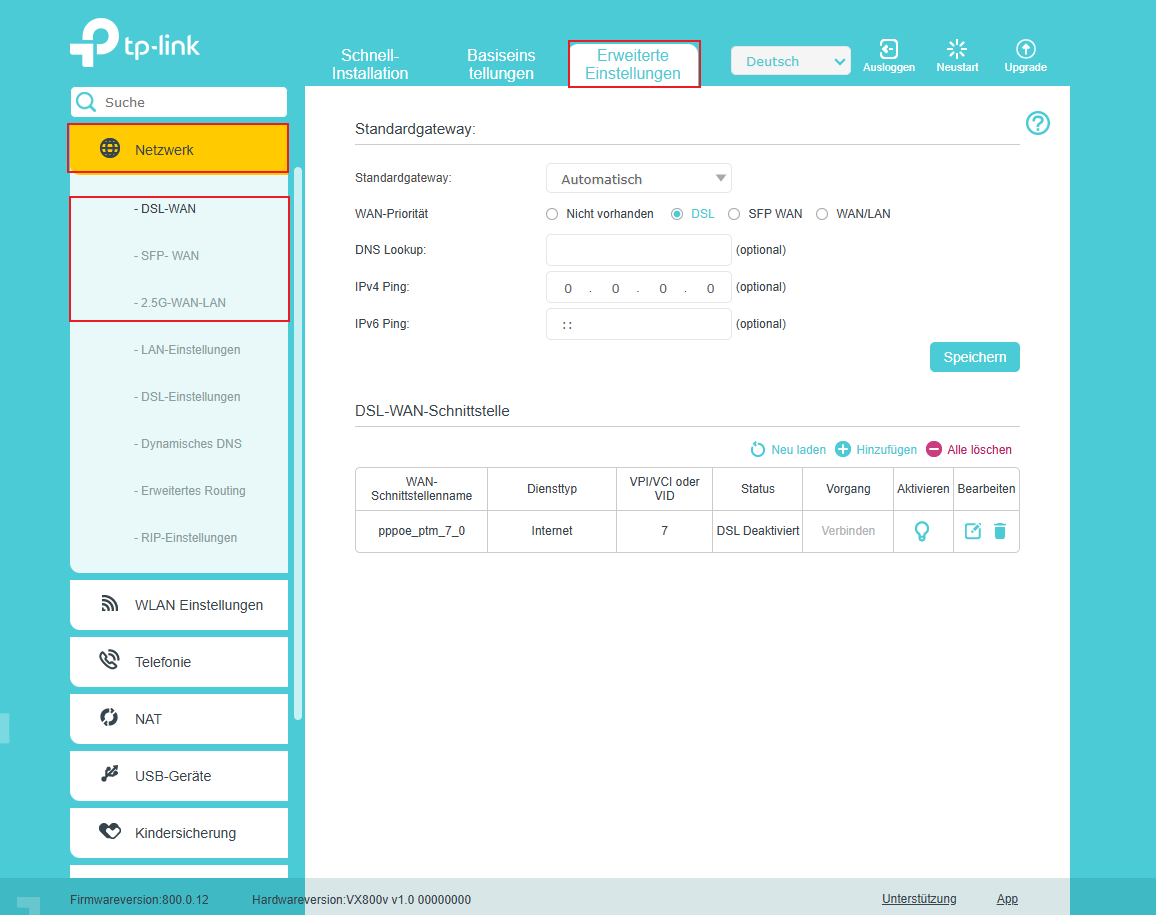
Schritt 2. Navigieren Sie zu „Erweitert“ > „Netzwerk“ > „DSL-WAN / SFP-WAN/2.5G-WAN-LAN“ und wählen Sie die Option aus, die Ihrer aktuellen Verbindung entspricht.
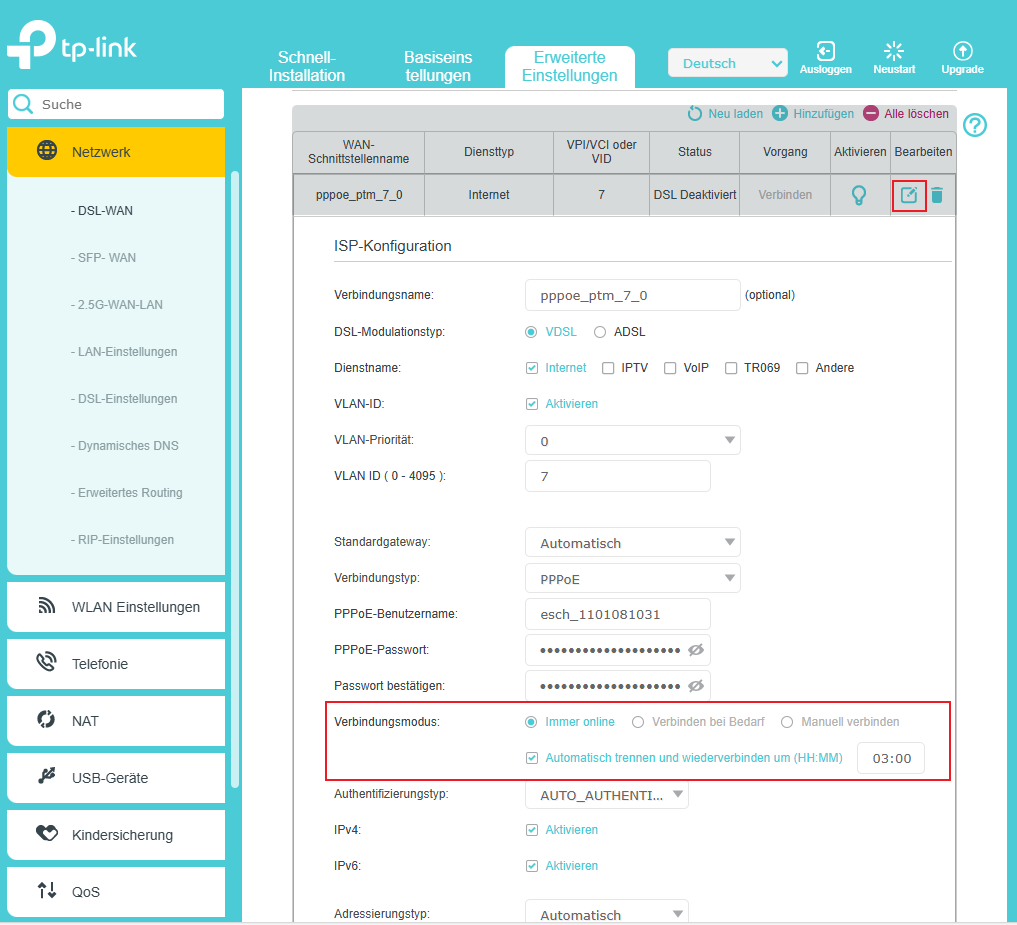
Schritt 3. Klicken Sie auf die Schaltfläche „Ändern“ und wählen Sie den Verbindungsmodus aus. Diese Einstellung bestimmt, wie der Router eine Verbindung zum Internet herstellt. Wählen Sie „Auto“ aus und aktivieren Sie „Automatisch trennen und erneut verbinden um (HH:MM)“. Geben Sie eine Zeit ein, zu der Sie keinen Internetzugang benötigen, z. B. Mitternacht.
Weitere Informationen zu den einzelnen Funktionen und Konfigurationen finden Sie im Download-Center , wo Sie das Handbuch zu Ihrem Produkt herunterladen können.
Finden Sie diese FAQ hilfreich?
Mit Ihrer Rückmeldung tragen Sie dazu bei, dass wir unsere Webpräsenz verbessern.

1_normal_20220824061744p.png)
Von United States?
Erhalten Sie Produkte, Events und Leistungen speziell für Ihre Region