
Katalog
TL-WR5002BE_V1_Datasheet
TP-Link Roam 7 (BE5000)
_1.0_L_package_20260819064201t.png)
Highlights
Flexible, Secure Wi-Fi 7 Wherever You Go
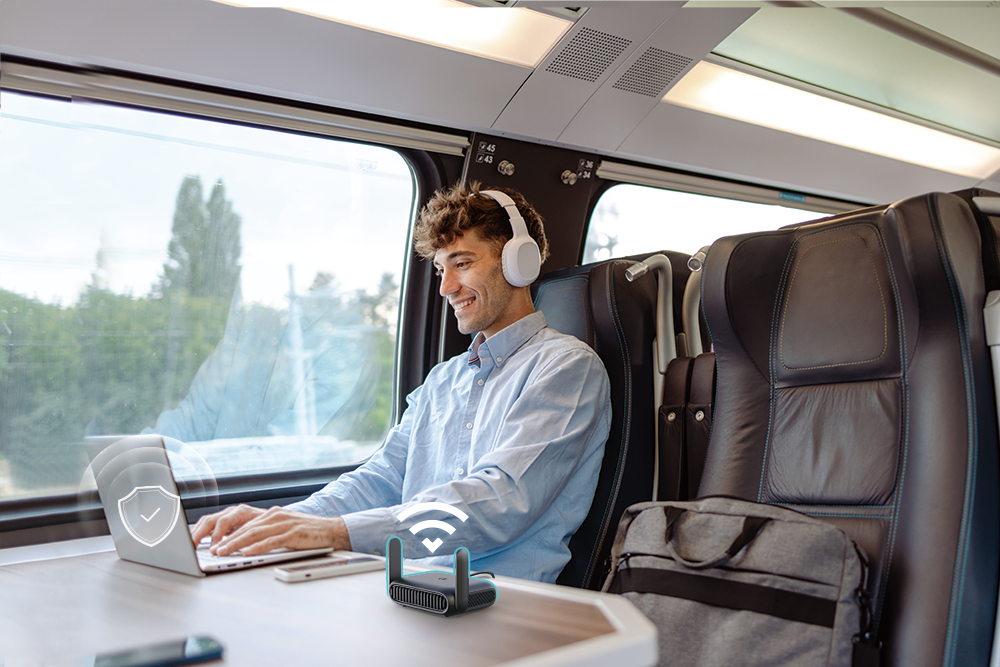
Supporting multiple modes (Router / USB Modem (3G/4G/5G) / USB Tethering / Hotspot / Access Point / Range Extender / Client Mode), TL-WR5002BE allows you to create Wi-Fi in various scenarios at home, in hotel rooms, or on the road.
 |
USB Tethering Mode Share your phone's data plan with your devices. |
 |
Router Mode Easily turn a wired connection into your own secure Wi-Fi network. |
 |
Hotspot Mode Turn public Wi-Fi into your secure private network. |
 |
USB Modem Mode Create a Wi-Fi network using a USB modem. |
Easy to use during travel
Wi-Fi 7 Portable Router
Merging Wi-Fi 7 Technology, TL-WR5002BE is designed to deliver a huge boost in coverage, speed, and total capacity while on the go.
Easily Access Your Files From Anywhere
By plugging an external USB hard disc into the router, you can easily share files between connected devices.
Secure Surfing with Encryptions
24/7 Secure Surfing with VPN Encryption
Supporting OpenVPN and WireGuard®, TL-WR5002BE can keep your network private and secure from anywhere in the world, whether you‘re working remotely abroad, or browsing on the public WiFi
 |
Encryption Access |
 |
Better Adaptability |
 |
More Devices |
 |
Remote Network |
 |
Auto Connect |
 |
Two Functions |
Encryptions for Secure Network
WPA2/PSK and WPA3-Personal encryptions provide active protection against security threats
Features
Reliability
· BE5000 Dual-Band Wi-Fi 7 Portable Router: – Merging Wi-Fi 7 Technology, TL-WR5002BE delivers fast wireless speed (4323 Mbps on 5 GHz, 688 Mbps on 2.4 GHz) for uninterrupted video streaming, downloading, and online gaming all at the same time†‡
· Easy Bandwidth Management– Bandwidth Control allocates necessary speed of each connected device to ensure quality of multimedia streaming
Ease of Use
· Intuitive Web UI – Ensures quick and simple Installation without hassle
· Fast Encryption – One-touch WPA2 wireless security encryption with the WPS button
· USB 3.0 Port for Fast Sharing – A USB 3.0 port makes it easy to share photos, videos, and music across your home network. Through the router's FTP server, you can also access your files and media from network devices remotely
· Portable and Durable Design – TL-WR5002BE is a pocket-sized portable router compactly designed for your next trip or adventure. Its small size is designed for travel-friendly storage
· Hassle-free Management with Tether App – Network management is made easy with the TP-Link Tether App, available on any Android and iOS device

Security
· 24/7 Secure Surfing with VPN Encryption – Supporting OpenVPN and WireGuard®, TL-WR5002BE can keep your network private and secure from anywhere in the world, whether you‘re working remotely abroad, or browsing on the public WiFi
· Guest Network – Keeps your main network secure by creating a separate network for friends and visitors
· Access Control – Establishes an allow list or deny list to allow or restrict certain devices to access the internet
· Parental Controls – Restricts internet access time and contents for children devices
· Encryptions for Secure Network – WPA2/PSK and WPA3-Personal encryptions provide active protection against security threats
Specifications
Hardware
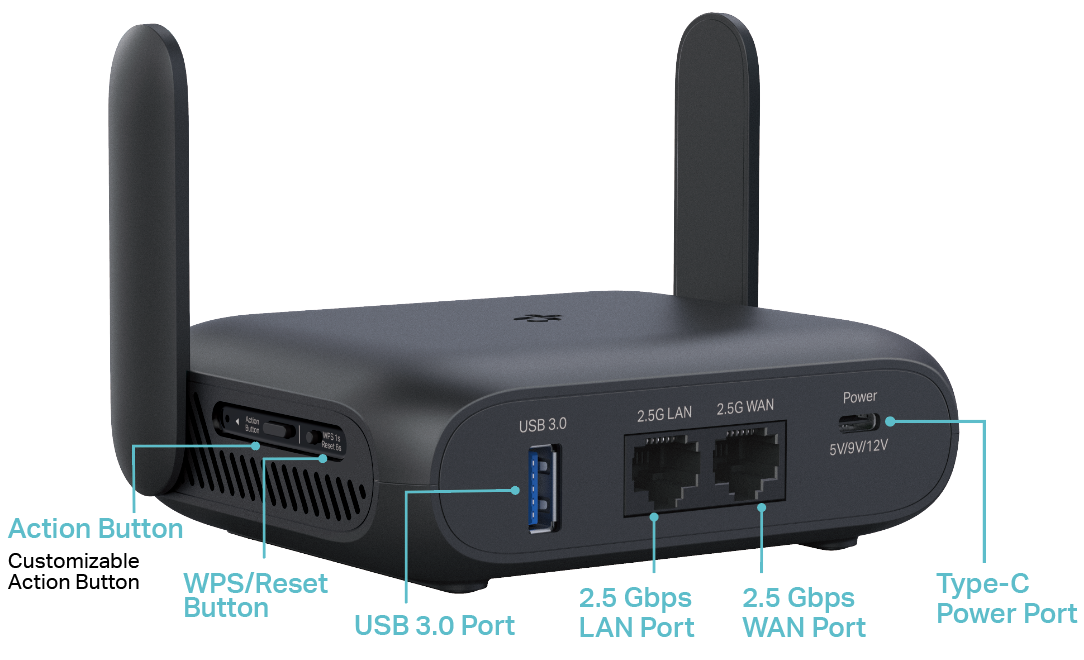
· Ports: 2.5× Gigabit WAN Port, 2.5× Gigabit LAN Port, 1× USB 3.0 Port, 1× Type-C Power Port,
· Buttons: WPS/Reset Button, Action Button
· Antennas: 2× External Antennas, 1× Internal Antenna
· Dimensions: 4.9 × 3.7 × 1.5 in (126 × 93.5 × 38 mm, including antenna and foot pad), 8.3 oz / 234 g
Software
· Protocols: IPv4, IPv6
· Parental Controls: Supported
· WAN Types: Dynamic IP, Static IP, PPPoE, PPTP, L2TP
· Quality of Service: QoS by Device
· Cloud Service: Auto Firmware Upgrade, TP-Link ID, DDNS
· NAT Forwarding: Port Forwarding, Port Triggering, DMZ, UPnP
· DDNS: TP-Link, NO-IP, DynDNS
· VPN: PPTP/L2TP/OpenVPN/WireGuard
· Modes: Router / USB Modem (3G/4G/5G) / USB Tethering / Hotspot / Access Point / Range Extender / Client Mode
Wireless
· Wireless Standards: IEEE 802.11a/n/ac/ax/be 5GHz, IEEE 802.11b/g/n/ax/be 2.4GHz
· Frequency: 2.4GHz and 5GHz
· Signal Rate: 4323 Mbps (5 GHz) + 688 Mbps (2.4 GHz)
· Reception Sensitivity:
2.4GHz:
11be EHT20 MCS0 -96dBm EHT20 MCS13 -61dBm
11be EHT40 MCS0 -94dBm EHT40 MCS13 -57dBm
5GHz:
11be EHT20 MCS0 -95dBm EHT20 MCS13 -59dBm
11be EHT40 MCS0 -92dBm EHT40 MCS13 -55dBm
11be EHT80 MCS0 -89dBm EHT80 MCS13 -53dBm
11be EHT160 MCS0 -86dBm EHT160 MCS13 -52dBm
· Wireless Function: Enable/Disable Wireless Radio, WMM
· Wireless Security: WPA2/PSK, WPA3-Personal encryptions
Others
· System Requirements:
Microsoft Edge, Firefox, Chrome, Safari, or other JavaScript-enabled browser
*You are recommended to use the latest version
· Environment:
Operating Temperature: 0℃~40℃ (32℉ ~104℉)
Operating Humidity: 10%~90% non-condensing
· Package Contents
TP-Link Roam 7 (BE5000) TL-WR5002BE
RJ45 Ethernet Cable
Power Adapter*
USB Cables
Quick Installation Guide
Wi-Fi Info Card
Portable Storage Bag
_20260819061002b.png)
For more information, please visit https://www.tp-link.com/products/details/?model=TL-WR5002BE_V1 or scan the QR code left.
Specifications are subject to change without notice. All the brands and product names are trademarks or registered trademarks of their respective holders.
†Maximum wireless signal rates are the physical rates derived from IEEE Standard 802.11 specifications. Actual wireless data throughput, wireless coverage, and number of connected devices are not guaranteed and will vary as a result of network conditions, client limitations, and environmental factors, including building materials, obstacles, volume and density of traffic, and client location.
‡Use of Wi-Fi 7 (802.11be), Wi-Fi 6 (802.11ax), and features including MLO, 4K-QAM, Multi-RU, OFDMA, and MU-MIMO requires clients to also support the corresponding features.
*Please use the provided power adapter to avoid potential damage. Using other adapters may harm the device.
**USB Internet Sharing depends on the compatibility of your 3G/4G/5G USB modem or mobile device and may not work with all devices.
Actual network speed may be limited by the rate of the product's Ethernet WAN or LAN port, the rate supported by the network cable, internet service provider factors, and other environmental conditions.
©2026 TP-Link
Von United States?
Erhalten Sie Produkte, Events und Leistungen speziell für Ihre Region