
Download für Tapo C465
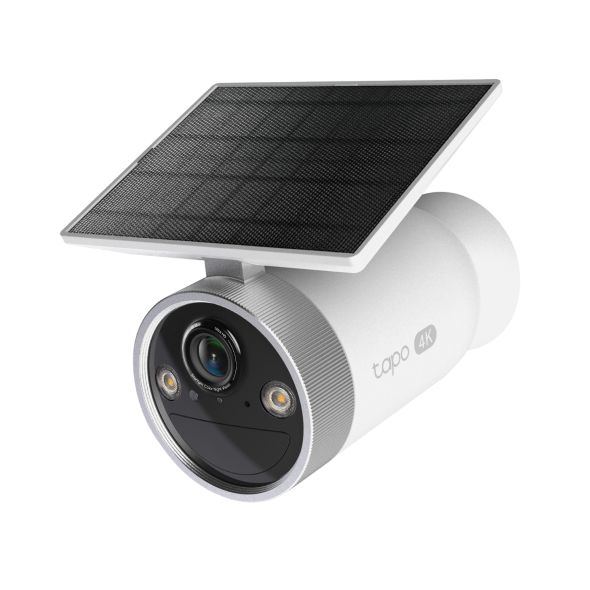 Tapo Ultra Sicherheitskamera mit verbesserter KI und Solarbetrieb
Setup Video
-
How to Set Up Your Enhanced AI Solar Security Camera Ultra | Tapo C465
Featuring 4K Ultra HD resolution and Starlight Color Night Vision, this camera ensures crystal-clear details, both day and night. Its solar-powered, wire-free design offers flexibility, while AI detection and customizable alerts provide precise monitoring.
More Fold -
How to Mount Your Enhanced AI Solar Security Camera Ultra | Tapo C465
Featuring 4K Ultra HD resolution and Starlight Color Night Vision, this camera ensures crystal-clear details, both day and night. Its solar-powered, wire-free design offers flexibility, while AI detection and customizable alerts provide precise monitoring.
More Fold
Häufig gestellte Fragen
- Tapo Smart Hub Kompatible Geräteliste
- Set Privacy Zone for Tapo Camera and Doorbell
- So überprüfen Sie die Stabilität der Netzwerkverbindung einer Tapo-Kamera
- How to connect my Tapo / Kasa smart device to Google Home
- Wie registriere ich ein TP-Link-Produkt mit meiner TP-Link-ID?
- Wie kann man eine Tapo Kamera zurücksetzen ?
- Was passiert, wenn ich mich nicht anmelden kann oder die TP-Link ID nicht aktiviere?
- Wie finde ich die Hardware Version auf einem TP-Link Gerät?
- Wie finde ich die Modellnummer meines TP-Link Geräts?
- Was sollte ich tun, wenn ich Tapo Camera nicht konfigurieren kann?
- Tapo Care Stornierung und Rückerstattung
- How to update or change the payment method for Tapo Care or Kasa Care
- Wie kann ich neue Kameras zu meinem Tapo Care Plan hinzufügen?
- Was kann ich tun, wenn ich meine Tapo-Kamera in der Tapo-App nicht finde?
- How to fix no sound or audio quality issues on Tapo Camera/Doorbell
- Warum muss ich TP-Link-Apps in IOS 14 lokale Zugriffsrechte erteilen?
- How to make Tapo devices work with IFTTT
- Was kann ich tun, wenn ich mein Passwort für das Cloud-Konto vergessen habe (Tapo Smart Plug, Smart Camera, Smart Bulb)?
- Was kann ich tun, wenn ich die E-Mail nicht erhalte beim Registrieren eines Cloud-Kontos oder beim Zurücksetzen meines Passworts?
- Wie geht man vor, wenn die Firmwareaktualisierung bei einem Tapo-Gerät fehlschlägt?
- Wie installiere ich eine SD-Karte für meine Tapo-Kamera?
- Was sollte ich tun, wenn die SD-Karte von TP-Link-Kameras nicht formatiert/erkannt werden kann?
- Wie kann ich die Videoaufnahmen der Kamera auf der SD-Karte auf einem Computer abspielen?
- Wie bearbeite ich den Heim- und Auswärtsmodus für Tapo-Kameras?
- What should I do if I encounter issues while playing back videos from an SD card?
- How to configure Home feature and Room feature in Tapo app
- Why do I receive a "We Noticed a New Login" email?
- What should I do if Tapo/Kasa notifications are delayed or not working?
- How to cast TP-Link Camera/Doorbell to TV via Tapo Smart HomeBase
- General Questions about Tapo/Kasa Geofencing
- Wie finde ich die Seriennummer auf TP-Link-Geräten?
- How can I enable the 24/7 Capture on Battery Camera?
- What is Video Summary
- Was kann ich tun, wenn ich mein Kasa-Gerät nicht mit Alexa / Google Home arbeiten lassen kann?
- So konfigurieren Sie die Benachrichtigungsfunktion für die Tapo & Kasa-Geräte in der Tapo-App
- How to fix a flickering issue on Live View of the Tapo Camera
- How to set up routines for Tapo devices via Alexa app
- How to stream Tapo / Kasa Camera on Google device
- How to improve video clarity and quality of Tapo Camera
- Why cannot I receive the SMS verification code from Tapo app?
- Frequently asked questions about the SD Card Encryption feature
- Wie kann man eine Tapo Kamera einrichten
- How do I disable the Anti-theft alarm of my Battery-Powered Camera?
- Wie verbindet man Tapo-WLAN-Kameras/Türklingeln mit dem Tapo-Hub?
- The most frequent asked questions about TP-Link Sales
- Wie kann ich mein TP-Link Cloud-Konto löschen?
- Wie kann ich beim Kauf von Tapo Care eine 3DS-Authentifizierung durchführen?
- How to unlink third-party accounts from your TP-Link ID
- How to verify if it’s the hardware issue of TP-Link smart home
- Warum benötigt TP-Link meine E-Mail-Adresse?
- How to create 3D Map in the Tapo App for Pad
- TP-Link Smart-Geräte können nicht mit Google Home verwendet werden
- Tapo/Kasa Devices are showing offline after changing or resetting the router.
- Was ist die TP-Link ID und wie erstellt man eine TP-Link ID?
Von United States?
Erhalten Sie Produkte, Events und Leistungen speziell für Ihre Region