
How to view client's wireless info, online time, and offline time on Deco app
 4665
4665Introduction
This FAQ explains how to view a client’s wireless association details (Wireless Standard, Bandwidth, MIMO, Encryption) and the client’s Online Time/Offline Time in Deco app, and provides basic troubleshooting guidance.
Requirement
Both Main Deco and the Deco that the device is currently connected to must support this feature.
Troubleshooting
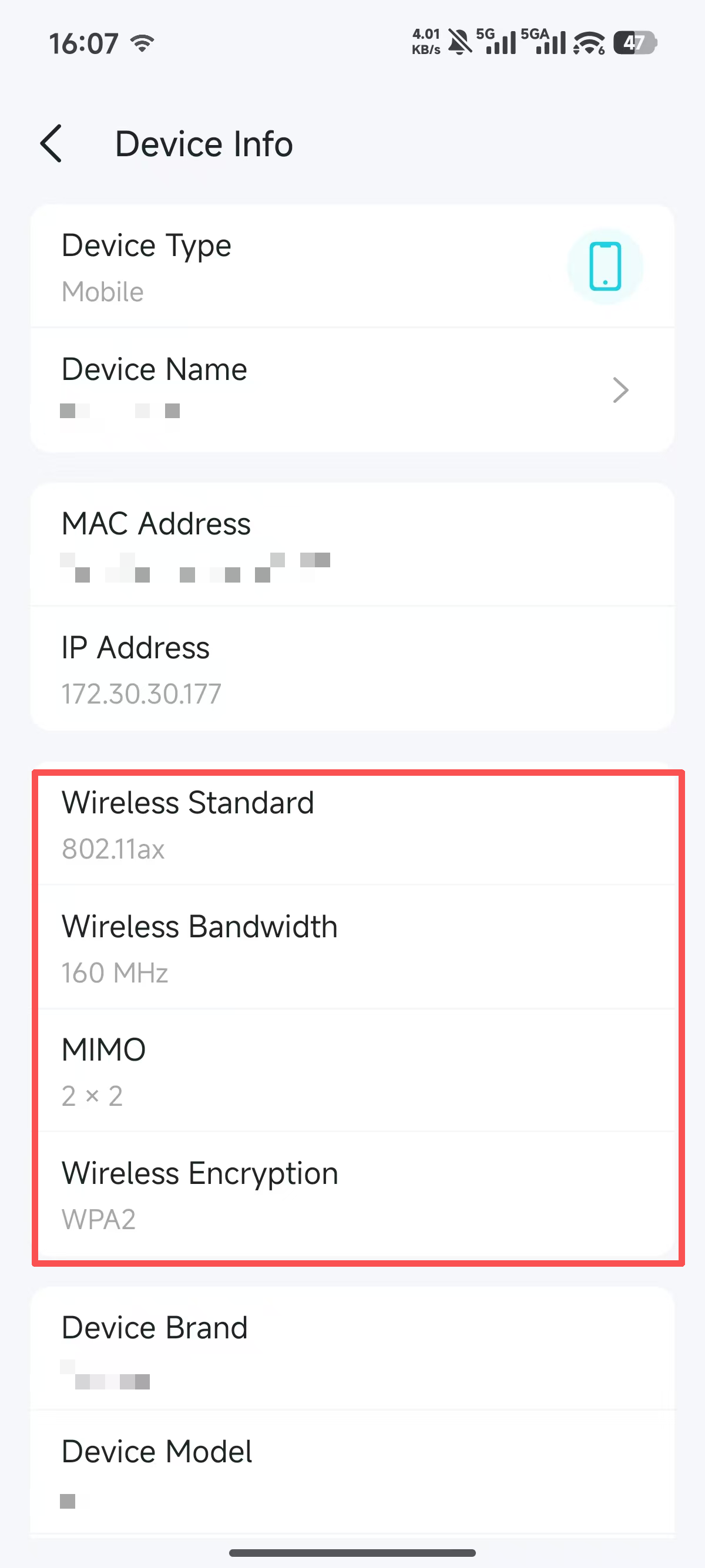
Scenario 1: How to view wireless client's wireless association info (Wireless Standard, Bandwidth, MIMO, Encryption)
Go to Deco app Home page > Online Client List > Tap the target device > Tap the device name.
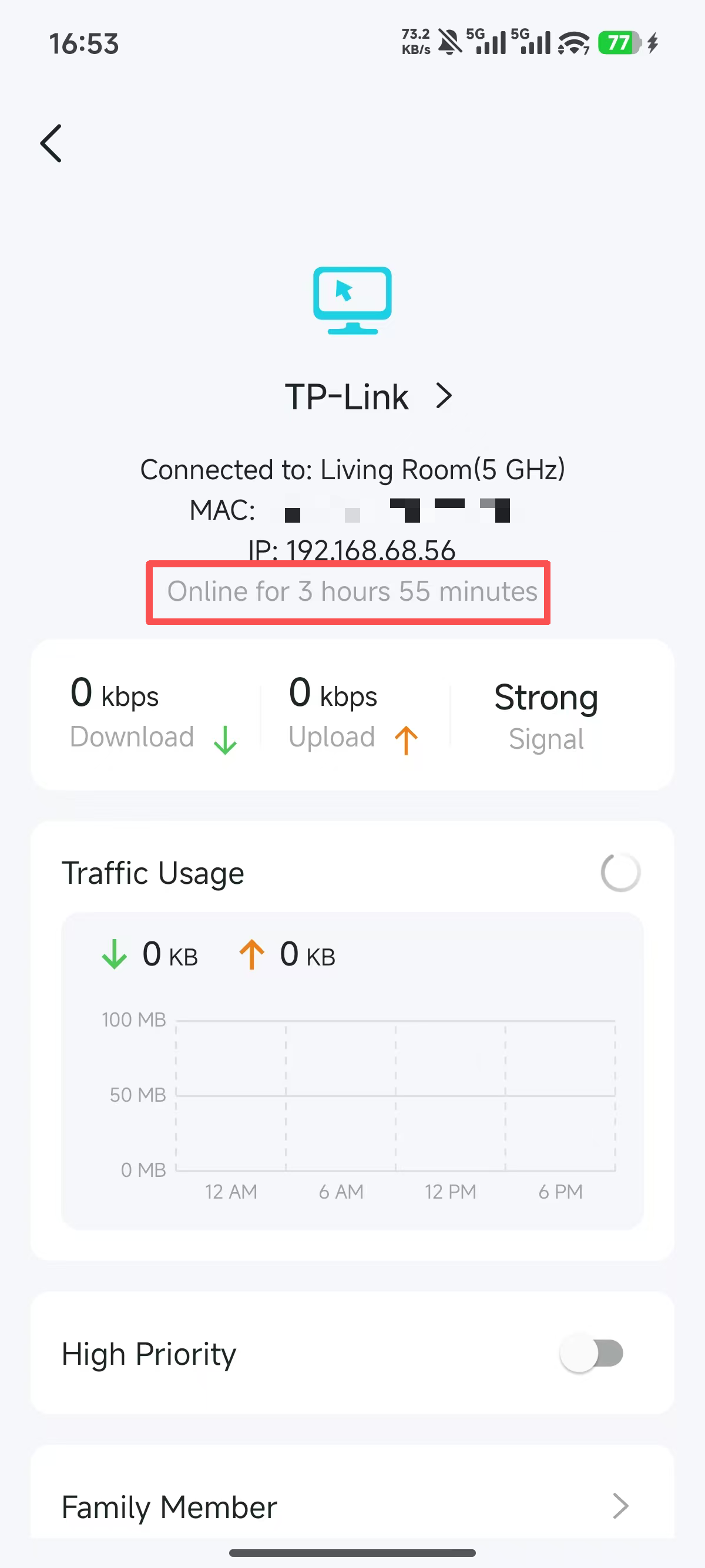
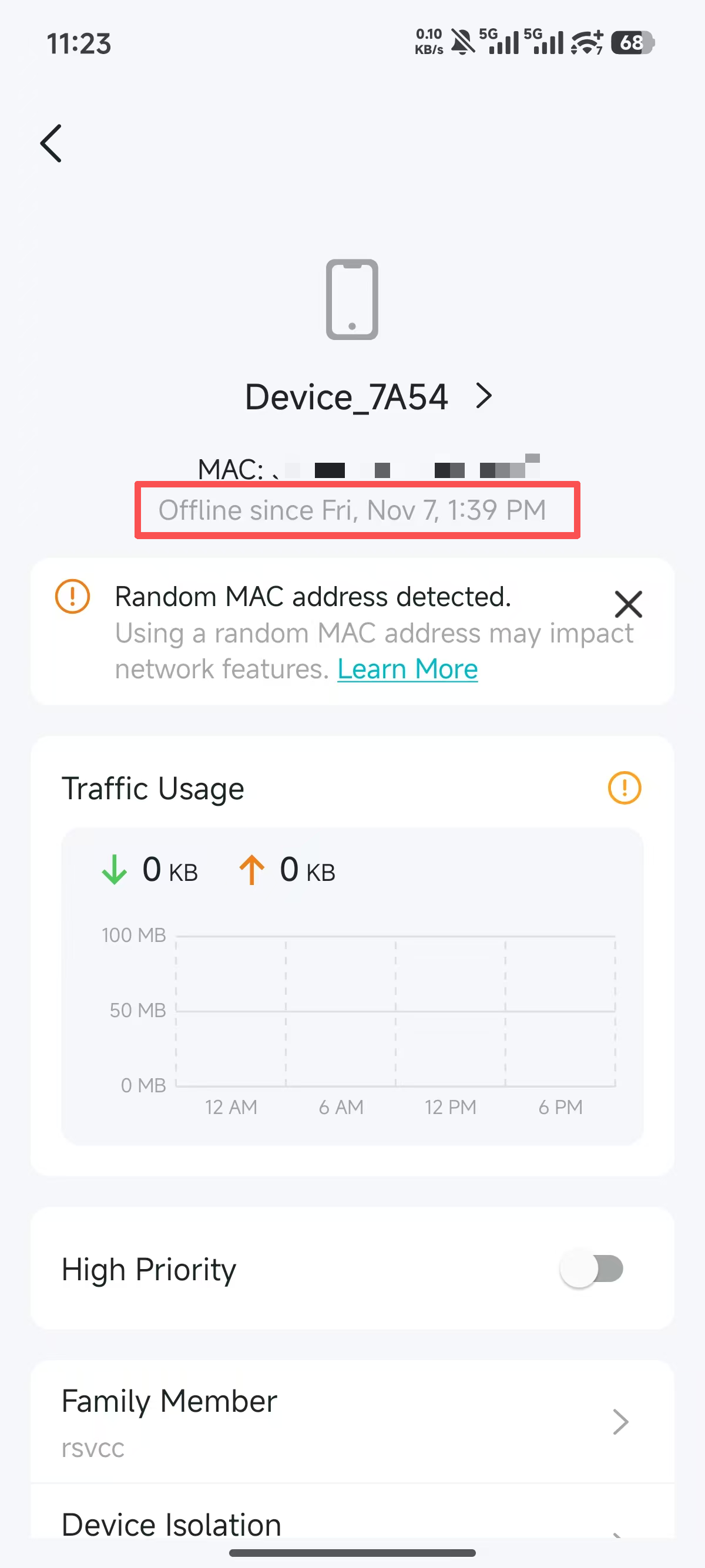
Scenario 2: How to view wired/wireless clients' Online Time and Offline Time
Go to Deco app Home Page > Client List > Tap the target device.
QA
Q1: What are Online Time and Offline Time used for?
A1: They help monitor client stability. For example, you can use Online Time and Offline Time to detect anomalous behavior, such as frequent disconnections or silent reboots, on IoT devices.
Q2: How do I check whether my client has negotiated Wi‑Fi 4/5/6/7?
A2: In the Deco app, go to Home Page > Online Client List, tap the target device, then tap the device name. Check Wireless Standard—if it shows 802.11n (Wi-Fi 4), 802.11ac (Wi-Fi 5), 802.11ax (Wi‑Fi 6), or 802.11be (Wi‑Fi 7).
Q3: Why does the Device Info interface not show detailed wireless connection parameters/Online Time/Offline Time?
A3: Please check the firmware versions of all nodes in the network topology. Both the Main Deco and the Deco node the device is currently connected to must support this feature for it to be displayed. Assuming X50 V1(1.8.0) supports the feature and X80 V1(1.2.2) does not:
Case 1: Main Deco is X50 + Satellite Deco is X80
- Client connected to X50: Shows wireless info.
- Client connected to X80: Does not show wireless info.
Case 2: Main Deco is X80 + Satellite Deco is X50
- Client connected to either X80 or X50: Does not show wireless info.
Q4: How is Online Time calculated? Under what circumstances will it reset?
A4: Online Time records the continuous duration of the current device session. For wireless clients, the timer resets when the device roams and disconnects, when it is manually disconnected and then reconnected, or when the Deco node reboots. The timer restarts after reconnection.
Q5: Does Online Time count the duration the client is connected to Wi-Fi, or the duration it has Internet access?
A5: Online Time records the continuous duration the device remains connected to the Deco node; it does not verify Internet connectivity. For example:
- If the device is connected to Deco but the Internet is down, Online Time will continue to accumulate.
- If the device disconnects from Wi-Fi (even if the Internet is working fine), Online Time will stop counting.
Q6: Can I see wireless info (Wireless Standard, Bandwidth, MIMO, and Encryption) for offline clients?
A6: No, Wireless Info is real-time information.
Is this faq useful?
Your feedback helps improve this site.
_Overview_normal_20211130005706l.png)

TP-Link Community
Still need help? Search for answers, ask questions, and get help from TP-Link experts and other users around the world.