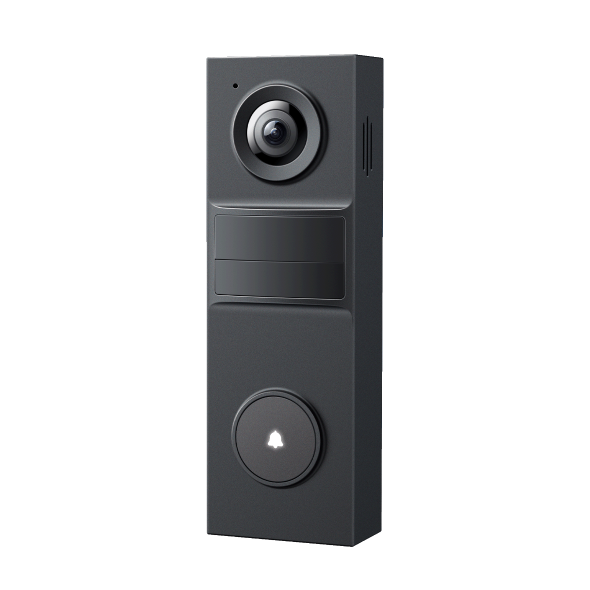
Can I control Tapo Smart Door Lock with the existing Tapo Doorbell?
 35178
35178Introduction
This article explains how to integrate your Tapo Smart Door Lock with a Tapo Doorbell. It provides clear, step‑by‑step guidance so you can link the two devices, receive synchronized notifications, and unlock your door directly from the doorbell’s Live View or Video Call page.
- Download the Tapo app by visiting the Google Play Store, App Store, or by scanning the QR code.
- Make sure you have a TP-Link ID. If you don't, tap Sign Up to create one in the Tapo app.
- Power on the doorbell and check that the light indicates it is in configuration mode (refer to the user guide for details). Most doorbells show this with a blinking red and green light.
Configuration
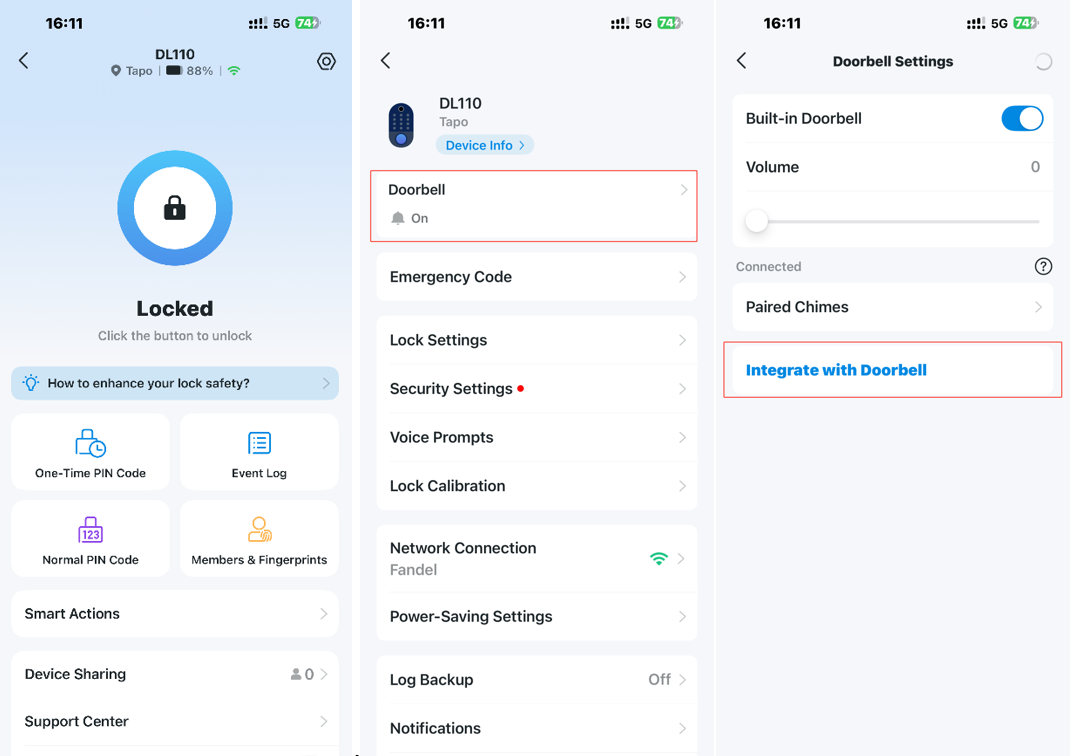
Step 1. On the main page of the door lock, tap the gear icon in the upper right corner to enter the settings, and then click Doorbell. Tap Integrate with Doorbell.
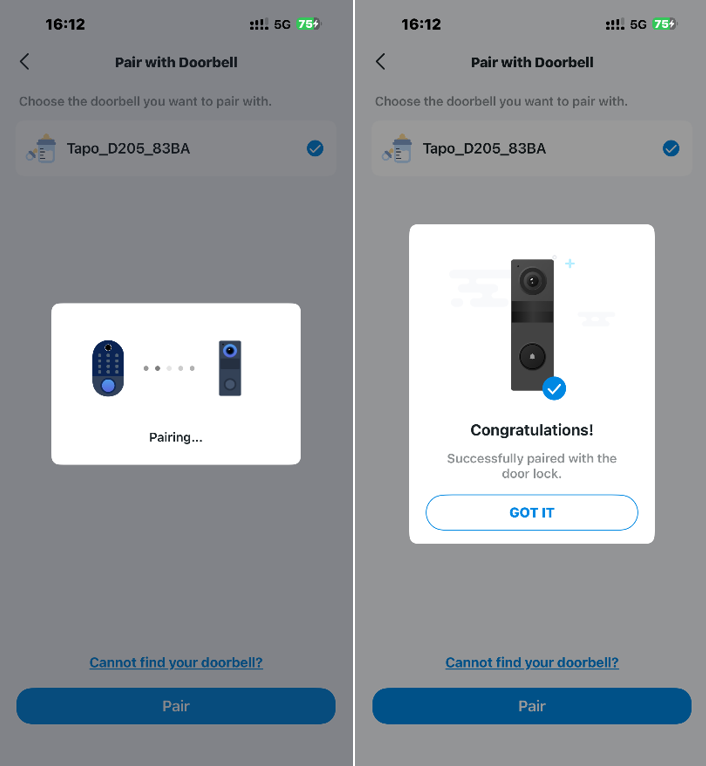
Step 2. Follow the instructions to select the doorbell you want to pair.
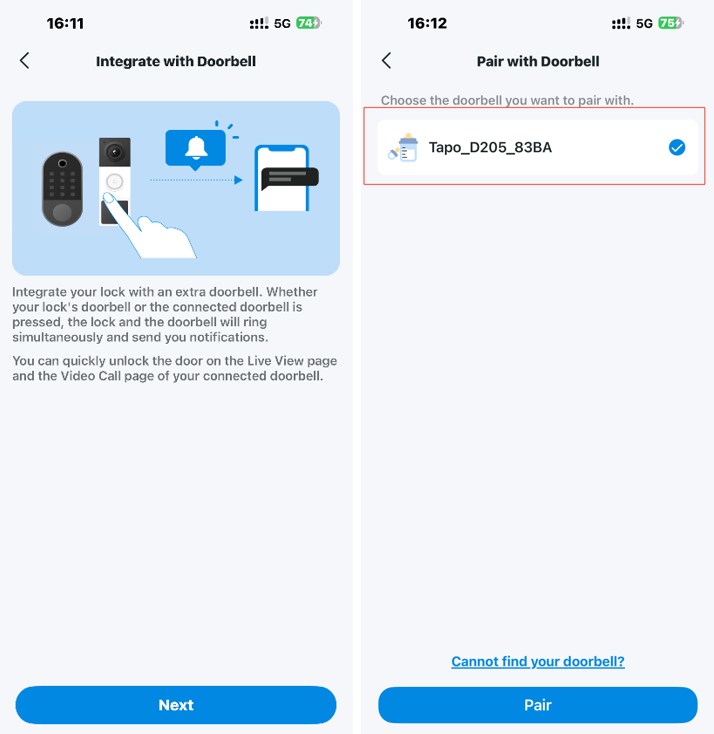
Step 3. Waiting for pairing to complete.
QA
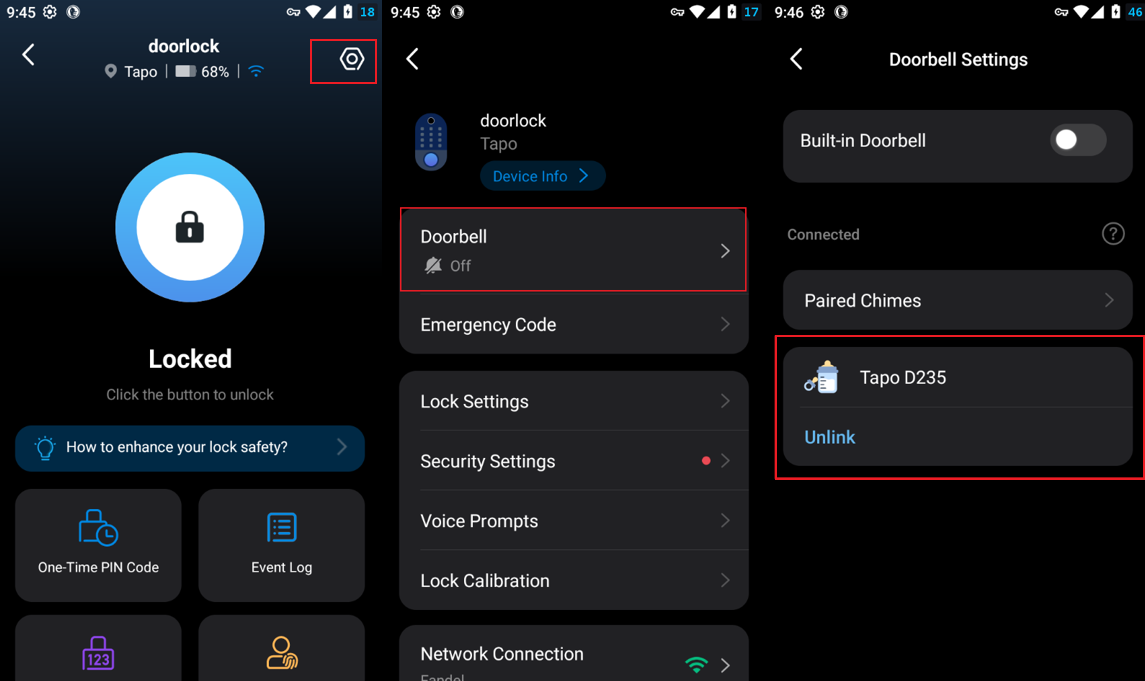
Q1: How can I unbind a doorbell that has already been paired with my Tapo Smart Door Lock?
A1: Please tap Unlink on the following page, which can be accessed via Door lock settings > Doorbell.
Q2: Which doorbells can be paired with Tapo Door Lock?
A2: Please refer to the following compatibility list and firmware information.
|
Models |
Supported firmware versions |
Status |
|
Tapo D225/D235/TD25 |
1.1.19 and later |
Released |
|
Tapo D210/TD21/TDB21 |
1.0.17 and later |
Released |
|
Tapo D130 |
1.0.12 and later |
Released |
|
Tapo D205/TD20 |
Factory supported |
Released |
|
Tapo D230/TD23 |
Coming soon |
Coming soon |
Q3: What should I do if my smart lock fails to detect or pair with my doorbell?
A3: The integration between the doorbell and smart lock is supported in two scenarios:
- Same Wi-Fi network: Both devices must be connected to the same Wi-Fi network.
- Different Wi-Fi networks: Both devices must be linked to the same Tapo account and be online.
Note: If the smart lock is used in a local-only scenario (not connected to the cloud), it does not support pairing with the doorbell.
Get to know more details of each function and configuration please go to Download Center to download the manual of your product.
Is this faq useful?
Your feedback helps improve this site.