


v1-L-2000px_large_20230419065713f_normal_20230530025608s.jpg)
v1-L-2000px_normal_20230419065939s.jpg)
v1-T-2000px_normal_20230419065923u.jpg)
v1-T-2000px_large_20230419065846y_normal_20230530025617x.jpg)




v1-L-2000px_large_20230419065713f_large_20230530025608b.jpg)
v1-L-2000px_large_20230419065939q.jpg)
v1-T-2000px_large_20230419065923q.jpg)
v1-T-2000px_large_20230419065846y_large_20230530025617e.jpg)



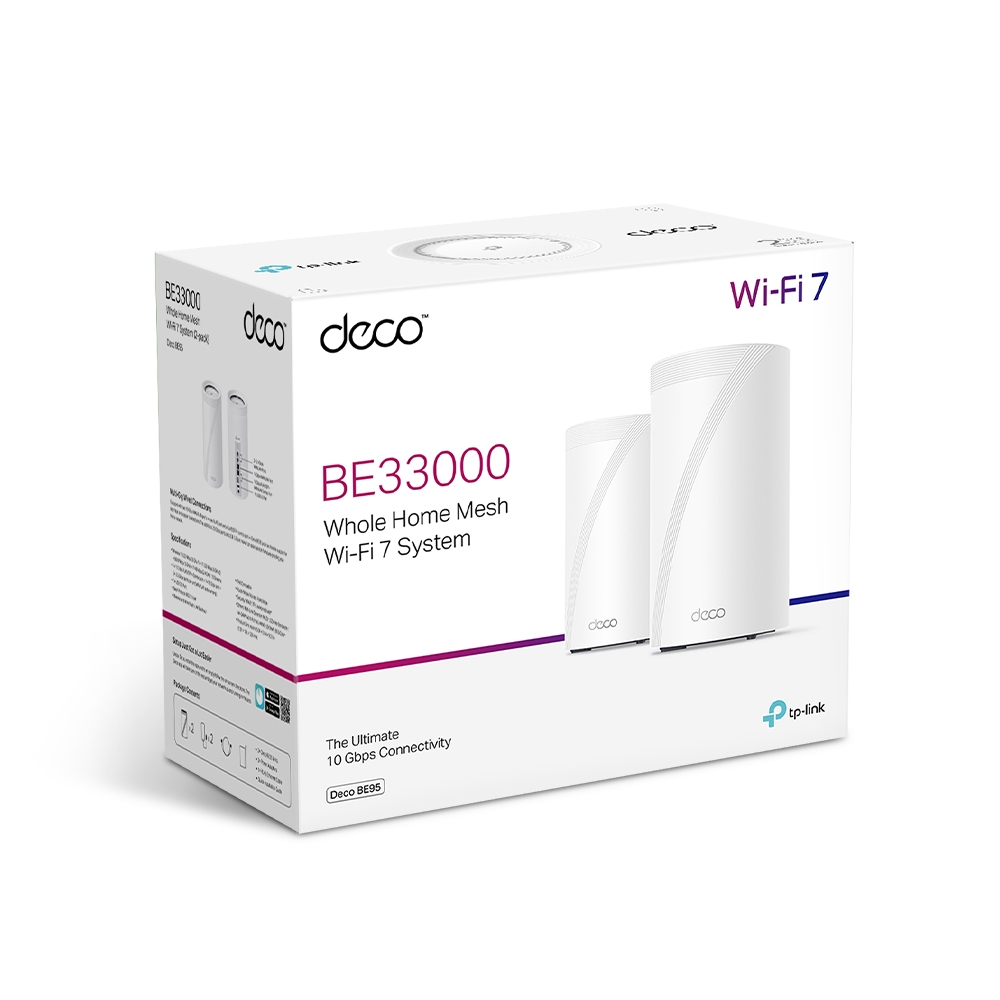
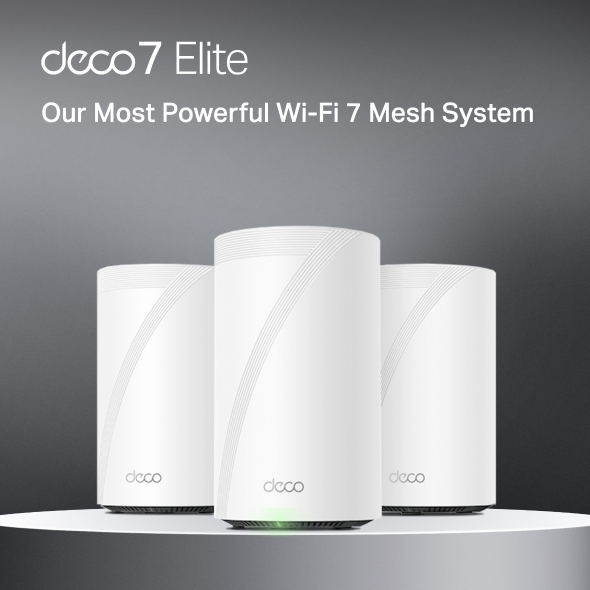
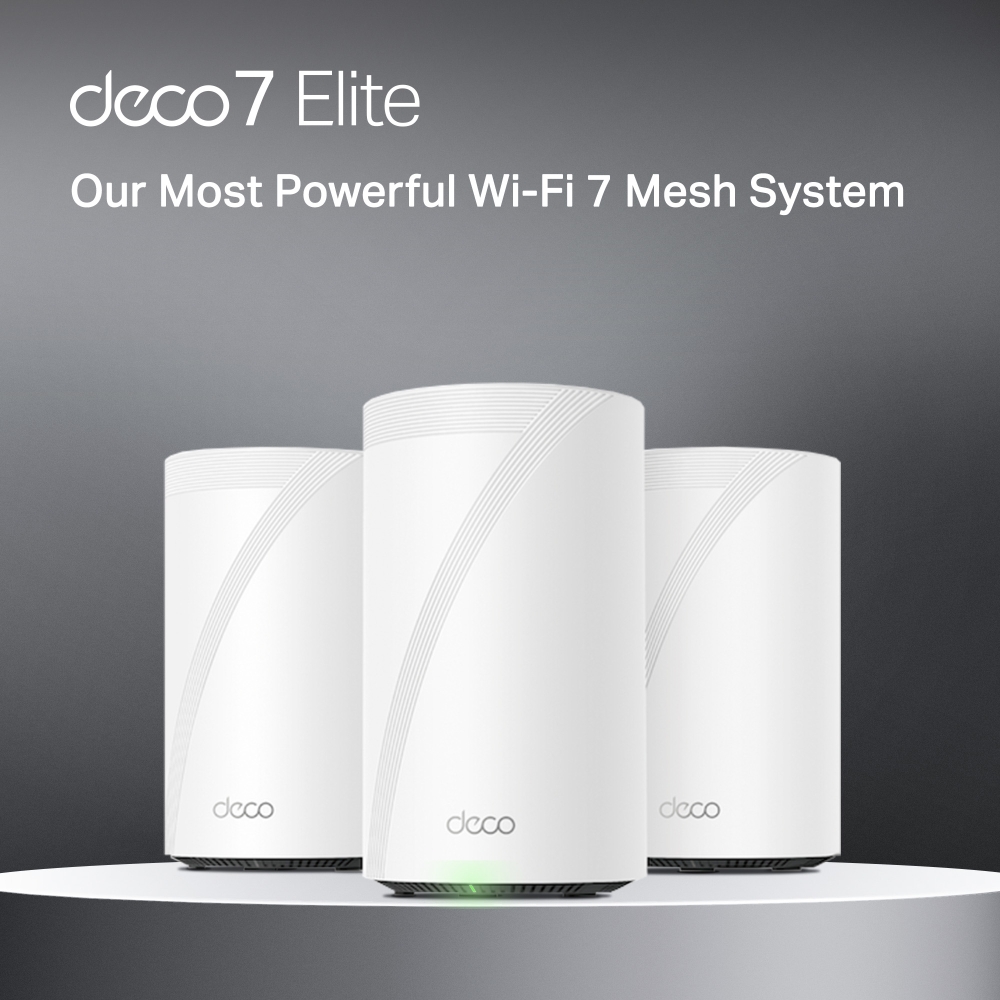
Deco BE95
End of LifeBE33000 Quad-Band Whole Home Mesh WiFi 7 System
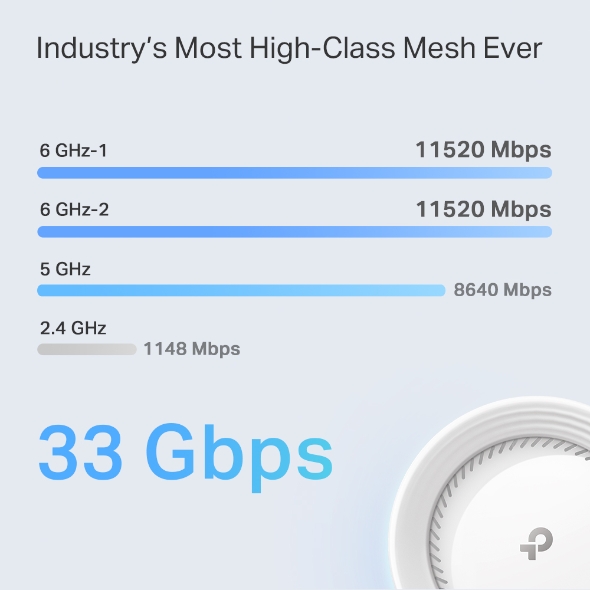
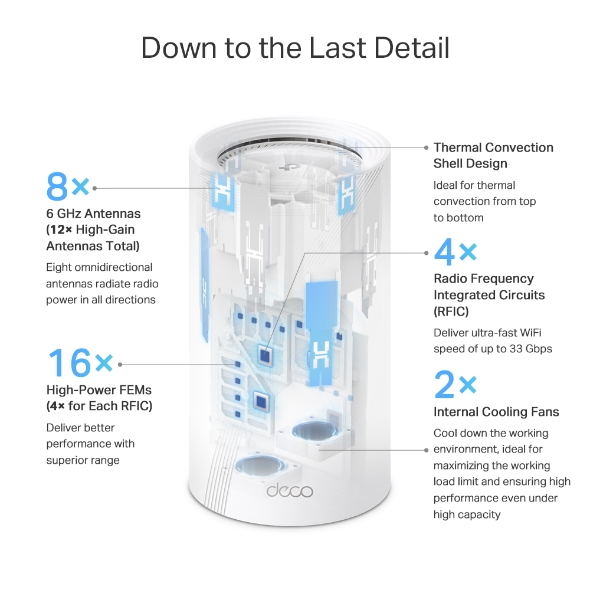
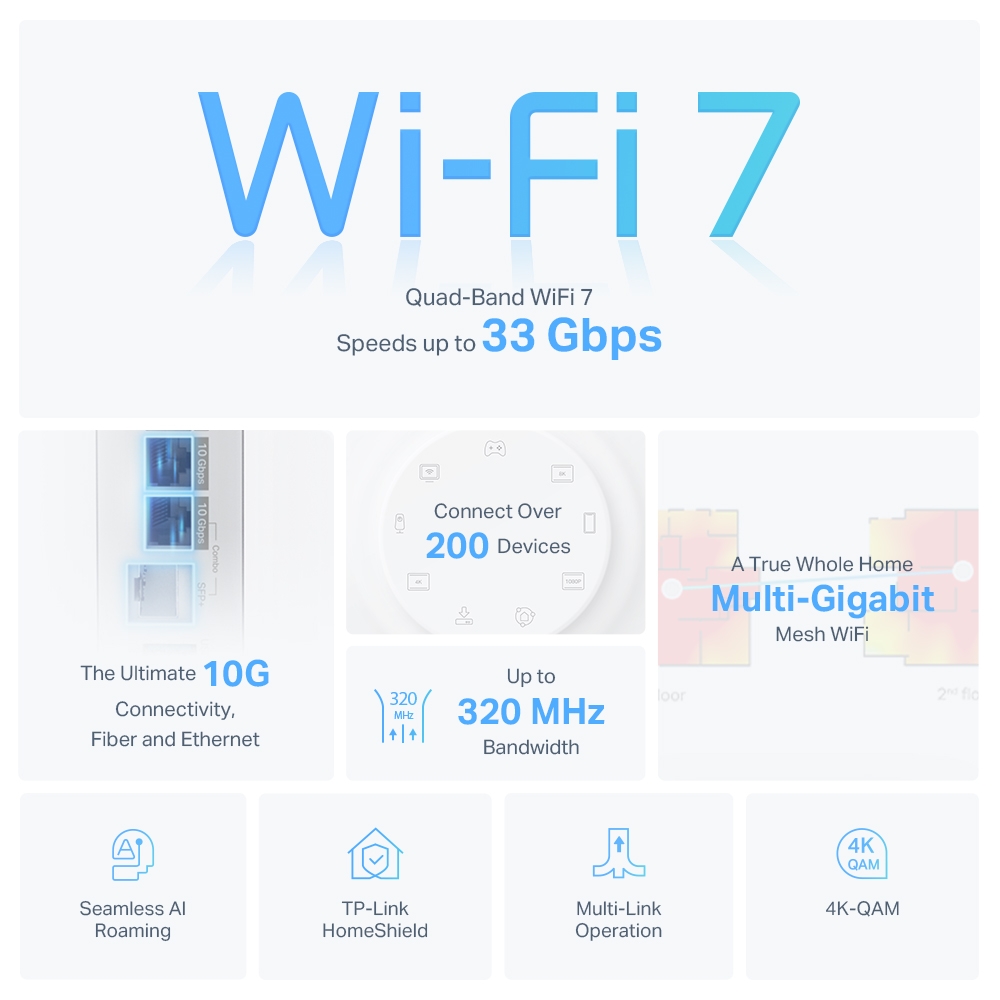
- 16-Stream 33 Gbps Quad-Band WiFi – 11520 Mbps (6 GHz-1) + 11520 Mbps (6 GHz-2) + 8640 Mbps (5 GHz) + 1148 Mbps (2.4 GHz).†
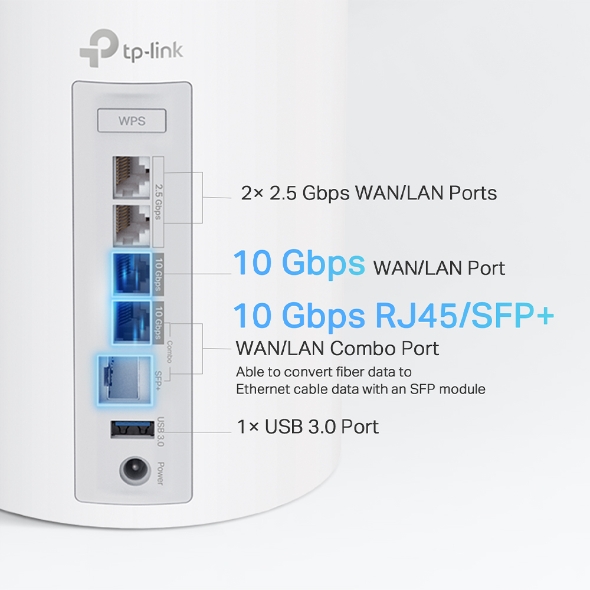
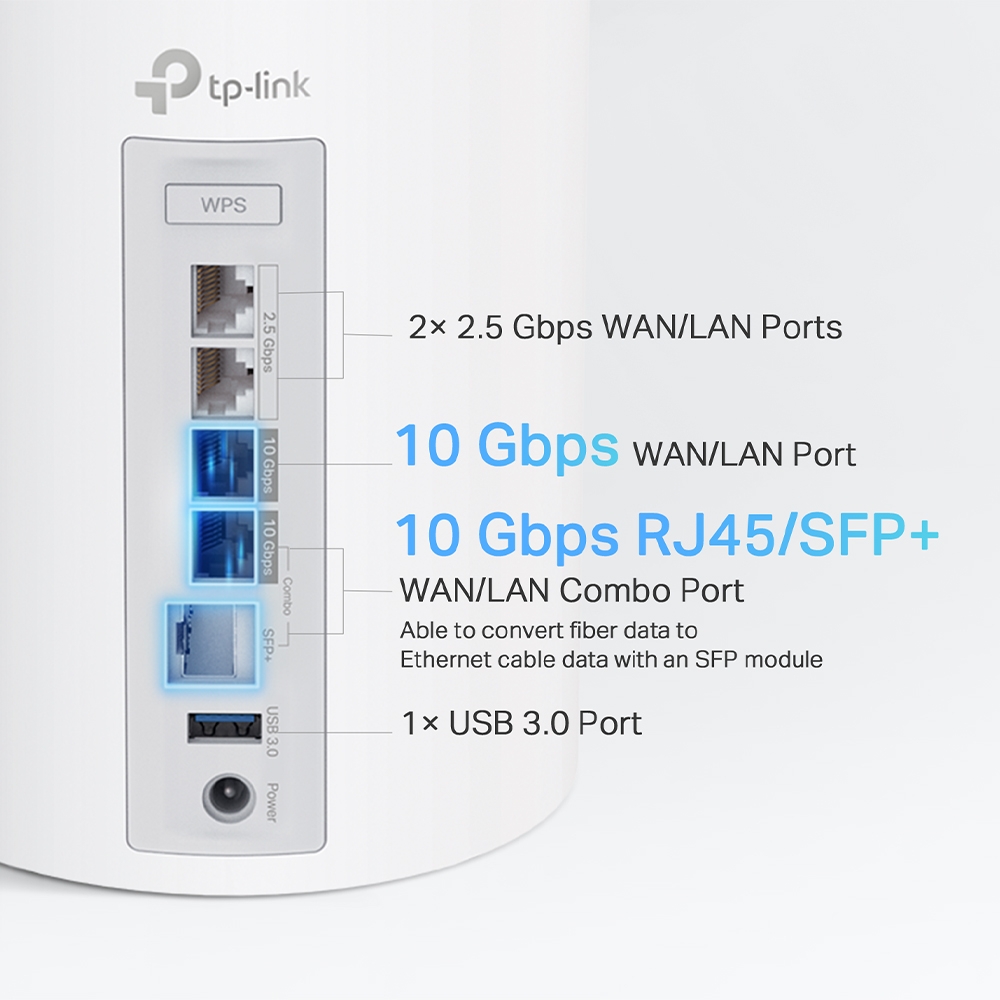
- Unprecedented 10 Gbps Network – 1× 10 Gbps Ethernet/Fiber Combo WAN/LAN port + 1× 10 Gbps WAN/LAN port + 2× 2.5 Gbps ports ensure max flexibility and boosted throughput.§
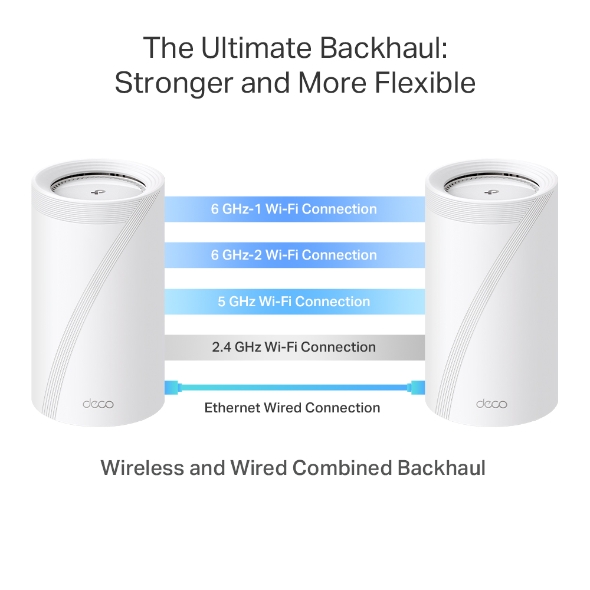
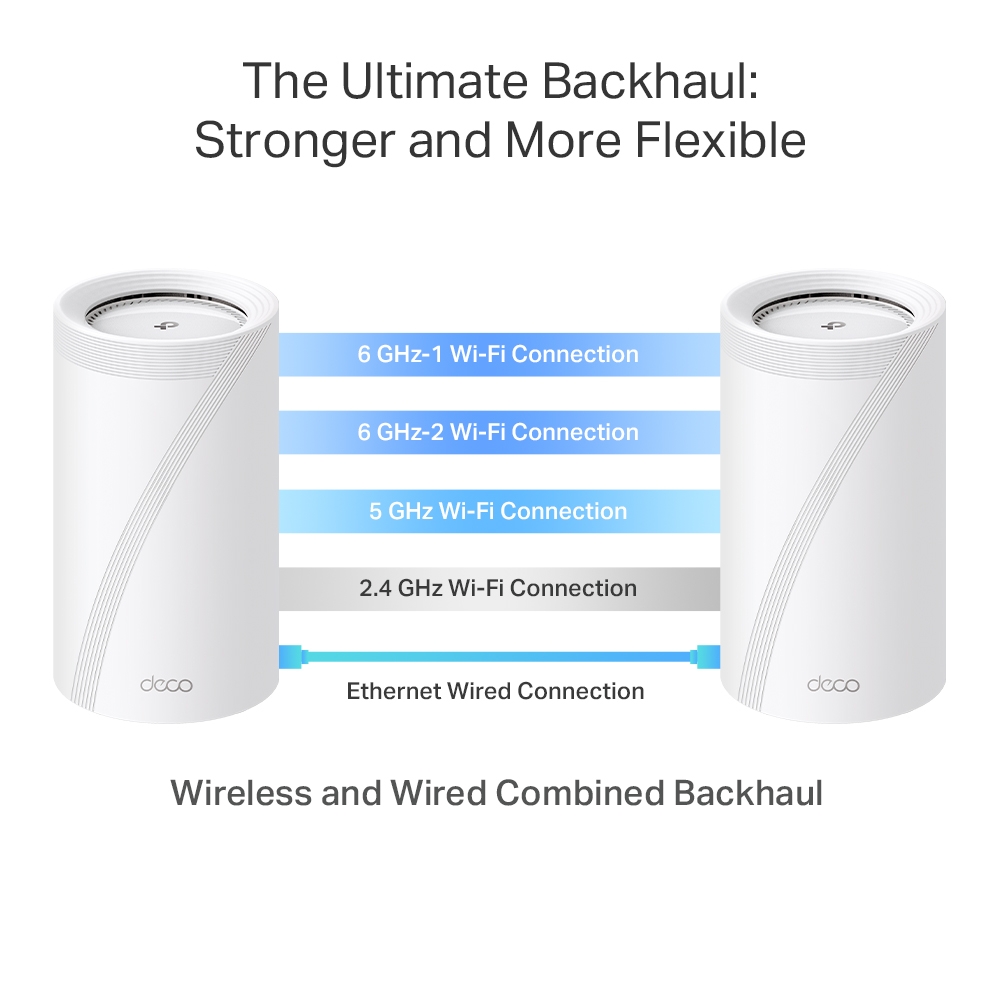
- Wireless and Wired Combined Backhaul – Connects a wireless and wired backhaul with each unit simultaneously to improve overall throughput and reduce latency.
- Multi-Link Operation (MLO) – Simultaneously send and receive data across different bands and channels to increase throughput, reduce latency, and improve reliability.△
- 320 MHz Channels – Double the bandwidth and enables many more simultaneous transmissions at the fastest possible speeds.△
- Works on the 6 GHz Band – Minimizes congestion with greenfield spectrum, delivering robust high-speed connections.△
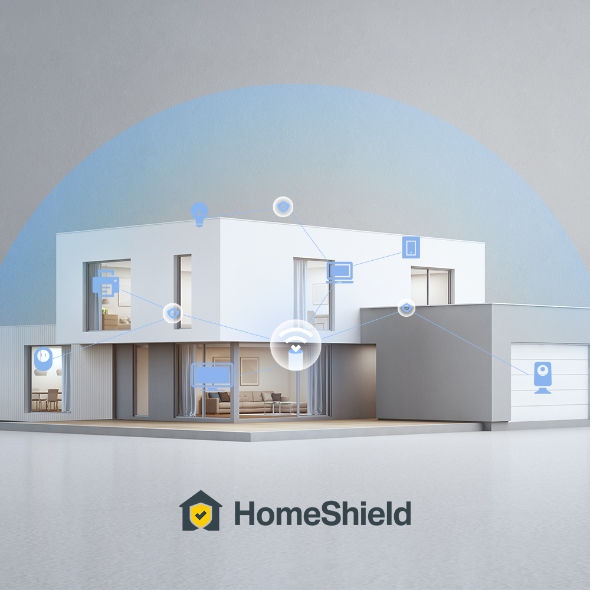
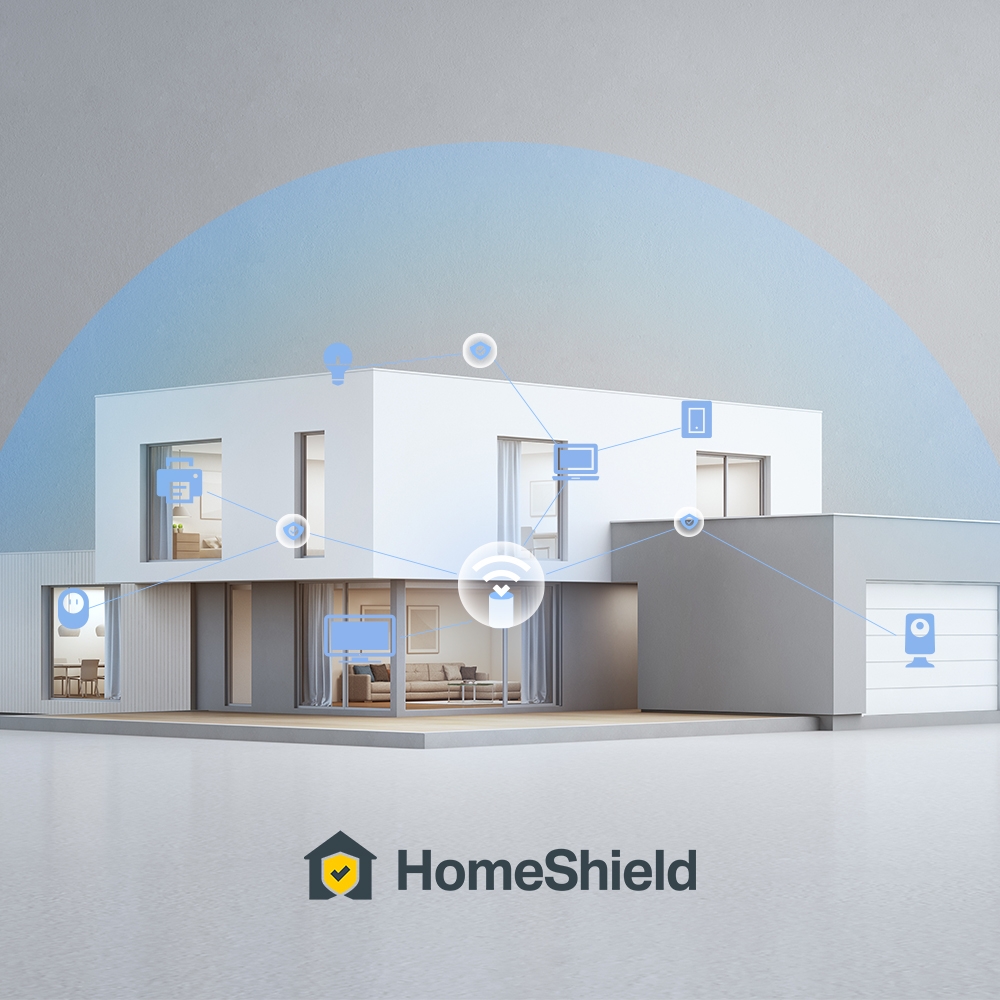
- TP-Link HomeShield – Provides comprehensive network protection, robust parental controls, and real-time IoT security.*
- Universal Compatibility – Backward compatible with all WiFi generations and works with any internet service provider (ISP) and modem.☆
-
Kelder

-
Tuin

-
Garage

Echt Ononderbroken Roamen
Deco stations werken samen om een enkel draadloos netwerk te creëren. Je telefoon of tablet zal automatisch met de Deco verbinden die de snelste verbinding kan voorzien wanneer je je door je huis verplaatst. Dit zorgt voor een echte ononderbroken online ervaring. Ondersteuning voor IEEE 802.11r en 802.11k/v betekend dat het wisselen tussen Deco stations zo vloeiend verloopt dat je het niet merkt, zelfs tijdens het streamen.


-
Adaptive Path Selection
TP-Link Mesh technologie kiest dynamisch de juiste route en band voor jouw data. Gegarandeerd een snelle verbinding ongeacht waar je je in huis bevindt.


-
Zelf herstellend
Als er een probleem is met een Deco station zal het systeem automatisch de route van de data wijzigen om er voor te zorgen dat je online blijft.
Wi-Fi + Powerline
Powerline verbindingen gebruiken je elektriciteitsnet in huis om de Deco stations met elkaar te verbinden. Zo heb je geen last van dikke vloeren of muren.
De combinatie van powerline en draadloze verbindingen zorgen voor een verbetering tot 60% in netwerk snelheid vergeleken met een enkel draadloze verbinding.
- Snelheidswinst
- 60%
- Standaard Wi-Fi Systeem
- Hybride Wi-Fi Systeem
- Powerline
- Notitie: Wi-Fi + powerline is enkel beschikbaar op de Deco P7
IoT Mesh
In tegenstelling tot traditionele smart hubs biedt de TP-Link Mesh Technologie dekking door het hele huis voor IoT apparaten met Wi-Fi, Bluetooth en Zigbee geïntegreerd in één enkel systeem. Geniet van de magie van je smart home in iedere kamer met TP-Link Mesh Technologieen zeg je andere hubs gedag.
- - - - Wi-Fi
- - - - Zigbee
- - - - Bluetooth
Waarom is TP-Link Mesh Technologie een
toonaangevende oplossing?
| Complete Vergelijking | |||
| Model Number | TP-Link Deco | Netgear Orbi | Google WiFi |
| Wireless Backhaul | Tri-Band(2.4G+5G_1+5G_2)¹ | Single-Band(5G_1 Only) | Dual-Band(2.4G+5G) |
| Mesh Protocol Supported | IEEE 802.11k/v/r | IEEE 802.11k/v | IEEE 802.11s |
| True Seamless Roaming | √ | × | × |
| APS(Adaptive Path Selection) | √ | × | √ |
| IoT Mesh | √² | × | × |
| Powerline Backhaul | √³ | × | × |
| Wireless + Powerline Bandwidth | √⁴ | × | × |
| Band Steering | √ | √ | √ |
| AP Steering | √ | √ | √ |
| Self-Healing | √ | √ | √ |
| Notities: 1&2: enkel op de Deco M9 Plus 3&4: Enkel op de Deco P7 Op basis van specificaties Dec. 2017 | |||
Deco Series
Alle Deco
-
 Nieuw
NieuwDeco BE85
BE19000 tri-band whole home mesh wifi 7-systeem
-
 Nieuw
NieuwDeco BE65
BE9300 whole home mesh wifi 7-systeem
-

Deco X50-PoE
AX3000 whole home mesh wifi 6-systeem met PoE
-

Deco X50-5G
5G AX3000 whole home mesh wifi 6 gateway (beschikbaarheid afhankelijk van regio)
-

Deco XE75
AXE5400 Tri-band Mesh Wifi 6E-systeem
-

Deco XE200
AXE11000 whole home mesh wifi-systeem
-

Deco X60
AX5400 dual-band Wi-Fi 6 Mesh System
-
_Overview_normal_20211225093625r.png) Nieuw
NieuwDeco X50
AX3000 Whole Home Mesh Wifi 6-systeem
-

Deco X20
AX1800 dual-band Wifi 6 Mesh System
-
_normal_20230201014412u.png)
Deco M4
AC1200 dual-band Wifi 5 Mesh System
Deco Netwerkmanagement met één druk op de knop
De Deco app biedt de meest eenvoudige manier voor installatie, monitoren en beheer van je Deco Whole Home Mesh wifisysteem op jouw iOS of Android apparaten.
Installatie is nu nog makkelijker
Pak Deco uit, installeer de app en volg dan simpelweg de aanwijzingen op het scherm. De Deco app verzorgd de rest en binnen enkele minuten ben je online.
-
Verbindt de Deco met je modem en zet beide apparaten aan
-
Download en start de Deco app
-
Volg de aanwijzingen in de app om jouw Deco te configureren.
Simpel beheer
Deco maakt het makkelijk om van waar dan ook jouw Wifinetwerk te beheren, of je nu op de bank zit, aan het werk, of onderweg bent.
-
Simpel Beheer Dashboard
Bekijk de status van je netwerk, check de aangesloten apparaten en benut alle functies die Deco te bieden heeft.
-
Meerdere Deco’s, één app
De Deco app beheert al je Deco netwerken en daarmee verbonden apparaten.
-
Houdt aangesloten apparaten in de gaten
Bekijk de lijst met alle aangesloten apparaten en pauzeer en start de internettoegang, test de snelheid en blokkeer of geef prioriteit aan deze apparaten.
-
Beheer op afstand
Pas zelfs als je niet thuis bent wifi-instellingen aan, beheer het ouderlijk toezicht en geef familieleden toegang tot het beheer van Deco.
Uitgebreid ouderlijk toezicht
Gebruiksvriendelijk en intuïtief ouderlijk toezicht maakt het eenvoudig om jouw kinderen veilig het internet te laten verkennen.
-
Creëer eenvoudig een profiel voor ieder familielid en stel gepersonaliseerde regels en tijdschema’s in. Voeg apparaten toe aan de profielen zodat de regels worden toegepast op alle apparaten van dat familielid.
-
Bescherm je familie met de one-touch beveiligingsinstellingen om content te blokkeren die ongeschikt is voor de leeftijd van het kind.
-
Stel tijdslimieten in voor ieder familielid waarop ze het internet op kunnen.
-
Via Inzichten heb je zicht op welke websites je kinderen bezoeken en hoe veel tijd ze er spenderen. Het is een handige manier om in de gaten te houden of je kinderen veilig online zijn en plezier hebben.
-
Pauzeer de Wifi per familielid om samen te kunnen genieten van bijvoorbeeld het avondeten en spelletjesavonden.
Een intuïtieve app vol handige features
Maandelijks gebruiksrapport
Krijg iedere maand een uitgebreid overzicht van de details van jouw netwerk inclusief verbruik,
geblokkeerde content, beveiligingsdreigingen en meer.
Home Automation
Maak je leven makkelijker met uitgebreide home automation functies en stembesturing.
*Momenteel enkel beschikbaar op de Deco M9 Plus
Flexibele snelkoppelingen
Stuur smart home apparaten aan met een enkele klik op je telefoon of tablet.
*Momenteel enkel beschikbaar op de Deco M9 Plus
Bescherm je netwerk
Ingebouwde antivirus beschermt je tegen malafide websites en beschermt je online betalingen.
*Momenteel enkel beschikbaar op de Deco M9 Plus, Deco P7 en Deco M5
Prioriteer je apparaten
Kies welke apparaten altijd voorrang moeten krijgen of stel de voorrang in voor een bepaalde tijd zodat online games, videobellen of andere gewenste activiteiten geen hinder ondervinden van ander verkeer.
Stel voorkeursapplicaties in
Stel eenvoudig meer bandbreedte beschikbaar voor de applicaties die voor jou het belangrijkste zijn.
*Momenteel enkel beschikbaar op de Deco M9 Plus, Deco P7 en Deco M5
Deel Wifi met vrienden
Stel eigen wifiprofielen in voor gasten en deel eenvoudig het wachtwoord zodat zij makkelijk online
kunnen en niet met het hoofdnetwerk hoeven te verbinden.
Check je snelheid
Doe een speedtest om er zeker van te zijn dat je de internetsnelheden haalt waar je voor betaald.
Bekijk ook ieder apparaat in je netwerk en zie hoeveel bandbreedte ze gebruiken.
Onze support laat je niet zitten
Heb je vragen over Deco? Hulp is altijd dichtbij. Vind je antwoorden in de Deco app of neem met een enkele klik contact met ons op.
Support| Standaarden en protocollen | Wi-Fi 7IEEE 802.11be/ax 6 GHzIEEE 802.11be/ax/ac/n/a 5 GHzIEEE 802.11ax/n/b/g 2.4 GHz |
|---|---|
| Wifi-snelheden | BE330006 GHz-1: 11520 Mbps (802.11be)6 GHz-2: 11520 Mbps (802.11be)5 GHz: 8640 Mbps (802.11be)2.4 GHz: 1148 Mbps (802.11ax) |
| Wifi-bereik | Broader Whole Home Coverage TP-Link Mesh TechnologyOptional Ethernet backhaul work together to link Deco units to provide seamless coverageAI-Driven MeshIntelligently learns the network environment to provide ideal Wi-Fi unique to your home12× High-Gain Antennas (Internal)Multiple antennas form a signal-boosting array to cover more directions and large areasQuad-BandThe greenfield 6 GHz band brings more bandwidth and faster speeds |
| Wifi-capaciteit | Very High Quad-BandDistribute devices to different bands for optimal performance4×4 MU-MIMOSimultaneously communicates with multiple MU-MIMO clientsOFDMASimultaneously communicates with multiple WiFi 7 clients16 Streams, 4 Streams on Each BandMore than enough bandwidth for connected devices |
| Bedrijfsmodi | Router ModeAccess Point Mode |
| Geavanceerde functies | • Multi-Link Operation (MLO)• 320 MHz Channel• 4K-QAM• Multi-RUs• Works with Alexa and Google Assistant |
| Netwerkbeveiliging | SPI FirewallAccess ControlHomeShield Security Real-Time IoT ProtectionMalicious Site BlockerIntrusion Prevention SystemDDoS Attack PreventionHome Network Scanner |
|---|---|
| Gastnetwerk | 1× 6 GHz Guest Network1× 5 GHz Guest Network1× 2.4 GHz Guest Network Effective TimeBandwidth Control |
| VPN Server | • OpenVPN Server• PPTP VPN Server• L2TP/IPSec VPN Server |
| VPN Client | • OpenVPN Client• PPTP VPN Client• L2TP/IPSec VPN Client |
| Wifi-versleuteling | WPA-Personal WPA2-Personal WPA3-Personal |
| Ethernetpoorten | • 1× 10 Gbps• 1× 10 Gbps SFP+/RJ45 Combo• 2× 2.5 Gbps*Per Deco Unit Supports WAN/LAN auto-sensing |
|---|---|
| USB-ondersteuning | 1× USB 3.0 Port FTP ServerMedia ServerSamba Server |
| Knoppen | 1× Reset Button1× WPS |
| Geavanceerde functies | • Reboot Schedule• Tapo/Kasa Onboarding• IoT network & Device Isolation• Static Routing Function• Node/Band Connection Preference |
|---|---|
| Protocollen | IPv4 IPv6 |
| Servicekits | HomeShieldLearn More> |
| Ouderlijk toezicht | HomeShield Parental Controls Youtube RestrictionSafeSearchCustom ProfilesProfessional Content Filter LibraryFamily TimeBedtimeOff TimeTime RewardsFamily Online Time RankingPause the InternetWeekly and Monthly Reports |
| WAN-typen | Dynamic IPStatic IPPPPoEPPTPL2TP |
| Quality of Service (QoS) | HomeShield QoS QoS by Device |
| Cloudservice | OTA Firmware UpgradeTP-Link ID DDNS |
| NAT-forwarding | Port Forwarding UPnP |
| IPTV | IGMP ProxyIGMP SnoopingBridge Tag VLAN |
| DHCP | Address ReservationDHCP Client ListServer |
| DDNS | TP-Link |
| Beheerfuncties | Deco App |
| Standaard ingeschakelde netwerkdiensten | Web Server Manage and configure device through web (HTTP/HTTPS)• Port: 80/443 Protocol: TCP DNS DNS• Port: 53 Protocol: TCP & UDP DHCP Server IP address assignment (DHCP)• Port: 67 Protocol: UDP App management Manage and configure device through app• Port: 22 Protocol: TCP• Port: 20001 Protocol: TCP• Port: 30001 Protocol: TCP• Port: 20002 Protocol: UDP |
|---|---|
| Afmetingen (B × D × H) | 5.04 × 5.04 × 9.29 in (128 × 128 × 236 mm) |
|---|---|
| Verpakkingsinhoud | Deco BE95 (3-pack)3 Deco BE95 units1 RJ45 Ethernet cable3 Power adaptersQuick Installation GuideDeco BE95 (2-pack)2 Deco BE95 units1 RJ45 Ethernet cable2 Power adaptersQuick Installation GuideDeco BE95 (1-pack)1 Deco BE95 unit1 RJ45 Ethernet cable1 Power adapterQuick Installation Guide |
| Certificeringen | CE, FCC |
|---|---|
| Omgeving | Operating Temperature: 0°C~40°C (32 °F~104 °F)Storage Temperature: -40°C~60°C (-40 °F~140 °F)Operating Humidity: 10%~90% RHStorage Humidity: 5%~90% RH |
†Maximum wireless signal rates are the physical rates derived from IEEE Standard 802.11 specifications. Connection to over 200 devices is based on laboratory test data, which analyzed the connections of different devices on the 6 GHz, 5 GHz, and 2.4 GHz bands simultaneously. These devices simulated a typical home scenario by running simultaneous applications in the same room that included 4K video, 1080p video, 720p video, file downloading, web browsing, IP cameras, and other IoT devices. Actual wireless data throughput, wireless coverage, and connected devices are not guaranteed and will vary as a result of internet service provider factors, network conditions, client limitations, and environmental factors, including building materials, obstacles, volume and density of traffic, and client location.
‡Clients need to support 802.11k/v/r and may require additional setup. Performance may vary depending on the client device.
△Use of Wi-Fi 7 (802.11be), Wi-Fi 6 (802.11ax), and features including Multi-Link Operation (MLO), 320 MHz Bandwidth, 4K-QAM, Multi-RUs, OFDMA, MU-MIMO and BSS Color requires clients to also support the corresponding features. The 320 MHz bandwidth is only available on the 6 GHz band. Simultaneously, the 160 MHz and 240 MHz bandwidths or the 320 MHz bandwidth might not be available on the 5 GHz band or the 6 GHz band, respectively, in some regions/countries due to regulatory restrictions. Double channel width and speed refer to 320 MHz compared to 160 MHz for Wi-Fi 6 mesh.
§10 Gbps and 2.5 Gbps internet speeds require compatible service plans and equipment. All WAN/LAN ports will operate as either WAN or LAN ports. Only one port can serve as a WAN port at a time.
*HomeShield includes the Free Basic Plan. Fees apply for the Pro Plan. Visit tp-link.com/homeshield for more information. Some features are under development and will be supported with subsequent software updates.
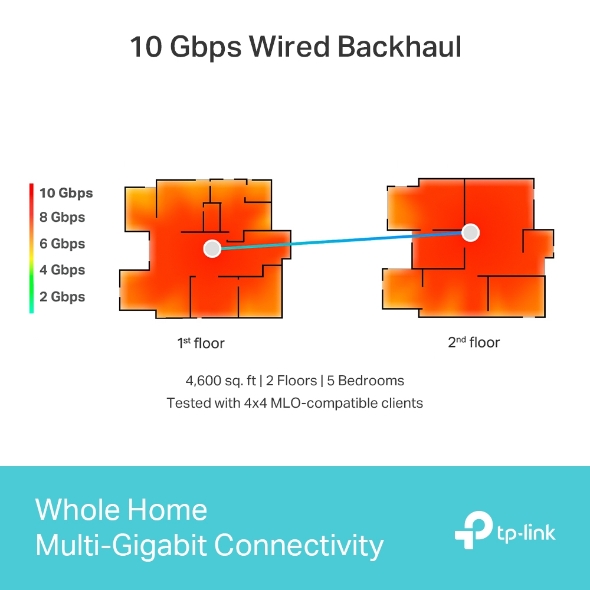
***The test was conducted in a 4,600 sq. ft. two-story villa with 5 bedrooms with an interior made up of drywall. The Deco BE95 was tested with 4x4 MLO-compatible clients. Home networking performance may vary, depending on the network's speeds, fiber or Ethernet access, WiFi interference, obstacles, walls, areas, and clients.
☆WiFi generations represent the wireless standard IEEE 802.11 a/b/g/n/ac/ax/be. Users may require an extra modem device that is compatible with their internet service provider to gain internet access.
Actual network speed may be limited by the rate of the product's Ethernet WAN or LAN port, the rate supported by the network cable, internet service provider factors, and other environmental conditions.
This Deco may not support all the mandatory features as ratified in IEEE 802.11be specification.
Further software upgrades for feature availability may be required.
Google and Google Home are trademarks of Google LLC.