
Descarga para HX521
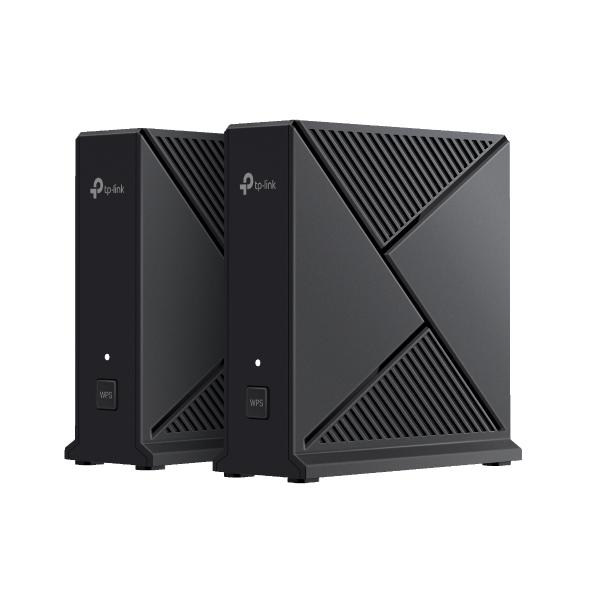 AX3000 Whole Home Mesh WiFi System
FAQs
- How to choose the encryption method for my IoT devices on an ISP-Customized Wi-Fi7 Router
- How to test the speed of the TP-Link ISP-customized Router
- Port forwarding: How to set up Virtual Server on TP-Link ISP-customized Router
- What if the internet connection is slow when the device is connected to the TP-Link ISP-customized devices?
- How to set up an IPv6 connection on TP-Link ISP-customized devices
- How to back up and restore the configuration file of TP-Link ISP-customized devices
- What if I forget my TP-Link ID password for TP-Link ISP-customized Router
- How to configure IP & MAC Binding on TP-Link ISP-customized Router
- How to create Static Route on TP-Link ISP-customized Router
- How to change the LAN IP address of TP-Link ISP-customized Modem Router
- How to add manager account for TP-Link ISP-customized Router
- How to change notification settings in Aginet app
- How to set up LED control for TP-Link ISP-customized Router
- How to create a network for guests on the TP-Link Wi-Fi ISP-customized router
- What if my NAS device doesn’t work properly with the TP-Link ISP-customized Router?
- Why port forwarding feature is not working on TP-Link ISP-Customized Router?
- How to use PPTP/OpenVPN to access home network through TP-Link ISP-customized Wi-Fi Router
- ¿Qué debo hacer si mi conexión a Internet es lenta?
- ¿Por qué no se puede acceder a tplinkwifi.net o 192.168.0.1?
Firmware
Una actualización de firmware puede resolver los problemas que pueda tener la versión anterior del firmware y mejorar su desempeño actual.
Actualizar
IMPORTANTE: Para evitar errores de actualización, por favor lea la siguiente información antes de continuar con el proceso de actualización.
- Por favor verifique la versión del hardware de su dispositivo para obtener la versión de firmware. Una actualización de firmware incorrecta podría dañar su dispositivo y anular la garantía. (Normalmente V1.x=V1)
- NO se recomienda actualizar el firmware que no es para su región. Dé clic aquí para seleccionar su propia región y descargar la versión del firmware más adecuada. ( ejemplo, el firmware de la EU y de USA son versiones diferentes del hardware)
- NO apague la unidad durante el proceso de actualización, ya que puede causar daños permanentes en el producto.
- NO actualice el firmware a través de una conexión inalámbrica a menos que el dispositivo de TP-Link sólo tenga conexión inalámbrica.
- Se recomienda que los usuarios detengan todas las aplicaciones de Internet en la computadora, o simplemente desconecten la línea de conexión a Internet desde el dispositivo antes de la actualización.
- Utilice el software de descompresión como WinZIP o WinRAR para extraer el archivo que descargue antes de la actualización.
|
HX521(US1)_V1_0.6.0 Build 260611 |
Descargar | |
|---|---|---|
| Fecha de Publicación: 2026-09-08 | Idioma: Inglés | Tamaño del archivo: 27.53 MB |
|
Bug fixes: Notes: |
||
Usar Firmware de Terceros en los Productos de TP-Link
TP-Link no está obligado a proporcionar el mantenimiento o soporte alguno para firmware de terceros que puedan admitir los equipamientos, ya que los mismos no garantizan el desempeño y la estabilidad del firmware de TP-Link. Los daños o mal funcionamiento del producto como resultado del uso de firmware de terceros, anulará la garantía del mismo.
Abrir el Código Fuente Para Programadores (GPL)
La siguiente información es para los programadores y no es necesaria para la mayoría de los usuarios particulares de TP-Link.
Los productos de TP-Link contienen en parte del código del software desarrollado por terceros, incluyendo el código del software sujeto a “GLP” (General Public Licence - Licencia Pública General) de GNU, Versión 1/Versión 2/Versión 3 o "LGPL" (Lesser General Public License – Licencia Pública General Reducida) de GNU. Puede usar la condición del software respectiva siguiendo los términos de la licencia de GPL.
Puede revisar, imprimir y descargar los términos respectivos de la licencia de GPL aquí. Usted recibe los códigos fuente de GPL del respectivo software utilizado en los productos de TP-Link para la descarga directa e información adicional, incluyendo una lista del software de TP-Link que contiene el código del software de GPL por el Centro de Códigos de GPL.
Los programas respectivos son distribuidos SIN NINGUNA GARANTÍA, incluso sin la garantía implícita de COMERCIABILIDAD o IDONEIDAD PARA UN PROPÓSITO PARTICULAR. Vea la Licencia Pública General respectiva de GNU para obtener más detalles.
Simulador
Firmware Version |
Modo de trabajo |
Idioma |
|
|---|---|---|---|
251201 |
- |
Multi lenguaje |
Note:
1. The emulator is a virtual web GUI where you can experience the TP-Link product management panel.
2. The listed emulators might not have the latest firmware.
3. The features displayed are for reference, and their availability may depend on local regulations. For more information, please refer to the datasheet or product page.