
How to set up Deco/Router with TalkTalk (UK)
 10544
10544TalkTalk Broadband connections include FTTP and FTTC connections, configurations on the Deco/Router vary depending on the connections available at your home.
If you are a FTTP or Full fiber customer, it’s likely you’ll have an Openreach modem (or ONT, fiber modem) installed inside your house. You can connect the Deco to the ONT.

Please connect Deco to the Ethernet port of the ONT with an Ethernet cable and follow the in app instructions.
At the step where to enter your internet connection type and VLAN ID, Please select “Dynamic IP” and turn “IPTV/VLAN Settings” off.

If you are a FTTC or VDSL customer, it’s likely you’ll be provided a TalkTalk Wi-Fi Hub (DSL modem router). It is recommended to use Deco with TalkTalk hub in preference, or you can use Deco X20-DSL, Deco X50-DSL or Deco X73-DSL to replace your TalkTalk Hub.

TalkTalk do not have the option to put their hubs in Bridge mode, you can simplify connect Deco to the Ethernet port of the TalkTalk hub with an Ethernet cable and follow the in-app instruction.
At the step where to enter your internet connection type and VLAN ID, Please select “Dynamic IP” and turn “IPTV/VLAN Settings” off.
You will have double NAT in the network this way. If you’d like to avoid double NAT, you can then set up the Deco into AP mode, while you may note that you will lose some advanced features of Deco if Deco works in AP mode. To know the difference between Router mode and AP mode of Deco, please click here.
Once completed, it’s suggested to disable the Wi-Fi of the TalkTalk Wi-Fi Hub to reduce interference to the Deco’s wireless network. If you find yourself stuck while turning off the wireless signal, our advice is to reach out to the TalkTalk support team.

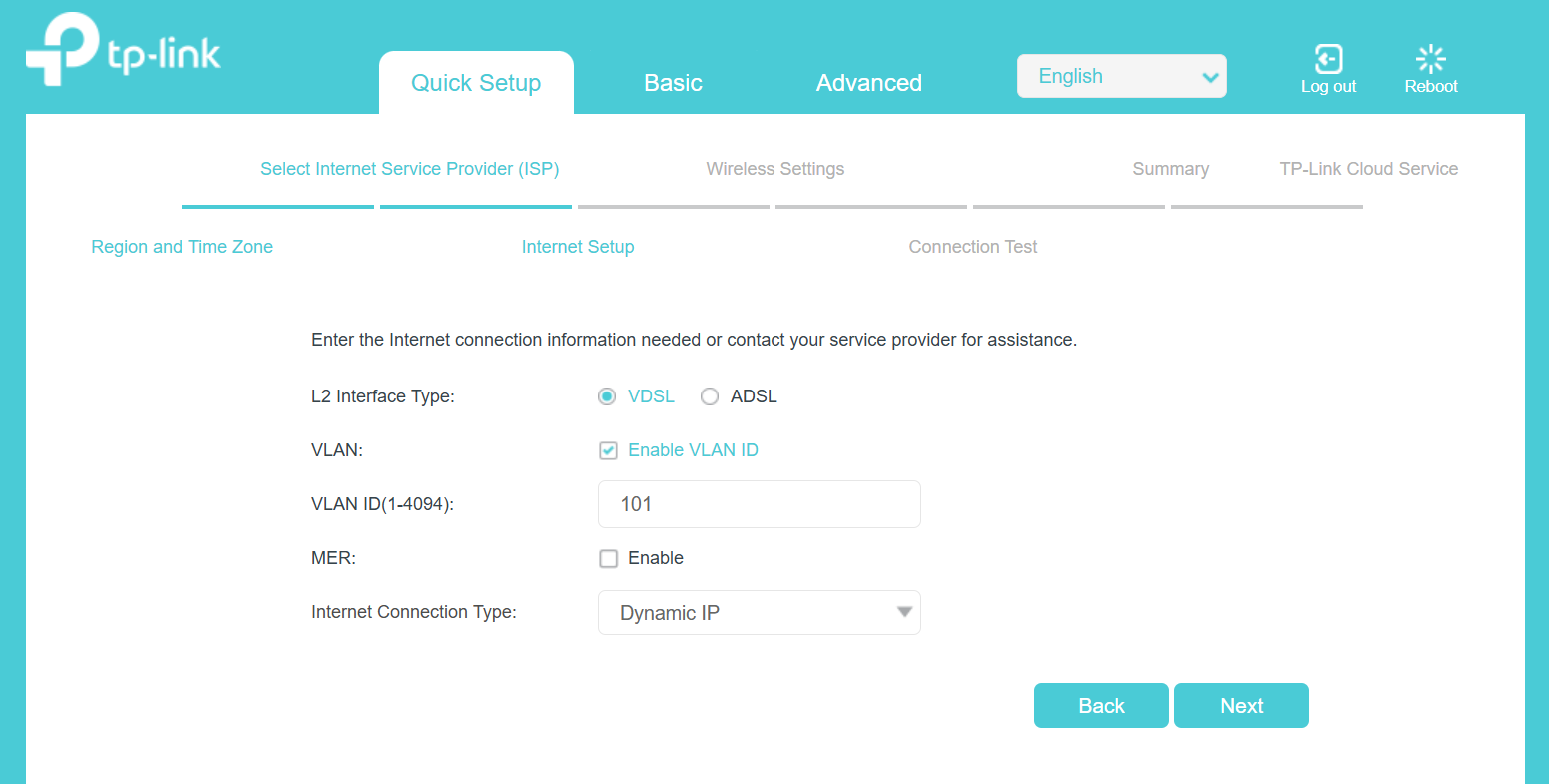
You firstly reach out TalkTalk to confirm if your connection type is dynamic IP and VLAN ID is 101 or not.
And then please connect the landline/telephone line to Deco’s DSL port, and then follow the in-app instructions.
At the step where asks “how do you want to use your Product?” Please select “Use as a DSL Modem Router”.
At the step where to “Choose your current region and ISP”, select “TalkTalk_VDSL”.
At the step where to enter your internet connection type and VLAN ID. Please select connection type as “Dynamic IP”, and VLAN ID.


If you are an FTTP or Full fiber customer, you’ll likely have an Openreach modem (or ONT, fiber modem) installed inside your house. You can connect the TP-Link router to the ONT.
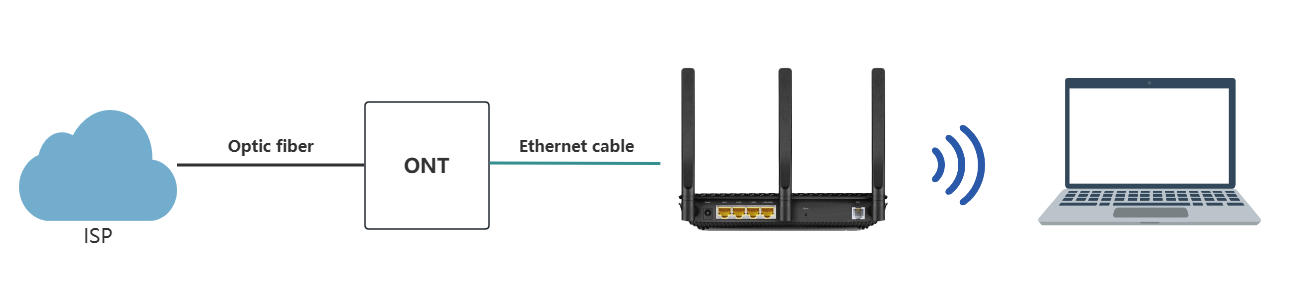
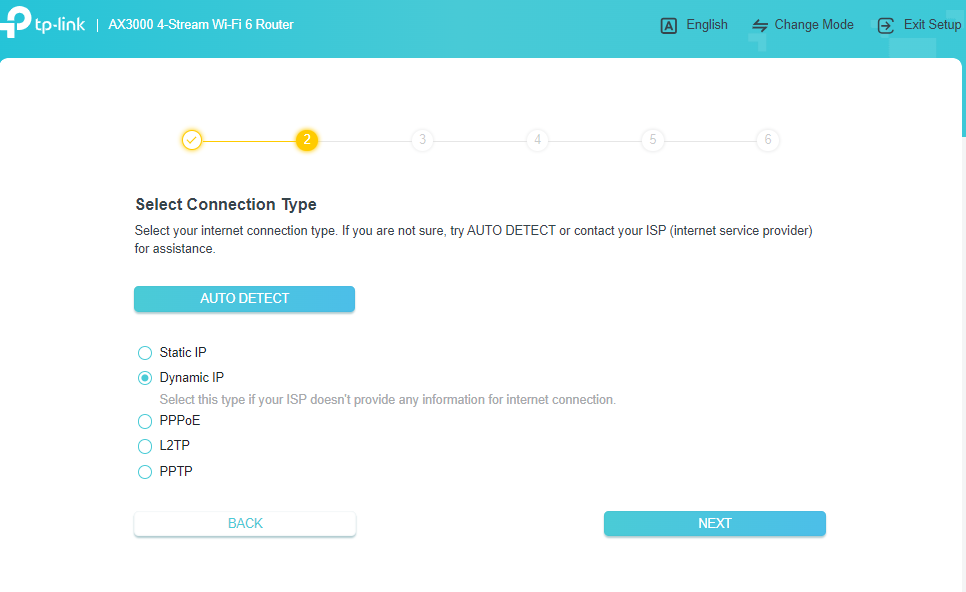
Please connect the TP-Link router to the ONT's Ethernet port with an Ethernet cable, then follow the instruction.
At the step where you select the connection type, please select Dynamic IP.
If you are an FTTC or VDSL customer, you’ll likely be provided with a TalkTalk Wi-Fi Hub (DSL modem router). It is recommended to use a Router with a TalkTalk hub in preference, or you can use Archer VX1800v, Archer VR400, Archer VR2100, or other TP-Link DSL modem router to replace your TalkTalk Hub.
Option 1: use Router with TalkTalk Wi-Fi hub
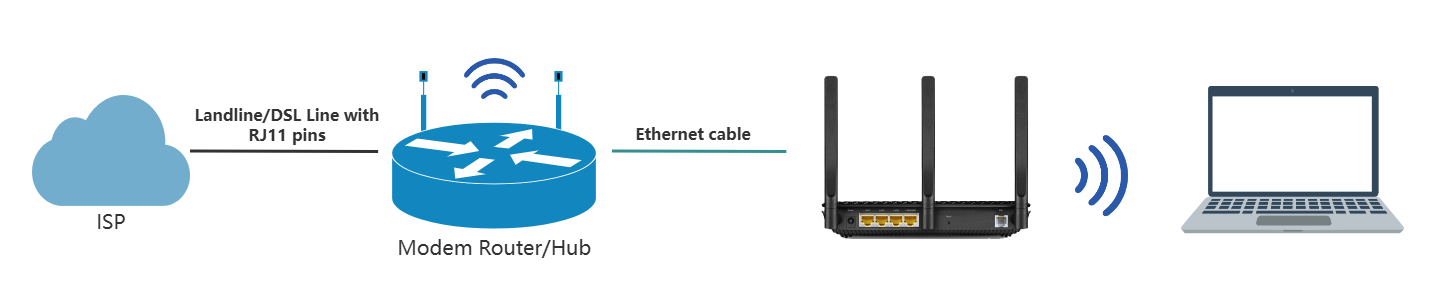
TalkTalk does not have the option to put their hubs in Bridge mode. You can simply connect a TP-Link router to the Ethernet port of the TalkTalk hub with an Ethernet cable and follow the instructions.
At the step where you select the connection type, please select Dynamic IP.
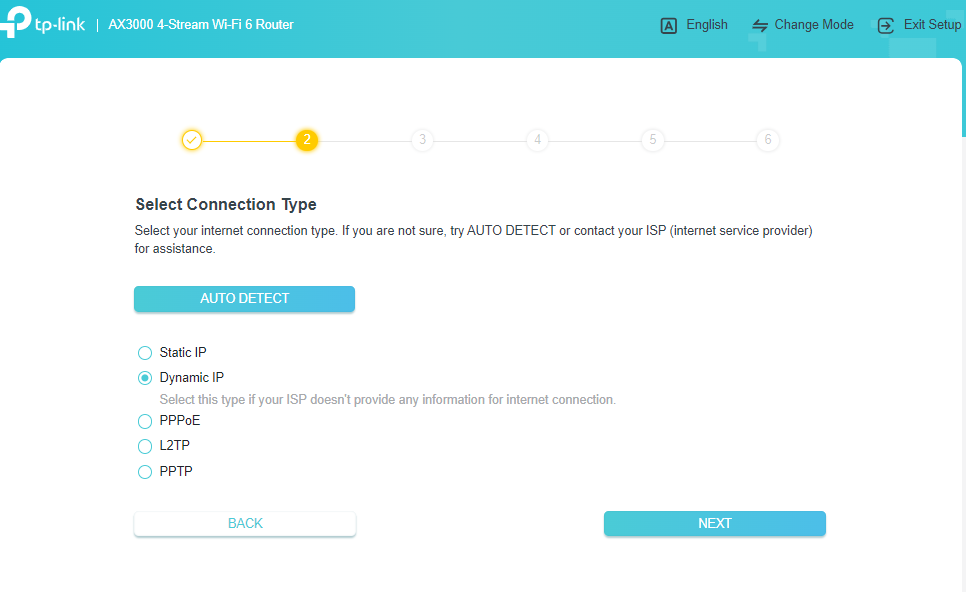
You will have double NAT in the network this way. If you’d like to avoid double NAT, you can then set up the Router in AP mode, though you will lose some advanced features of TP-Link router if it works in AP mode. To learn the difference between Router mode and AP mode on a Router, please click here.
Once completed, it’s recommended to disable the TalkTalk Wi-Fi Hub's Wi-Fi to reduce interference with the TP-Link router’s wireless network. If you find yourself stuck while turning off the wireless signal, we recommend contacting the TalkTalk support team.
Option 2: replace TalkTalk Wi-Fi hub with TP-Link router (only when you have Archer VX1800v, Archer VR400, Archer VR2100, or other TP-Link DSL modem router)
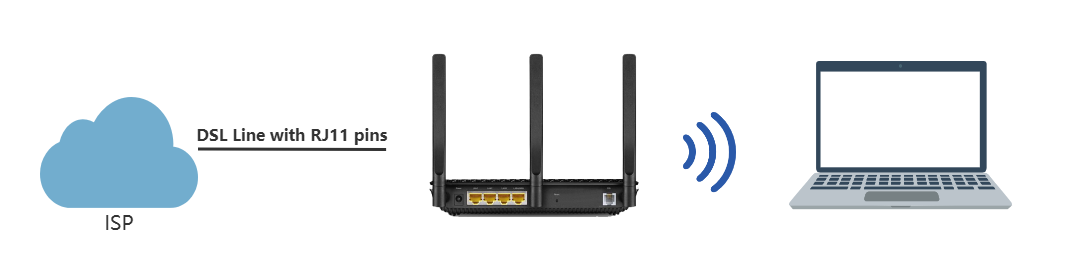
You first reach out to TalkTalk to confirm whether your connection type is dynamic IP and whether your VLAN ID is 101.
And then please connect the landline/telephone line to the Router’s DSL port, and then follow the instructions.
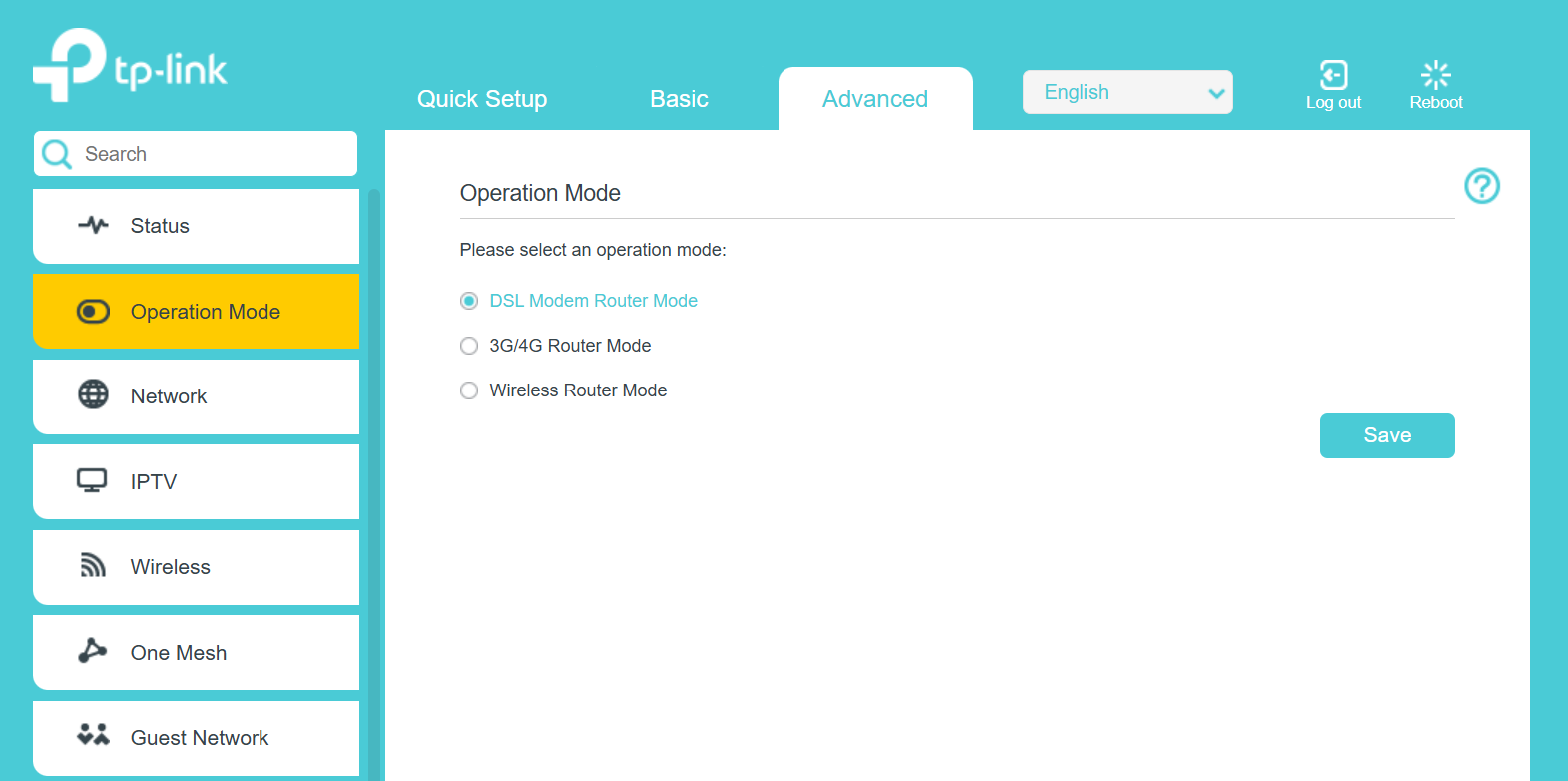
At the step where to select operation mode. Please select DSL Modem Router.
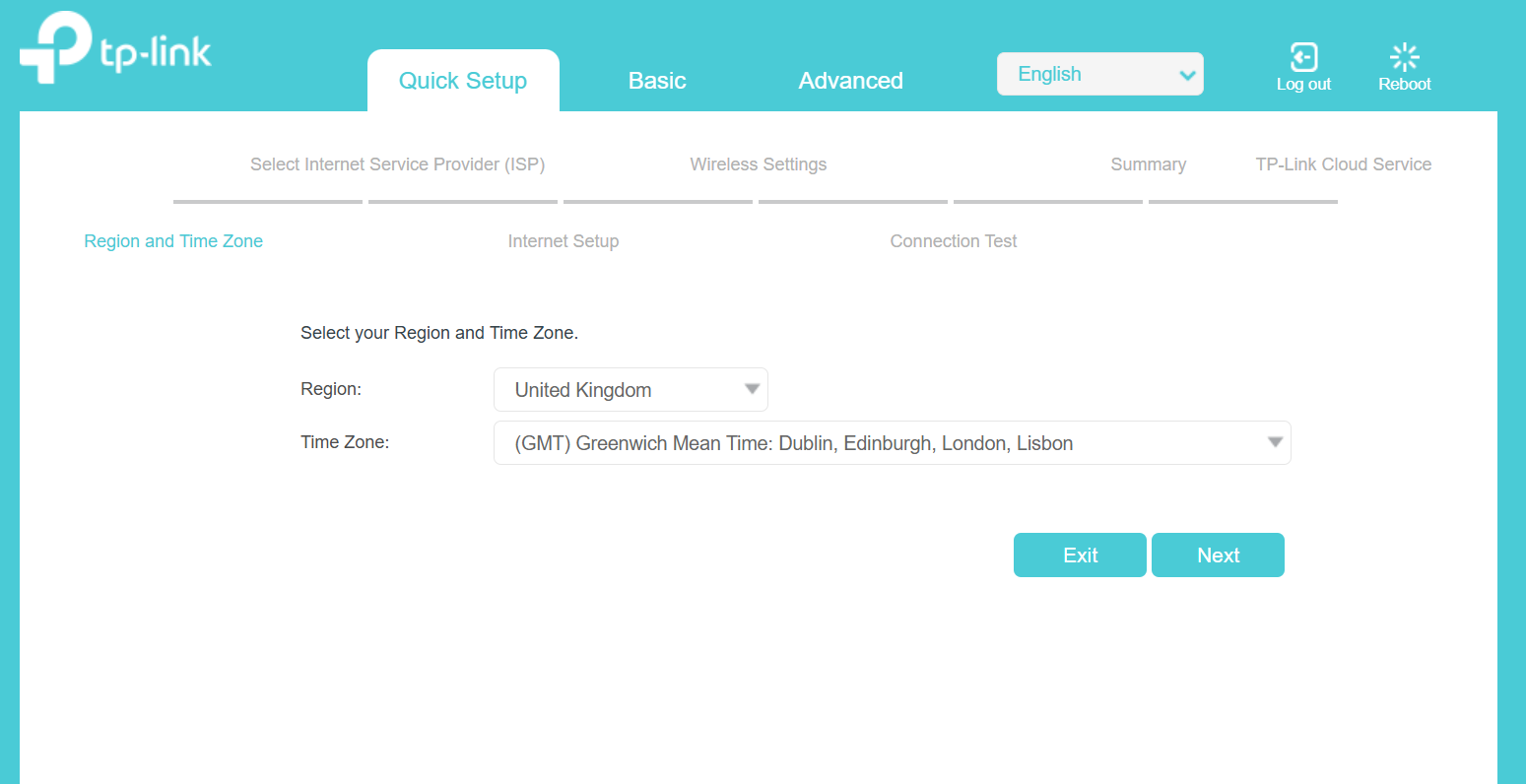
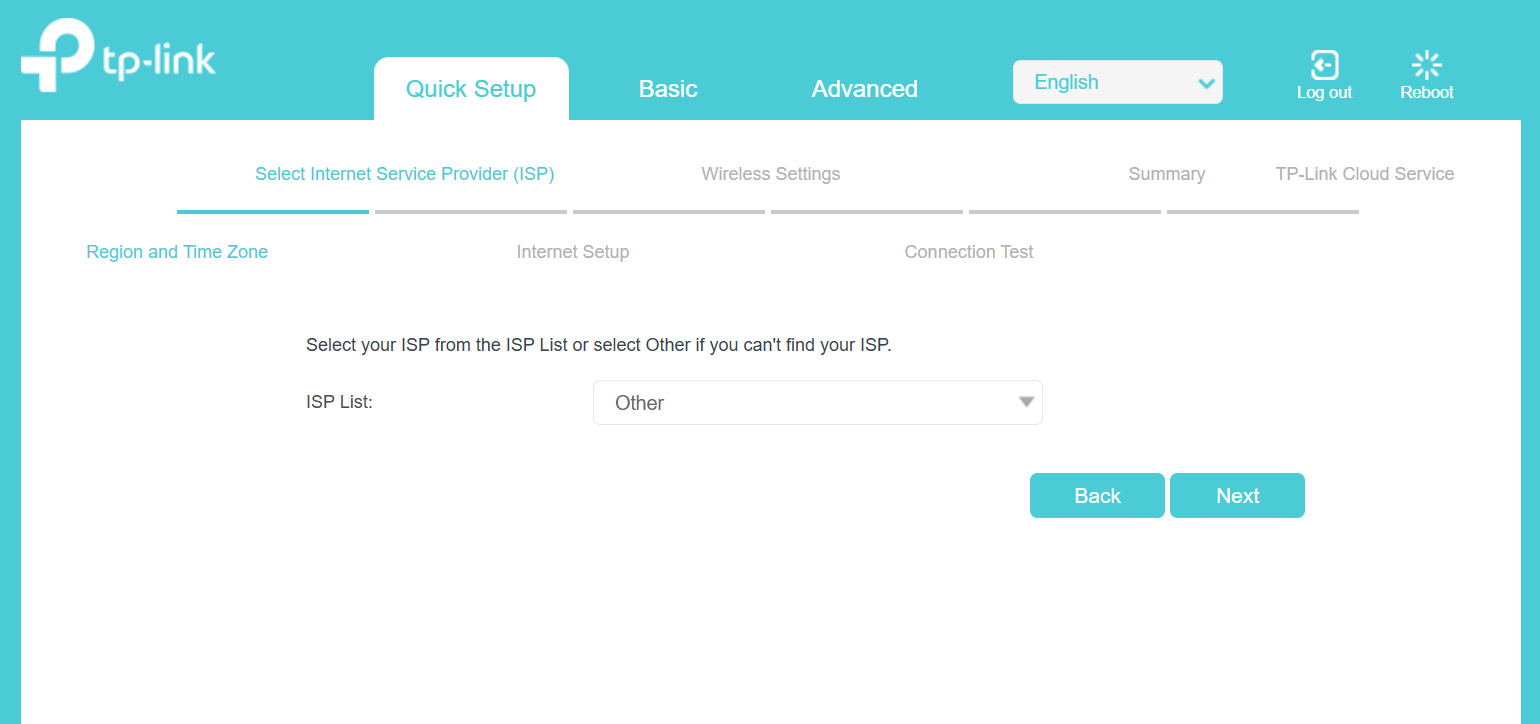
At the step where you choose your current region and ISP, select TalkTalk_VDSL or Other.
At the step where you enter your internet connection type and VLAN ID. Please select connection type as Dynamic IP, and VLAN ID.
Is this faq useful?
Your feedback helps improve this site.
1.0_normal_20210812031127k.png)



TP-Link Community
Still need help? Search for answers, ask questions, and get help from TP-Link experts and other users around the world.