
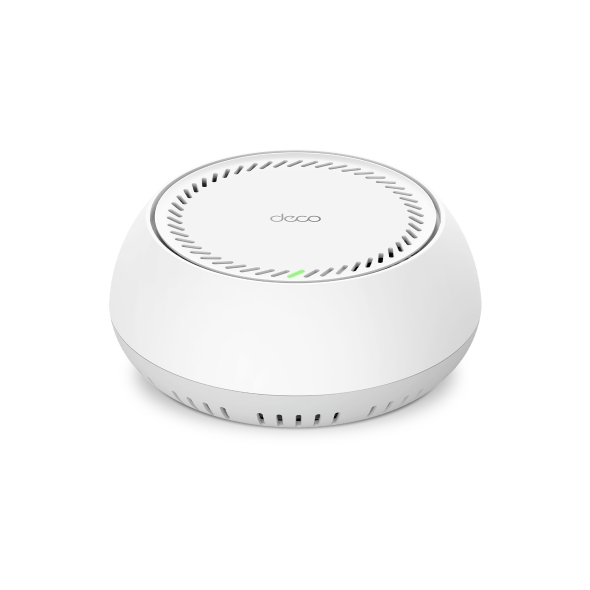
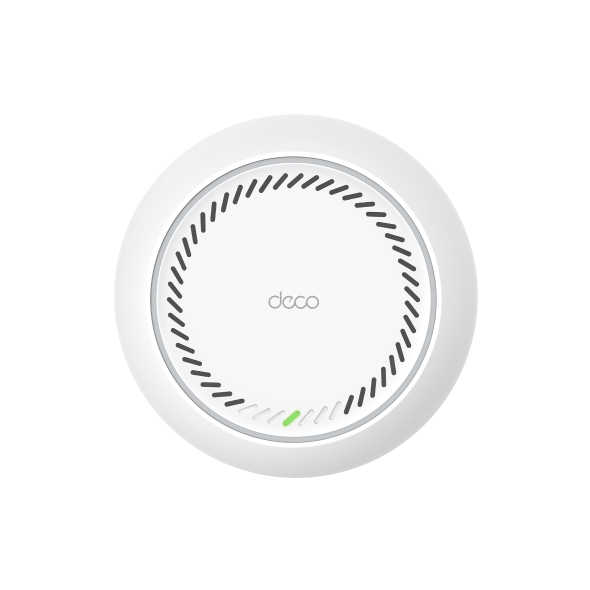
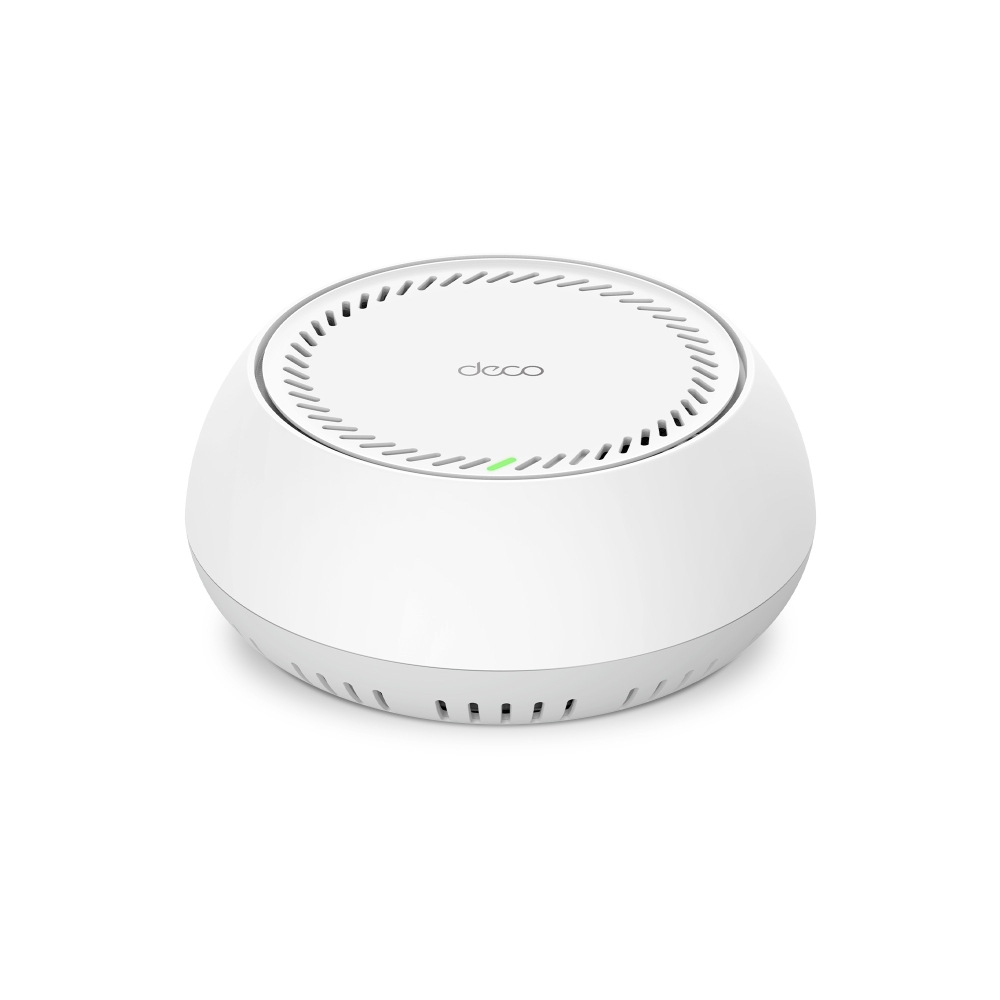
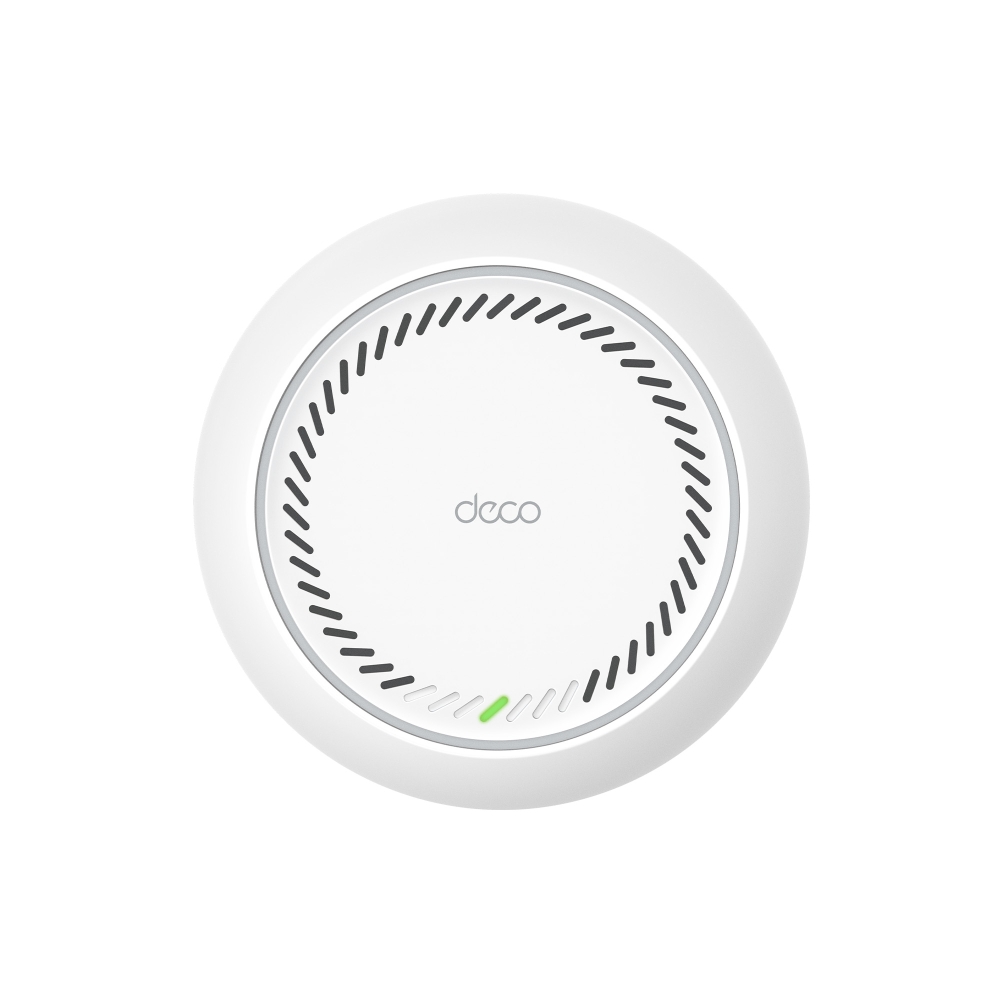
Deco BE65-PoE
BrevementeBE9300 Whole Home Mesh WiFi 7 System with PoE
- BE11000 Tri-Band WiFi – 5765 Mbps (6 GHz) + 4324 Mbps (5 GHz) + 688 Mbps (2.4 GHz).†
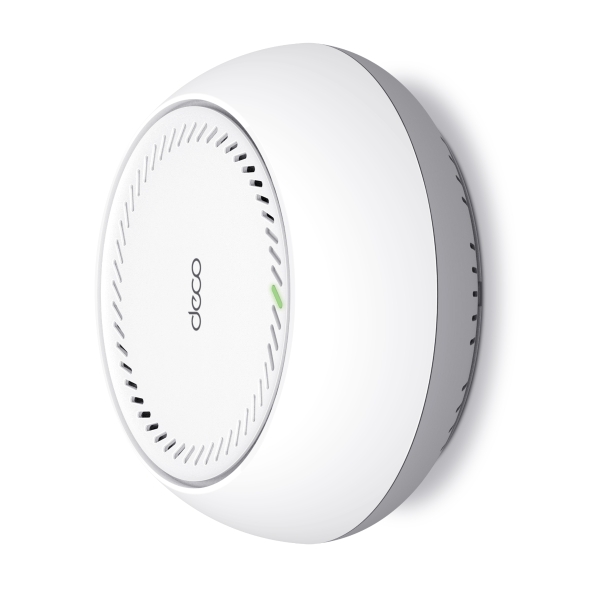
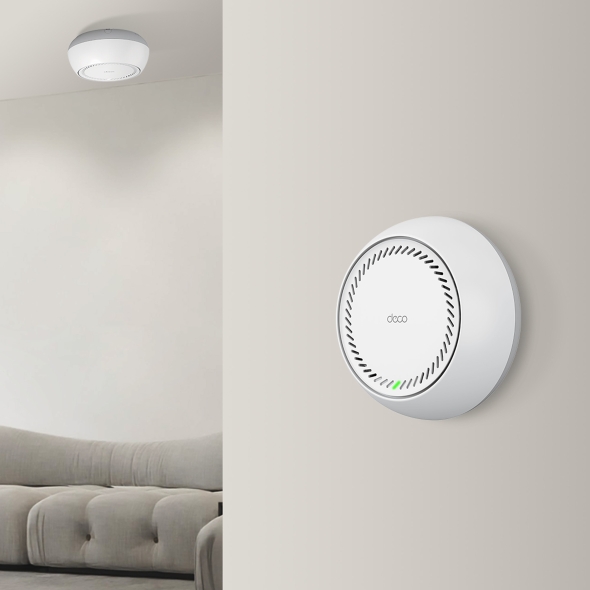
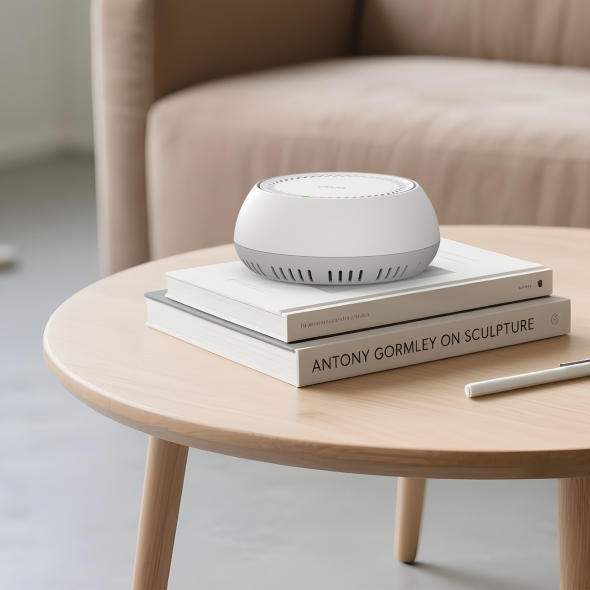
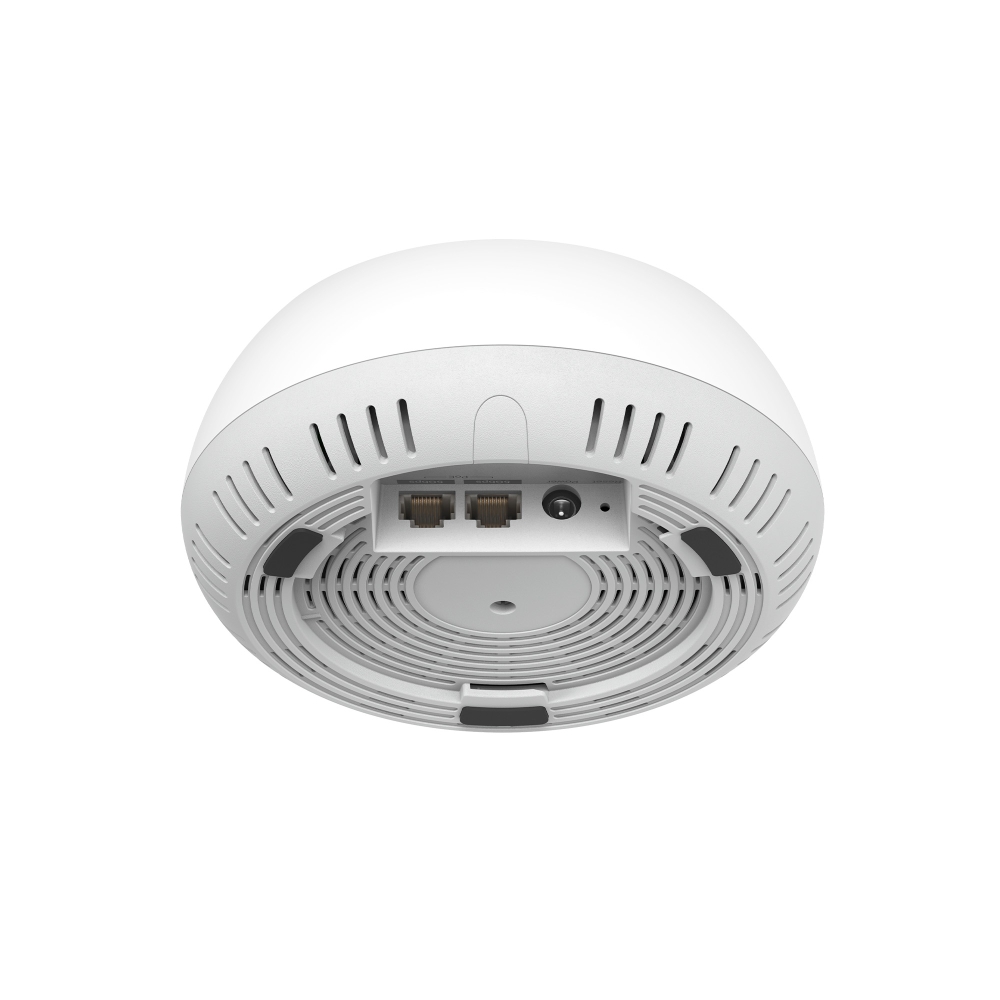
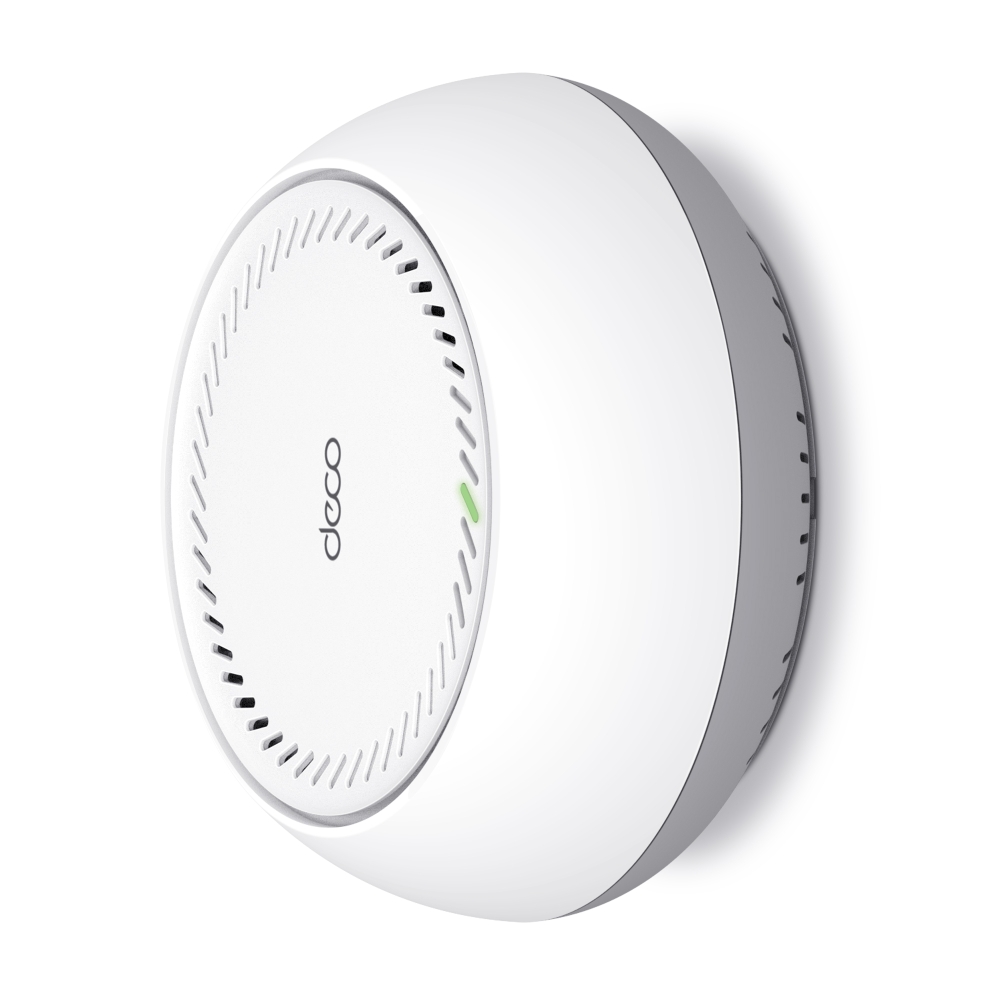
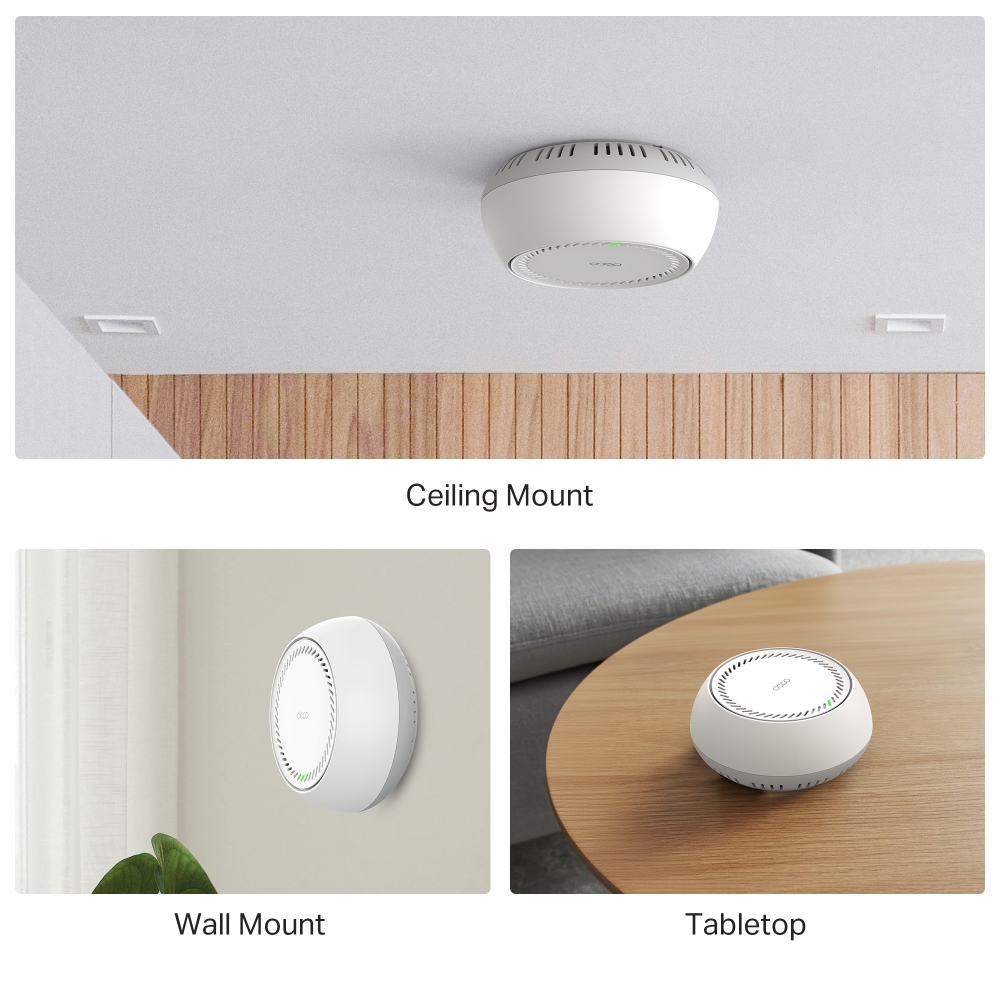
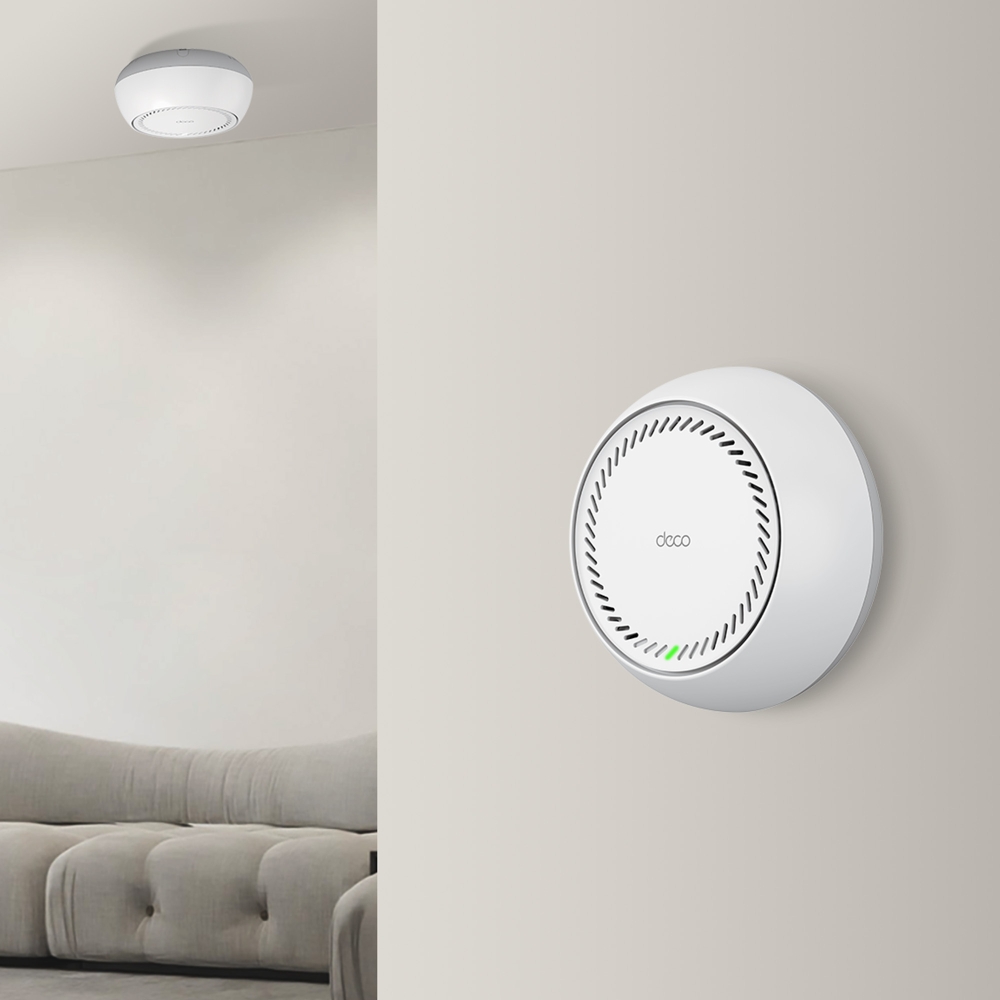
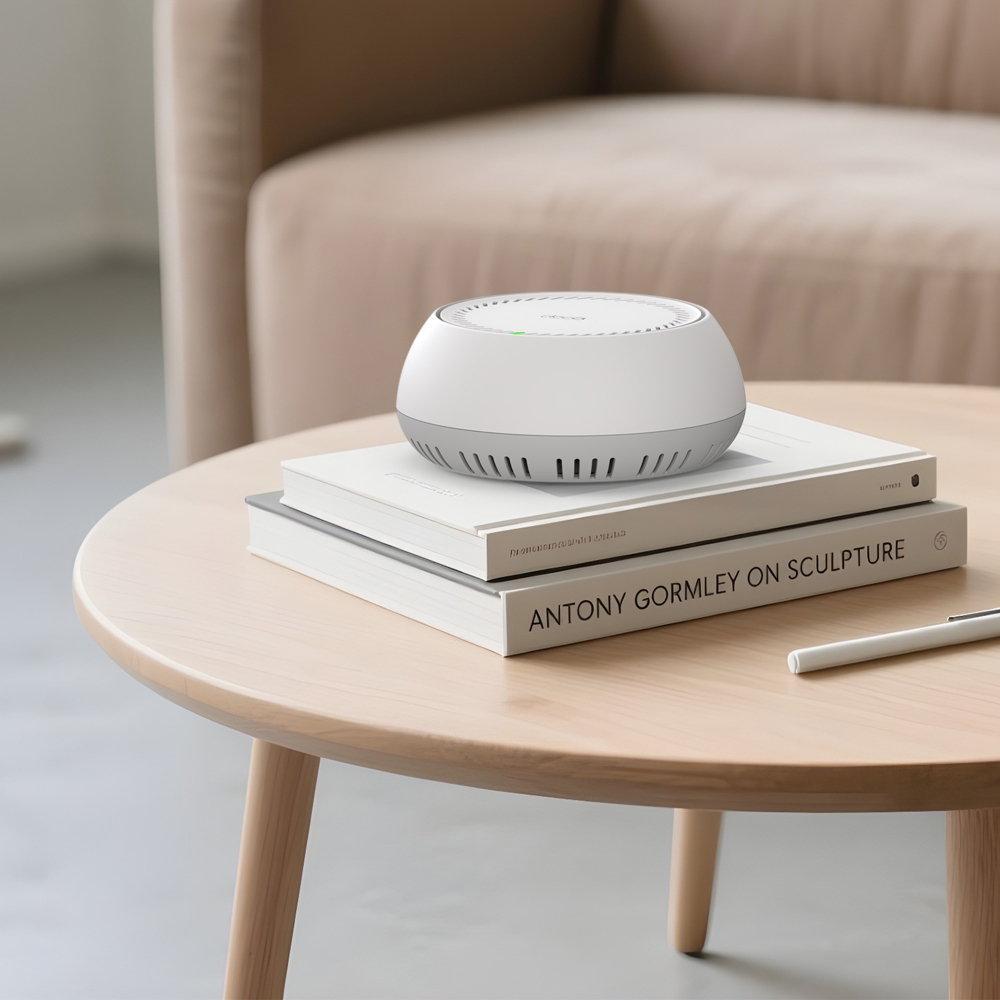
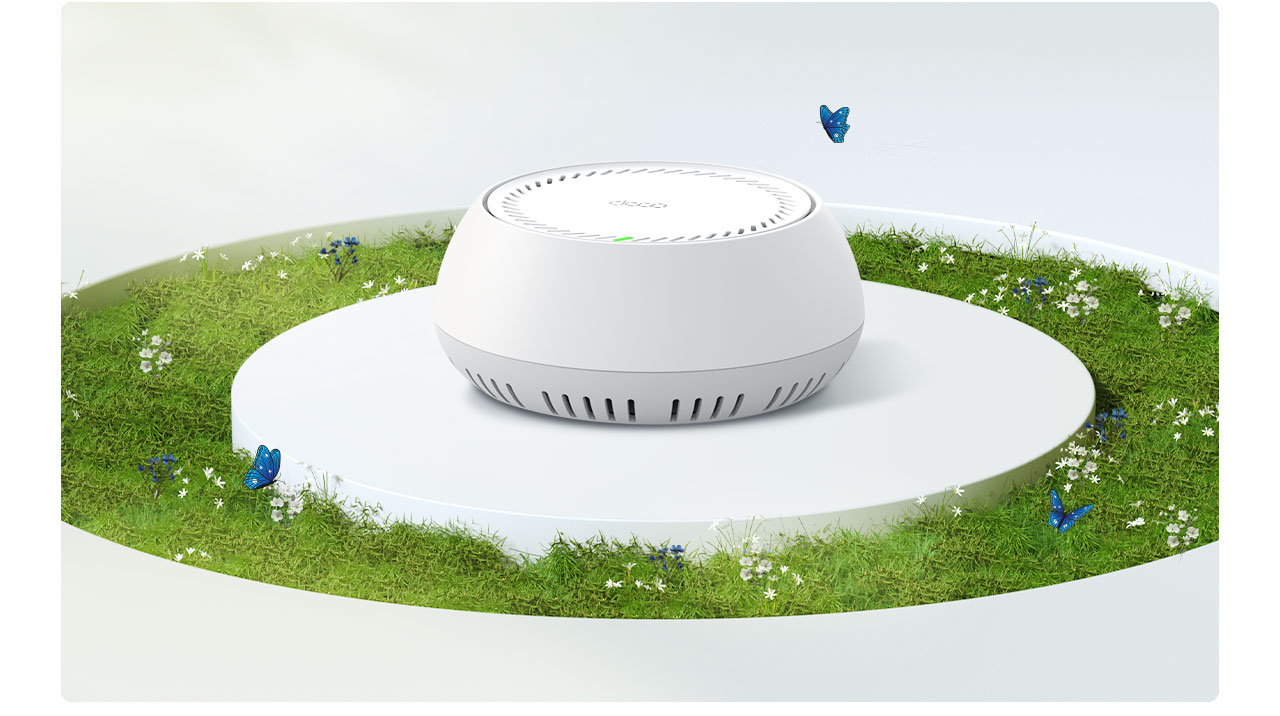
- Multiple Installation Options – Place it on a tabletop or install it on a ceiling or wall with the adaptive accessories.
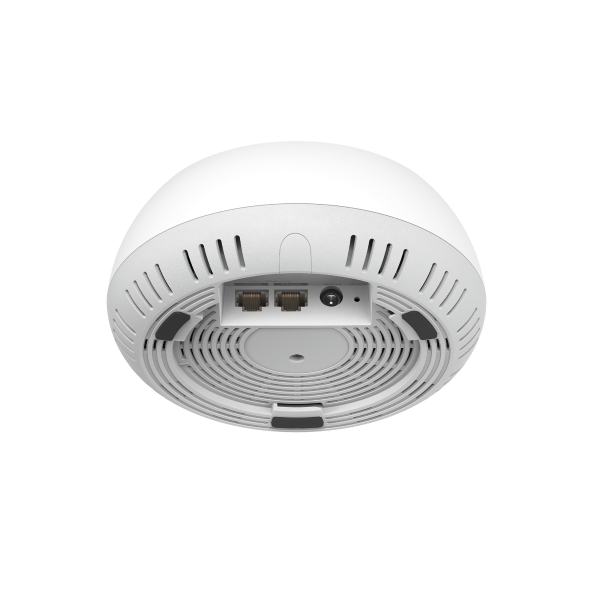
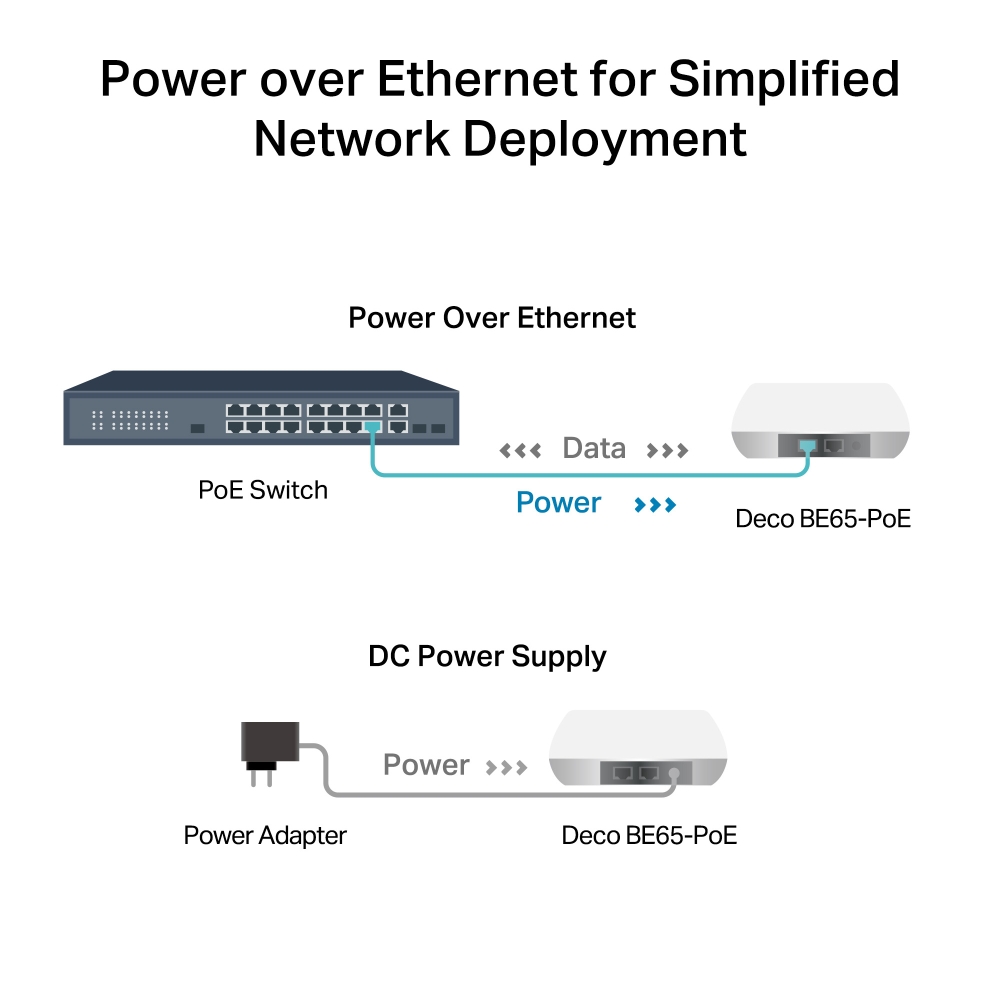
- PoE Supported – Power over Ethernet for simplified network deployment.
- Multi-Gig 5 Gbps Wired Network – 2× 5 Gbps ports §
- Multi-Link Operation (MLO) – Simultaneously send and receive data across different bands and channels to increase throughput, reduce latency, and improve reliability.△
- 320 MHz Channels – Double the bandwidth and enables many more simultaneous transmissions at the fastest possible speeds.△
- Works on the 6 GHz Band – Minimizes congestion with greenfield spectrum, delivering robust high-speed connections.△
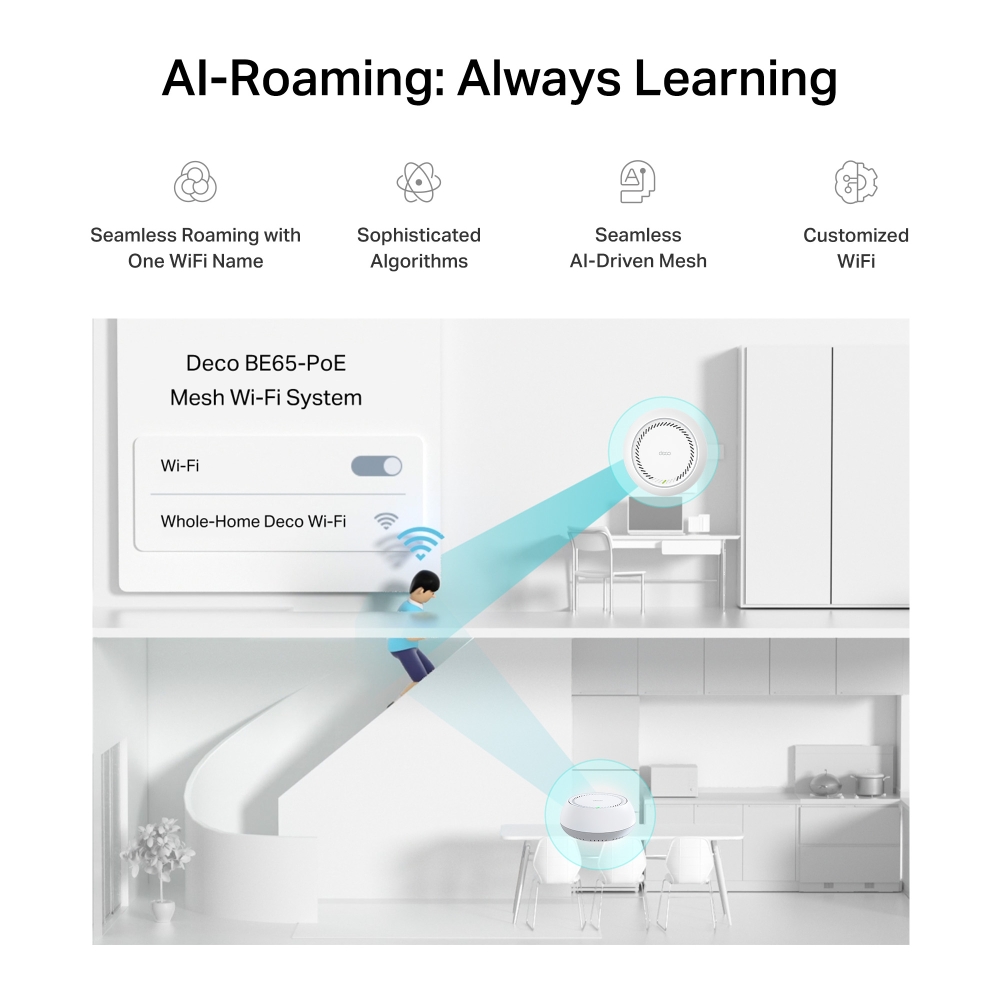
- Seamless AI-Driven Mesh – Intelligently learns your network environment to provide the ideal WiFi unique to your home.‡
- TP-Link HomeShield – Provides comprehensive network protection, robust parental controls, and real-time IoT security.*
- Universal Compatibility – Backward compatible with all WiFi generations and works with any internet service provider (ISP) and modem.☆
Multi-Scenario Mesh Wi-Fi Meets All Your Needs
BE9300 Whole Home Mesh Wi-Fi 7 System with PoE
Deco BE65-PoE

BE9300 6-Stream Tri-Band Wi-Fi
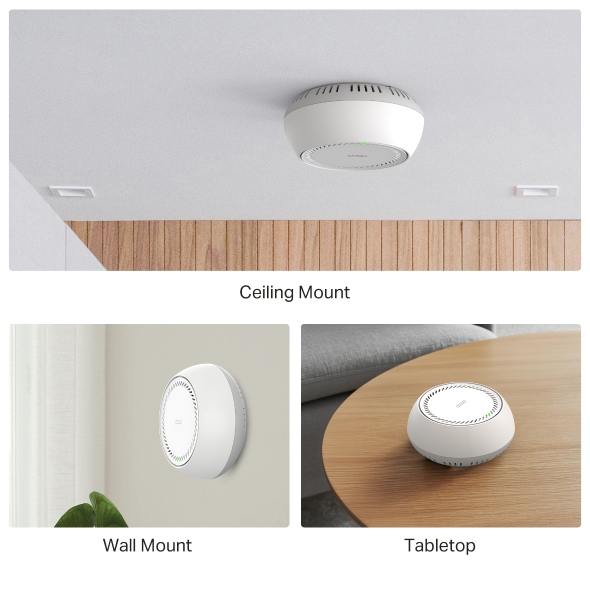
Multiple Installation Options
Ceiling Mount
Wall Mount
Tabletop
A True Whole Home Multi-Gigabit Mesh WiFi
5 GbE Port Up to 5 Gbps Internet Access
Connect Up to 200 Devices
Supports PoE/DC Power Supply
6 GHz + 320 MHz HomeShield
Seamless AI Roaming
TP-Link HomeShield
Lightning-Fast Tri-band Wi-Fi up to 9.3 Gbps
Wi-Fi 7 unleashes the full potential of 4K-QAM and the 6 GHz band with up to 320 MHz channels, delivering unprecedented Wi-Fi speeds up to 9.3 Gbps. The new 6 GHz band provides exceptional bandwidth congestion-free channels.†
Interruptions
Zero Lag
Smart Home
Anytime
Multiple Installation Options, Put Your Deco Anywhere You Want
Deco BE65-PoE has flexible installation to meet various demand scenarios. Place it on a tabletop or install it on a ceiling or wall with our adaptive accessories.
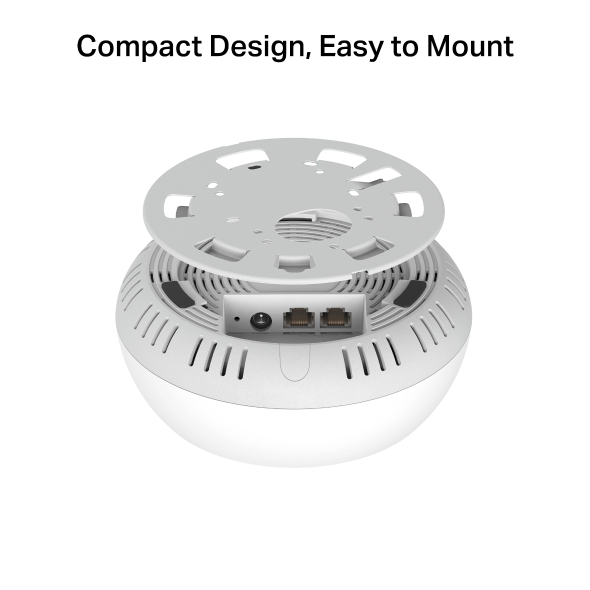
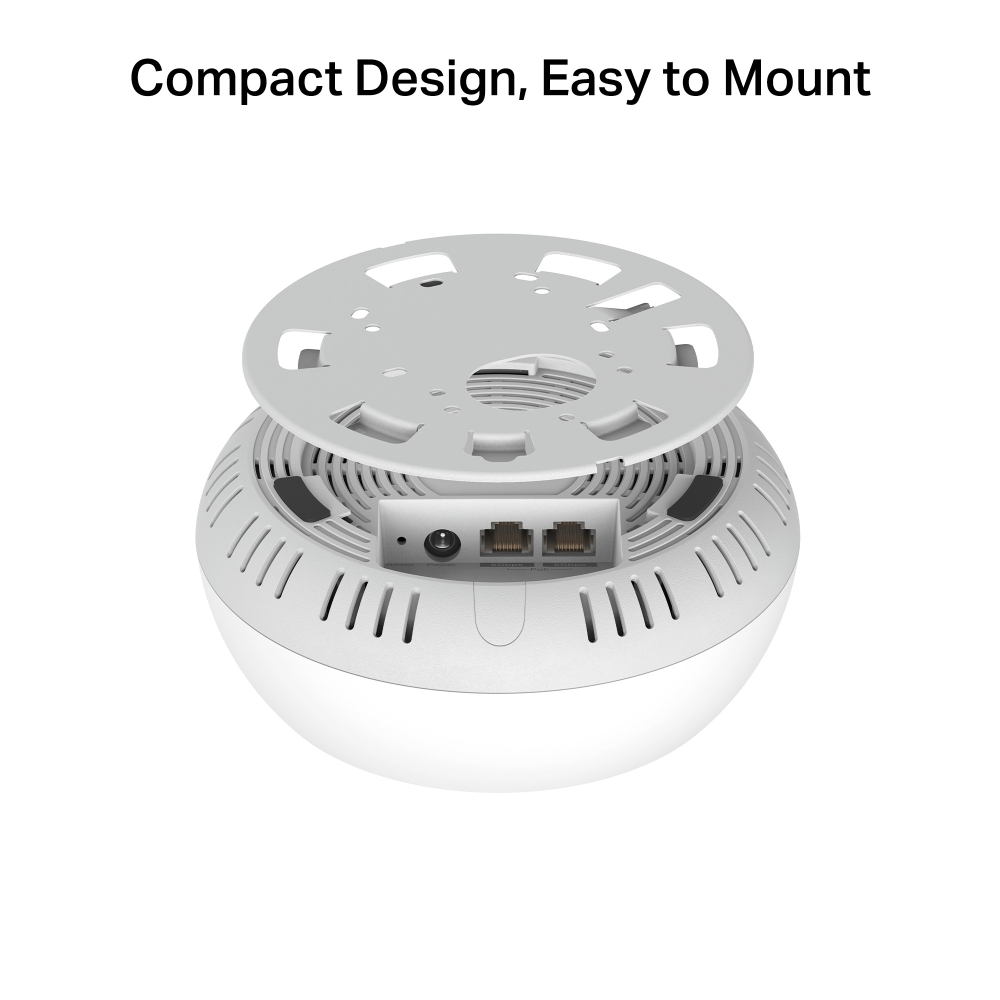
Compact Design, Easy to Mount
Deco can be mounted to a wall, ceiling, or junction box, using the provided screws. Exceptional performance with compact design ensures simple WiFi installation while saving space. The elegant appearance makes Deco BE65-PoE with a delicate body case makes it perfect to blend into various home decorations.
Multi-Gig 5 Gbps PoE Port
Armed with two 5 Gigabit Ethernet Ports, Deco BE65-PoE delivers exceptional multi-gigabit performance to support the insatiable demand for better and faster Wi-Fi. Breakthrough the 1G bottleneck and drive your devices to peak performance. Or using 5 GbE port to enjoy blazing-fast wired connections. §
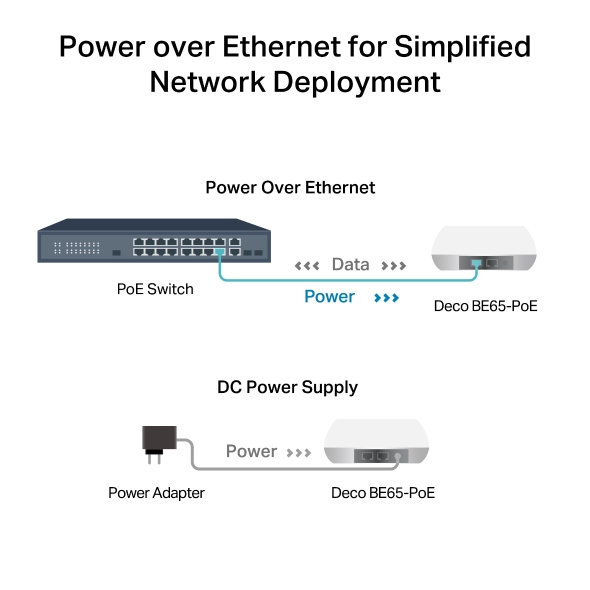
Power over Ethernet for Simplified Network Deployment
Deco BE65-PoE is designed to use a single Ethernet cable for both data and power transmission. It also supports DC (power adapter included) power supply for flexible installations.
-
 No Fuss Simplify the installation and streamline the deployment—no need for electricians.
 -
 Cost-Efficiency No need for additional cables and power adapters—reduce costs on infrastructure.
 -
 Flexibility More placement options allow for deployment in complex environments.
Cover Every Corner of Your Home
Deco units work together as a powerful mesh network to boost broader coverage for connections in every corner. Want more coverage? Simply add another Deco. All Deco can work together.
- 5765 Mbps on 6 GHz
- 2882 Mbps on 5 GHz
- 688 Mbps on 2.4 GHz
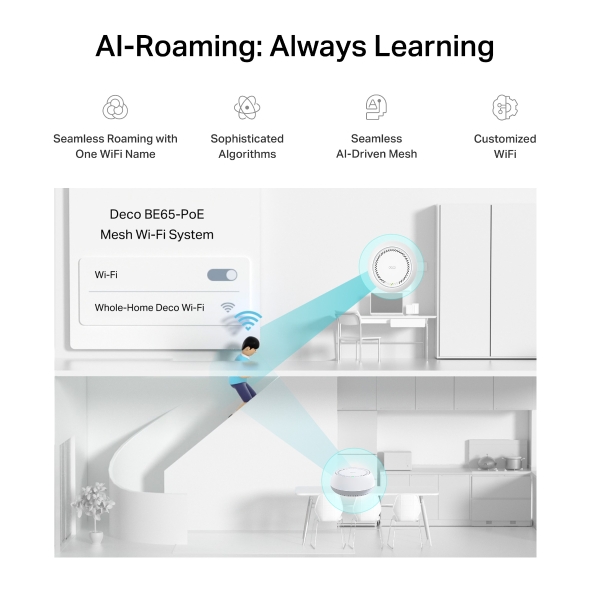
Seamless AI-Driven Mesh
Uninterrupted Streaming when Moving Between Rooms
Deco Mesh forms a unified network with a single network name. With built-in AI-Roaming technology, it creates the ideal WiFi solution with its advanced algorithms and self-learning. Walk through your home and enjoy seamless streaming at the fastest possible speeds.‡
-

Seamless Roaming with One WiFi Name
-

Sophisticated Algorithms
-

Seamless
AI-Driven Mesh -

Customized WiFi
-


Deco Be65-PoE
Mesh Wi-Fi System -

Smart Security for Smart Living
HomeShield is a built-in service, it provides a series of services for you to protect all your devices comprehensively with various features at home or on-the-go. With HomeShield, safer internet experiences bring more happiness to your smart living.
KidShield App
Devices Security App
-
Simply configure your gateway and achieve whole home network security. HomeShield examines your network by scanning and identifying potential risks, stopping them in their tracks before they harm your network.*
-
Parental Controls protect your kids, while helping them maintain healthy digital habits. Parents can set app blocking, web filtering, YouTube restrictions, SafeSearch, and online time limits to keep kids safe while they’re having fun online.*
-
KidShield App
Devices Security App
Devices remain secure everywhere with devices security app. And through KidShield, parents can monitor their kids› locations . This way, kids stay digitally protected even on the go.*
Private IoT Network for More Security
Set up a separate WiFi for IoT devices and overlay HomeShield and advanced WPA3 encryption** to better protect the security of your home network and IoT devices.


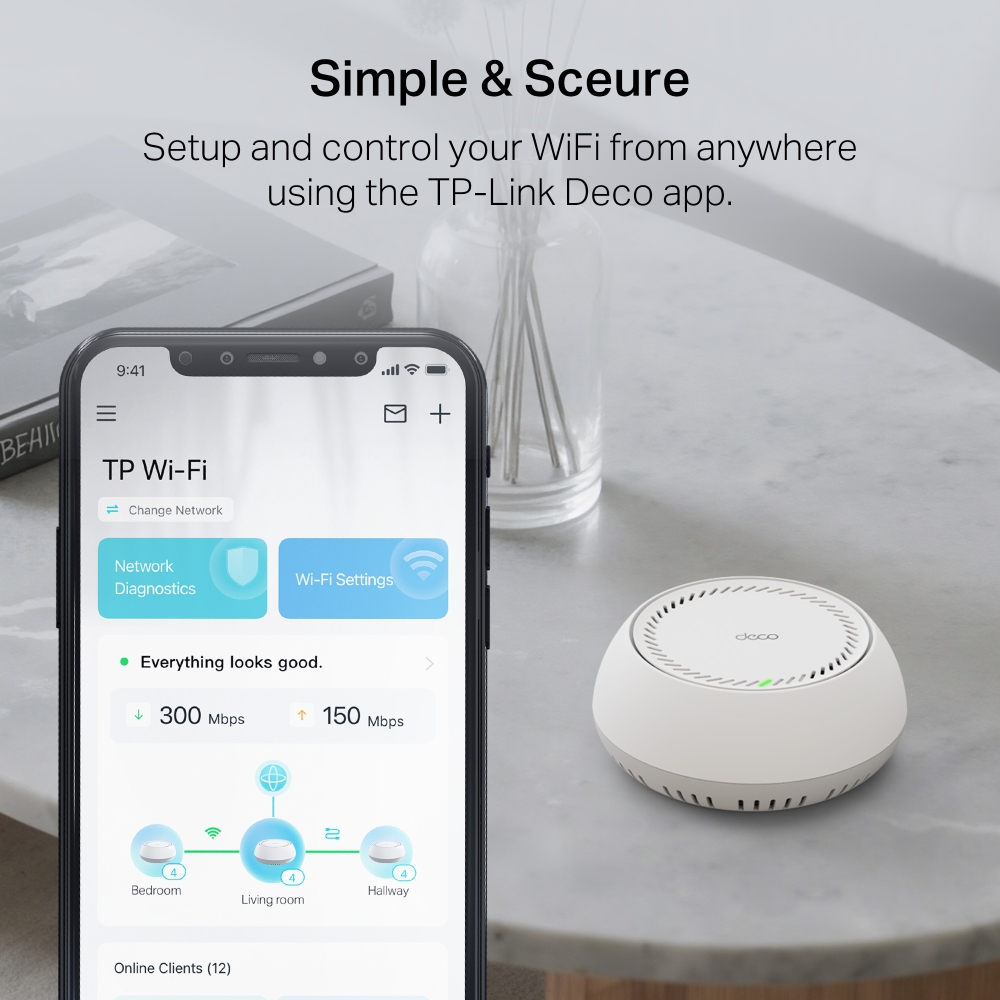
Simple. Easy. Yet Powerful.
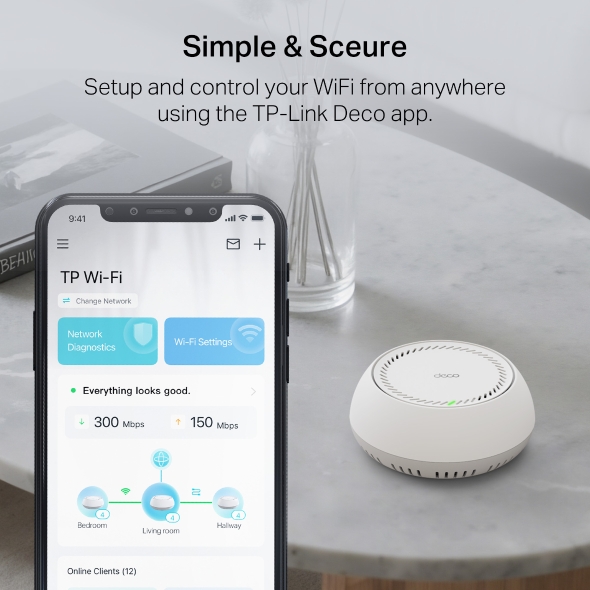
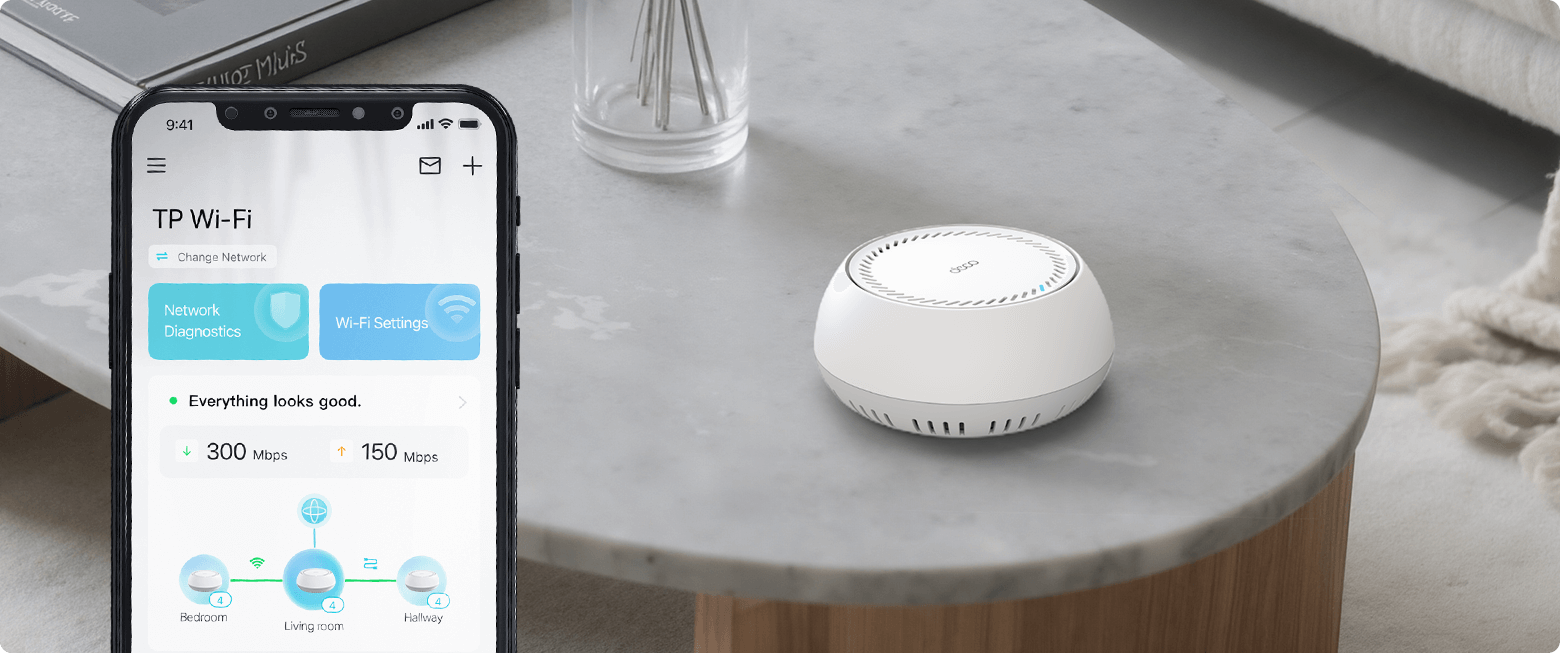
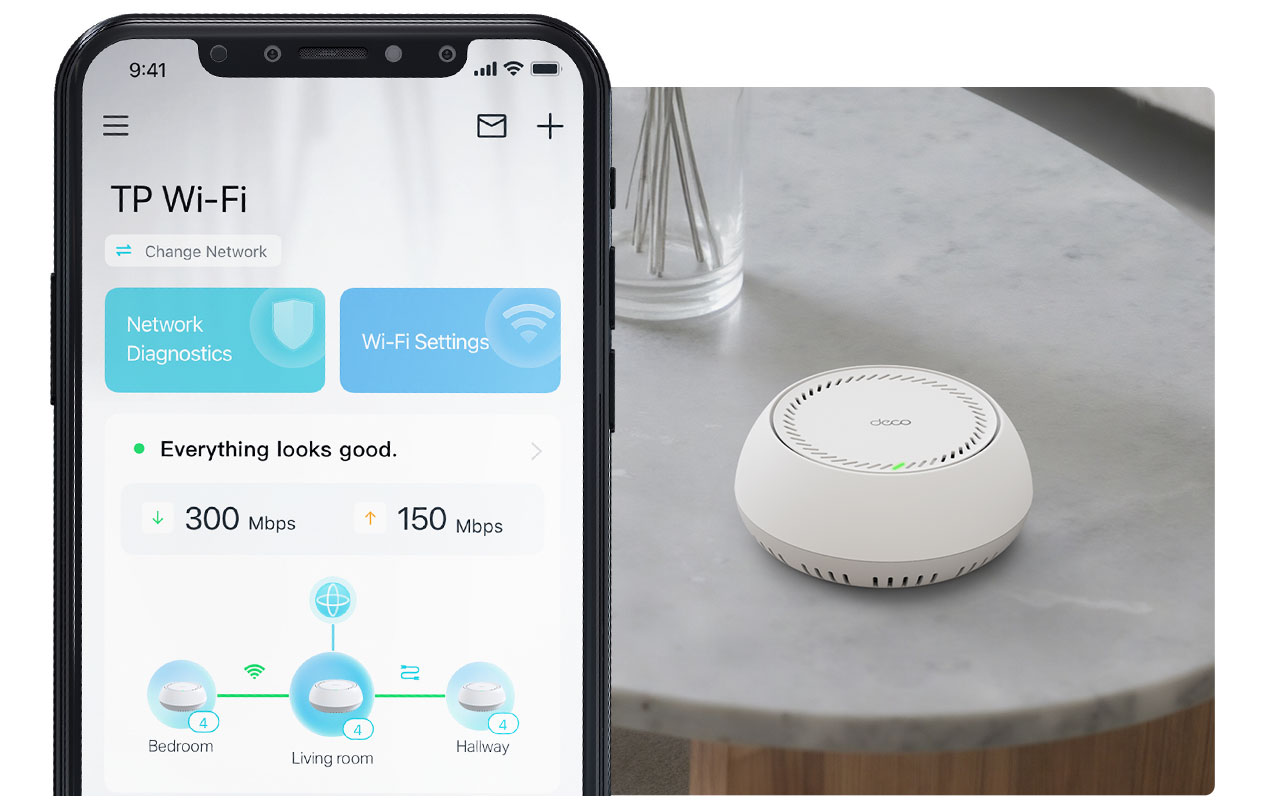
Setup and manage your network anytime and anywhere on the user-friendly TP-Link Deco app. In just three easy steps your entire home can be blanketed in strong and reliable WiFi.
-
1 CONNECT
to a modem and power on both. -
2 DOWNLOAD
and launch the Deco app. -
3 CONFIGURE
by following the in-app instructions.
VPN Clients and Server Supported
Allow devices in your home network to access remote VPN servers without needing to install VPN software on every device. You can create different VPN connection types, including OpenVPN, PPTP, L2TP/IPSec and WireGuard VPN. Deco also support a wide variety of third-party VPNs. Besides, Deco can run both the VPN and ordinary internet connections at the same time, delivering security and flexibility.


Energy Saving with ECO Mode
Designed for energy savings and a greener lifestyle, TP-Link’s ECO Mode automatically adjusts power consumption based on usage, lowering electricity bills and reducing your carbon footprint, while ensuring seamless connectivity throughout your home.

Voice Control
Use an Amazon Alexa or Google Assistant-enabled device tocontrol Deco BE65-PoE with just your voice.


-
Cave

-
Quintal

-
Garagem

O verdadeiro Roaming sem falhas
As unidades Deco trabalham em conjunto para formar uma rede unificada, com um único nome de rede. O seu telefone ou tablet liga-se automaticamente ao Deco mais rápido, à medida que se desloca pela sua casa. A transição demora menos de 0,3 segundos e é suave e impercetível, criando uma verdadeiramente experiência online sem falhas.
-
Seleção de Percurso Adaptável
A Tecnologia Mesh TP-Link escolhe de forma dinâmica a melhor rota e banda para as suas ligações e aplicações, garantindo um Wi-Fi rápido, independentemente do local onde se encontra em casa.
-
Self-Healing
Se um Deco tiver um problema, o sistema reencaminhará automaticamente os dados através dos outros Decos para se certificar de que permanece online.
Wi-Fi + Powerline
A técnologia PowerLine utilizam o circuito elétrico da sua casa para ligar a Decos, contornando até mesmo as paredes e tetos mais espessos.
A banda dupla Wi-Fi e a Powerline trabalham em conjunto para transmitir dados entre as unidades Deco. A velocidade total da rede é consideravelmente melhorada quando comparada com a utilização exclusiva de Wi-Fi.
- Wi-Fi + Powerline:
- Hybrid Wi-Fi System Boosted Speeds
- Wi-Fi Mesh Convencional:
- Sistema Wi-Fi Padrão
- Powerline
- Nota:Wi-Fi + Powerline é só para o Deco P9
Mesh IoT
Ao contrário dos hubs inteligentes tradicionais, a Tecnologia TP-Link Mesh fornece cobertura completa de IoT doméstica com Wi-Fi, Bluetooth e Zigbee integrados num único sistema. Desfrute da magia da sua casa inteligente em todas as divisões com a Tecnologia Mesh TP-Link. Diga adeus a inúmeros hubs.
- - - - Wi-Fi
- - - - Zigbee
- - - - Bluetooth
Wi-Fi 6 Mesh
Com tecnologia Wi-Fi 6,
O sistema Wi-Fi mesh casa inteira foi concebido para proporcionar um enorme impulso na cobertura, velocidade, e capacidade total. Entre no mais recente Wi-Fi mesh para desfrutar da futura rede que carrega mais depressa e que se liga mais.
-
Cobertura mais ampla
-
Mais ligações
-
Velocidade Wi-Fi 6 mais rápida
Mesh Orientado por IA
Equipado com tecnologia Mesh AI, o Deco aprende automaticamente e melhora-se a si próprio através da experiência.
Isto proporciona o Wi-Fi mesh ideal exclusivo para a sua casa e ambiente de rede.
Ande pela sua casa e desfrute de uma transmissão sem falhas à velocidade mais rápida possível.
Porquê a tecnologia mesh TP-Link
uma solução líder do sector?
| Comparativo | |||
| Modelo | TP-Link Deco | Netgear Orbi | Google WiFi |
| Wireless Backhaul | Tri-Band(2.4G+5G_1+5G_2)¹ | Single-Band(5G_1 Only) | Dual-Band(2.4G+5G) |
| Protocolo Mesh Suportado | IEEE 802.11k/v/r | IEEE 802.11k/v | IEEE 802.11s |
| Verdadeiro Roaming sem Falhas | ✔ | × | × |
| APS (Seleção de Caminho adaptável) | ✔ | × | ✔ |
| IoT Mesh | ✔² | × | × |
| Mesh Wi-Fi 6 | ✔5 | ✔ | × |
| Mesh movido por IA | ✔6 | × | × |
| Powerline Backhaul | ✔³ | × | × |
| Wireless + Largura de banda Powerline | ✔⁴ | × | × |
| Band Steering | ✔ | ✔ | ✔ |
| AP Steering | ✔ | ✔ | ✔ |
| Auto-Regeneração | ✔ | ✔ | ✔ |
| Notas: 1&2 Apenas para Deco M9 Plus;5 para Deco X20;Deco X90;6 apenas para Deco X90. | |||
Modelos Deco
Deco
-
 Brevemente
Deco X50-PoE
AX3000 Whole Home Mesh WiFi 6 System com PoE
-
 Novo
NovoDeco BE65
BE9300 Sistema Mesh Wi-Fi 7 para Toda a Casa
-
 Novo
NovoDeco X50-5G
DECO AX3000 Sistema Mesh WiFi 6 Gateway 5G
-

Deco S7
Sistema Wi-Fi Mesh AC1900
-
_Overview_normal_20211225093625r.png)
Deco X50
Sistema Mesh AX3000 WiFi 6 para a Casa Completa
-
 Brevemente
Deco XE200
AXE11000 Whole Home Mesh Wi-Fi 6E System
-
 Novo
NovoDeco XE75
Sistema Wi-Fi 6E AXE5400 Tri-Band Mesh
-
_normal_20230201014412u.png) Hot Buys
Hot BuysDeco M4
AC1200 Whole Home Mesh Wi-Fi System
Gestão da Rede Deco na Ponta dos Seus Dedos!
A aplicação Deco é a forma mais fácil de configurar, gerir e monitorizar o seu Sistema Wi-Fi Mesh para Toda a Casa através dos seus equipamentos iOS ou Android.
A Configuração Ficou Muito Mais Fácil
Retire o Deco da caixa, instale a aplicação e depois basta seguir as indicações no ecrã. A aplicação Deco encarregar-se-á do resto e colocará a sua rede a funcionar em minutos.
-
Ligue o Deco ao seu Router/Modom por cabo e ligue os dois equipamentos
-
Faça o download e inicie a aplicação Deco
-
Siga as instruções para configurar o seu sistema Deco.
Gestão Simples
Deco torna mais fácil gerir o seu Wi-Fi a partir de qualquer lugar, quer esteja no sofá, no trabalho, ou em qualquer outro lucal.
-
Painel de Gestão Simples
Veja o funcionamento da sua rede, verifique os equipamentos ligados e obtenha todas as características que o seu router oferece.
-
Múltiplos Decos, Uma Aplicação
A aplicação Deco gere todas as suas redes Deco, e todos os equipamentos ligados ao seu Wi-Fi Deco.
-
Verifique os Equipamentos Ligados
Veja uma lista dos equipamentos ligados, com a capacidade de fazer uma pausa e retomar o acesso à Internet, testar a velocidade da Internet e estabelecer prioridades ou bloquear equipamentos.
-
Gestão Remota
Controle remotamente a sua rede com um toque no seu telefone - onde quer que esteja.
Robustos Controlos Parentais
Controlos parentais simples e intuitivos, fazem com que seja fácil manter os seus filhos seguros enquanto estão online.
-
Crie facilmente um perfil para cada membro da família e defina limites de tempo personalizados e permissões de tempo online. Atribua equipamentos a perfis de modo a que as regras se extendam aos equipamentos individuais, bem como aos membros da família.
-
Mantenha a sua família segura online através de definições de segurança com um só toque, que bloqueiam conteúdos com base na sua faixa etária.
-
Estabeleça limites para o tempo que cada pessoa da sua família pode passar na internet.
-
Com os relatórios, pode verificar que sites os seus filhos visitam e quanto tempo passam em cada um deles. É uma excelente maneira de saber que os seus filhos estão seguros enquanto se estão a divertir online.
-
Faça uma pausa do Wi-Fi para jantar e noites de jogos em família. Basta tocar num botão para suspender o acesso à Internet para todos na sua casa.
Uma Aplicação Intuitiva Cheia de Funcionalidades
Resumo da Utilização Mensal
Veja todos os meses uma lista completa dos detalhes da sua rede, incluindo utilização, conteúdos bloqueados, ameaças à segurança e muito mais.
Domótica
Facilite a sua vida com poderosas ferramentas de automação e controlo de voz.
*Atualmente apenas para Deco M9 Plus
Atalhos Flexíveis
Controlo abrangente todos os equipamentos IoT no Smartphone ou Tablet com apenas um clique.
*Atualmente apenas para Deco M9 Plus
Proteja a Sua Rede
O Antivírus incorporado ajuda-o a defender-se contra websites maliciosos e acesso à internet mais seguro.
*Atualmente apenas para Deco M9 Plus, Deco P7 e Deco M5
Priorize os Seus Equipamentos
Com a app terá poder para prioritizar equipamentos para obterem maiores velocidades e maior largura de banda ou definir essa mesma prioridade para uma duração de tempo específica.
Definir Prioridades para Aplicações
Defina maior largura de banda para as atividades mais importantes para si com controlos simples.
*Atualmente apenas para Deco M9 Plus, Deco P7 e Deco M5
Partilhar Wi-Fi com Amigos
Partilhe com os seus convidados a informação da rede Wi-Fi Guest de forma simplificada
Verifique a Velocidade
Faça um teste de velocidade para garantir que está a receber as velocidades de internet que está a pagar.
Veja todos os equipamentos na sua rede e a largura de banda que estão a usar.
O Nosso Suporte Apoia-o Sempre
Tem questões sobre Deco? A ajuda está a apenas um clique de distância. Encontre as respostas na aplicação Deco e não hesite em contactar-nos apenas com um simples clique.
Suporte Técnico| Standards and Protocols | Wi-Fi 7IEEE 802.11be/ax 6 GHzIEEE 802.11be/ax/ac/n/a 5 GHzIEEE 802.11be/ax/n/b/g 2.4 GHz |
|---|---|
| WiFi Speeds | BE110006 GHz: 5765 Mbps (802.11be)5 GHz: 4324 Mbps (802.11be)2.4 GHz: 688 Mbps (802.11be) |
| WiFi Range | 4-7+ Bedroom Houses (3-pack) TP-Link Mesh TechnologyOptional Ethernet backhaul work together to link Deco units to provide seamless coverageAI-Driven MeshIntelligently learns the network environment to provide ideal Wi-Fi unique to your home4× Antennas (Internal)Multiple antennas form a signal-boosting array to cover more directions and large areas |
| WiFi Capacity | Very High Tri-BandDistribute devices to different bands for optimal performance2×2 MU-MIMOSimultaneously communicates with multiple MU-MIMO clientsOFDMASimultaneously communicates with multiple WiFi 7 clients6 StreamsMore than enough bandwidth for connected devices |
| Working Modes | Router ModeAccess Point Mode |
| Advanced Features | • Multi-Link Operation (MLO)• 320 MHz Channel• 4K-QAM• Multi-RUs• Works with Alexa and Google Assistant |
| Network Security | SPI FirewallAccess ControlHomeShield Security Real-Time IoT ProtectionMalicious Site BlockerIntrusion Prevention SystemDDoS Attack PreventionHome Network Scanner |
|---|---|
| Guest Network | 1× 6 GHz Guest Network1× 5 GHz Guest Network1× 2.4 GHz Guest Network Effective TimeBandwidth Control |
| VPN Server | • OpenVPN Server• PPTP VPN Server• L2TP/IPSec VPN Server |
| VPN Client | • OpenVPN Client• PPTP VPN Client• L2TP/IPSec VPN Client |
| WiFi Encryption | WPA-Personal WPA2-Personal WPA3-Personal |
| Fonte de alimentação | • 802.3at PoE• 12V DC(EU Version: 12V/1.2A DC. US Version: 12V/1.5A DC).Note: DC adapter is included in the package |
|---|---|
| Ethernet Ports | You need to "Publish Page" in product admin After you modify the content of this page.(Except filter)Ethernet Ports• 2× 5 Gbps*Per Deco Unit Supports WAN/LAN auto-sensing |
|---|---|
| Buttons | 1× Reset Button1× WPS |
| Advanced Features | • Reboot Schedule• Tapo/Kasa Onboarding• IoT network & Device Isolation• Static Routing Function• Node/Band Connection Preference |
|---|---|
| Protocols | IPv4 IPv6 |
| Service Kit | HomeShieldLearn More> |
| Parental Controls | HomeShield Parental Controls Youtube RestrictionSafeSearchCustom ProfilesProfessional Content Filter LibraryFamily TimeBedtimeOff TimeTime RewardsFamily Online Time RankingPause the InternetWeekly and Monthly Reports |
| WAN Types | Dynamic IPStatic IPPPPoEPPTPL2TP |
| Quality of Service | HomeShield QoS QoS by Device |
| Cloud Service | OTA Firmware UpgradeTP-Link ID DDNS |
| NAT Forwarding | Port Forwarding UPnP |
| IPTV | IGMP ProxyIGMP SnoopingBridge Tag VLAN |
| DHCP | Address ReservationDHCP Client ListServer |
| DDNS | TP-Link |
| Management Features | Deco App |
| Certifications | CE, FCC, RoHS |
|---|---|
| Environment | Operating Temperature: 0°C~40°C (32 °F~104 °F)Storage Temperature: -40°C~60°C (-40 °F~140 °F)Operating Humidity: 10%~90% RHStorage Humidity: 5%~90% RH |
| Dimensões (L x P x A) | 6.5 × 6.5 × 2.7 in (165 × 165 × 68.5 mm) |
|---|---|
| Package Content | Deco BE65-PoE (3-pack)3 Deco Deco BE65-PoE units1 RJ45 Ethernet cable3 Power adapters3 Ceiling/Wall Mounting KitsQuick Installation Guide Deco BE65-PoE (2-pack)2 Deco BE65-PoE units1 RJ45 Ethernet cable2 Power adapters2 Ceiling/Wall Mounting KitsQuick Installation GuideDeco BE65-PoE (1-pack)1 Deco BE65-PoE unit1 RJ45 Ethernet cable1 Power adapter1 Ceiling/Wall Mounting KitQuick Installation Guide |
†Maximum wireless signal rates are the physical rates derived from IEEE Standard 802.11 specifications. Connection to over 200 devices is based on laboratory test data, which analyzed the connections of different devices on the 6 GHz, 5 GHz, and 2.4 GHz bands simultaneously. These devices simulated a typical home scenario by running simultaneous applications in the same room that included 4K video, 1080p video, 720p video, file downloading, web browsing, IP cameras, and other IoT devices. Actual wireless data throughput, wireless coverage, and connected devices are not guaranteed and will vary as a result of internet service provider factors, network conditions, client limitations, and environmental factors, including building materials, obstacles, volume and density of traffic, and client location.
△Use of Wi-Fi 7 (802.11be), Wi-Fi 6 (802.11ax), and features including Multi-Link Operation (MLO), 320 MHz Bandwidth, 4K-QAM, Multi-RUs, OFDMA, MU-MIMO and BSS Color requires clients to also support the corresponding features. The 320 MHz bandwidth is only available on the 6 GHz band. Simultaneously, the 160 MHz and 240 MHz bandwidths or the 320 MHz bandwidth might not be available on the 5 GHz band or the 6 GHz band, respectively, in some regions/countries due to regulatory restrictions. Double channel width and speed refer to 320 MHz compared to 160 MHz for Wi-Fi 6 mesh.
§5 Gbps internet speeds require compatible service plans and equipment. All WAN/LAN ports will operate as either WAN or LAN ports. Only one port can serve as a WAN port at a time.
*HomeShield includes both basic and advanced features. Advanced features require a paid subscription. For details, visit tp-link.com/homeshield. Some features are under development and will be supported with subsequent software updates.
※4.2× faster Wi-Fi speed on WiFi 7 refers to the theoretical speeds of Wi-Fi 7 clients when connected to Deco BE65-PoE compared with a 2×2 MIMO Wi-Fi 6 or Wi-Fi 6E mesh. Wi-Fi 7 clients need to support Multi-Link Operation (MLO) and the 6 GHz band to reach up to 10 Gbps when connected to the 5 GHz and 6 GHz bands of Deco BE65-PoE simultaneously. 2×2 MIMO Wi-Fi 6 and Wi-Fi 6E mesh may only provide 2402 Mbps on the 5 GHz or 6 GHz bands separately.
※※4× Lower Latency refers to the latency improvement of Wi-Fi 7 mesh compared to Wi-Fi 6/6E mesh, based on laboratory test data. The test conditions had the same 5 GHz or 6 GHz single-frequency wireless interference and tested the maximum latencies of Wi-Fi 7 clients (with MLO turned on) connecting to the 5 GHz and 6 GHz bands of Deco BE65-PoE (with MLO turned on) simultaneously and to the 5 GHz or 6 GHz bands of a Wi-Fi 6/6E mesh (without the MLO function).
☆WiFi generations represent the wireless standard IEEE 802.11 a/b/g/n/ac/ax/be. Users may require an extra modem device that is compatible with their internet service provider to gain internet access.
Actual network speed may be limited by the rate of the product's Ethernet WAN or LAN port, the rate supported by the network cable, internet service provider factors, and other environmental conditions.
This Deco may not support all the mandatory features as ratified in IEEE 802.11be specification.
Further software upgrades for feature availability may be required.
Google and Google Home are trademarks of Google LLC.