
Pobierz Tapo C465
- Przegląd produktów
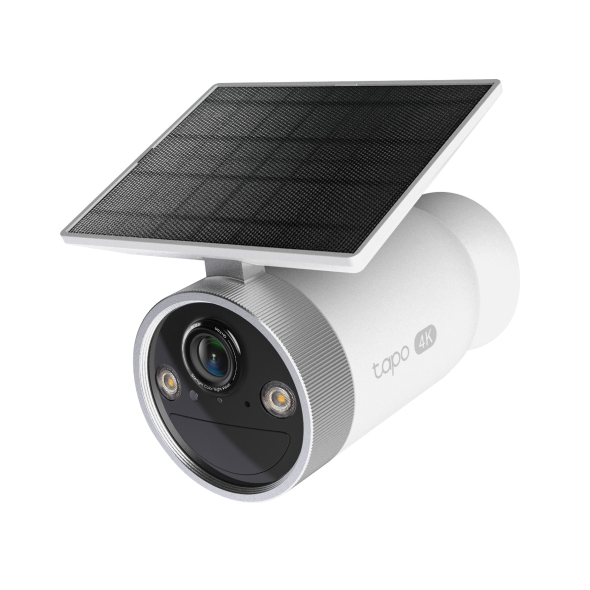 Kamera do monitoringu z wbudowanym panelem słonecznym i zasilaniem bateryjnym
Konfiguracja
-
How to Set Up Your Enhanced AI Solar Security Camera Ultra | Tapo C465
Featuring 4K Ultra HD resolution and Starlight Color Night Vision, this camera ensures crystal-clear details, both day and night. Its solar-powered, wire-free design offers flexibility, while AI detection and customizable alerts provide precise monitoring.
Rozwiń więcej Zwiń -
How to Mount Your Enhanced AI Solar Security Camera Ultra | Tapo C465
Featuring 4K Ultra HD resolution and Starlight Color Night Vision, this camera ensures crystal-clear details, both day and night. Its solar-powered, wire-free design offers flexibility, while AI detection and customizable alerts provide precise monitoring.
Rozwiń więcej Zwiń
FAQ
- Jak skonfigurować kamerę Tapo?
- Which TP-Link Tapo Cameras/Devices Are Compatible with Tapo Hub
- Set Privacy Zone for Tapo Camera and Doorbell
- Jak sprawdzić stabilność połączenia sieciowego kamery Tapo?
- Jak połączyć moje urządzenia Tapo z Google Home?
- Jak zresetować kamerę Tapo?
- Dlaczego nie mogę zarejestrować lub aktywować TP‑Link ID?
- Jak sprawdzić wersję sprzętową urządzenia TP-Link?
- Gdzie znajdują się oznaczenia modeli produktów TP-Link?
- Co zrobić, jeśli nie mogę skonfigurować kamery Tapo?
- Anulowanie i zwrot środków za usługę Tapo Care
- How to update or change the payment method for Tapo Care or Kasa Care
- Jak dodać nowe kamery do planu Tapo Care?
- Co robić, jeśli nie mogę znaleźć mojej kamery Tapo w aplikacji?
- How to fix no sound or audio quality issues on Tapo Camera/Doorbell
- What if I forget my TP-Link ID password for TP-Link Tapo/Kasa device
- Co należy zrobić, jeśli nie otrzymuje emaila weryfikacyjnego podczas rejestrowania konta lub resetowania hasła?
- Co zrobić, aby moje urządzenia Tapo działały z IFTTT?
- Why do I need to give Local Network permission to TP-Link apps in iOS devices?
- Co robić, jeśli aktualizacja oprogramowania moich urządzeń Tapo smart się nie powiedzie?
- Jak włożyć kartę SD do kamery Tapo?
- Co zrobić, jeśli karta SD nie działa prawidłowo w mojej kamerze?
- Jak mogę obejrzeć nagrania z karty SD na komputerze?
- Jak konfigurować Tryb dom i Tryb poza domem kamery Tapo?
- What should I do if I encounter issues while playing back videos from an SD card?
- How to configure Home feature and Room feature in Tapo app
- Why do I receive a "We Noticed a New Login" email?
- What should I do if Tapo/Kasa notifications are delayed or not working?
- How to cast TP-Link Camera/Doorbell to TV via Tapo Smart HomeBase
- General Questions about Tapo/Kasa Geofencing
- How to find serial number on TP-Link devices
- How can I enable the 24/7 Capture on Battery Camera?
- What is Video Summary
- Cannot make my TP-Link smart devices work with Alexa
- How to configure the Notification feature for the Tapo & Kasa devices on the Tapo app
- How to fix a flickering issue on Live View of the Tapo Camera
- How to set up routines for Tapo devices via Alexa app
- How to stream Tapo / Kasa Camera on Google device
- How to improve video clarity and quality of Tapo Camera
- Why cannot I receive the SMS verification code from Tapo app?
- Frequently asked questions about the SD Card Encryption feature
- How do I disable the Anti-theft alarm of my Battery-Powered Camera?
- How to connect Tapo Wi-Fi Cameras/doorbells with Tapo Hub
- The most frequent asked questions about TP-Link Sales
- Jak skasować konto TP-Link Cloud?
- Jak mogę przeprowadzić uwierzytelnianie 3DS podczas zakupu Tapo Care?
- How to unlink third-party accounts from your TP-Link ID
- How to verify if it’s the hardware issue of TP-Link smart home
- Dlaczego firma TP-Link potrzebuje mojego adresu email?
- How to create 3D Map in the Tapo App for Pad
- Co robić, jeśli nie mogę uzyskać działania urządzeń Tapo smart z Google Home lub Amazon Alexa?
- Tapo/Kasa Devices are showing offline after changing or resetting the router.
- Co to jest TP-Link ID i jak je utworzyć?
Informacje o oprogramowaniu
Zapoznaj się z poradnikiem FAQ 3580, aby zaktualizować oprogramowanie.
|
Tapo C465(EU)_V1_1.1.1 Build 251112 |
|---|
| Data publikacji: 2025-12-11 |
|
Modifications and Bug Fixes: |
|
Tapo C465(EU)_V1_1.1.0 Build 250908 |
|---|
| Data publikacji: 2025-10-10 |
|
Modifications and Bug Fixes: |
Kod GPL
z United States?
Uzyskaj produkty, wydarzenia i usługi przeznaczone dla Twojego regionu.