
How to troubleshoot unstable connection issue on TP-Link ISP-customized 4G/5G Router
 3727
3727Introduction
Several factors can cause your internet connection to disconnect unexpectedly. This article introduces possible solutions.
Requirements
Download the Aginet app by visiting the Google Play Store, App Store, or by scanning the QR code.

Troubleshooting
Step 1. Insert the same SIM into another 4G/5G modem router, or even a smartphone, and monitor for a period to confirm that the internet is working properly and is stable.
If it works, record the APN used and the Band connected by the phone.
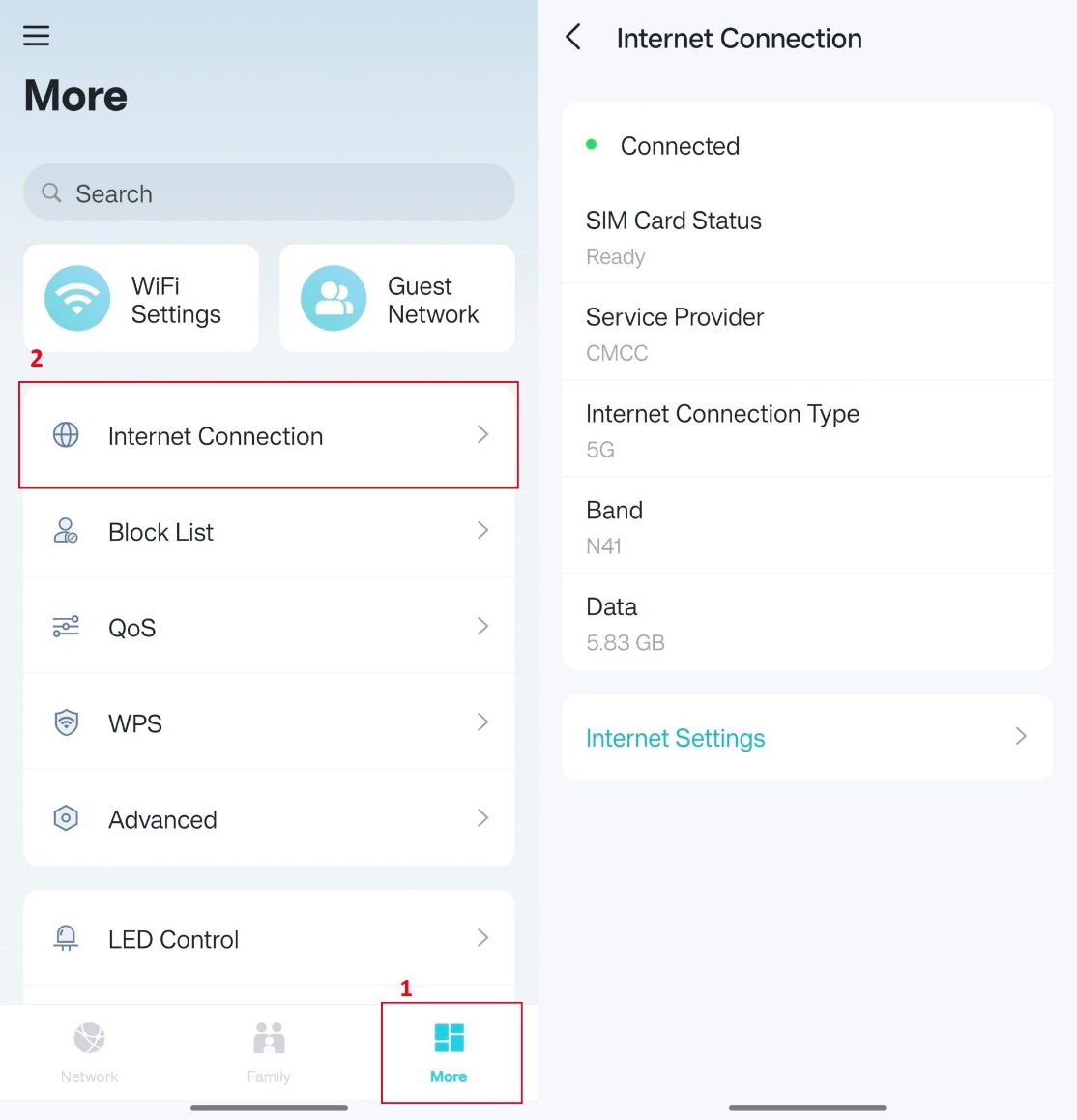
Step 2. Reinsert the SIM card into the TP-Link modem router, then log in to the Aginet app and go to More > Internet Connection. Check the SIM Card Status:
- Not Detected
Please contact TP-Link Support for assistance with the troubleshooting you have done.
- PIN Required
Go to More> Advanced > PIN Management. Input the PIN code to unlock the SIM card.
- Prepared (detected and unlocked)
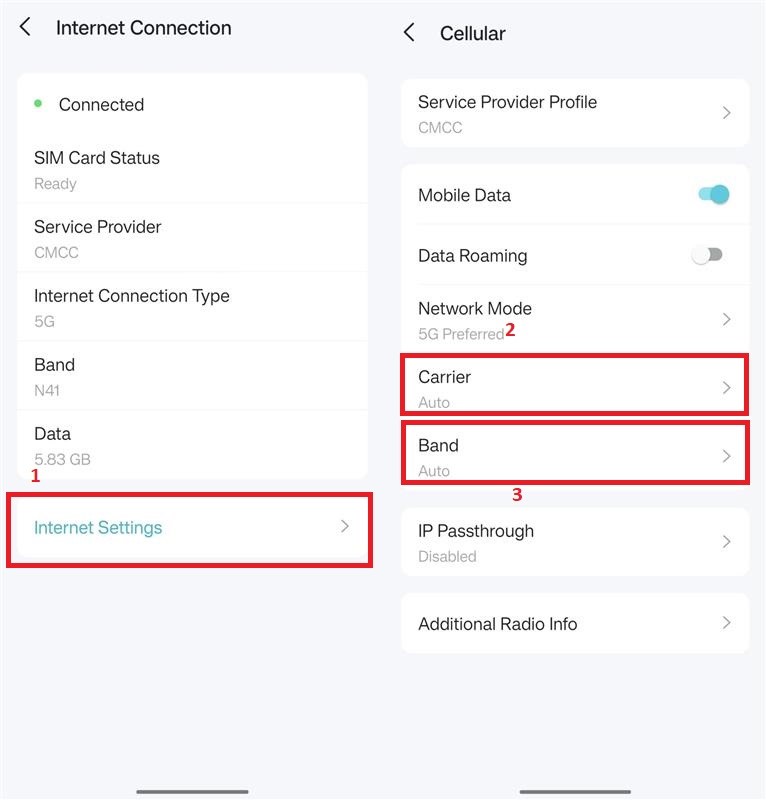
Go back to More > Internet > Connection and check if the band information is not blank. If it is blank, go to Internet Settings > Cellular, switch the Carrier to manual, and select the APN of your SIM card provider. Also, switch the band to manual and select the band as the same as the phone or another router that is verified to work with this SIM card (mentioned in step 1).
Este guia foi útil?
A sua resposta ajuda-nos a melhorar o nosso site.
_1.0-R-package_normal_20240530021753z.png)
