
How to enable Media Sharing on the Wi-Fi Routers (new logo)
 117394
O artigo aplica-se a:
The feature of Media Sharing allows you to view photos, play music and watch movies stored on the USB disk directly from DLNA-supported devices, such as your computer, tablet and PS2/3/4.
1. When your USB disk is inserted into the router, your DLNA-supported devices (such as your computer and pad) connected to the router can detect and play the media files on the USB disks.
2. Refer to the following table for detailed instructions.
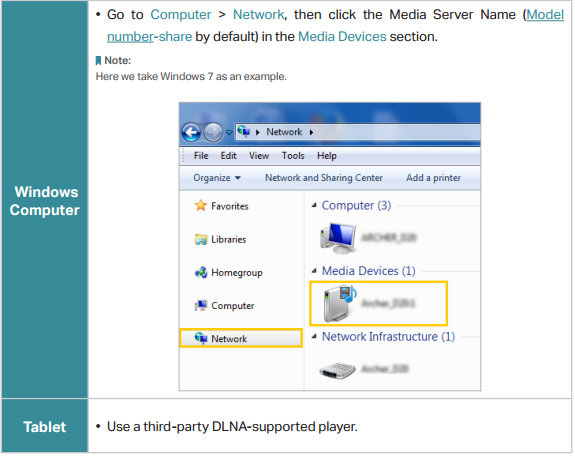
Get to know more details of each function and configuration please go to Download Center to download the manual of your product.
Este guia foi útil?
A sua resposta ajuda-nos a melhorar o nosso site.