
How to configure IP & MAC Binding on TD-W9970 (new logo)
 81563
81563対象製品:
1. Log into web management page of the modem router.
How to login to the web management page of TD-W9970 (new logo)?
2. Go to IP & MAC Binding.
3. Under Binding Settings menu, click Add New.
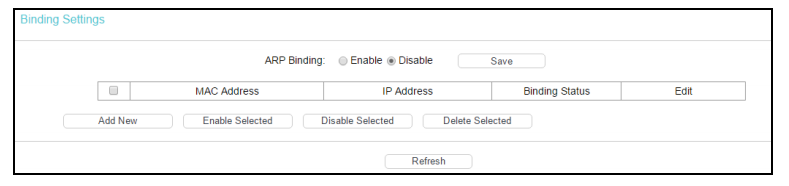
4. Enter the MAC Address and IP Address.
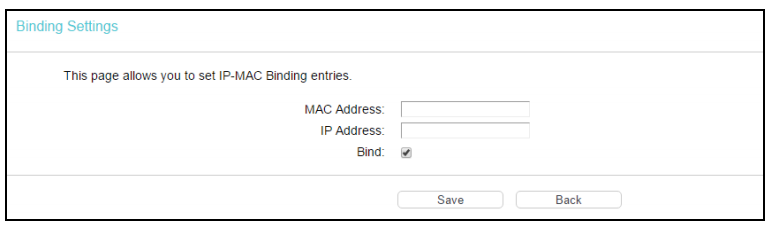
5. Select the Bind checkbox.
6. Click Save.
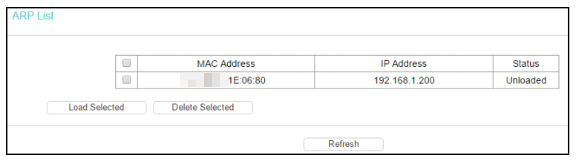
To manage the computer, you could observe the computers in the LAN by checking the relationship of MAC address and IP address on the ARP list, and you could also configure the items on the ARP list.
Get to know more details of each function and configuration please go to Download Center to download the manual of your product.
このFAQは役に立ちましたか?
サイトの利便性向上にご協力ください。