
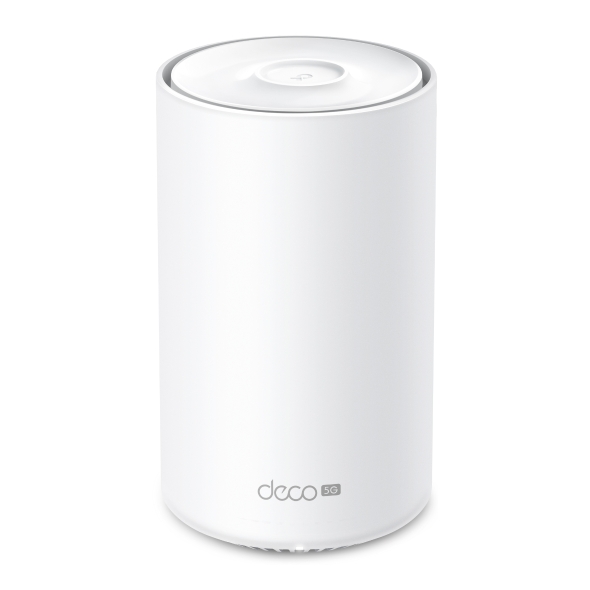
Deco X10-5G
Nuevo5G AX1500 Whole Home Mesh WiFi 6 Gateway (Availability based on region)
Cutting-Edge 5G,
Ultra-Fast Experience
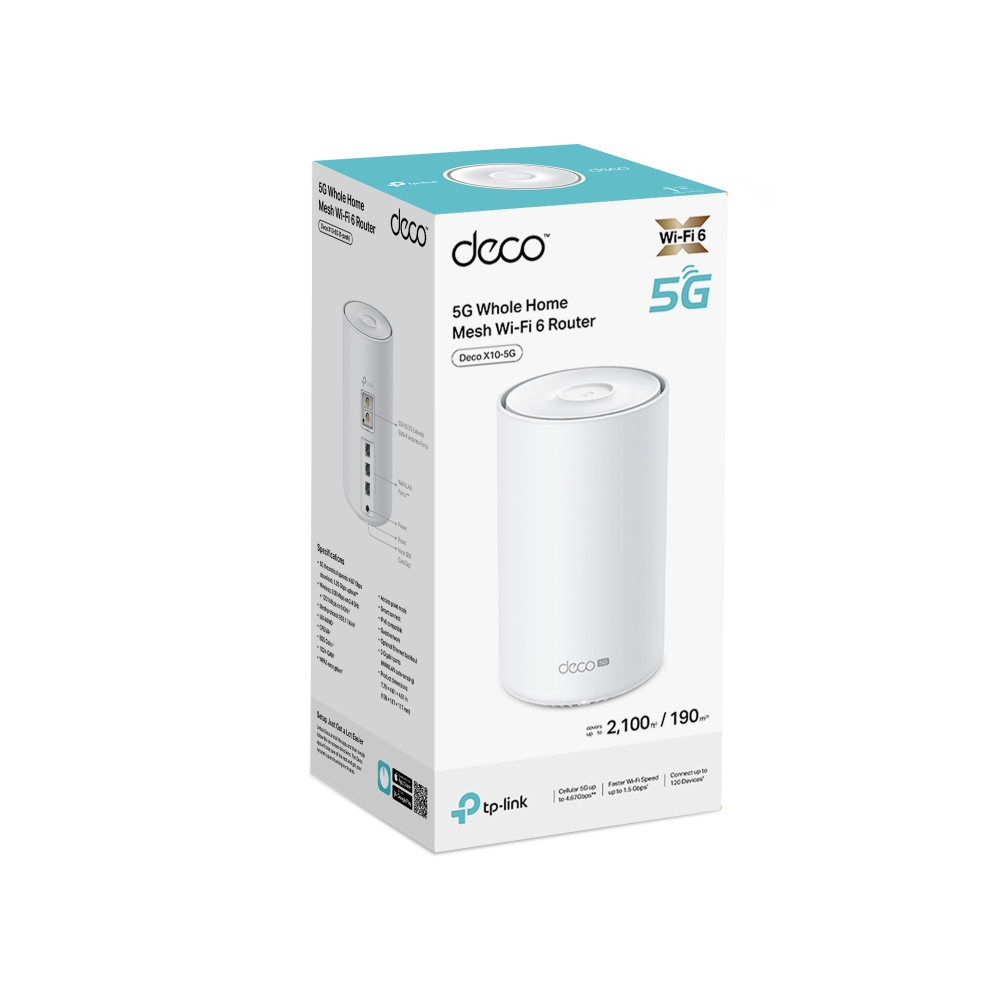
5G Whole Home Mesh WiFi 6 Router
Deco X10-5G






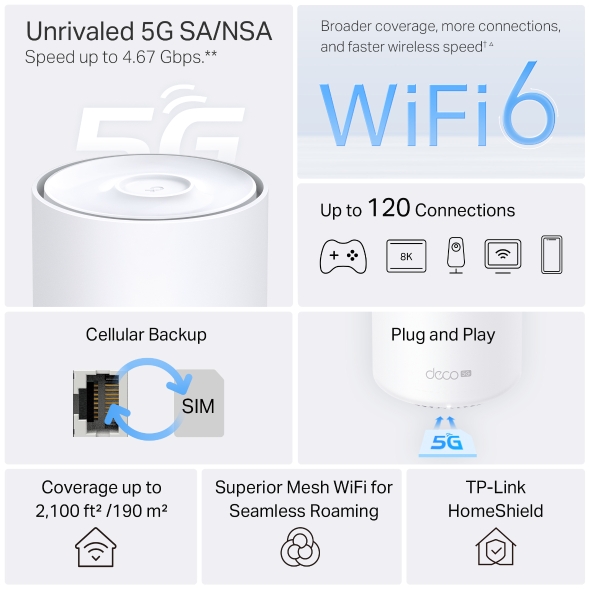
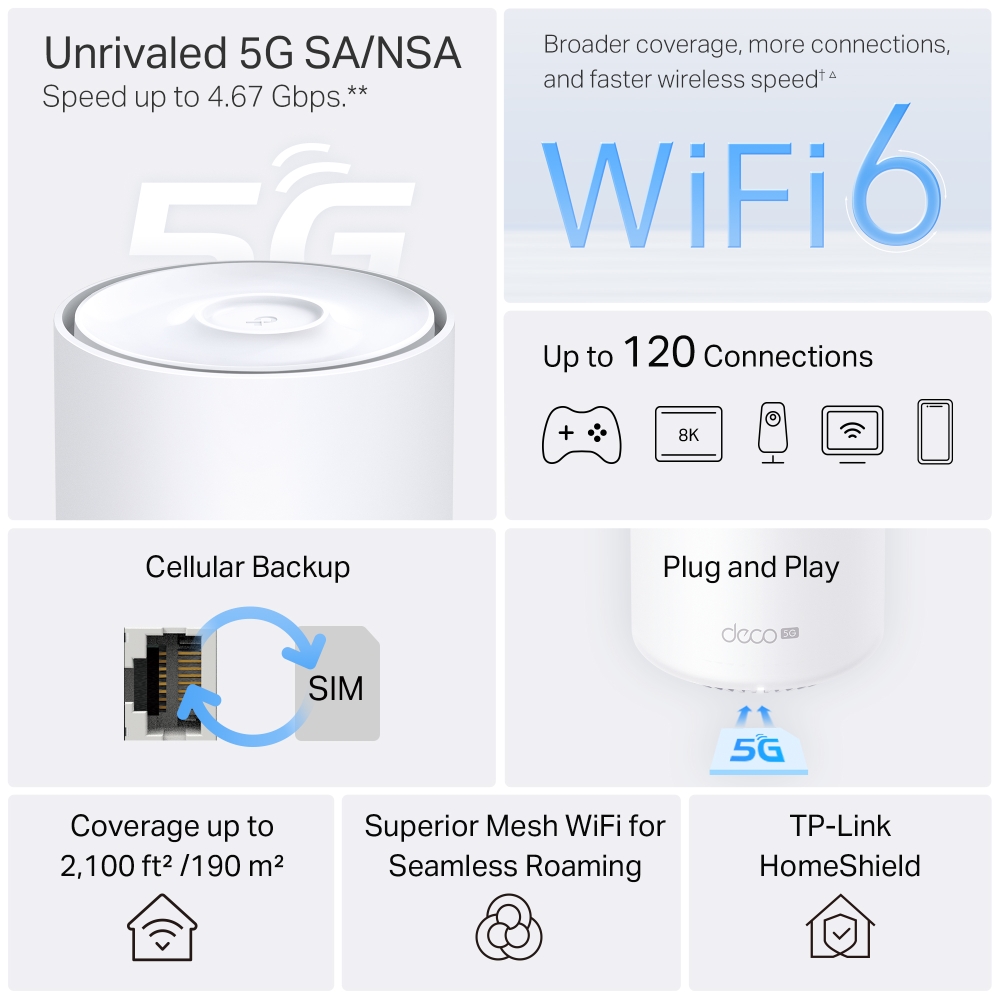
Unrivaled 5G SA/NSA
Speed up to 4.67 Gbps.**
Broader coverage, more connections, and faster wireless speed †△
5G/4G/3G SIM Card, Plug and Play
Cellular Backup
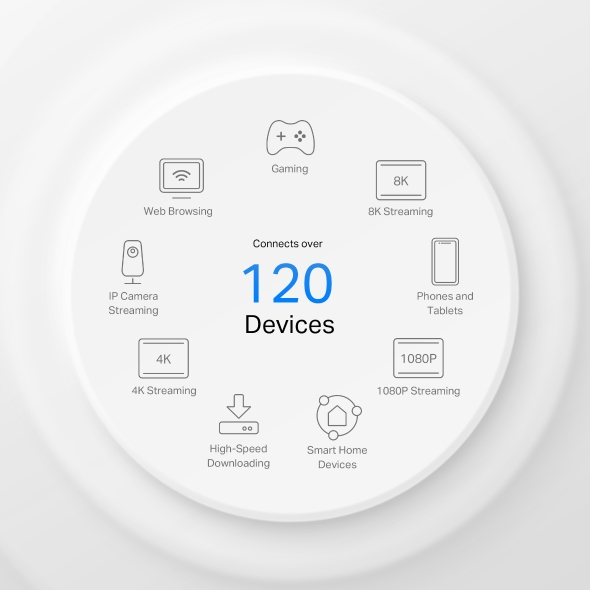
Up to 120 Connections
Coverage up to 2,100 ft² /190 m²
Superior Mesh WiFi for Seamless Roaming
TP-Link HomeShield
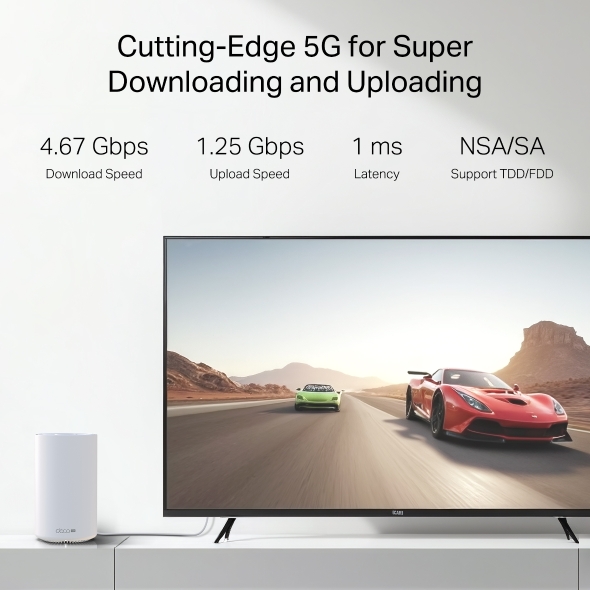
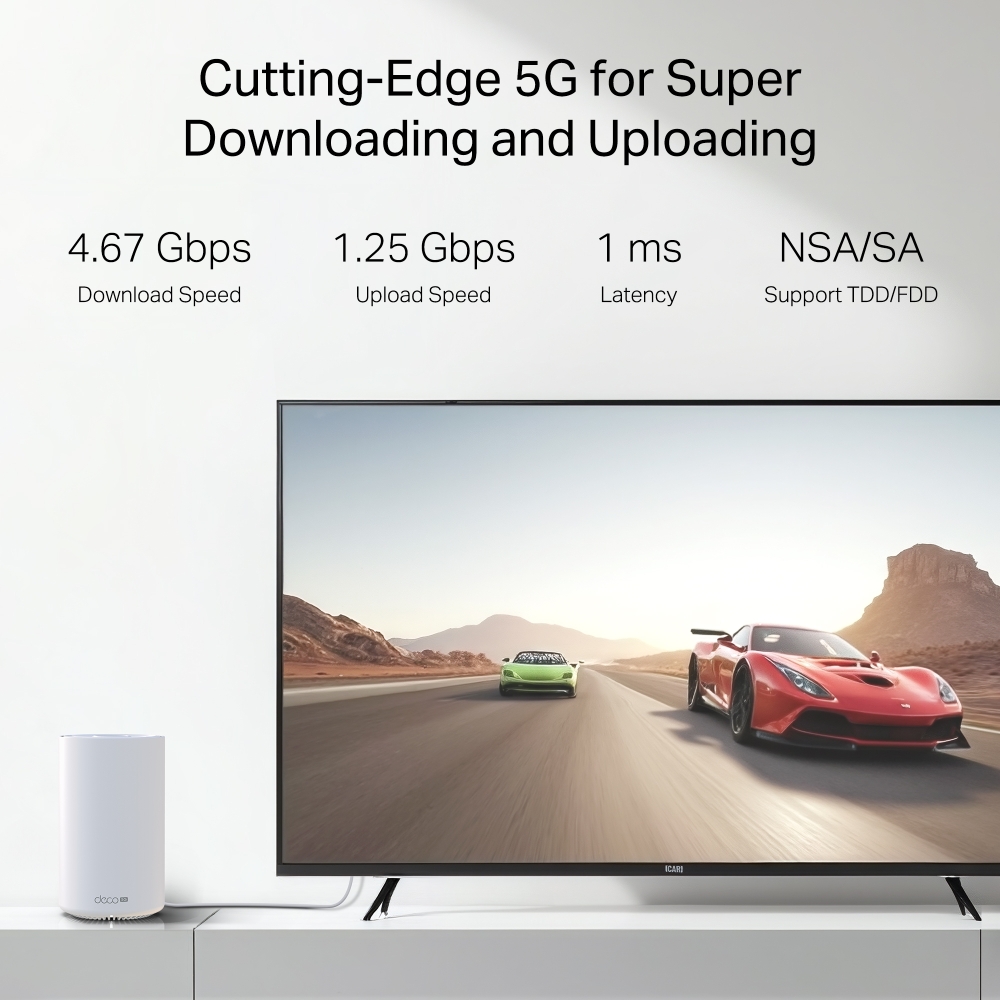
Cutting-Edge 5G for Super Downloading and Uploading
Deco X10-5G supports sub-6GHz, provides the theoretical peak download speed up to 4.67 Gbps and upload speed up to 1.25 Gbps.. Enjoy your online streaming, gaming, and AR / VR without congestion with only 1 ms latency. **
-
4.67 Gbps
Download Speed
-
1.25 Gbps
Upload Speed
-
1 ms
Latency
-
NSA/SA
Support TDD/FDD
WiFi 6 Upgrades Everything
Armed with WiFi 6 technology, Deco whole home mesh WiFi is designed to deliver a huge boost in coverage, speed, and total capacity. Get on the latest mesh WiFi to enjoy the future network that loads faster and connects more. △
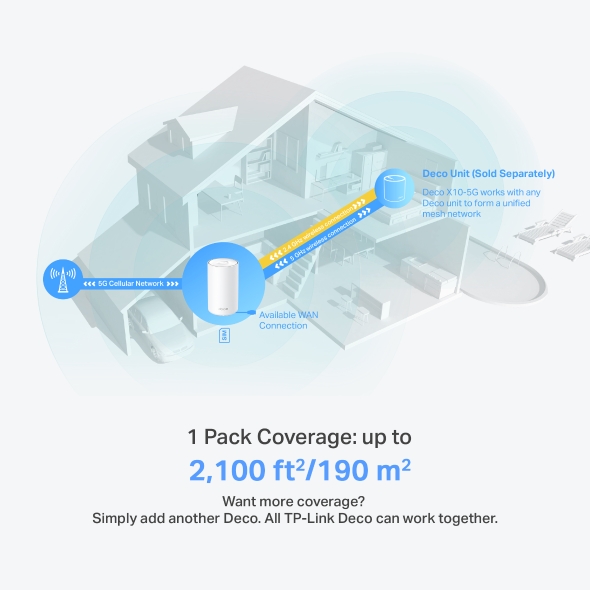
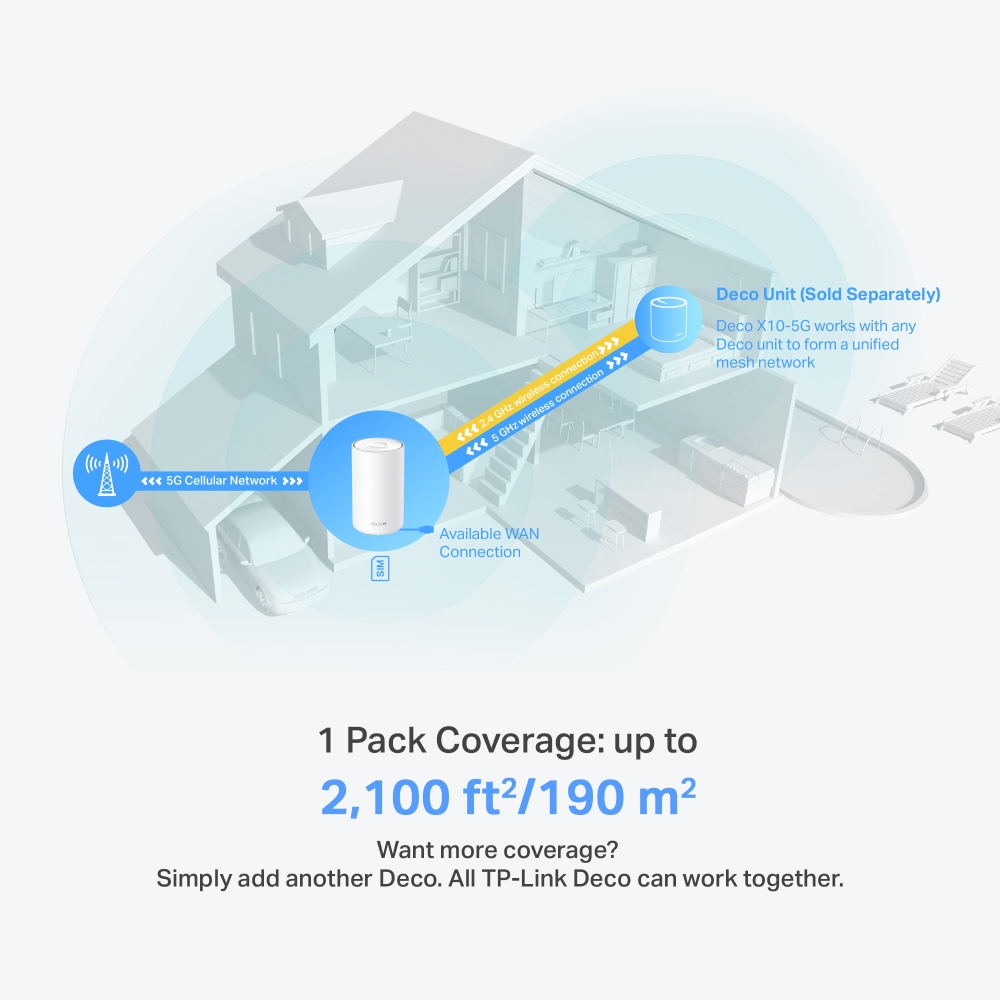
Deco Unit (Sold Separately)
Want more coverage? Simply add another Deco. All TP-Link Deco can work together.
1 Pack Coverage: up to
2,100 ft2/190 m2
Engineered for More Devices
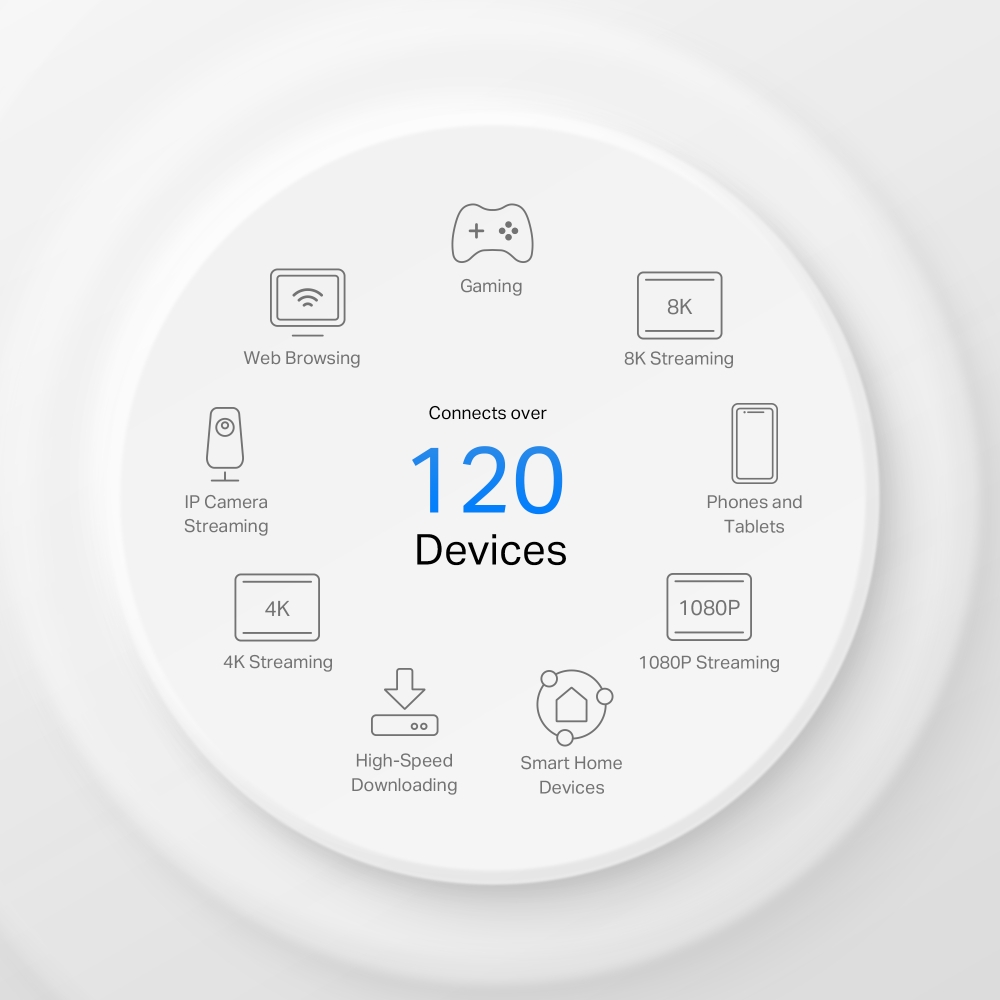
Deco products are aimed to dramatically improve capacity and efficiency in traffic-dense environments. No matter how many screens or devices are on at once, everyone is able to enjoy a more efficient network that loads faster without dragging down performance.†
Gaming
8K Streaming
Phones and
Tablets
1080P Streaming
Smart Home
Devices
High-Speed
Downloading
4K Streaming
IP Camera
Streaming
Web Browsing
connects up to
120
devices
Plug and Play, Enjoy 5G Network Everywhere
Simple, just one SIM card
Traditional broadband or cable installation is expensive and time-consuming for your vacation home, farm, or suburban warehouse. Long contract periods also create headaches for short-rentals, pop-up venues, and temporary shops to access the internet. Deco X10-5G ensures a comfortable and no-block network installation. Plug in your SIM card and enjoy high-speed internet!
Better Signal for Connections Everywhere
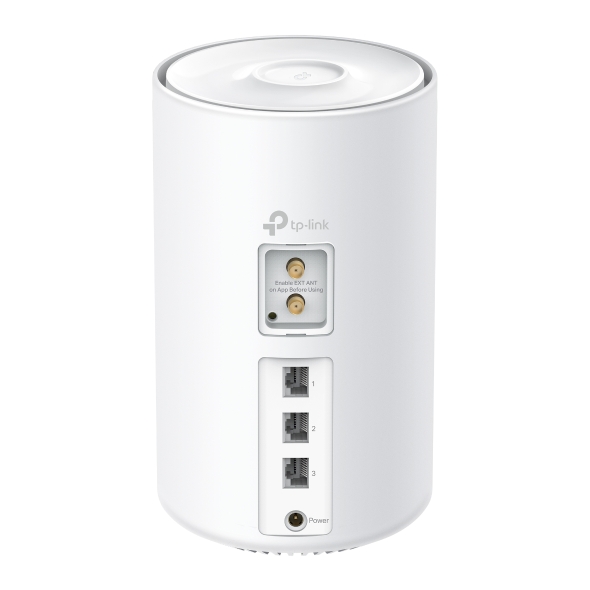
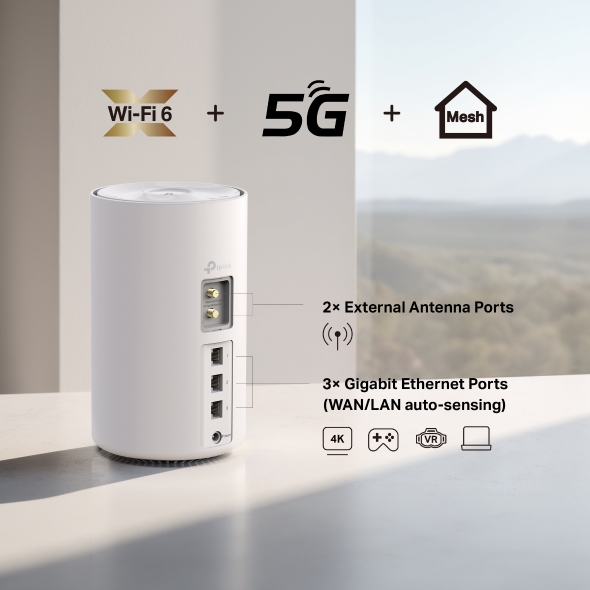
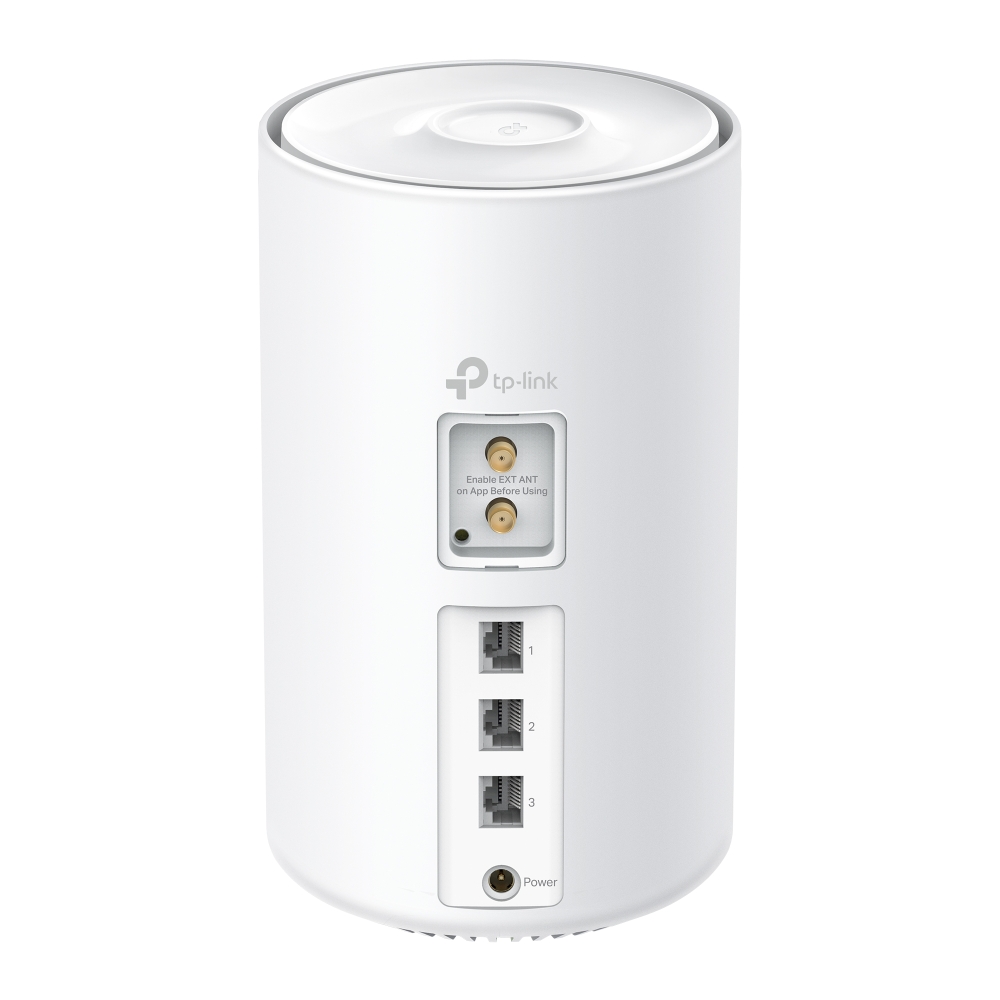
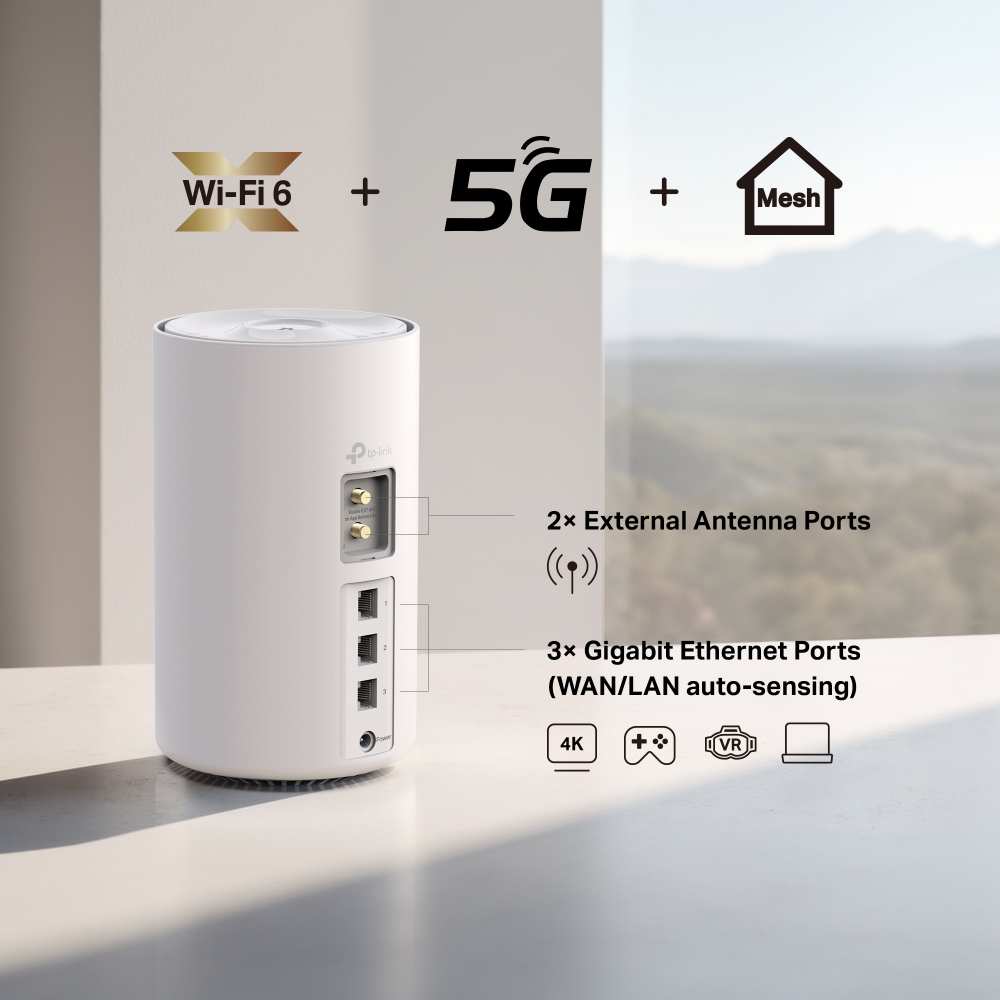
Through 3 Gigabit WAN/LAN ports, you can connect your favorite wired devices to Deco X10-5G, or set it as a wireless router. When it’s set as a wireless router, all Ethernet ports support being used as backup broadband access points.
Furthermore, two external antenna ports allow external antenna access which can receive 5G/4G signals more effectively, resulting in improved 5G/4G performance.


Seamless Roaming with One WiFi Name
TP-Link Mesh means Deco units work together to form one unified network. Your phone or tablet automatically connects to the fastest Deco as you move through your home, creating a truly seamless WiFi experience.‡
-
Whole Home Coverage
Eliminate weak signal areas throughout your house
-
Smart Roaming
Uninterrupted streaming when moving between rooms
-
One WiFi Name
No more switching WiFi network names
-
Unified Management
Control your home WiFi by managing the central node via the Deco App
-
Deco X10-5G Mesh Wi-Fi System

-
Traditional Router with Extender Wi-Fi

Smart Security for Smart Living
HomeShield provides a series of built-in services that protect all your devices comprehensively with various features for when you’re at home or on the go. With HomeShield, safer internet experiences bring more happiness to your smart living.
-
Parental Controls
Simply configure your gateway and achieve whole home network security. HomeShield examines your network by scanning and identifying potential risks, stopping them in their tracks before they harm your network.*
-
Maintain Protection Away from Home
Parental Controls protect your kids, while helping them maintain healthy digital habits. Parents can set app blocking, web filtering, YouTube restrictions, SafeSearch, and online time limits to keep kids safe while they’re having fun online.*
-
Quality of Service (QoS)
KidShield App
Devices Security App
Devices remain secure everywhere with devices security app. And through KidShield, parents can monitor their kids’ locations and set geofencing. This way, kids stay digitally protected even on the go.*
Simple. Easy. Yet Powerful.
Setup and manage your network anytime and anywhere on the friendly TP-Link Deco app. In just three easy steps your entire home can be blanketed in strong and reliable WiFi.
CONNECT
to a modem and power on both.
DOWNLOAD
and launch the Deco app.
CONFIGURE
by following the in-app instructions.
Control Anyway You Want
-

Easy Management
Manage your WiFi at home or away on the Deco app. See every connected device, prioritize your own, and set up a guest network.
-

Voice Control
Use an Amazon Alexa or Google Assistant-enabled device to control Deco X10-5G with just your voice.


-

All Decos Work Together
Deco X10-5G is compatible with every other Deco model to form a Mesh network. Expand Mesh WiFi coverage anytime by adding more Decos.
-
Sótano

-
Patio

-
Garaje

Roaming sin Interrupciones
Las unidades Deco trabajan en conjunto para formar una única red unificada con un solo nombre. Tu teléfono o tablet se conecta automáticamente al Deco más rápido a medida que te mueves por la casa. El cambio tarda menos de 0,3 segundos y se realiza de forma fluida e imperceptible, ofreciendo una experiencia en línea verdaderamente continua.
-
Selección de Ruta Adaptativa
La tecnología TP-Link Mesh selecciona dinámicamente la mejor ruta y banda para tus conexiones y aplicaciones, garantizando una conexión Wi-Fi rápida sin importar en qué parte de la casa te encuentres.


-
Autocuración
Si uno de los dispositivos Deco presenta un problema, el sistema redirigirá automáticamente los datos a través de los otros Deco para asegurarse de que sigas conectado.
Red Mesh para IoT
A diferencia de los hubs tradicionales, la tecnología TP-Link Mesh ofrece cobertura IoT en todo el hogar con Wi-Fi, Bluetooth y Zigbee integrados en un solo sistema. Disfruta de la magia de tu hogar inteligente en cada habitación con la tecnología TP-Link Mesh.
- - - - Wi-Fi
- - - - Zigbee
- - - - Bluetooth
Sistema Mesh con Tecnología IA
Equipado con tecnología IA, Deco aprende automáticamente y mejora su rendimiento con el tiempo. Esto permite crear una red Wi-Fi Mesh ideal, adaptada a tu hogar y entorno de red. Muévete por toda la casa y disfruta de una conexión fluida con la máxima velocidad posible.
Sistema Wi-Fi Mesh Deco
Ver Sistemas Deco
-
 Nuevo
NuevoDeco BE85
Sistema Wi-Fi 7 Mesh BE19000 de Triple Banda
-
 Nuevo
NuevoDeco BE65
Sistema Wi-Fi 7 Mesh BE11000 de Triple Banda
-

Deco XE200
Sistema Wi-Fi 6E Mesh Inteligente AXE11000
-

Deco XE75
Sistema Wi-Fi 6E Mesh AI Triple Banda AXE5400
-

Deco X60
Sistema Wi-Fi 6 Mesh AI Doble Banda AX5400
-
_Overview_normal_20211225093625r.png) TOP VENTAS
TOP VENTASDeco X50
Sistema Deco X50 Wi-Fi 6 Mesh AI AX3000
-

Deco X50-5G
Sistema Deco X50-5G Wi-Fi 6 Mesh AI AX3000
-

Deco X50-PoE
Sistema Deco X50-PoE Wi-Fi 6 Mesh AI AX3000
-

Deco X20
Sistema Wi-Fi 6 Mesh AI para toda la casa AX1800
-

Deco S7
Sistema Wi-Fi Mesh Inteligente Doble Banda AC1900
-
_normal_20230201014412u.png)
Deco M4
Sistema Wi-Fi Mesh Inteligente de Doble Banda AC1200
¡Gestión de Redes Deco al Alcance de Tu Mano!
La aplicación Deco proporciona la forma más fácil de configurar, administrar y monitorear tu Sistema Wi-Fi Deco Mesh a través de tus dispositivos iOS o Android.
La Configuración Ahora es Mucho más Fácil
Desempaqueta Deco, instala la aplicación y luego simplemente sigue las instrucciones en pantalla. La aplicación Deco se encargará del resto y pondrá tu red en funcionamiento en minutos.
-
Conecta Deco a tu cable módem y enciende ambos dispositivos
-
Descarga e inicia la aplicación Deco.
-
Sigue las instrucciones de la app para configurar tu sistema Deco.
Administración Sencilla
Deco facilita la administración de tu Wi-Fi desde cualquier lugar, ya sea que estés en el sofá, en el trabajo o en cualquier otro lugar.
-
Panel de Administración Simple
Podrás ver el estado de funcionamiento de tu red, verificar los dispositivos conectados y obtener todas las funciones que ofrece tu router.
-
Múltiples Decos, Una App
La aplicación Deco administra todas tus redes y dispositivos Deco conectados a tu Deco Wi-Fi.
-
Verifica los Dispositivos Conectados
Podrás comprobar una lista de tus dispositivos conectados con la capacidad de pausar y reanudar el acceso a Internet, probar la velocidad de Internet y priorizar o bloquear los dispositivos.
-
Control Remoto
Toma el control de la red de forma remota con un toque en tu smartphone, sin importar dónde te encuentres.
Potentes Controles Parentales
Los controles parentales simples e intuitivos facilitan la seguridad de tus hijos mientras están en línea.
-
Crea fácilmente un perfil para cada miembro de la familia y establece límites de tiempo personalizados y asignaciones de tiempo en línea. Asigna dispositivos a perfiles para que las reglas se extiendan tanto a dispositivos individuales como a miembros de la familia.
-
Mantén a tu familia segura en línea con configuraciones de seguridad de un toque que bloquean el contenido según la edad.
-
Establece límites sobre la cantidad de tiempo que cada miembro de tu familia puede pasar en línea.
-
Con Insights, puede verificar qué sitios visitan sus hijos y cuánto tiempo pasan en cada uno. Es una excelente manera de saber que sus hijos están seguros mientras se divierten en línea.
-
Tómate un descanso de la conexión Wi-Fi para cenar y noches de juegos familiares. Simplemente toca un botón para suspender el acceso a Internet para todos en tu hogar.
Una App Intuitiva con Múltiples Funciones
Resumen de Uso Mensual
Consulta una lista completa de los detalles de tu red cada mes, incluido el uso,
contenido bloqueado, amenazas de seguridad y más.
Automatización del Hogar
Haz tu vida más fácil con potentes herramientas de automatización y control por voz.
*Actualmente solo para Deco M9 Plus
Atajo Flexible
Controla de forma flexible todos los dispositivos desde tu teléfono o tablet con un solo clic.
* Actualmente solo para Deco M9 Plus
Protege Tu Red
El antivirus incorporado te ayuda a defenderte de sitios web maliciosos y proteger tus pagos en línea.
* Actualmente solo para Deco M9 Plus, Deco P7 y Deco M5
Prioriza Tus Dispositivos
Elije qué dispositivos siempre tienen las conexiones más rápidas
o establece prioridad para un período de tiempo específico.
Establece Prioridades de Aplicación
Asigna más ancho de banda para las actividades más importantes para ti con controles simples.
* Actualmente solo para Deco M9 Plus, Deco P7 y Deco M5
Comparte Wi-Fi con Amigos
Configura perfiles de Wi-Fi separados para invitados y comparte la contraseña con
ellos para que les sea más fácil conectarse.
Comprueba Tu Velocidad
Ejecuta una prueba de velocidad para asegurarte de que estás obteniendo las velocidades de Internet por las que estás pagando.
Ve todos los dispositivos en tu red y cuánto ancho de banda están usando.
Nuestro Soporte Siempre te Respalda
¿Tienes preguntas sobre Deco? La ayuda siempre está a un clic de distancia. Encuentra las respuestas en la app Deco y no dudes en contactarnos con un simple clic.
Soporte| Estándares | Wi-Fi 6IEEE 802.11ax/ac/n/a 5 GHzIEEE 802.11n/b/g 2.4 GHz |
|---|---|
| Velocidades Wi-Fi | AX15005 GHz: 1201Mbps (802.11ax)2.4 GHz: 300 Mbps (802.11n) |
| Rango WiFi | 1-2 Bedroom Houses (1-pack) TP-Link Mesh TechnologyOptional Ethernet backhaul work together to link Deco units to provide seamless coverage8 LTE antennas, 2 Wi-Fi antennas (Internal)Multiple antennas form a signal-boosting array to cover more directions and large areas |
| Capacidad Wi-Fi | High Dual-BandDistribute devices to different bands for optimal performance2×2 MU-MIMOSimultaneously communicates with multiple MU-MIMO clientsOFDMASimultaneously communicates with multiple WiFi 6 clients4 StreamsMore than enough bandwidth for connected devices |
| Modos de trabajo | 3G/4G/5G Router, Router, Access Point |
| Seguridad de Red | SPI FirewallAccess Control |
|---|---|
| Red de Invitados | 1× 5 GHz Guest Network1× 2.4 GHz Guest Network |
| Cifrado WiFi | WPA-Personal WPA2-Personal WPA3-Personal |
| Puertos Ethernet | 3× Gigabit PortsSupports WAN/LAN auto-sensing |
|---|---|
| Botones | RESET Button |
| Puertos y Conexiones | 2× 5G/4G/3G External SMA-F Antenna PortsNano-SIM SlotCompatibility· 5G: N1/N3/N5/N7/N8/N20/N28/N38/N40/N41/N75/N76/N77/N78· 4G FDD-LTE: B1/B3/B5/B7/B8/B20/B28/B32· 4G TDD-LTE: B38/B40/B41/B42/B43· 3G: B1/B5/B8 |
| Protocolos | IPv4IPv6 |
|---|---|
| Controles parentales | Custom ProfilesProfessional Content Filter LibraryFamily TimeBedtimeOff TimeTime RewardsFamily Online Time RankingPause the InternetWeekly and Monthly Report |
| Tipos de WAN | Dynamic IPStatic IPPPPoEL2TPPPTP |
| Calidad de servicio | QoS by Device |
| Servicio de almacenamiento en la nube | OTA Firmware UpgradeTP-Link IDDDNS |
| Reenvío NAT | Port Forwarding UPnP |
| IPTV | IGMP ProxyIGMP SnoopingBridgeTag VLAN |
| DHCP | Address ReservationDHCP Client ListServer |
| DDNS | TP-Link |
| Gestión | Deco App |
| Network Services Enabled by Default | Web Server Manage and configure device through web (HTTP/HTTPS)• Port: 80/443 Protocol: TCP DNS DNS• Port: 53 Protocol: TCP & UDP DHCP Server IP address assignment (DHCP)• Port: 67 Protocol: UDP App management Manage and configure device through app• Port: 22 Protocol: TCP• Port: 20001 Protocol: TCP• Port: 30001 Protocol: TCP• Port: 20002 Protocol: UDP |
|---|---|
| Potencia de transmisión WiFi | CE: ≤20 dBm (2.4GHz)≤23 dBm (5GHz) |
|---|---|
| Dimensiones (An. × Pr. × Al.) | 7.79 × 4.61 × 4.61 in (198 × 117 × 117 mm) |
|---|---|
| Certificaciones | CE |
|---|---|
| Contenido del Paquete | 1-pack1 Deco X10-5G unit1 RJ45 Ethernet Cable1 Power AdapterQuick Installation Guide |
| Factores Ambientales | Operating Temperature: 0°C~40°C (32°F~104°F)Storage Temperature: -40°C~60°C (-40°F~140°F)Operating Humidity: 10%~90%RHStorage Humidity: 5%~90%RH |
†Maximum wireless signal rates are the physical rates derived from IEEE Standard 802.11 specifications. Actual wireless data throughput and wireless coverage, and quantity of connected devices are not guaranteed and will vary as a result of network conditions, client limitations, and environmental factors, including building materials, obstacles, volume and density of traffic, and client location.
‡Clients need to support 802.11k/v/r and may require additional setup. Performance may vary depending on the client's device.
△Use of WiFi 6 and other features including OFDMA, MU-MIMO, 1024-QAM, and BSS Color require clients also to support the corresponding features.
§HomeShield includes the Free Basic Plan. Fees apply for the Pro Plan. Visit tp-link.com/homeshield for more information. Some features are under development and will be supported with subsequent software updates.
*Use of WAP3 requires clients to also support the corresponding feature.
**Maximum 5G download speeds depend on external factors such as the local 5G network coverage, data plan, real-time network capacity, client limitations, and environmental factors. Supported 5G frequency bands: n1/n3/n5/n7/n8/n20/n28/n38/n40/n41/n75/n76/n77/n78. Actual supported frequency bands may vary slightly in different regions due to certification.
Actual network speed may be limited by the rate of the product's Ethernet WAN or LAN port, the rate supported by the network cable, Internet service provider factors and other environmental conditions.