
How to check status of a Replacement on TP-Link TP-Link Registration System
 43498
43498Step 1. Open a web browser (Chrome, Edge, Safari), and browse to https://myproducts.tp-link.com.
Step 2. Log in to the Product Registration System with your TP-Link ID.
Step 3. Go to Replacement page to view your replacement list and status.
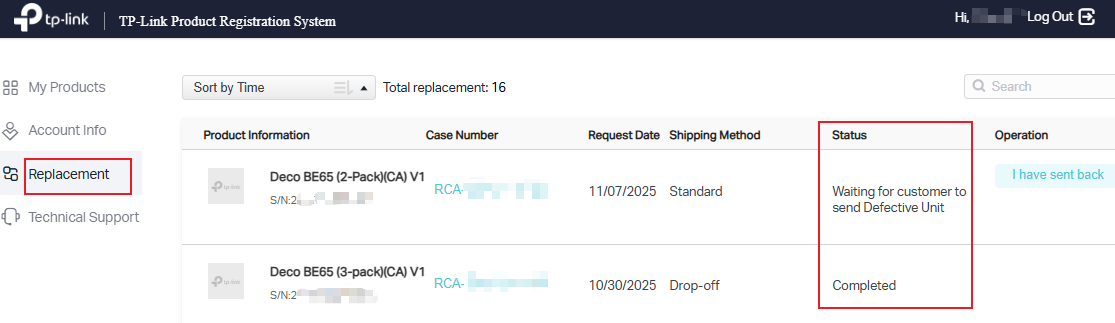
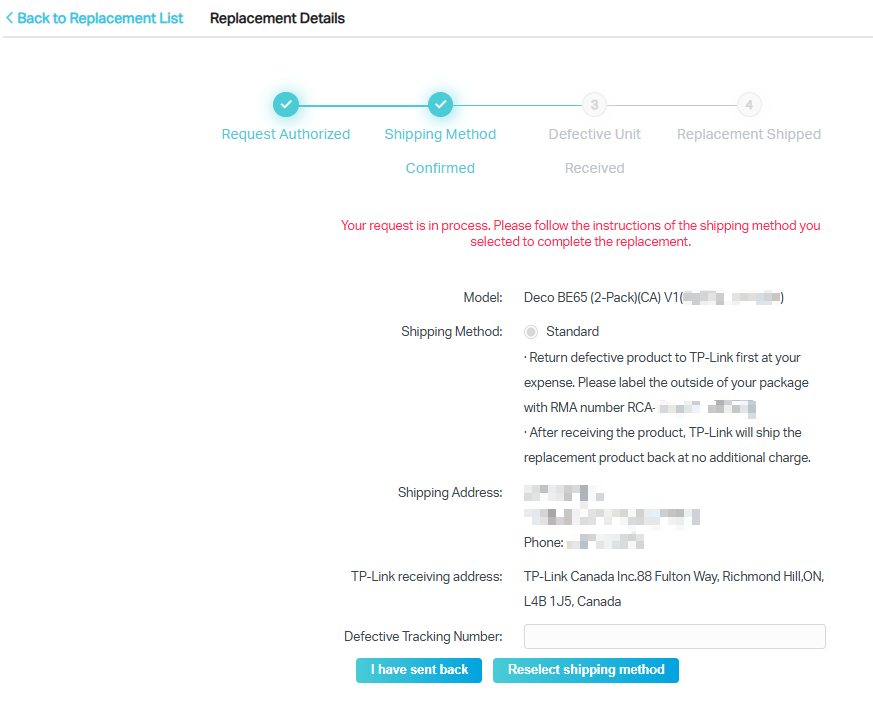
Step 4. To know more details about your replacement, click the blue color Case Number. From here you will be able to see the status of your RMA.
Is this faq useful?
Your feedback helps improve this site.

TP-Link Community
Still need help? Search for answers, ask questions, and get help from TP-Link experts and other users around the world.