Tải về cho InSight PTZ5425
- Tổng quan Sản phẩm
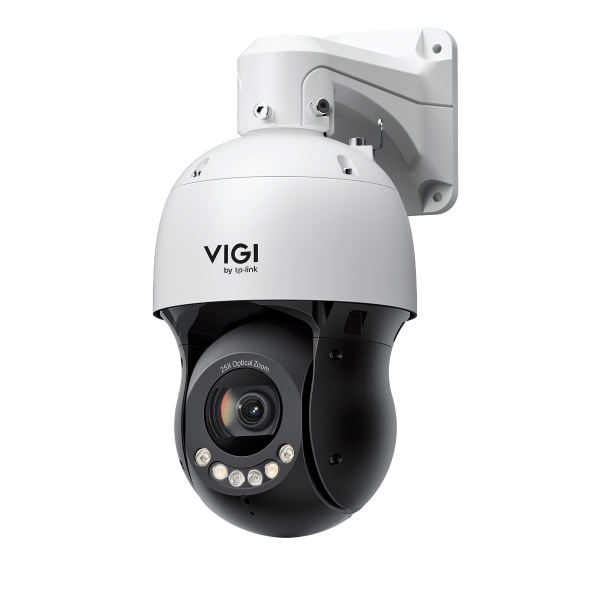 VIGI Camera Speed Dome Quay Quét Có Màu 4MP 25X 5-inch
VIGI PC Client
|
VIGI PC Client_x64_2.1.37 |
Tải Về | |
|---|---|---|
| Ngày Phát Hành: 2026-07-15 | Ngôn Ngữ: Multi-language | Kích cỡ tập tin: 148.90 MB |
Hệ Điều Hành: Windows 10/11 |
||
|
New Features and Enhancements: |
||
Video cài đặt
-
How to Set Up InSight Pan & Tilt Cameras via VIGI App
This video shows how to set up InSight PTZ cameras, covering both hardware installation and app configuration. For app configuration, you will see three methods: Method 1: Scan/Add Device Method 2: Auto Discover Method 3: Manually Add
More Fold -
How to Set Smart Detection on Speed Dome PTZ
The VIGI InSight PTZ5425 is a 4MP 25× Optical Zoom Full-Color Network Speed Dome camera with 3D Detection Regions, ensuring detection areas remain aligned with actual targets during PTZ movement. This video shows how to set smart detection on your speed dome PTZ camera.
More Fold
Câu hỏi thường gặp
- Which Ports Does VIGI Local VMS Use
- How to Add VIGI Devices to VIGI Local VMS
- How to Use ANR on Omada Fusion Pro to Back up Recordings from a Camera SD Card
- Làm cách nào tôi có thể tìm địa chỉ IP camera VIGI của mình?
- Cách tránh tiếng ồn khi theo dõi âm thanh từ camera VIGI
- Cách Chống thấm nước cho camera an ninh ngoài trời VIGI
- How to Fix Green or Pixelated Images on VIGI Cameras via the VIGI App
- How to Fix a Flickering Issue on Live View of the VIGI Camera
- How to Connect VIGI Cameras to Third-Party NVRs, NAS Devices, and Software Using ONVIF or RTSP Software Using ONVIF or RTSP
- How to Use DORI Standards to Evaluate VIGI Camera Viewing Capabilities
- How to Use Power Up Action Function
- What Is VIGI? A Complete Introduction to the VIGI Security System
- Cách giảm phát hiện chuyển động do mưa, tuyết hoặc côn trùng, v.v.
- How to Discover and Manage Devices Using VIGI Config Tool
- Getting Started with the VIGI App
- How to Download Videos from Omada Guard on an Omada Fusion Pro Gateway
- How to Configure VIGI Cameras and NVRs for Sentinel ARC Integration
- Hướng dẫn lắp đặt Camera dòng VIGI
- How to Use Preset, Patrol, and Pattern Scan
- How to Configure Smart Detection on Speed Dome PTZ
- How to Use Home Position Function
- Tại sao giao diện web HTTPS của VIGI IPC và NVR hiển thị cảnh báo “Không an toàn” (Not Secure) trên một số trình duyệt
- How to Use Smart Tracking
- How to Configure PTZ Limit on VIGI Cameras Using the Web UI
- How Do I Log In to the Web Management Page of VIGI IPC and NVR
- How to Set Privacy Mask on Speed Dome PTZ
- How to Use Manual Tracking
- How to Use Park Function
- How to Use RS-485 Controller for PTZ Control
- How to Configure PTZ Scheduled Task
- How to Configure Alarm Server on VIGI Camera
- Hướng dẫn cấu hình TP-Link DDNS trên camera IP (IPC)
- How to Use VIGI Pan/Tilt/Zoom Function