Tải về cho InSight LPR345Z
- Tổng quan Sản phẩm
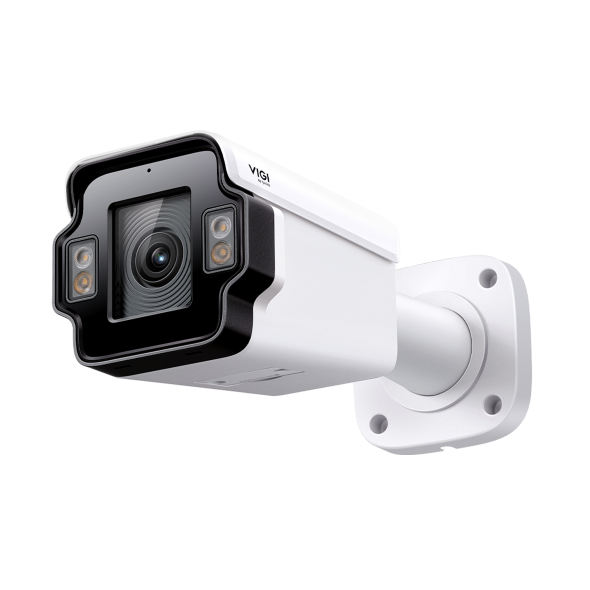 VIGI Camera Bullet Nhận Diện Biển Số Ngoài Trời 4MP
VIGI PC Client
|
VIGI PC Client_x64_2.1.37 |
Tải Về | |
|---|---|---|
| Ngày Phát Hành: 2026-07-15 | Ngôn Ngữ: Multi-language | Kích cỡ tập tin: 148.90 MB |
Hệ Điều Hành: Windows 10/11 |
||
|
New Features and Enhancements: |
||
|
VIGI PC Client_x64_2.1.25 |
Tải Về | |
|---|---|---|
| Ngày Phát Hành: 2026-01-21 | Ngôn Ngữ: Multi-language | Kích cỡ tập tin: 148.86 MB |
Hệ Điều Hành: Windows 10/11 |
||
|
New features and Enhancements: |
||
Video cài đặt
-
How to Set Up an InSight License Plate Recognition Bullet Network Camera
VIGI delivers integrated solutions for smarter, more efficient video surveillance. In this step-by-step tutorial, learn how to deploy and configure the VIGI InSight License Plate Recognition (LPR) Bullet Camera for reliable vehicle identification and access management. Designed for smart parking, campuses, business premises, and vehicle access control, the VIGI InSight LPR Camera delivers fast and accurate license plate recognition to help streamline vehicle monitoring and security operations. In this video, you’ll learn: • How to install and deploy the VIGI InSight LPR Bullet Camera • How to configure License Plate Recognition (LPR) settings • Key setup considerations for accurate plate recognition • How to optimize the camera for parking and vehicle access scenarios For more deployment guidance, configuration tips, and best practices, visit the VIGI official website: https://www.vigi.com/ #VIGI #LicensePlateRecognition #LPRCamera #SecurityCamera #VideoSurveillance #ParkingManagement #AccessControl #SmartSurveillance
More Fold
Câu hỏi thường gặp
- Làm cách nào tôi có thể tìm địa chỉ IP camera VIGI của mình?
- Cách tránh tiếng ồn khi theo dõi âm thanh từ camera VIGI
- Cách Chống thấm nước cho camera an ninh ngoài trời VIGI
- How to Fix Green or Pixelated Images on VIGI Cameras via the VIGI App
- How to Fix a Flickering Issue on Live View of the VIGI Camera
- How to Connect VIGI Cameras to Third-Party NVRs, NAS Devices, and Software Using ONVIF or RTSP Software Using ONVIF or RTSP
- How to Use DORI Standards to Evaluate VIGI Camera Viewing Capabilities
- What Is VIGI? A Complete Introduction to the VIGI Security System
- Cách giảm phát hiện chuyển động do mưa, tuyết hoặc côn trùng, v.v.
- How to Discover and Manage Devices Using VIGI Config Tool
- How to Adjust the Image for a License Plate Recognition Camera
- How to Choose and Install an External Fill Light
- How to Connect and Configure External Devices when Using a License Plate Recognition Camera
- Getting Started with the VIGI App
- How to Download Videos from Omada Guard on an Omada Fusion Pro Gateway
- Hướng dẫn lắp đặt Camera dòng VIGI
- Tại sao giao diện web HTTPS của VIGI IPC và NVR hiển thị cảnh báo “Không an toàn” (Not Secure) trên một số trình duyệt
- How Do I Log In to the Web Management Page of VIGI IPC and NVR
- How to Batch Configure Allow and Block Lists for VIGI LPR Cameras Using VIGI Config Tool
- How to Configure Alarm Server on VIGI Camera
- Cách cấu hình máy chủ SMTP trên VIGI IPC để gửi email thông báo sự kiện
- Hướng dẫn cấu hình TP-Link DDNS trên camera IP (IPC)
- How to Allow or Deny Access to Your VIGI Camera Using IP/MAC Restrictions
Firmware
A firmware update can resolve issues that the previous firmware version may have and improve its current performance.
To Upgrade
IMPORTANT: To prevent upgrade failures, please read the following before proceeding with the upgrade process
- Please upgrade firmware from the local TP-Link official website of the purchase location for your TP-Link device, otherwise it will be against the warranty. Please click here to change site if necessary.
- Please verify the hardware version of your device for the firmware version. Wrong firmware upgrade may damage your device and void the warranty.
Làm sao để biết phiên bản phần cứng của thiết bị TP-Link - Do NOT turn off the power during the upgrade process, as it may cause permanent damage to the product.
- To avoid wireless disconnect issue during firmware upgrade process, it's recommended to upload firmware with wired connection unless there is no LAN/Ethernet port on your TP-Link device.
- It's recommended that users stop all Internet applications on the computer, or simply disconnect Internet line from the device before the upgrade.
- Use decompression software such as WinZIP or WinRAR to extract the file you download before the upgrade.
|
InSight LPR345Z(UN)_V1_1.0.1 Build 251119 |
Tải Về | |
|---|---|---|
| Ngày Phát Hành: 2025-12-11 | Ngôn Ngữ: Multi-language | Kích cỡ tập tin: 26.87 MB |
|
First firmware released. |
||
Sử dụng Firmware của bên thứ 3 trên sản phầm TP-Link
Một số firmware chính thức của các sản phẩm TP-LINK có thể được thay thế bằng firmware của bên thứ ba chẳng hạn như DD-WRT. TP-LINK không cung cấp vấn đề hỗ trợ kĩ thuật và đảm bảo hiệu năng cũng như tính ổn định của firmware bên thứ ba. Khi sản phẩm bị hư hại do sử dụng firmware của bên thứ 3 thì chế độ bảo hành sản phẩm sẽ bị vô hiệu.
GPL Code
Giả lập
Phiên Bản Firmware |
Working Mode |
Ngôn Ngữ |
|
|---|---|---|---|
251118(UN)_Emulator |
- |
English |
Lưu ý:
1. Trình giả lập là một Giao Diện Người Dùng (GUI) Web ảo, nơi bạn có thể trải nghiệm bảng quản lý sản phẩm TP-Link.
2. Các trình giả lập được liệt kê có thể không có firmware mới nhất.
3. Các tính năng được hiển thị mang tính chất tham khảo và tính khả dụng của chúng có thể phụ thuộc vào các quy định của địa phương. Để biết thêm thông tin, vui lòng tham khảo biểu dữ liệu (datasheet) hoặc trang sản phẩm.