
Catálogo
Archer T2U Nano 2.0_Datasheet
Overview
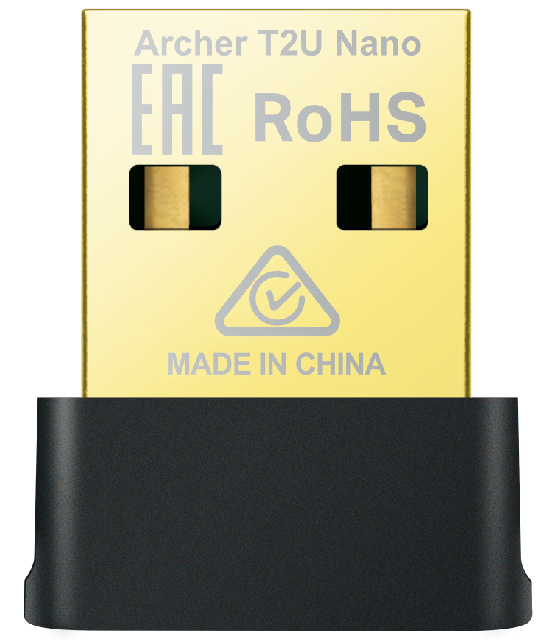
AC650 Dual-Band Wi-Fi 5 Nano Wireless USB Adapter
Highlights
 |
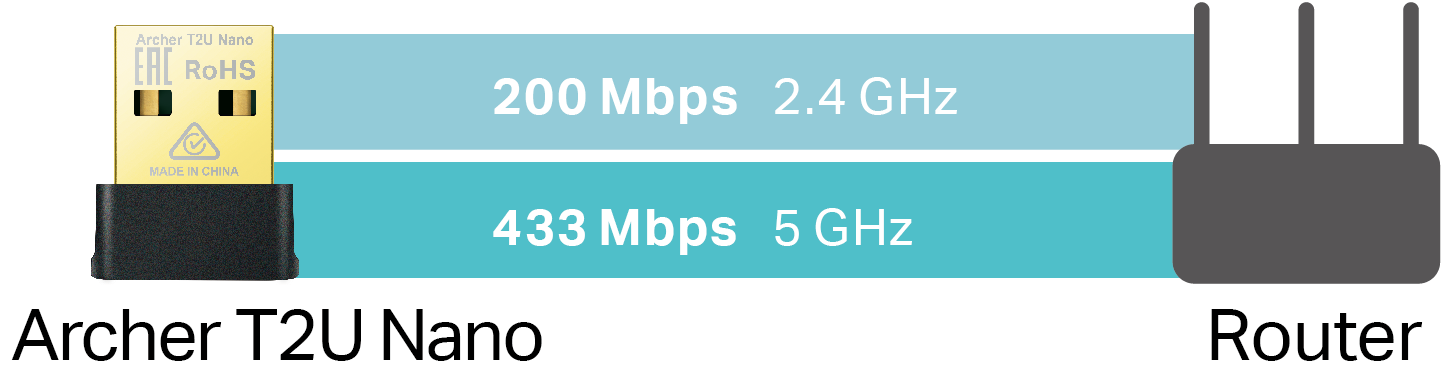
433 Mbps (5 GHz) 200 Mbps (2.4 GHz)† |
 |
256-QAM 33% faster on 2.4 GHz‡ |
|---|---|---|---|
 |
Advanced Security The Latest WPA3 Encryption△ |
Mini Size, Big Performance
|
AC650 Dual Band Wi-Fi Archer T2U Nano receives Wi-Fi signals on two separate bands. Choose the 2.4 GHz band for surfing, emailing, and social media, or switch to 5 GHz band for gaming, streaming, and large file downloads.† |
|
|---|---|
|
|
|
|
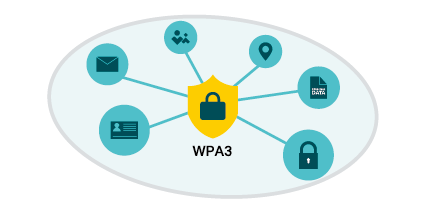
Improved Security with WPA3 The latest Wi-Fi security protocol provides enhanced protection in personal password safety.§ |
|
 |
Specification
| WLAN Features | |
|---|---|
| Wireless Standards | IEEE 802.11b/g/n 2.4 GHz, IEEE 802.11a/n/ac 5 GHz |
| Signal Rate | 5 GHz: 11ac: Up to 433 Mbps(dynamic) 11n: Up to 150 Mbps(dynamic) 11a: Up to 54 Mbps(dynamic) 2.4 GHz: 11n: Up to 200 Mbps(dynamic) 11g: Up to 54 Mbps(dynamic) 11b: Up to 11 Mbps(dynamic) |
| Reception Sensitivit | 5 GHz: 11ac VHT20 MCS0: -90dBm 11ac VHT80 MCS9: -61dBm 2.4 GHz: 11n HT20 MCS0: -91dBm 11n HT40 MCS7: -69dBm |
| Transmit Power | 5 GHz: 18dBm (FCC) (EIRP)/ 22dBm(CE) (EIRP) 2.4 GHz: 17dBm(FCC) (EIRP)/ 19dBm(CE) (EIRP) |
| Wireless Modes | Infrastructure mode |
| Wireless Security | WEP, WPA/WPA2/WPA3, WPA-PSK/ WPA2-PSK△ |
| Hardware | |
| Antennas | Internal Antennas |
| Interface | USB 2.0 |
|
Dimensions |
0.76 × 0.62 × 0.29 in (19.2 × 15.7 × 7.4 mm) |
| Others | |
| Package Contents | AC650 Dual-Band Wi-Fi 5 Nano Wireless USB Adapter Archer T2U Nano Quick Installation Guide |
| Certification | FCC/CE/IC/NCC/JRF/VCCI/BSMI |
| System Requirements | Windows 11/10 and Linux kernel 2.6.18 or later.§ |
| Environment | |
| Operating Temperature | 0℃~40℃ (32℉~104℉) |
| Operating Humidity | 10%~90% non-condensing |
| Storage Humidity | 5%~90% non-condensing |
Disclaimers
†Maximum wireless signal rates are the physical rates derived from IEEE Standard 802.11 specifications. Actual wireless data throughput and wireless coverage, and quantity of connected devices are not guaranteed and will vary as a result of network conditions, AP limitations, and environmental factors, including building materials, obstacles, volume and density of traffic, and AP location.
‡Use of 256-QAM requires AP to also support 256-QAM.
§To ensure compatibility, you may need to update the adapter’s drivers after an OS update. You can check the full list of supported operating systems in the download center at tp-link.com/download-center.
△Use of WPA3 requires AP to also support the corresponding feature.