
Scarica per NE200-Outdoor
Modelli e versioni variano a seconda dell'area geografica.
Per prodotti in uso in Italia, utilizzare solo risorse presenti sul sito
http://www.tp-link.it .
È strettamente necessario verificare modello e versione hardware prima di scaricare ed installare ogni firmware.
- Product Overview
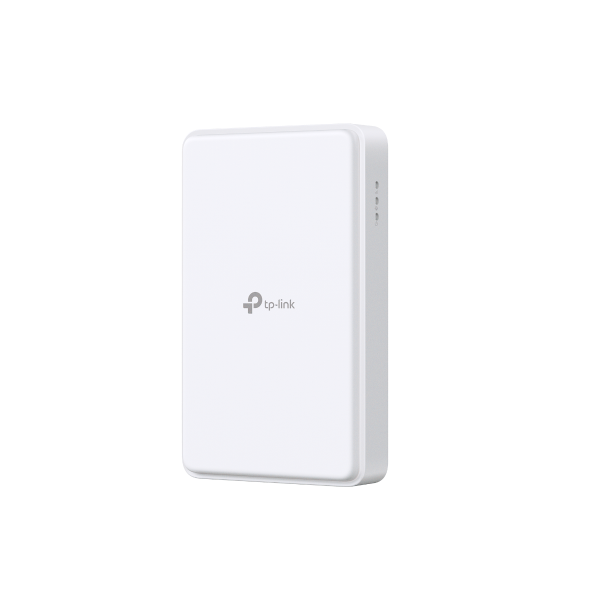 Router 5G Outdoor
 ISP File
An ISP file upgrade can update ISP information into the latest verison to improve it's current compatibility.
To Upgrade
IMPORTANT: To prevent upgrade failures, please read the following before proceeding with the upgrade process
- Please upgrade ISP file from the local TP-Link official website of the purchase location for your TP-Link device, otherwise it will be against the warranty. Please click here to change site if necessary.
- Please verify the hardware version of your device for the firmware version. Wrong ISP file upgrade may damage your device and void the warranty. (Normally V1.x=V1)
Come identificare modello e versione hardware di un prodotto TP-Link? - Do NOT turn off the power during the upgrade process, as it may cause permanent damage to the product.
- To avoid wireless disconnect issue during ISP file upgrade process, it's recommended to upload ISP file with wired connection unless there is no LAN/Ethernet port on your TP-Link device.
- It's recommended that users stop all Internet applications on the computer, or simply disconnect Internet line from the device before the upgrade.
- Use decompression software such as WinZIP or WinRAR to extract the file you download before the upgrade.
|
ISP_upgrade_NE200-Outdoor(EU) V1 |
Download | |
|---|---|---|
| Data di pubblicazione: 2025-11-19 | Lingua: English | Dimensioni file: 67.99 KB |
Sistema operativo: Windows/Mac OS/Linux |
||
|
|
||
FAQs
- How to Change Time Settings on the TP-Link 5G/4G LTE Router
- How to Change Your TP-Link Device Admin Password
- How to set up 3G/4G/5G Backup on TP-Link LTE router under wireless router mode
- How to set up IP Passthrough on NE200-Outdoor
- How to back up and restore the configuration file of TP-Link 5G/4G LTE Router
- How to set up VPN Client on computer and phone
- How to set up Port Forwarding on the Main router when VPN Server is set on the TP-Link Router and Deco
- Cosa devo fare se non ricevo l'e-mail quando registro l'account cloud o reimposto la password?
- Why do I need to give Local Network permission to TP-Link apps in iOS devices?
- No internet connection when the TP-Link 5G/4G Router is working with a SIM card
- Troubleshooting a Single Device Not Connecting to Your TP-Link Wireless Network
- Come identifico il modello del prodotto per il quale ho bisogno di assistenza?
- Perché non riesco ad accedere alla pagina tplinkwifi.net?
- What If You Cannot Remotely Manage TP-Link Routers via TP-Link App?
- How to connect computers/phones to a wireless network
- How to Find the Serial Number (S/N) on Your TP-Link Device
- Come identificare modello e versione hardware di un prodotto TP-Link?
Firmware
Un aggiornamento firmware può risolvere problemi, aumentare le performance o introdurre nuove funzionalità.
Come aggiornare
- È strettamente necessario verificare modello e versione hardware prima di scaricare ed installare ogni firmware.
- È possibile installare solamente firmware creati per modello e versione hardware in uso.
- Il caricamento di un firmware non appropriato può danneggiare irrimediabilmente il dispositivo e ne invalida la garanzia.
- Assicurarsi di non interrompere l’alimentazione del dispositivo e del computer durante l’aggiornamento.
- I firmware sono scaricabili esclusivamente in formato compresso: è necessario estrarre il firmware aprendo l’archivio compresso tramite un software di decompressione e salvandolo sul desktop.
|
NE200-Outdoor(EU)_V1_1.5.0 Build 260415 |
Download | |
|---|---|---|
| Data di pubblicazione: 2026-07-14 | Lingua: Multi-language | Dimensioni file: 71.32 MB |
|
New Features/Enhancement: Notes: |
||
|
NE200-Outdoor(EU)_V1_1.3.0 Build 251207 |
Download | |
|---|---|---|
| Data di pubblicazione: 2026-07-14 | Lingua: Multi-language | Dimensioni file: 47.32 MB |
|
New Features/Enhancement: Notes: |
||
Codice Open Source (GPL)
I prodotti TP-LINK contengono software sviluppato da terze parti, incluso software distribuito con licenza GPL (GNU General Public Licence versione 1, 2 o 3) o con licenza LGPL (GNU Lesser General Public License): l'utilizzo di questo software è possibile entro limiti e condizioni stabiliti dalla tipologia di licenza con la quale è distribuito e specificate a questo link. È possibile ottenere il codice sorgente soggetto a GPL e la lista dei prodotti che utilizzano tale codice all'interno del Centro sorgenti GPL.
I relativi software sono distribuiti con formula di TOTALE ESCLUSIONE DI GARANZIA; non sono pertanto garantite COMMERCIABILITÀ e/o IDONEITÀ PER QUALSIASI UTILIZZO SPECIFICO.
Per ulteriori informazioni consultare il testo GNU General Public License.