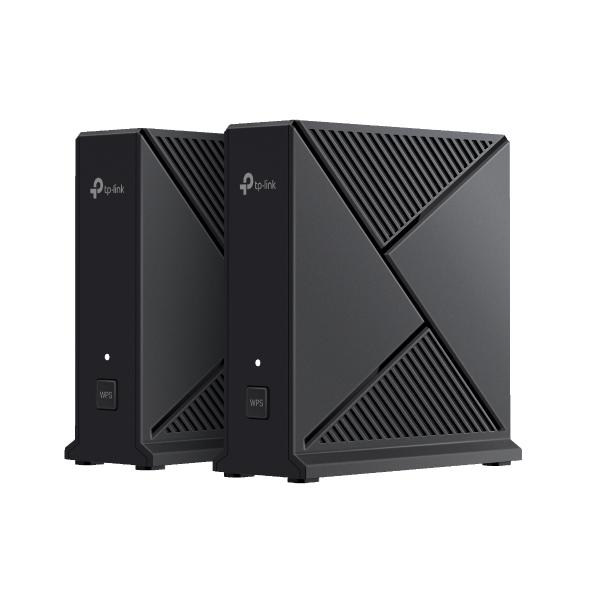
Como testar a velocidade do roteador TP-Link personalizado pelo provedor de internet
 7319
7319Introdução
Este artigo de FAQ explica como executar testes de velocidade (Speedtests) integrados e externos em um roteador TP-Link customizado para provedores (ISP).
Requisitos
Baixe o aplicativo Aginet acessando a Google Play Store, a App Store ou escaneando o código QR abaixo.

Configuração
Cenário 1: Para os modelos Aginet que suportam o recurso de Teste de Velocidade de Internet
Toque no recurso Testar Velocidade da Internet (Test Internet Speed) no aplicativo Aginet ou na interface web para verificar a velocidade que o roteador principal recebe do modem de entrada.
Aqui utilizamos o HB810 como exemplo.
Nota:
- O resultado do teste mostra a velocidade que o roteador principal recebe do modem, e não a velocidade no dispositivo cliente conectado ao Wi-Fi.
- A função de Teste de Velocidade está disponível em alguns modelos Aginet. Você pode consultar seu provedor (ISP) para confirmar se o roteador suporta este recurso.
- Se você tiver vários modelos ISP-Customized formando uma rede Mesh, o teste de velocidade só aparecerá quando o modelo for configurado como o nó principal (Main Router).
Método 1: Testar a Velocidade no aplicativo Aginet
Inicie o aplicativo Aginet e toque no recurso Testar Velocidade da Internet na página de Rede para testar a velocidade que o Aginet principal obtém do modem.
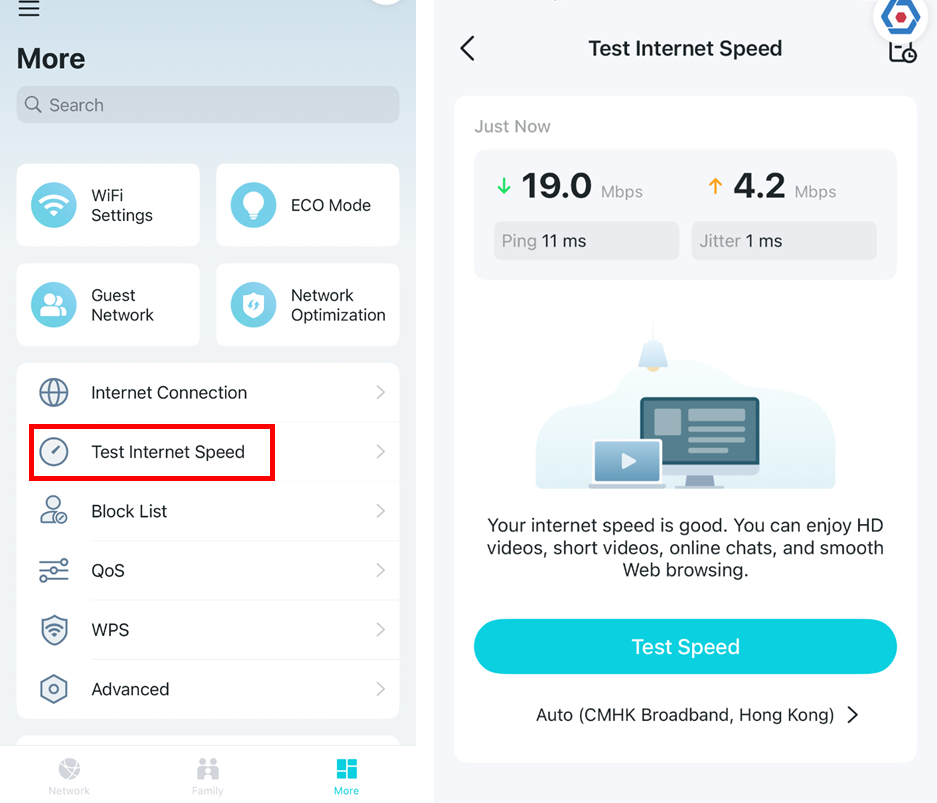
Nota: A velocidade do teste variará de acordo com as condições da rede, a ferramenta de teste utilizada e fatores ambientais.
Se o resultado for lento, toque no ícone "Auto >" abaixo de Servidor de Teste para selecionar um servidor diferente e toque em Testar Velocidade novamente.
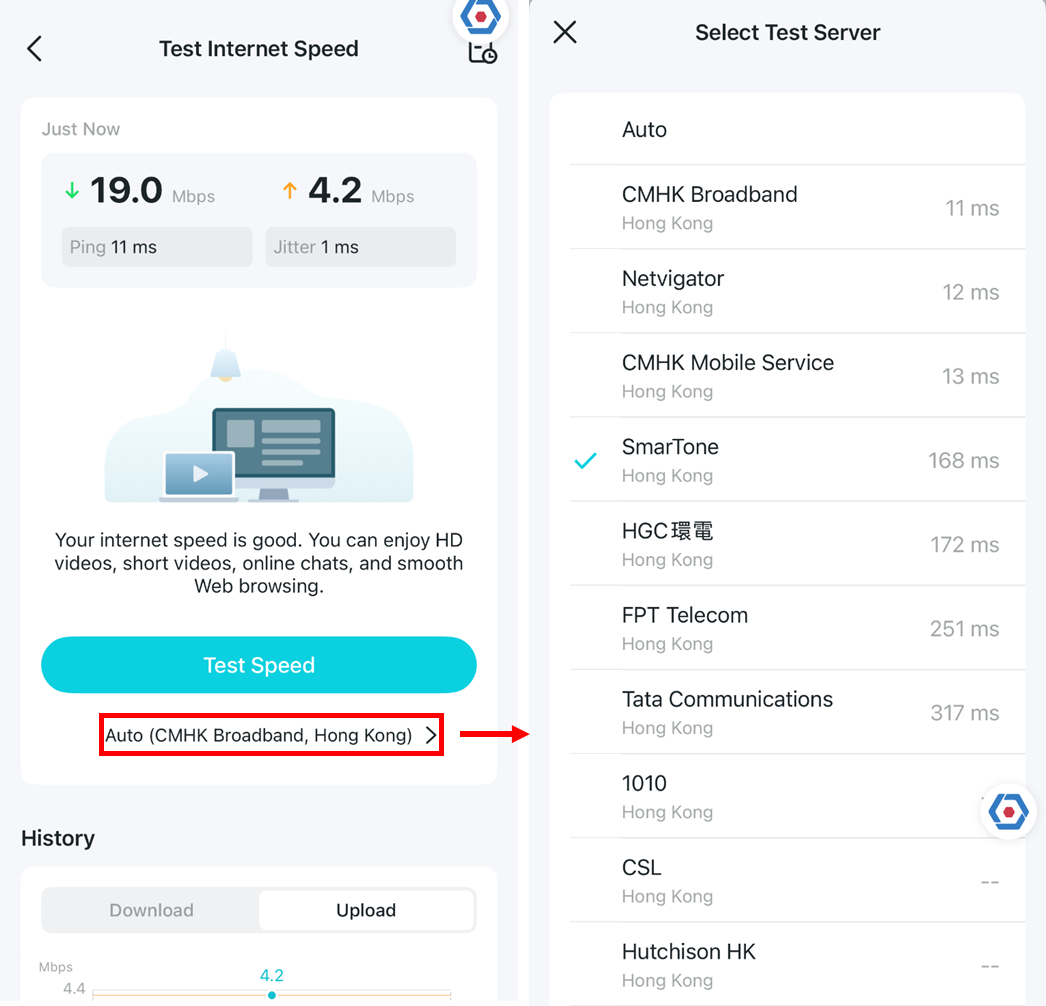
Nota: A velocidade do teste variará de acordo com as condições da rede, a ferramenta de teste utilizada e fatores ambientais.
Se você tocar no ícone no canto superior direito, poderá ver o histórico de testes de velocidade.
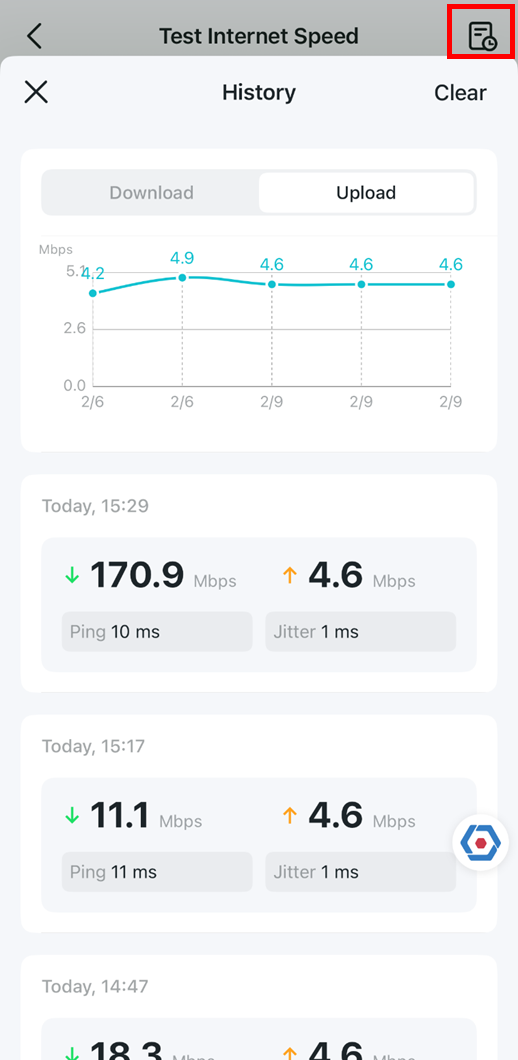
Método 2: Testar a Velocidade na Interface Web (Web GUI)
Faça login na página de gerenciamento web do roteador e clique no logotipo de Teste de Velocidade (Speed Test) no Mapa da Rede, depois em Testar NOVAMENTE (Test AGAIN).
Como faço para entrar na página de gerenciamento web do roteador wireless TP-Link?

Da mesma forma, se o resultado for baixo, você pode tocar no ícone "Auto" abaixo do Servidor de Teste para selecionar um servidor diferente e testar a velocidade novamente.
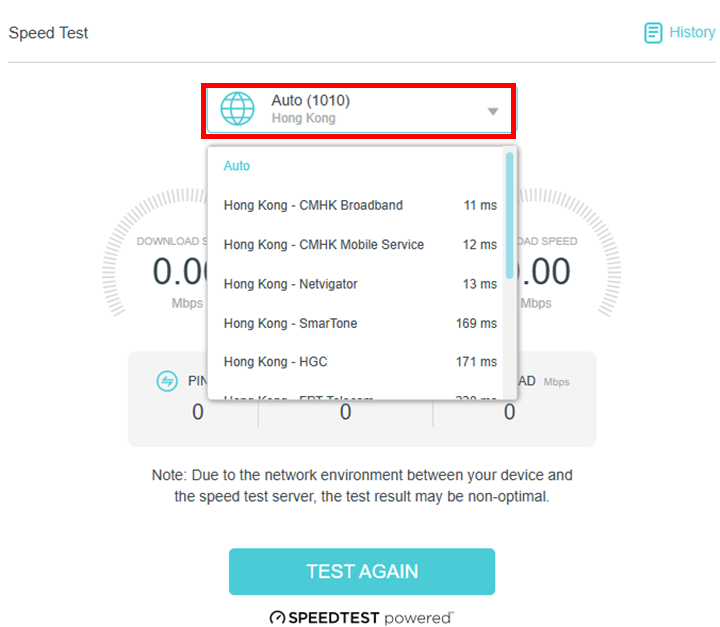
Ao clicar no ícone de histórico, você verá os registros anteriores.
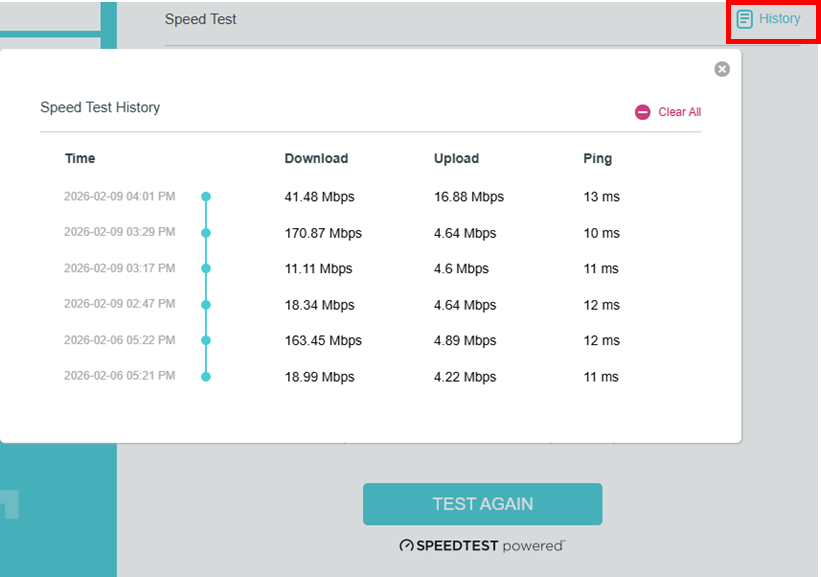
Cenário 2. Para os modelos Aginet que não suportam o recurso de Teste de Velocidade integrado
Para estes modelos, você pode conectar um computador ao roteador principal via cabo Ethernet e, em seguida, acessar www.speedtest.net ou o aplicativo Speedtest para testar a velocidade da conexão.
Para saber mais detalhes sobre cada função e configuração, acesse o Centro de Download para baixar o manual do seu produto.
Esta FAQ é útil?
Seu feedback ajuda a melhorar este site.

_1.0_normal_20240411013431j.png)