
Scarica per Archer NX500
Modelli e versioni variano a seconda dell'area geografica.
Per prodotti in uso in Italia, utilizzare solo risorse presenti sul sito
http://www.tp-link.it .
È strettamente necessario verificare modello e versione hardware prima di scaricare ed installare ogni firmware.
- Product Overview
- Documento
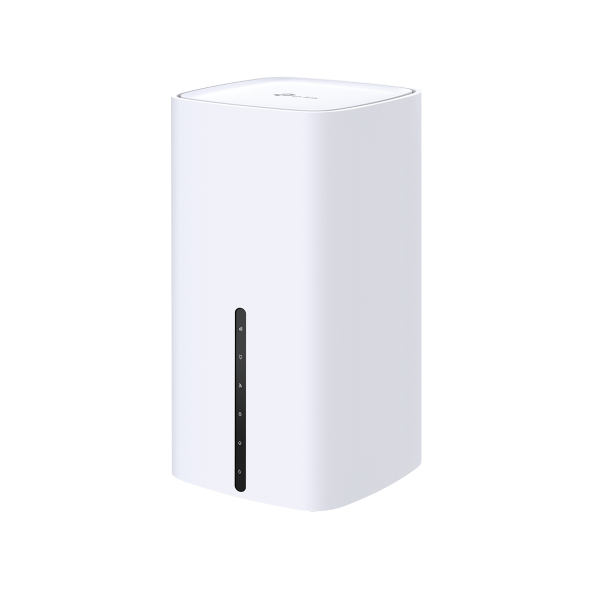 Router Gigabit 5G Wi-Fi Dual-Band AX3000
ISP File
An ISP file upgrade can update ISP information into the latest verison to improve it's current compatibility.
To Upgrade
IMPORTANT: To prevent upgrade failures, please read the following before proceeding with the upgrade process
- Please upgrade ISP file from the local TP-Link official website of the purchase location for your TP-Link device, otherwise it will be against the warranty. Please click here to change site if necessary.
- Please verify the hardware version of your device for the firmware version. Wrong ISP file upgrade may damage your device and void the warranty. (Normally V1.x=V1)
Come identificare modello e versione hardware di un prodotto TP-Link? - Do NOT turn off the power during the upgrade process, as it may cause permanent damage to the product.
- To avoid wireless disconnect issue during ISP file upgrade process, it's recommended to upload ISP file with wired connection unless there is no LAN/Ethernet port on your TP-Link device.
- It's recommended that users stop all Internet applications on the computer, or simply disconnect Internet line from the device before the upgrade.
- Use decompression software such as WinZIP or WinRAR to extract the file you download before the upgrade.
|
ISP_upgrade_NX1 series(EU) |
Download | |
|---|---|---|
| Data di pubblicazione: 2025-11-19 | Lingua: English | Dimensioni file: 68.96 KB |
Sistema operativo: Windows/Mac OS/Linux |
||
|
|
||
FAQs
- How to Change Your TP-Link Device Admin Password
- Come identificare modello e versione hardware di un prodotto TP-Link?
- Come identifico il modello del prodotto per il quale ho bisogno di assistenza?
- How to configure IPv6 of TP-Link Wireless 3G/4G/5G Router
- No internet connection when the TP-Link 5G/4G Router is working with a SIM card
- How to connect computers/phones to a wireless network
- Cosa devo fare se non ricevo l'e-mail quando registro l'account cloud o reimposto la password?
- Why do I need to give Local Network permission to TP-Link apps in iOS devices?
- How to back up and restore the configuration file of TP-Link 5G/4G LTE Router
- Why do I receive a "We Noticed a New Login" email?
- How to find serial number on TP-Link devices
- How to set up 3G/4G/5G Backup on TP-Link LTE router under wireless router mode
- How to install 4/5G external antennas on 4/5G Router
- How to set up VPN Client on computer and phone
- How to set up Port Forwarding on the Main router when VPN Server is set on the TP-Link Router and Deco
Firmware
Un aggiornamento firmware può risolvere problemi, aumentare le performance o introdurre nuove funzionalità.
Come aggiornare
- È strettamente necessario verificare modello e versione hardware prima di scaricare ed installare ogni firmware.
- È possibile installare solamente firmware creati per modello e versione hardware in uso.
- Il caricamento di un firmware non appropriato può danneggiare irrimediabilmente il dispositivo e ne invalida la garanzia.
- Assicurarsi di non interrompere l’alimentazione del dispositivo e del computer durante l’aggiornamento.
- I firmware sono scaricabili esclusivamente in formato compresso: è necessario estrarre il firmware aprendo l’archivio compresso tramite un software di decompressione e salvandolo sul desktop.
|
Archer NX500(EU)_V1_1.3.0 Build 260311 |
Download | |
|---|---|---|
| Data di pubblicazione: 2026-03-13 | Lingua: Multi-language | Dimensioni file: 73.98 MB |
|
Modifications and Bug Fixes: Improved overall security. |
||
Codice Open Source (GPL)
I prodotti TP-LINK contengono software sviluppato da terze parti, incluso software distribuito con licenza GPL (GNU General Public Licence versione 1, 2 o 3) o con licenza LGPL (GNU Lesser General Public License): l'utilizzo di questo software è possibile entro limiti e condizioni stabiliti dalla tipologia di licenza con la quale è distribuito e specificate a questo link. È possibile ottenere il codice sorgente soggetto a GPL e la lista dei prodotti che utilizzano tale codice all'interno del Centro sorgenti GPL.
I relativi software sono distribuiti con formula di TOTALE ESCLUSIONE DI GARANZIA; non sono pertanto garantite COMMERCIABILITÀ e/o IDONEITÀ PER QUALSIASI UTILIZZO SPECIFICO.
Per ulteriori informazioni consultare il testo GNU General Public License.
Emulator
Versione Firmware |
Working Mode |
Lingua |
|
|---|---|---|---|
20250827(EU) |
- |
Multi-language |
Nota:
1. Questo simulatore è un'interfaccia web virtuale che consente di provare le funzionalità dell'interfaccia di gestione web del dispositivo TP-Link desiderato. Per dettagli relativi a caratteristiche e specifiche di prodotto consultare la pagina del prodotto.
2. Si prega di verificare che la versione del vostro firmware corrisponda alla versione mostrata sull'interfaccia del simulatore. Ogni versione firmware ha la propria interfaccia e funzionalità. Non tutte le versioni firmware sono presenti nel simulatore.
3. Le funzionalità mostrate sono a scopo illustrativo, la loro disponibilità può variare in base a regolamentazioni locali. Per maggiori informazioni sulle specifiche consultare la pagina del prodotto.