
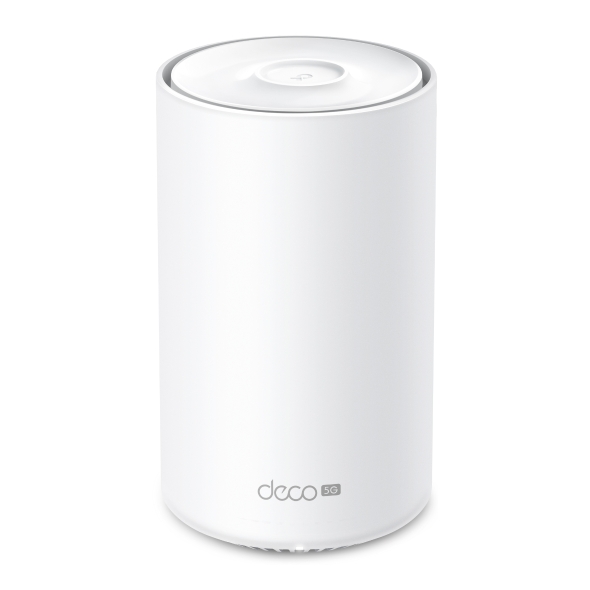
Deco X10-5G
5G AX1500 Whole Home Mesh WiFi 6 Gateway (Availability based on region)
Cutting-Edge 5G,
Ultra-Fast Experience
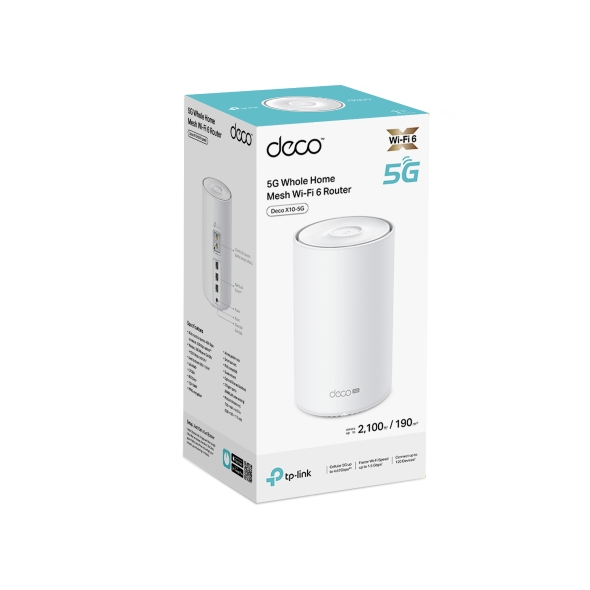
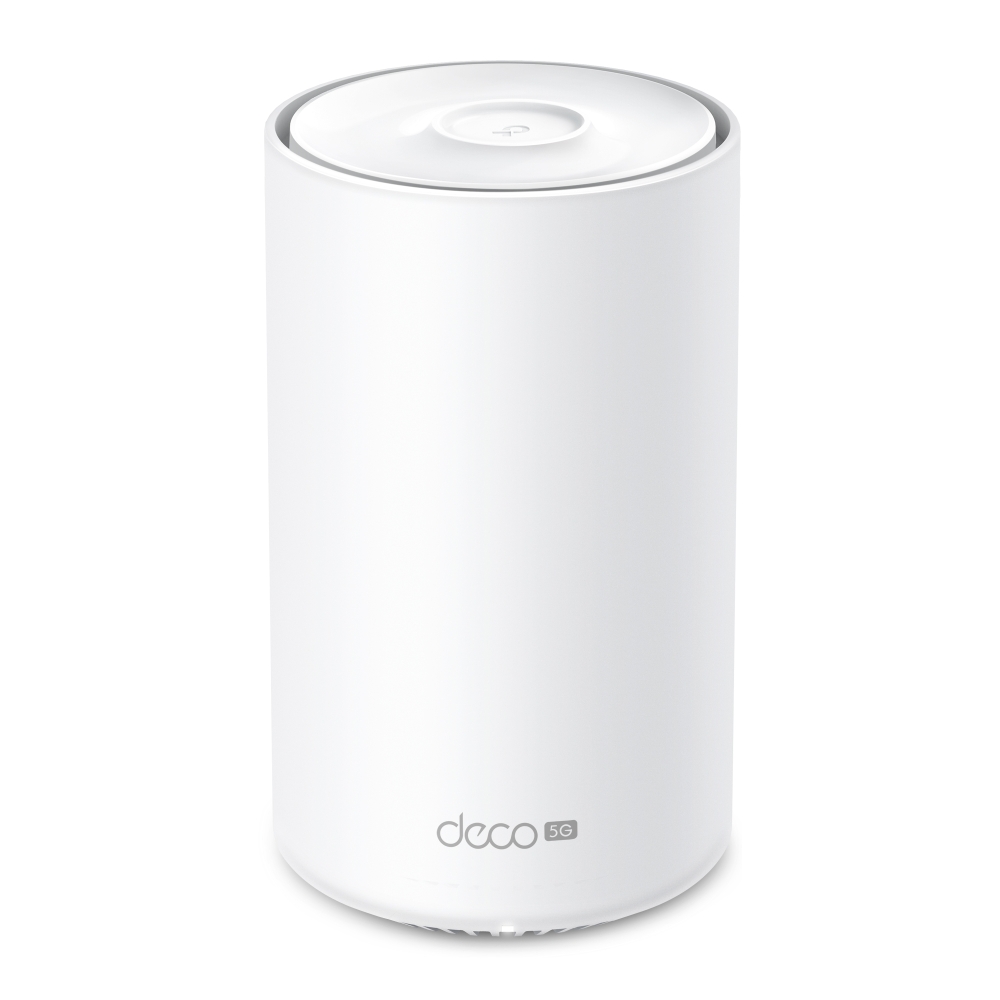
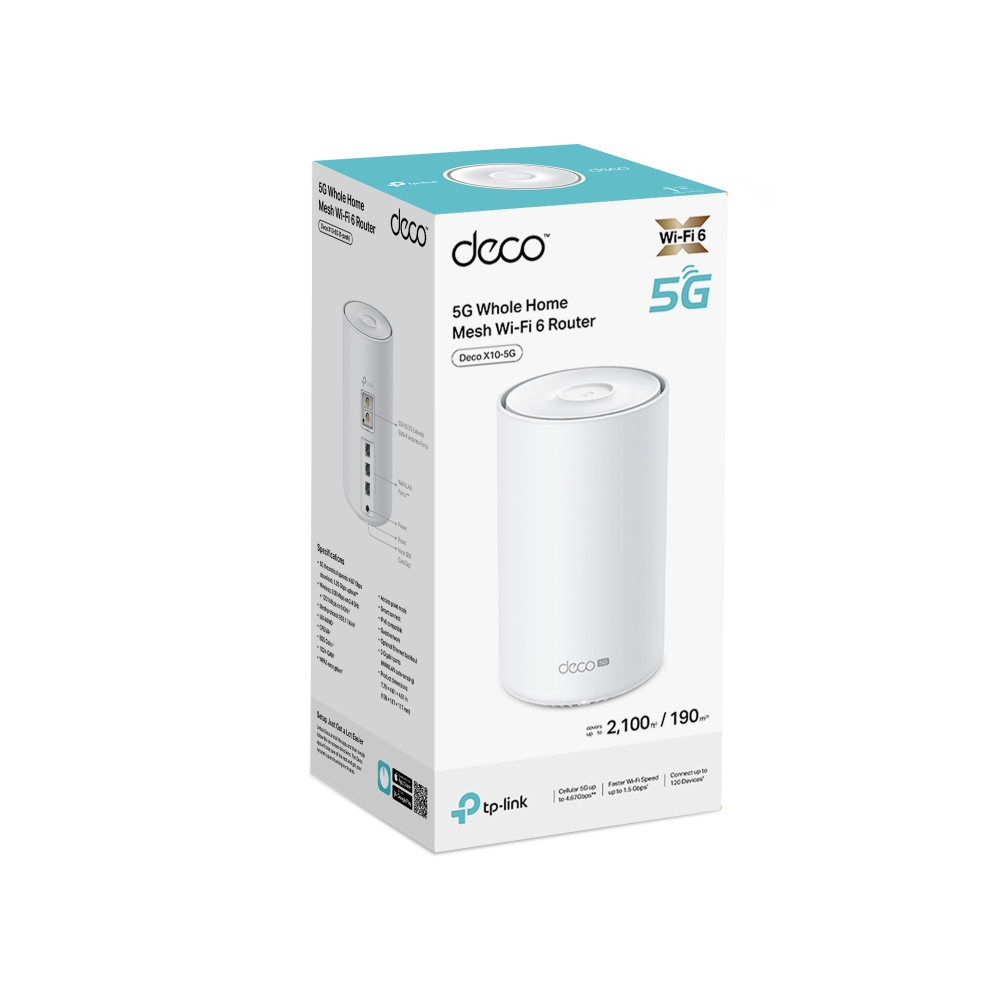
5G Whole Home Mesh WiFi 6 Router
Deco X10-5G






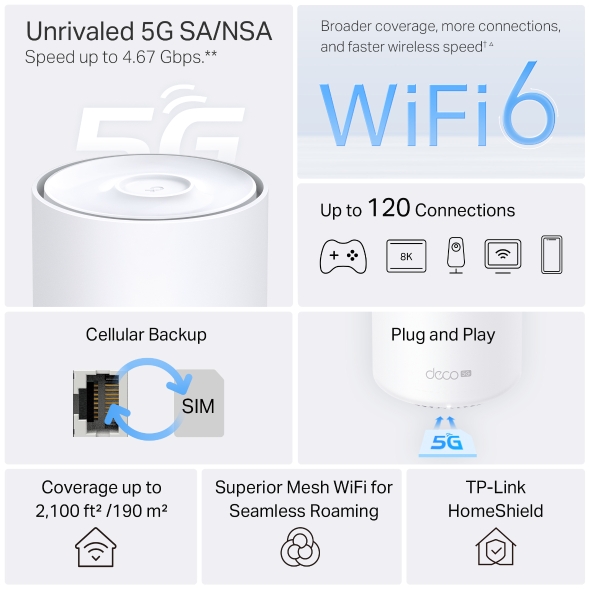
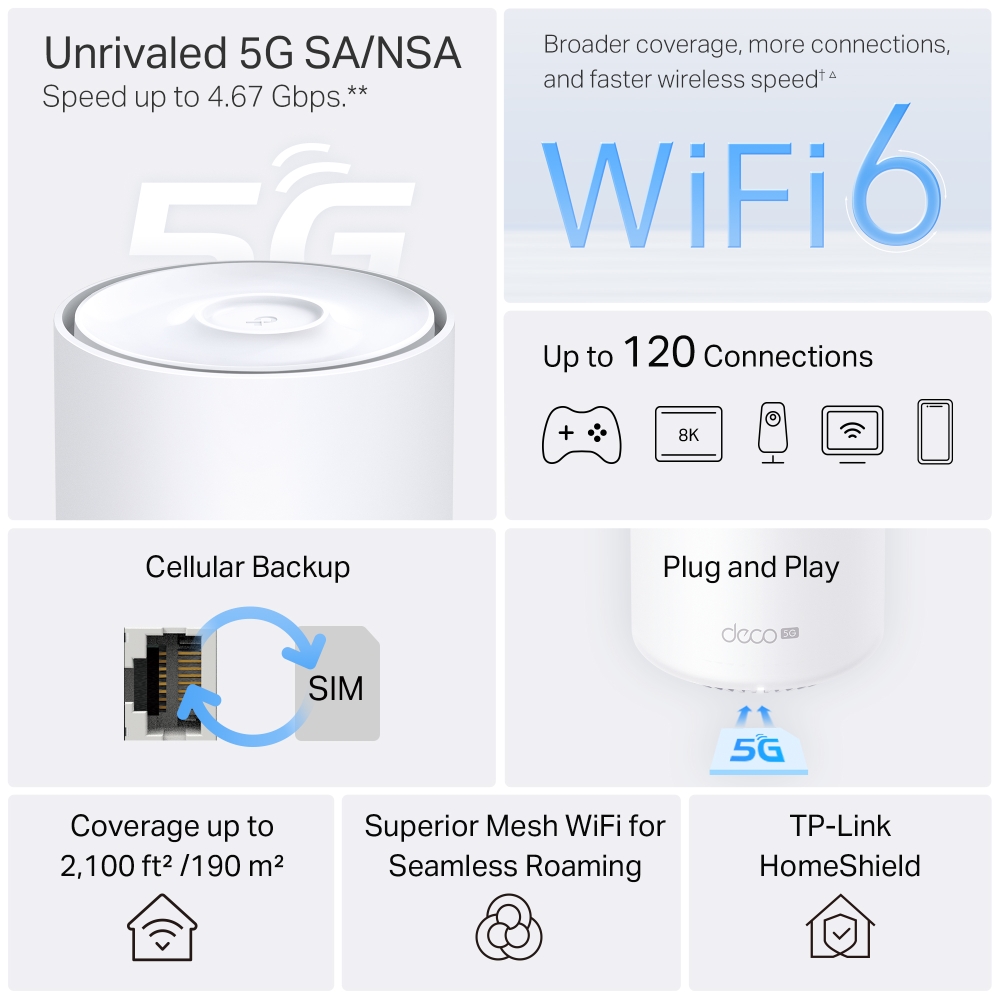
Unrivaled 5G SA/NSA
Speed up to 4.67 Gbps.**
Broader coverage, more connections, and faster wireless speed †△
5G/4G/3G SIM Card, Plug and Play
Cellular Backup
Up to 120 Connections
Coverage up to 2,100 ft² /190 m²
Superior Mesh WiFi for Seamless Roaming
TP-Link HomeShield
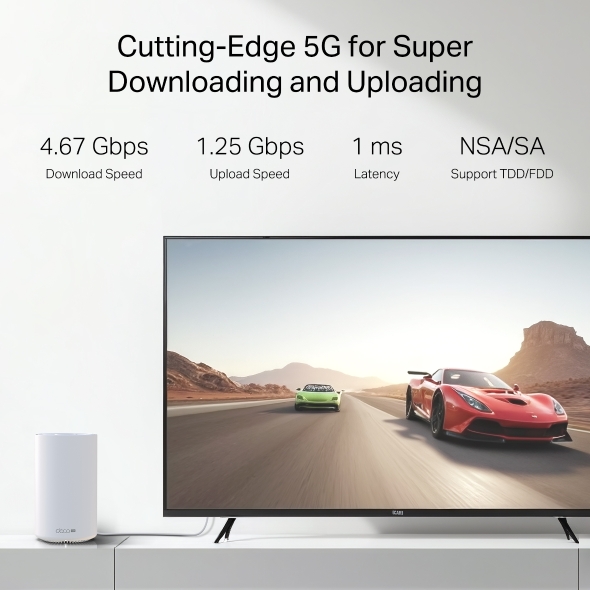
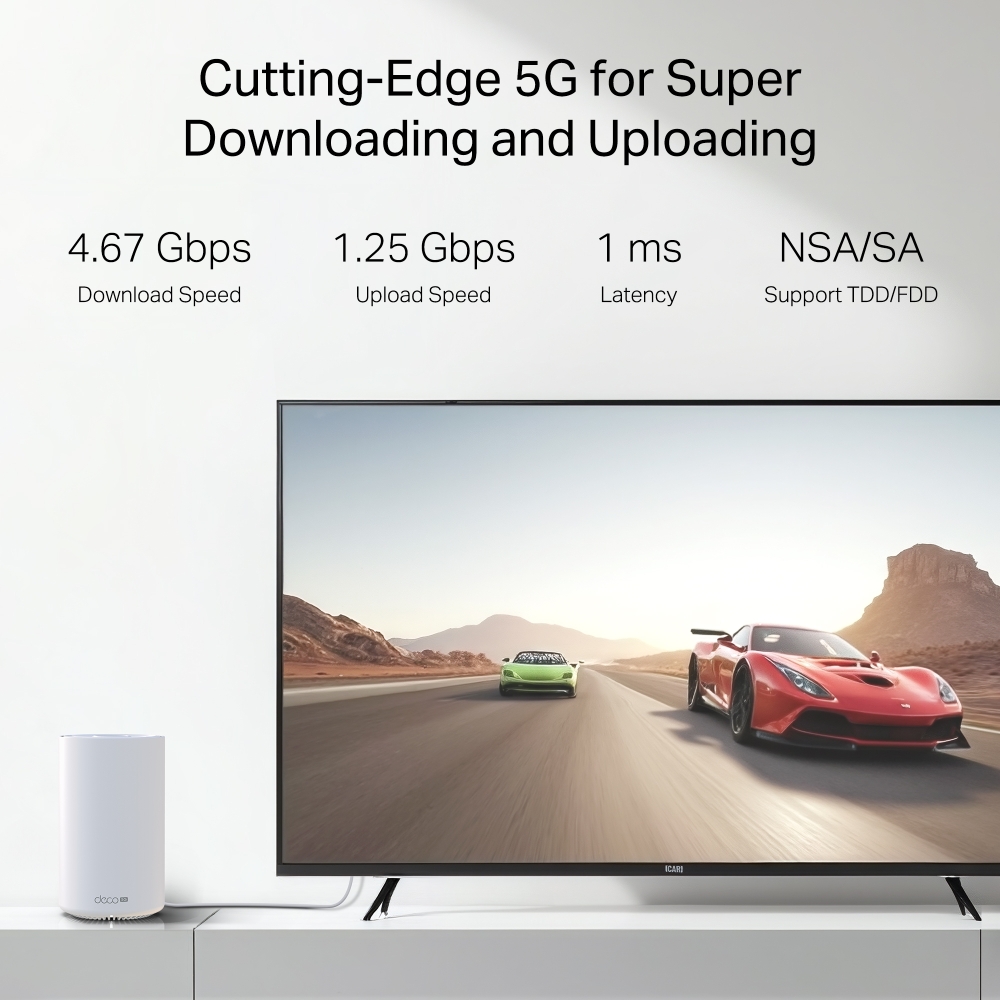
Cutting-Edge 5G for Super Downloading and Uploading
Deco X10-5G supports sub-6GHz, provides the theoretical peak download speed up to 4.67 Gbps and upload speed up to 1.25 Gbps.. Enjoy your online streaming, gaming, and AR / VR without congestion with only 1 ms latency. **
-
4.67 Gbps
Download Speed
-
1.25 Gbps
Upload Speed
-
1 ms
Latency
-
NSA/SA
Support TDD/FDD
WiFi 6 Upgrades Everything
Armed with WiFi 6 technology, Deco whole home mesh WiFi is designed to deliver a huge boost in coverage, speed, and total capacity. Get on the latest mesh WiFi to enjoy the future network that loads faster and connects more. △
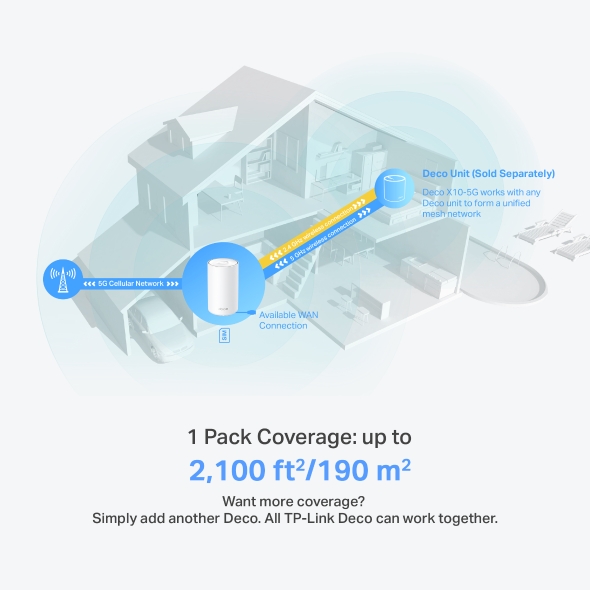
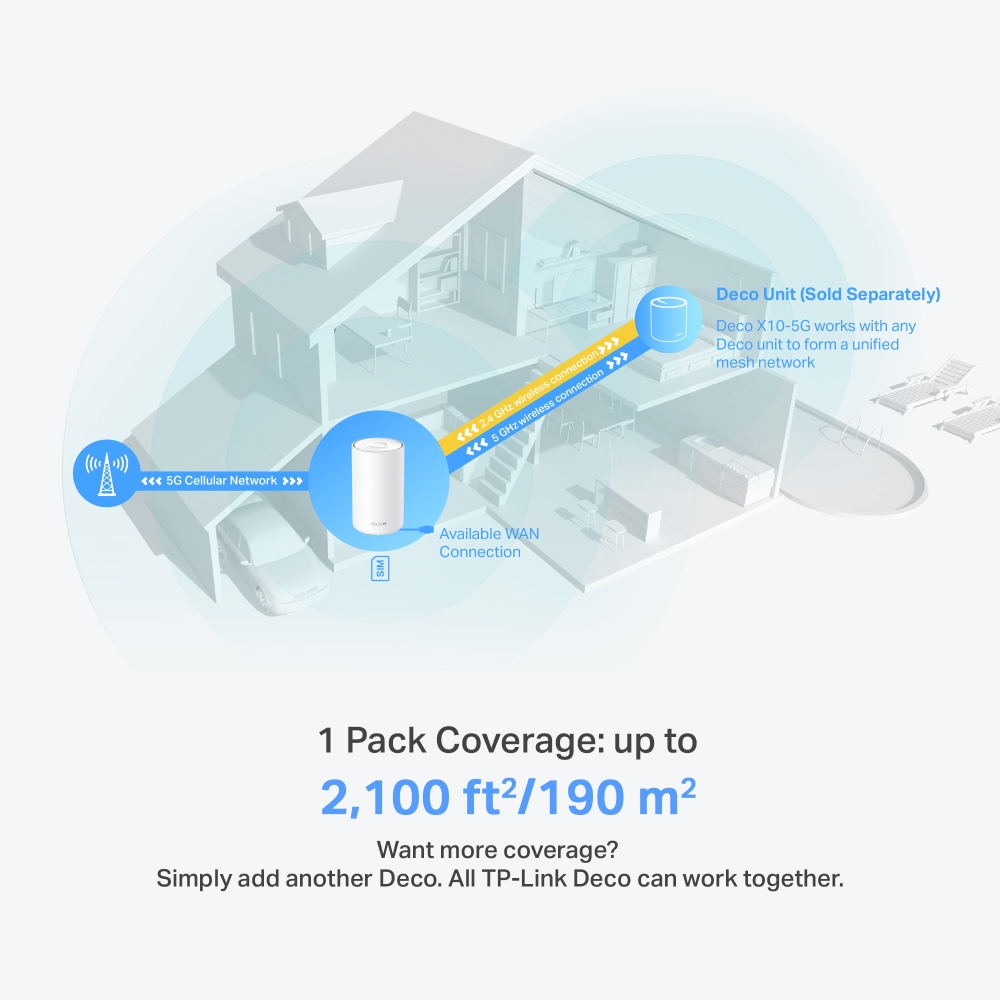
Deco Unit (Sold Separately)
Want more coverage? Simply add another Deco. All TP-Link Deco can work together.
1 Pack Coverage: up to
2,100 ft2/190 m2
Engineered for More Devices
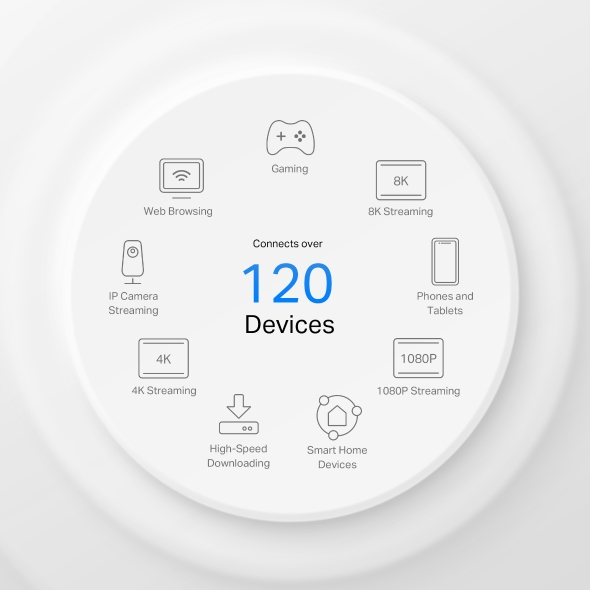
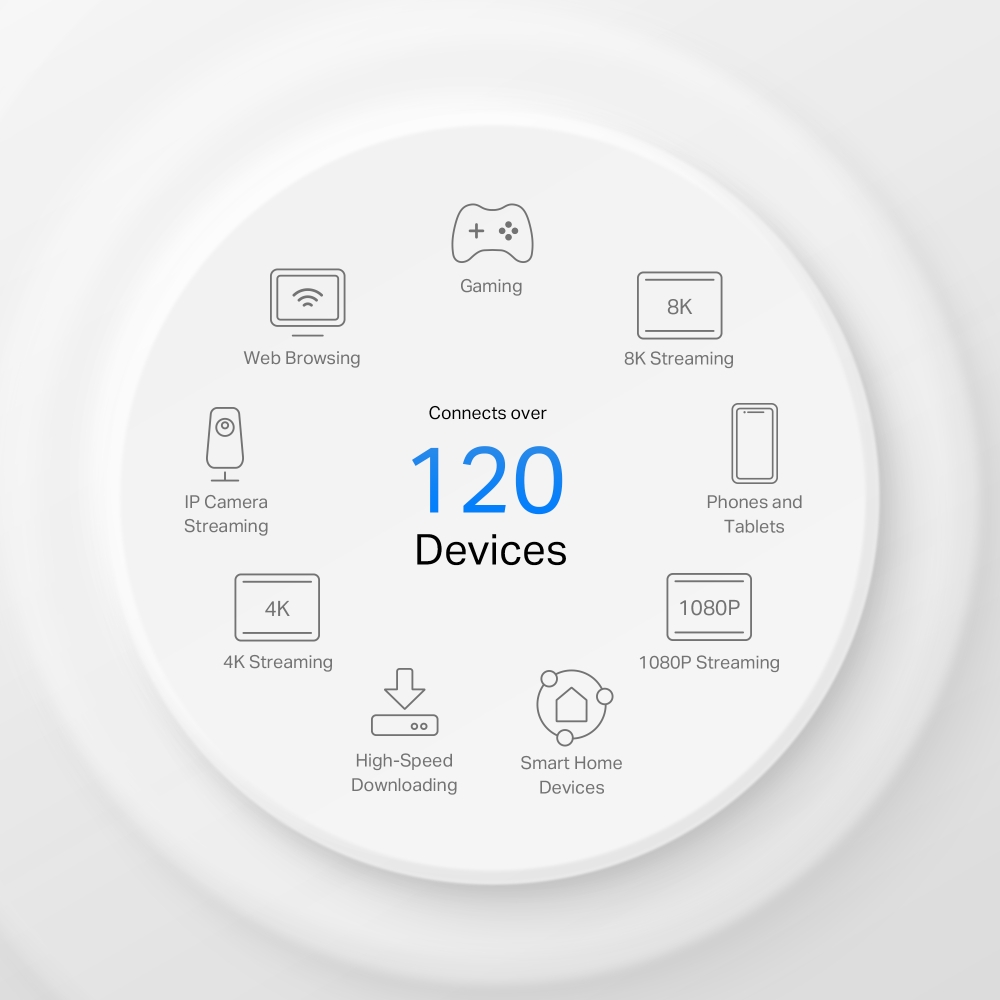
Deco products are aimed to dramatically improve capacity and efficiency in traffic-dense environments. No matter how many screens or devices are on at once, everyone is able to enjoy a more efficient network that loads faster without dragging down performance.†
Gaming
8K Streaming
Phones and
Tablets
1080P Streaming
Smart Home
Devices
High-Speed
Downloading
4K Streaming
IP Camera
Streaming
Web Browsing
connects up to
120
devices
Plug and Play, Enjoy 5G Network Everywhere
Simple, just one SIM card
Traditional broadband or cable installation is expensive and time-consuming for your vacation home, farm, or suburban warehouse. Long contract periods also create headaches for short-rentals, pop-up venues, and temporary shops to access the internet. Deco X10-5G ensures a comfortable and no-block network installation. Plug in your SIM card and enjoy high-speed internet!
Better Signal for Connections Everywhere
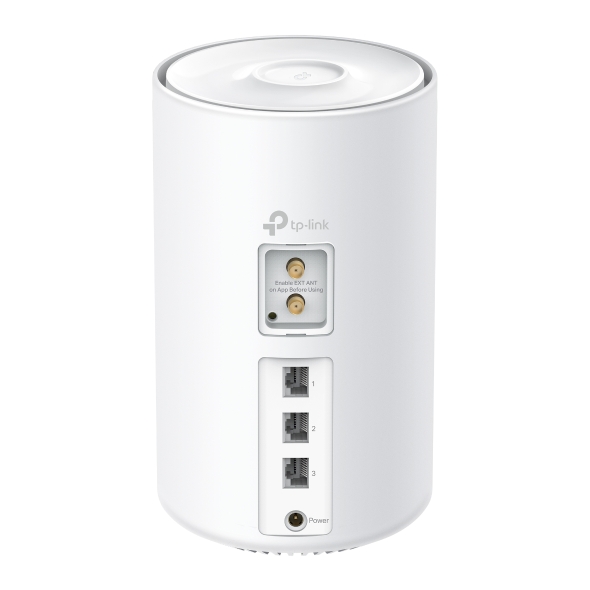
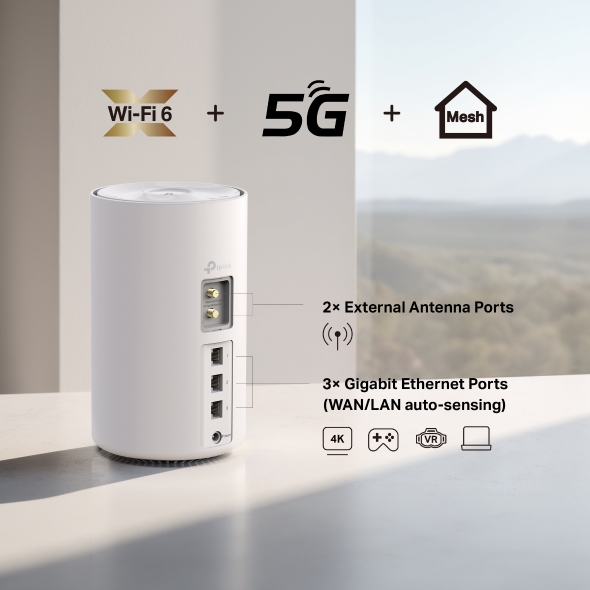
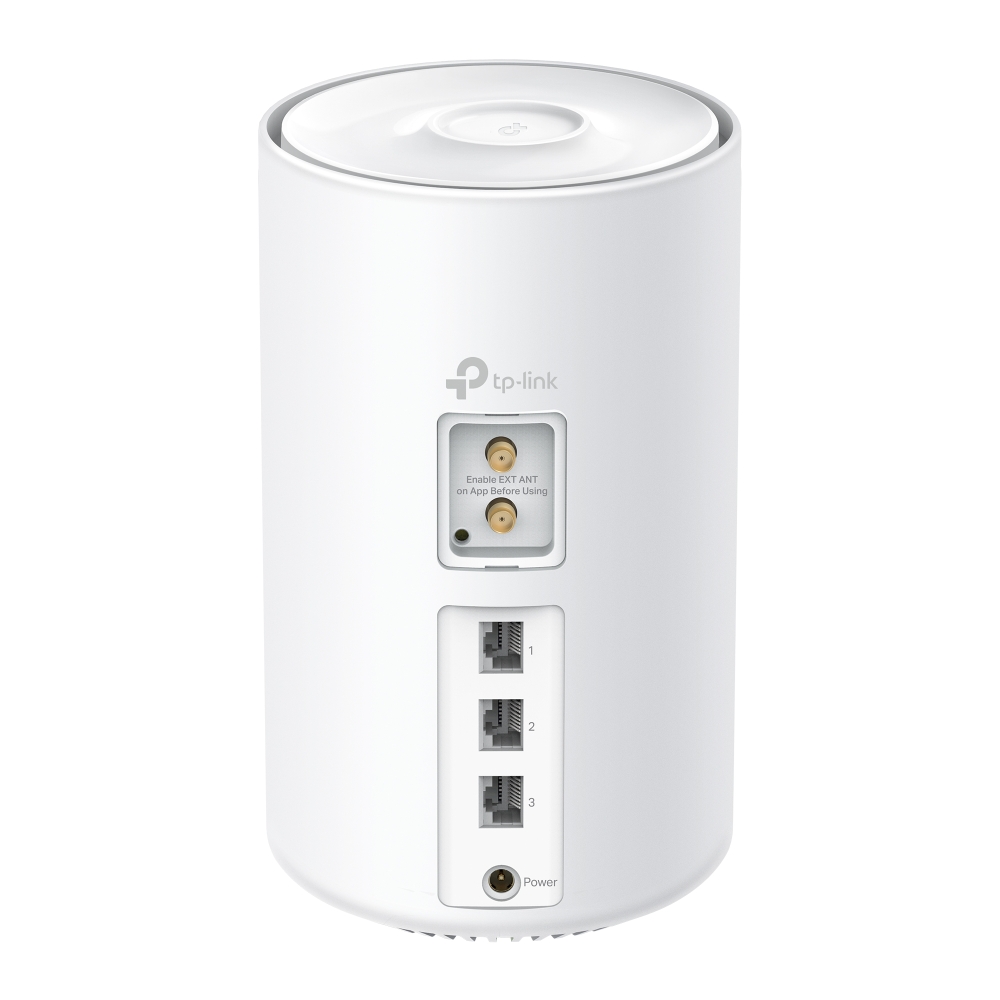
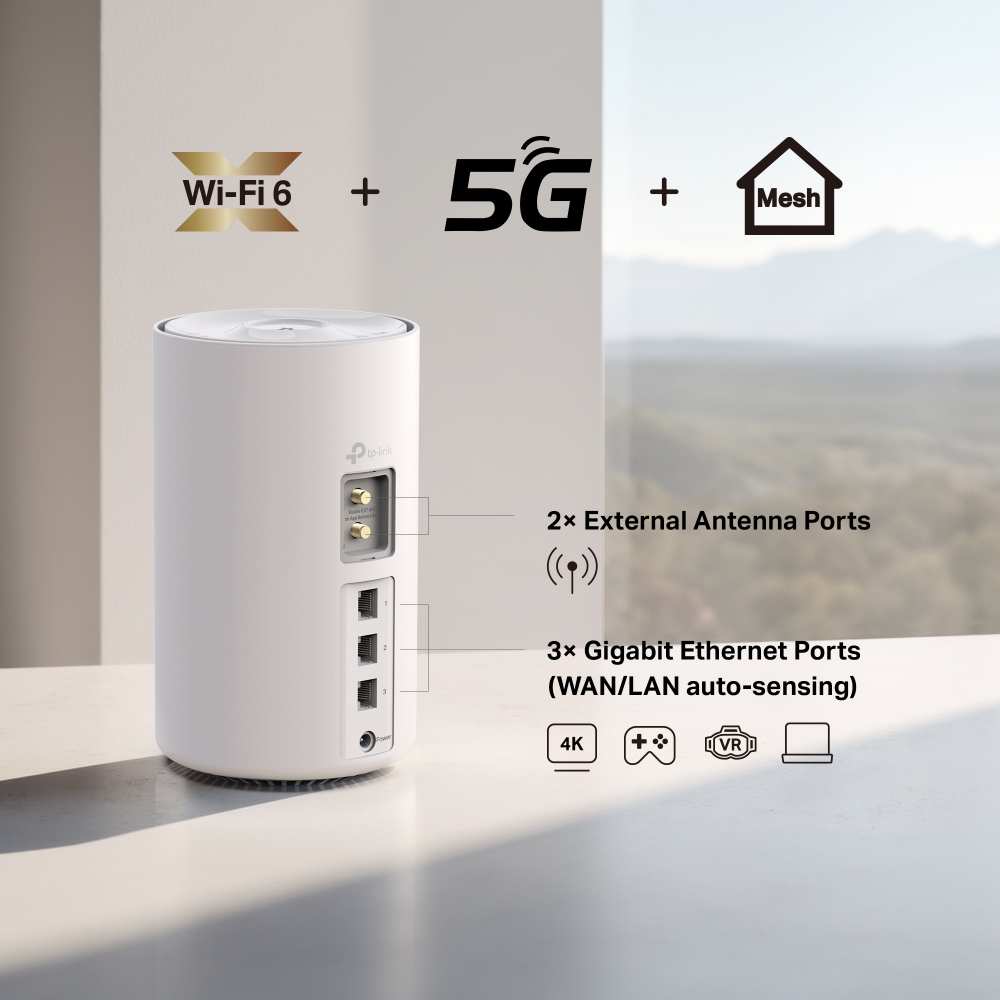
Through 3 Gigabit WAN/LAN ports, you can connect your favorite wired devices to Deco X10-5G, or set it as a wireless router. When it’s set as a wireless router, all Ethernet ports support being used as backup broadband access points.
Furthermore, two external antenna ports allow external antenna access which can receive 5G/4G signals more effectively, resulting in improved 5G/4G performance.


Seamless Roaming with One WiFi Name
TP-Link Mesh means Deco units work together to form one unified network. Your phone or tablet automatically connects to the fastest Deco as you move through your home, creating a truly seamless WiFi experience.‡
-
Whole Home Coverage
Eliminate weak signal areas throughout your house
-
Smart Roaming
Uninterrupted streaming when moving between rooms
-
One WiFi Name
No more switching WiFi network names
-
Unified Management
Control your home WiFi by managing the central node via the Deco App
-
Deco X10-5G Mesh Wi-Fi System

-
Traditional Router with Extender Wi-Fi

Smart Security for Smart Living
HomeShield provides a series of built-in services that protect all your devices comprehensively with various features for when you’re at home or on the go. With HomeShield, safer internet experiences bring more happiness to your smart living.
-
Parental Controls
Simply configure your gateway and achieve whole home network security. HomeShield examines your network by scanning and identifying potential risks, stopping them in their tracks before they harm your network.*
-
Maintain Protection Away from Home
Parental Controls protect your kids, while helping them maintain healthy digital habits. Parents can set app blocking, web filtering, YouTube restrictions, SafeSearch, and online time limits to keep kids safe while they’re having fun online.*
-
Quality of Service (QoS)
KidShield App
Devices Security App
Devices remain secure everywhere with devices security app. And through KidShield, parents can monitor their kids’ locations and set geofencing. This way, kids stay digitally protected even on the go.*
Simple. Easy. Yet Powerful.
Setup and manage your network anytime and anywhere on the friendly TP-Link Deco app. In just three easy steps your entire home can be blanketed in strong and reliable WiFi.
CONNECT
to a modem and power on both.
DOWNLOAD
and launch the Deco app.
CONFIGURE
by following the in-app instructions.
Control Anyway You Want
-

Easy Management
Manage your WiFi at home or away on the Deco app. See every connected device, prioritize your own, and set up a guest network.
-

Voice Control
Use an Amazon Alexa or Google Assistant-enabled device to control Deco X10-5G with just your voice.


-

All Decos Work Together
Deco X10-5G is compatible with every other Deco model to form a Mesh network. Expand Mesh WiFi coverage anytime by adding more Decos.
-
Cave

-
Jardin

-
Garage

WiFi partout, pour tous
Les boitiers Deco travaillent ensemble pour former un réseau WiFi unique. Vos appareils se connectent automatiquement au boitier Deco le plus rapide, plus aucune coupure ni latence = idéal pour le streaming vidéo, même en mode 4K !
On branche un boitier Deco à sa box, puis on connecte les autres boitiers Deco dans les différentes pièces et ils se fondent automatiquement dans le réseau Mesh. Le nom de votre réseau reste le même et il n'y a pas de coupure de signal lorsque l'on passe d'une pièce à l'autre.


-
WiFi intelligent qui s'adapte à vous
Les boitiers Deco choisissent dynamiquement le meilleur chemin et la meilleure fréquence pour l'envoi et la réception des données, garantissant une connexion rapide peu importe où vous êtes. La technologie WiFi Mesh, assure un partage transparent de la connexion internet entre la box et les boitiers Deco pour couvrir une grande surperficie (ex: plusieurs étages). Cela fonctionne comme appel téléphonique, qui se poursuit quand un smartphone passe d’une antenne à une autre.


-
La même qualité WiFi partout
Le système Deco redirige automatiquement les données via le boitier Deco qui convient pour bénéficier de la meilleure connexion possible. Avec Deco, vous avez un seul et unique réseau = facile à installer, à gérer et à faire évoluer !
Deco offre une solution complète qui inclut antivirus, contrôle parental et gestion des appareils par priorité. Voir selon les modèles.
Avec une couverture WiFi pouvant aller à 600 m² et plus selon le modèle et nombre de boitiers, Deco garantit un WiFi stable et performant à plus de 100 appareils connectés simultanément. Deco est compatible avec l'ensemble des box du marché.
WiFi Mesh + CPL = traverse les murs
La connexion CPL disponible sur les Deco P7 et P9 utilise le circuit électrique de votre maison pour relier les boitiers Deco. La combinaison CPL + WiFi permet d'atteindre des débits jusqu'à 60% supérieurs à une connexion WiFi standard, même si murs sont en brique et les plafonds épais.
Avis Cnet France :
"Les plus : satellites discrets, possibilité de les relier via ethernet, utilisation Wifi + CPL transparente, installation simple, antivirus et contrôle parental intégré"
- Débits boostés
- 60%
- Système WiFi Standard
- Système WiFi Hybride
- CPL
- Note:WiFi + CPL dispo uniquement sur le Deco P9 et P7
Maison Connectée en mode Deco
Contrairement aux hubs Maison Connectée standards, le Deco M9 Plus garantit une couverture IoT complète avec WiFi, Bluetooth et Zigbee intégrés dans un seul système. Profitez de la magie d'une maison intelligente dans chaque pièce grâce à la technologie TP-Link Mesh.
- - - - WiFi
- - - - Zigbee
- - - - Bluetooth
Pourquoi le WiFi Mesh de Deco
est une technologie de pointe ?
| Comparatif | |||
| Modèle | TP-Link Deco | Netgear Orbi | Google WiFi |
| Backhaul WiFi | Tri-Bande(2.4G+5G_1+5G_2)¹ | Mono-Bande(5G_1 Uniquement) | Bi-Bande(2.4G+5G) |
| Protocole Mesh Supporté | IEEE 802.11k/v/r | IEEE 802.11k/v | IEEE 802.11s |
| Véritable Roaming | √ | × | × |
| Redirection automatique | √ | × | √ |
| Maison Connectée | √² | × | × |
| Backhaul CPL | √³ | × | × |
| Connexion WiFi + CPL | √⁴ | × | × |
| Band Steering | √ | √ | √ |
| AP Steering | √ | √ | √ |
| Self-Healing | √ | √ | √ |
| Notes: 1&2: Pour Deco M9 Plus Uniquement 3&4: Pour Deco P7 Uniquement. Caractéristiques datées de Déc. 2017 | |||
La gamme Deco
Routeurs WiFi Mesh Deco
-

Deco X50-5G
Système Routeur 5G WiFi 6 AX3000
-

Deco X20
Système WiFi 6 Mesh AX1800
-
_Overview_normal_20211225093625r.png) Nouveauté
NouveautéDeco X50
Système Mesh WiFi 6 AX3000
-
 Nouveauté
Deco S7
Système WiFi Mesh AC1900
Découvrez les nouveautés Deco = NOUVELLE GAMME WIFI 7
Gestion du réseau Deco du bout des doigts !
L'application Deco offre le moyen le plus simple de configurer, gérer et surveiller votre système Deco WiFi Mesh via vos appareils iOS ou Android.
L'installation est beaucoup plus facile
Déballez votre Deco, installez l'application, puis suivez simplement les instructions à l'écran. L'application Deco se chargera du reste et mettra votre réseau en marche en quelques minutes.
-
Connectez Deco à votre Box et allumez vos appareils
-
Téléchargez et lancer l'application Deco
-
Suivez les instructions pour configurer votre système Deco
Administration Simple
Deco facilite la gestion de votre réseau WiFi où que vous soyez, que vous soyez sur le canapé, au travail ou ailleurs.
-
Tableau de bord explicite
Affichez l’état de fonctionnement de votre réseau, vérifiez les périphériques connectés et bénéficiez de toutes les fonctionnalités offertes par votre routeur.
-
Plusieurs boitiers Deco, Une App
L'application Deco gère tous vos réseaux et appareils Deco connectés à votre Deco WiFi.
-
Vérifiez les appareils connectés
Affichez la liste de vos appareils connectés, avec la possibilité de suspendre et de permettre à nouveau l'accès à Internet, de tester le débit Internet et de hiérarchiser ou de bloquer certains appareils.
-
Gestion à distance
Prenez le contrôle du réseau à distance depuis votre téléphone, peu importe où vous vous trouvez.
Contrôle Parental Puissant
Un contrôle parental simple et intuitif qui facilite la sécurité de vos enfants lorsqu'ils sont en ligne.
-
Créez facilement un profil pour chaque membre de la famille et définissez des limites de temps personnalisées et des limites de temps en ligne. Attribuez des périphériques aux profils afin que les règles s'étendent aux périphériques individuels ainsi qu'aux membres de la famille.
-
Protégez votre famille en ligne grâce aux paramètres de sécurité par simple pression d'une touche qui bloquent le contenu en fonction de l'âge.
-
Fixez une limite au temps que chaque membre de votre famille peut passer en ligne.
-
Vous pouvez vérifier quels sites vos enfants visitent et combien de temps ils consacrent à chacun. C'est un excellent moyen de savoir que vos enfants sont en sécurité tout en s'amusant en ligne.
-
Faites une pause WiFi lors du dîner et lors des soirées en famille. Appuyez simplement sur un bouton pour suspendre l'accès à Internet pour tous les membres de votre foyer.
Application intuitive chargée de fonctions très utiles
Rapport d'activités Web mensuel
Consultez une liste complète des détails de votre réseau chaque mois, y compris l’utilisation, le contenu bloqué, les menaces à la sécurité, etc.
Automatisation de la maison
Simplifiez-vous la vie avec de puissants outils d'automatisation et de commande vocale.
*Actuellement uniquement sur Deco M9 Plus
Raccourcis pratiques
Contrôlez de manière flexible tous les appareils depuis votre téléphone ou votre tablette en un seul clic.
*Actuellement uniquement sur Deco M9 Plus
Protégez votre réseau
Antivirus intégré vous aide à vous défendre contre les sites Web malveillants et à protéger vos paiements en ligne.
*Actuellement uniquement sur Deco M9 Plus, Deco P7 et Deco M5
Prioritisez vos appareils
Choisissez quels appareils ont toujours les connexions les plus rapides
ou définir la priorité pour une durée spécifique.
Définir les priorités d'application
Allouez plus de bande passante pour les activités les plus importantes pour vous avec des contrôles simples.
*Actuellement uniquement sur Deco M9 Plus, Deco P7 et Deco M5
Partagez le WiFi avec des amis
Configurez des profils WiFi distincts pour les invités et partagez le mot de passe avec eux
pour permettre un accès Web plus facile.
Vérifiez votre débit
Lancez un test de débit pour vous assurer que vous bénéficiez des vitesses Internet pour lesquelles vous payez.
Affichez tous les appareils de votre réseau et constatez combien de bande passante que chacun utilise.
Besoin d'aide ?
Vous avez des questions sur Deco ? L'aide est toujours à portée de clic. Trouvez les réponses dans l'application Deco et n'hésitez pas à nous contacter d'un simple clic.
Support| Standards et Protocoles | Wi-Fi 6IEEE 802.11ax/ac/n/a 5 GHzIEEE 802.11n/b/g 2.4 GHz |
|---|---|
| Débits WiFi | AX15005 GHz: 1201Mbps (802.11ax)2.4 GHz: 300 Mbps (802.11n) |
| Couverture WiFi | 1-2 Bedroom Houses (1-pack) TP-Link Mesh TechnologyOptional Ethernet backhaul work together to link Deco units to provide seamless coverage8 LTE antennas, 2 Wi-Fi antennas (Internal)Multiple antennas form a signal-boosting array to cover more directions and large areas |
| Capacité WiFi | High Dual-BandDistribute devices to different bands for optimal performance2×2 MU-MIMOSimultaneously communicates with multiple MU-MIMO clientsOFDMASimultaneously communicates with multiple WiFi 6 clients4 StreamsMore than enough bandwidth for connected devices |
| Modes de Fonctionnement | 3G/4G/5G Router, Router, Access Point |
| Sécurité Réseau | SPI FirewallAccess Control |
|---|---|
| Réseau Invité | 1× 5 GHz Guest Network1× 2.4 GHz Guest Network |
| Chiffrement WiFi | WPA-Personal WPA2-Personal WPA3-Personal |
| Ports Ethernet | 3× Gigabit PortsSupports WAN/LAN auto-sensing |
|---|---|
| Boutons | RESET Button |
| Ports et Connexions | 2× 5G/4G/3G External SMA-F Antenna PortsNano-SIM SlotCompatibility· 5G: N1/N3/N5/N7/N8/N20/N28/N38/N40/N41/N75/N76/N77/N78· 4G FDD-LTE: B1/B3/B5/B7/B8/B20/B28/B32· 4G TDD-LTE: B38/B40/B41/B42/B43· 3G: B1/B5/B8 |
| Protocoles | IPv4IPv6 |
|---|---|
| Contrôle Parental | Custom ProfilesProfessional Content Filter LibraryFamily TimeBedtimeOff TimeTime RewardsFamily Online Time RankingPause the InternetWeekly and Monthly Report |
| Types WAN | Dynamic IPStatic IPPPPoEL2TPPPTP |
| Gestion des Priorités | QoS by Device |
| Service Cloud | OTA Firmware UpgradeTP-Link IDDDNS |
| Transfert NAT | Port Forwarding UPnP |
| IPTV | IGMP ProxyIGMP SnoopingBridgeTag VLAN |
| DHCP | Address ReservationDHCP Client ListServer |
| DDNS | TP-Link |
| Administration | Deco App |
| Network Services Enabled by Default | Web Server Manage and configure device through web (HTTP/HTTPS)• Port: 80/443 Protocol: TCP DNS DNS• Port: 53 Protocol: TCP & UDP DHCP Server IP address assignment (DHCP)• Port: 67 Protocol: UDP App management Manage and configure device through app• Port: 22 Protocol: TCP• Port: 20001 Protocol: TCP• Port: 30001 Protocol: TCP• Port: 20002 Protocol: UDP |
|---|---|
| Puissance Transmission WiFi | CE: ≤20 dBm (2.4GHz)≤23 dBm (5GHz) |
|---|---|
| Dimensions (L×P×H) | 7.79 × 4.61 × 4.61 in (198 × 117 × 117 mm) |
|---|---|
| Certification | CE |
|---|---|
| Contenu de l'emballage | 1-pack1 Deco X10-5G unit1 RJ45 Ethernet Cable1 Power AdapterQuick Installation Guide |
| Environnement | Operating Temperature: 0°C~40°C (32°F~104°F)Storage Temperature: -40°C~60°C (-40°F~140°F)Operating Humidity: 10%~90%RHStorage Humidity: 5%~90%RH |
†Maximum wireless signal rates are the physical rates derived from IEEE Standard 802.11 specifications. Actual wireless data throughput and wireless coverage, and quantity of connected devices are not guaranteed and will vary as a result of network conditions, client limitations, and environmental factors, including building materials, obstacles, volume and density of traffic, and client location.
‡Clients need to support 802.11k/v/r and may require additional setup. Performance may vary depending on the client's device.
△Use of WiFi 6 and other features including OFDMA, MU-MIMO, 1024-QAM, and BSS Color require clients also to support the corresponding features.
§HomeShield includes the Free Basic Plan. Fees apply for the Pro Plan. Visit tp-link.com/homeshield for more information. Some features are under development and will be supported with subsequent software updates.
*Use of WAP3 requires clients to also support the corresponding feature.
**Maximum 5G download speeds depend on external factors such as the local 5G network coverage, data plan, real-time network capacity, client limitations, and environmental factors. Supported 5G frequency bands: n1/n3/n5/n7/n8/n20/n28/n38/n40/n41/n75/n76/n77/n78. Actual supported frequency bands may vary slightly in different regions due to certification.
Actual network speed may be limited by the rate of the product's Ethernet WAN or LAN port, the rate supported by the network cable, Internet service provider factors and other environmental conditions.