
Catalogue
Archer VR400_V4_Datasheet
AC1200 Wireless MU-MIMO VDSL/ADSL Modem Router
 |
VDSL/ADSL/Fiber/Cable Compatible | 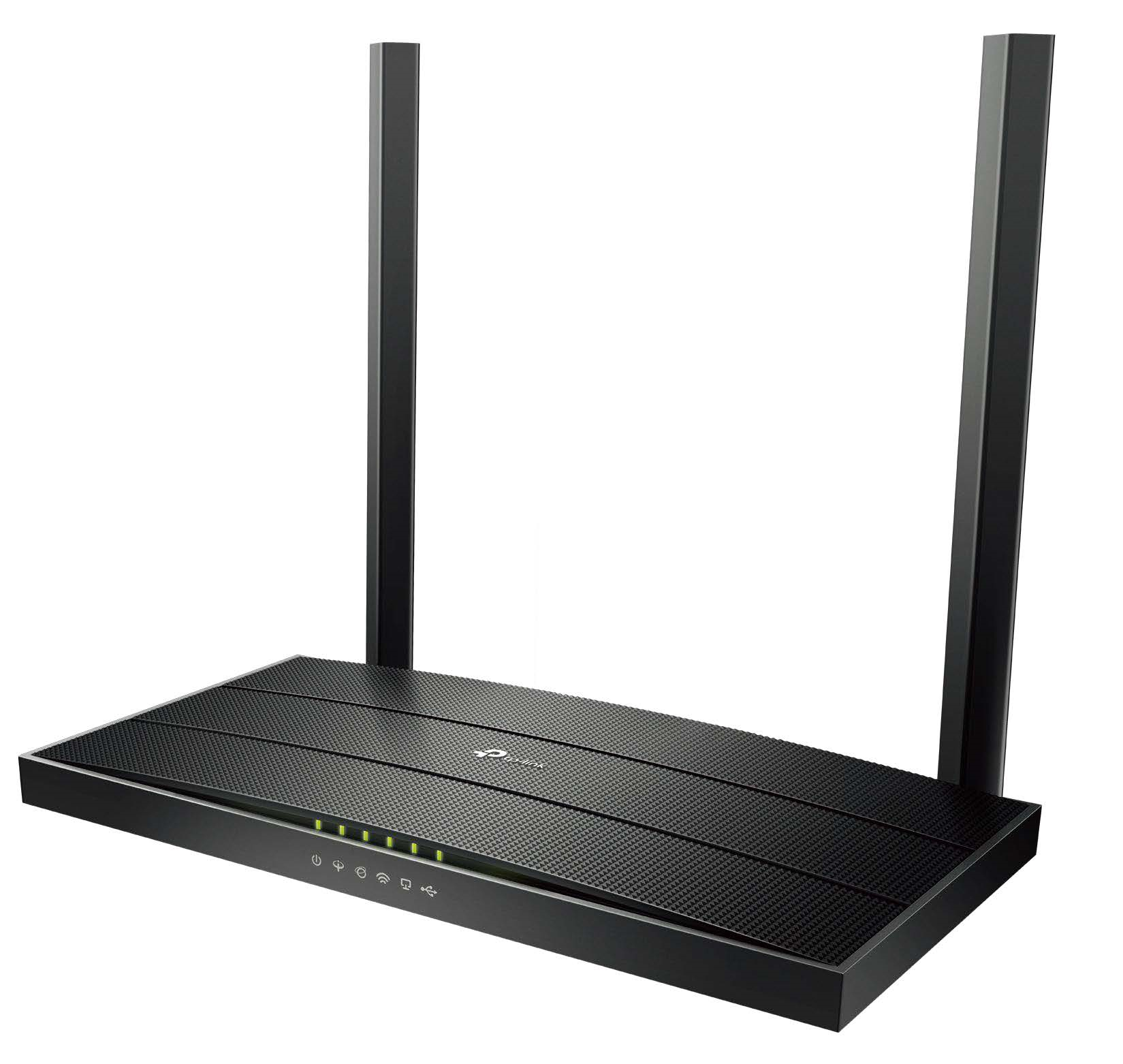 |
 |
300 Mbps+867 Mbps Dual Band Wi-Fi† | |
 |
Full Gigabit Ports | |
 |
MU-MIMO for Higher Efficiency‡ | |
 |
Beamforming Technology for Better Coverage |
Highlights
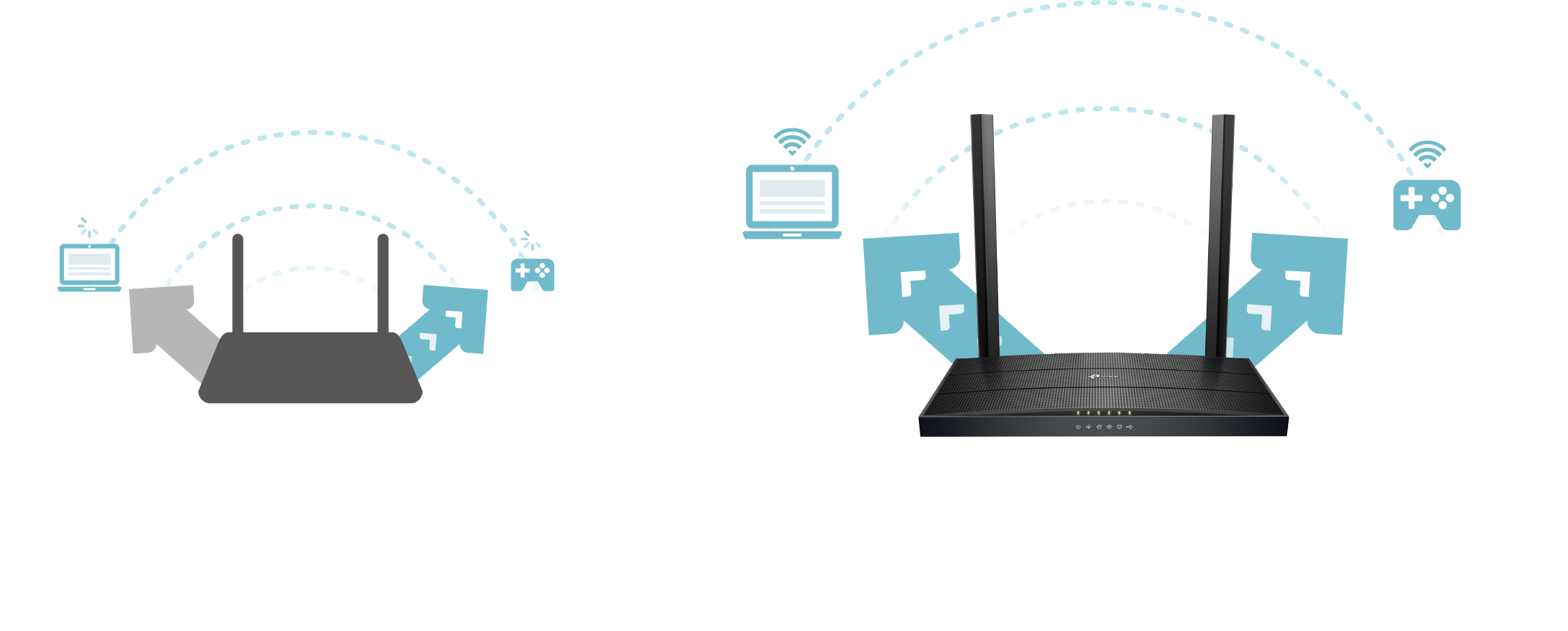
MU-MIMO for Higher Efficiency
MU-MIMO technology serves multiple devices at once, reducing wait time, increasing Wi-Fi throughput for every device, and making each stream more efficient.‡
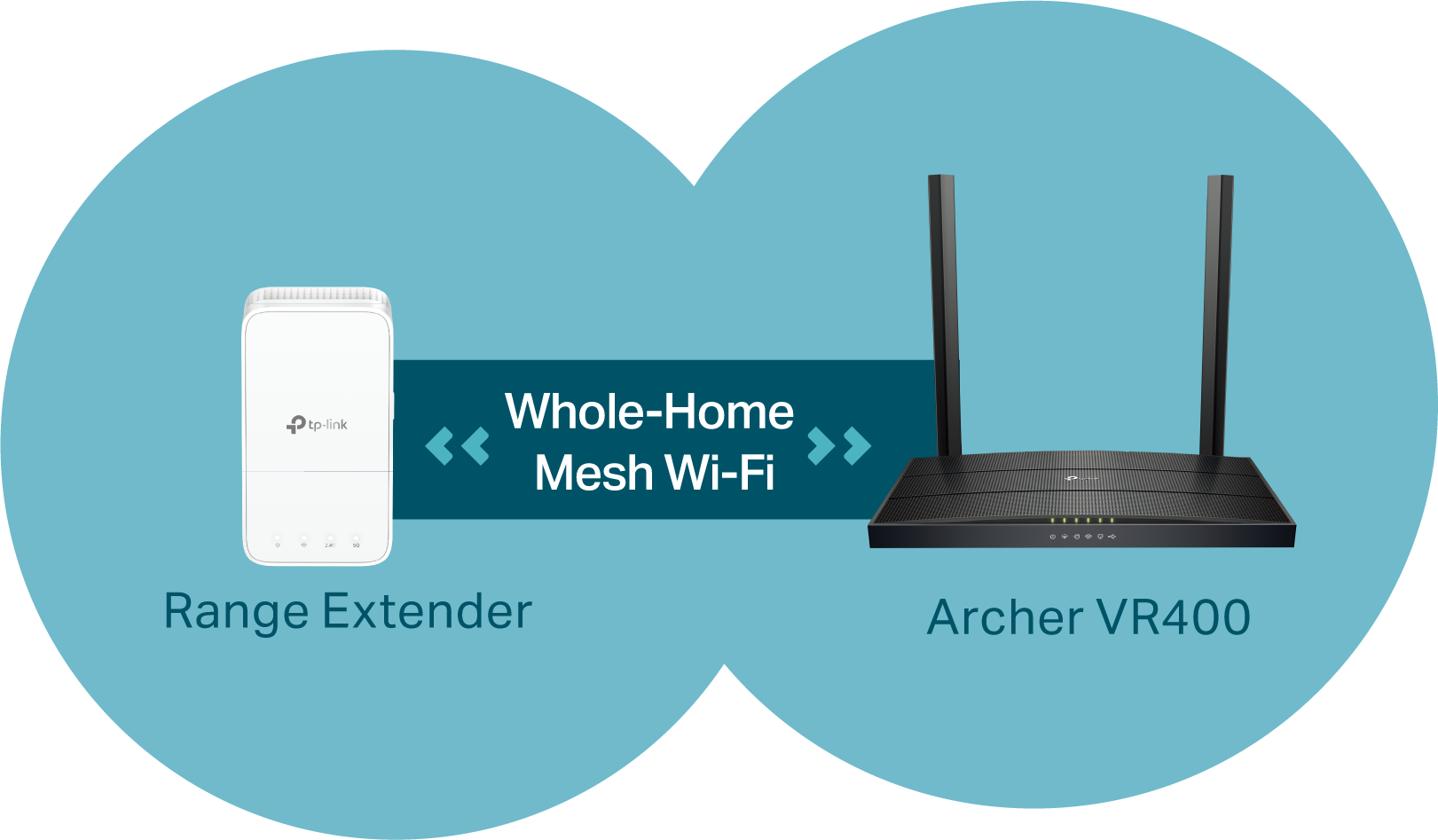
EasyMesh-Compatible Networking*
Mesh networking creates smooth, fast, stable roaming. Eliminate Wi-Fi dead zones, expand your network, and fill your entire home with high-speed Wi-Fi.
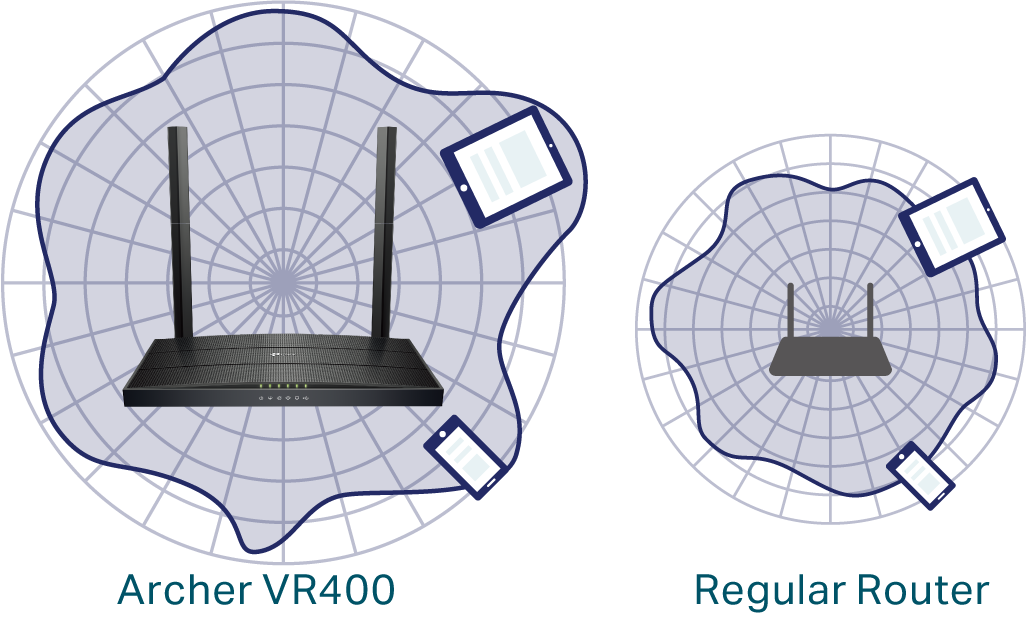
Beamforming for Better Coverage
Beamforming detects the location of your connected devices and concentrates the Archer VR400's Wi-Fi towards them to create stronger overall connections.
Upgrade Your Home Entertainment
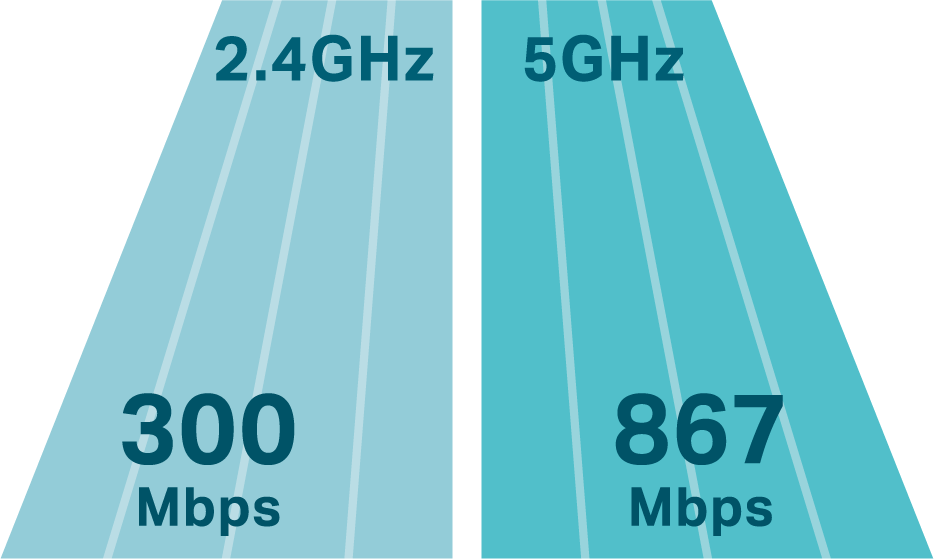
The Archer VR400 maximizes your internet connection with combined dual-band Wi-Fi speeds of up to 1.2 Gbps, ensuring smooth and reliable connections for all your online activities.
Versatile Connectivity
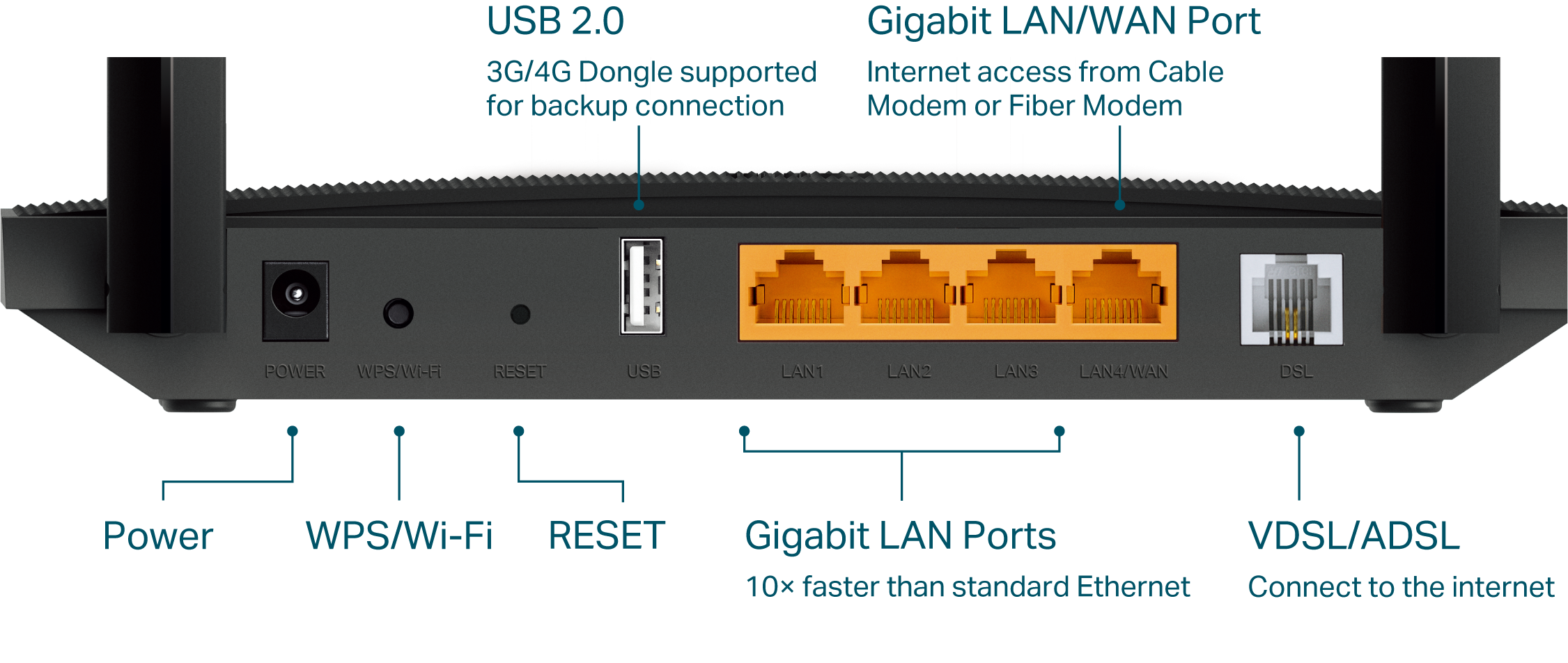
With multiple inputs, the Archer VR400 provides you with a variety of internet connection options. For diverse internet access, the LAN/WAN port accepts connections from Cable Modem or Fiber Modem, and a USB 2.0 port shares 3G/4G connections.
Features
 |
Speed · Ultimate Wireless Speed – Combined wireless speeds of up to 300 Mbps (over 2.4GHz) and 867 Mbps (over 5GHz) · 802.11 ac – Provides a data transfer rate 3 times faster than 802.11n for each stream |
|---|---|
 |
Wi-Fi Range · Ultimate Range Wi-Fi – 2 dual band antennas ensure widespread Wi-Fi coverage and a stable connection · Wi-Fi with Beamforming – Beamforming technology locates the connected devices and further improves the Archer VR400’s range and the signal strength to each mobile device, delivering a more reliable and efficient wireless connection |
 |
Reliability · Dual Band – Separate Wi-Fi bands enable more devices to connect to your network without a drop in performance · QoS – Prioritizes network traffic by device or application · IPTV IGMP Proxy/Snooping – Supports Bridge and Tag VLAN for smooth IPTV application |
 |
Easy Management · Intuitive Web UI– Ensures quick and simple installation without hassle · Remote Management with TP-Link ID – Manage your home network from your smartphone or tablet via a single TP-Link ID, no matter where you find yourself · Hassle-free Management with Tether App – Network management is made easy with the TP-Link Tether App, available on any Android or iOS device · Online Upgrade – Keeps you informed of the latest firmware and allows online updating |
 |
Security · Guest Network – Provides separate access for guests while securing the home network · Access Control – Establishes a whitelist or blacklist to allow or restrict certain devices to access the internet · Parental Controls – Restrict internet access time and contents for children devices · VPN Server – OpenVPN, PPTP VPN and IPSec VPN are supported, making it easy to set up a secure connection between your private network and the internet · Encryptions for Secure Network – WPA-PSK/WPA2-PSK encryptions provide active protection against security threats |
 |
Ease of Use · WPS –Makes secure wireless connection quick and easy with the push of a button · Wi-Fi Schedule –The wireless network can be automatically off within a specified period when you do not need the wireless connection |
Specifications
|
Hardware |
|
|---|---|
|
Interface |
3 × 10/100/1000Mbps RJ45 LAN Ports 1 × 10/100/1000Mbps RJ45 WAN/LAN Port 1 × RJ11 Port 1 × USB 2.0 Port |
|
Buttons |
WPS/Wi-Fi Button, Reset Button |
|
External Power Supply |
12V/1A |
|
Dimensions (W x D x H) |
8.5 × 4.9 × 1.2 in (215.6 × 124.6 × 31.6 mm) |
| IEEE Standards |
IEEE 802.3, IEEE 802.3u, 802.3ab |
| VDSL2 Standards |
ITU G.993.2, Up to 35b profile (POTS) ITU-T G.993.5 (G.vector) ITU-T G.998.4 (G.INP) |
| ADSL Standards |
Full-rate ANSI T1.413 Issue 2 ITU-T G.992.1(G.DMT) ITU-T G.992.2(G.Lite) ITU-T G.994.1 (G.hs) |
| ADSL2 Standards |
ITU-T G.992.3 (G.DMT.bis) |
| ADSL2+ Standards |
ITU-T G.992.5 |
| Antenna Type |
2 fixed Omini-Directional antennas |
|
Wireless |
|
|
Wireless Standards |
IEEE 802.11ac/n/a 5GHz, IEEE 802.11b/g/n 2.4GHz |
|
Frequency |
2.4 GHz and 5 GHz |
|
Signal Rate |
867Mbps at 5 GHz, 300Mbps at 2.4 GHz |
|
EIRP (CE) |
<20dBm (2.4 GHz), <23dBm (5 GHz) |
|
Wireless Function |
Enable/Disable Wireless Radio, WMM, Wireless Statistics |
|
Wireless Security |
No Security, WPA/WPA2, WPA2, WPA2/WPA3, WPA3, WPA2-Enterprise encryptions |
| Wireless Schedule |
Support 2.4 GHz and 5 GHz Wireless Schedule |
|
Software |
|
|
Operating Modes |
VDSL/ADSL Modem Router, Wireless Router, 3G/4G Router |
|
DHCP |
Server, Client, DHCP Client List, Address Reservation, DHCP Relay |
|
Port Forwarding |
Virtual Server, Port Triggering, DMZ, ALG, UPnP |
|
Dynamic DNS |
DynDns, NO-IP, TP-Link |
|
VPN |
OpenVPN, PPTP VPN, IPSec VPN |
|
ATM/PPP Protocols |
ATM Forum UNI3.1/4.0, PPP over ATM (RFC 2364), PPP over Ethernet (RFC2516), IPoA (RFC1577/2225), MER\IPoE (RFC 1483 Routed), Bridge (RFC1483 Bridge), PVC – Up to 8 PVCs |
|
Security |
NAT Firewall, SPI Firewall, Access Control, Service Filtering, Denial of Service (DoS), SYN Flooding, Ping of Death, IP and MAC Address Binding |
|
Advanced Functions |
Parental Controls, Network Address Translation(NAT), Port Mapping (Grouping), Static Routing, RIP v1/v2 (optional), DDNS, IGMP V1/V2/V3 |
|
Management |
Web Based Configuration (HTTP / HTTPS ), Remote management, Command Line Interface, SSL for TR-069, SNMP v1/2c, Firmware Upgrade, Diagnostic Tools, Free Online Firmware Update |
|
Guest Network |
2.4GHz Guest Network, 5GHz Guest Network |
|
Protocols |
Supports IPv4 and IPv6 |
|
Others |
|
|
Certification |
CE, RCM, RoHS |
|
Requirements |
• Edge, Firefox, Chrome, Safari, or other JavaScript-enabled browser *You are recommended to use the latest version |
|
Environment |
• Operating Temperature: 0℃~40℃ (32℉ ~104℉) • Operating Humidity: 10%~90% non-condensing |
|
Package Contents |
• AC1200 Wireless MU-MIMO VDSL/ADSL Modem Router Archer VR400 • External Splitter • RJ11 DSL Cable • RJ45 Ethernet Cable • Power Adapter • Quick Installation Guide |
Disclaimer
Specifications are subject to change without notice.
Attention: This device may only be used indoors in all EU member states, EFTA countries and Northern Ireland.
Attention: This device may only be used indoors in Great Britain.
†Maximum wireless signal rates are the physical rates derived from IEEE Standard 802.11 specifications. Actual wireless data throughput, wireless coverage, and the number of connected devices are not guaranteed and will vary as a result of network conditions, client limitations, and environmental factors, including building materials, obstacles, volume and density of traffic, and client location.
‡Use of MU-MIMO requires clients to also support MU-MIMO.
*TP-Link EasyMesh-Compatible products can network with other devices that use EasyMesh. Failed connections may be due to firmware conflicts of different vendors. The EasyMesh-Compatible function is still being developed on some models and will be supported in subsequent software updates.