
How to add a wireless profile manually on MAC OS
 52057
52057Step 1
Click the Apple menu then go to System Preferences.

Step 2
When the System Preferences screen appears, please go to the Internet &Wireless section and choose Network.

Step 3
On the Network screen, please select Airport/WI-FI, and then click Advanced.

Step 4
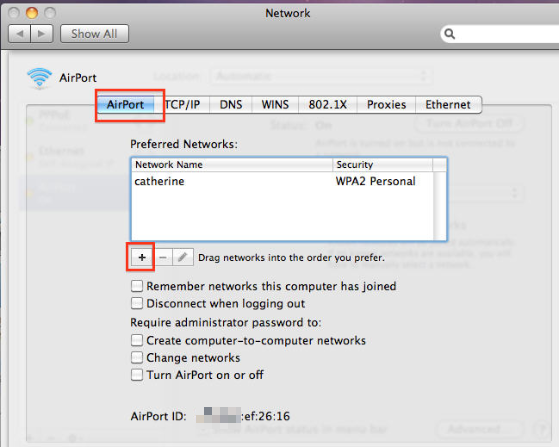
Under the Airport tab, click the button “+”.
Step 5
A window willpop up, please type the network name->select the security type->input the password->Click Add->click OK.
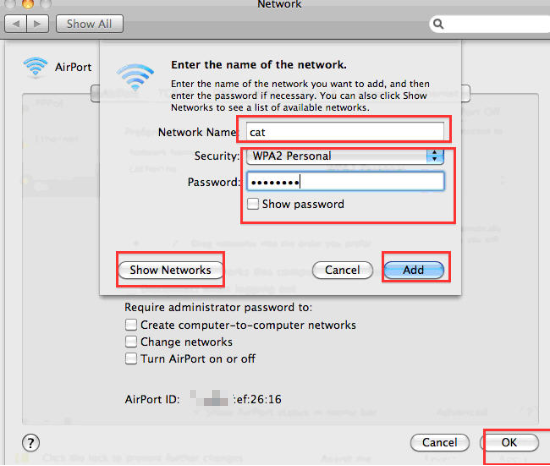
Or you can click show Networks to search for the network->select the network and type the password->click Add.

Esta FAQ é útil?
Seu feedback ajuda a melhorar este site.