
Dock Settings for Tapo Robot Vacuum
This article aims to introduce available configurable settings for the docking station of the Tapo Robot Vacuums.
Support for the Dock function may vary by model. Please refer to the in-app display for accurate information.
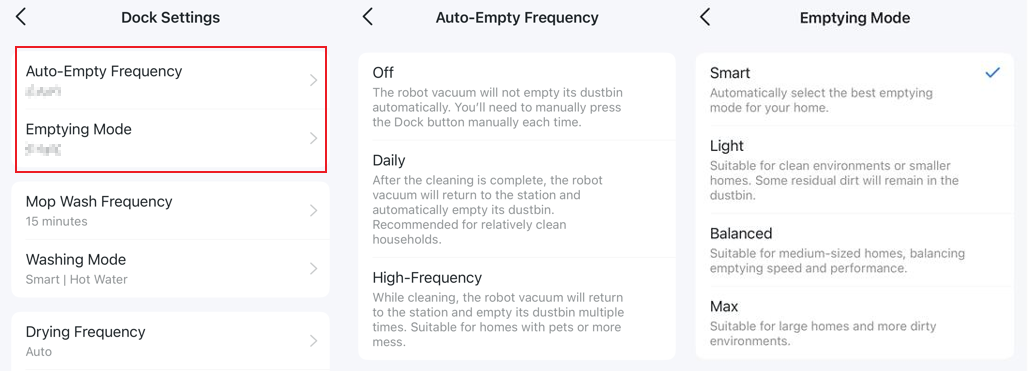
Auto-Empty
The Auto-Empty feature transfers dirt from the vacuum’s small onboard dustbin to a larger dustbin in the docking station. This enables weeks of operation without manual emptying.
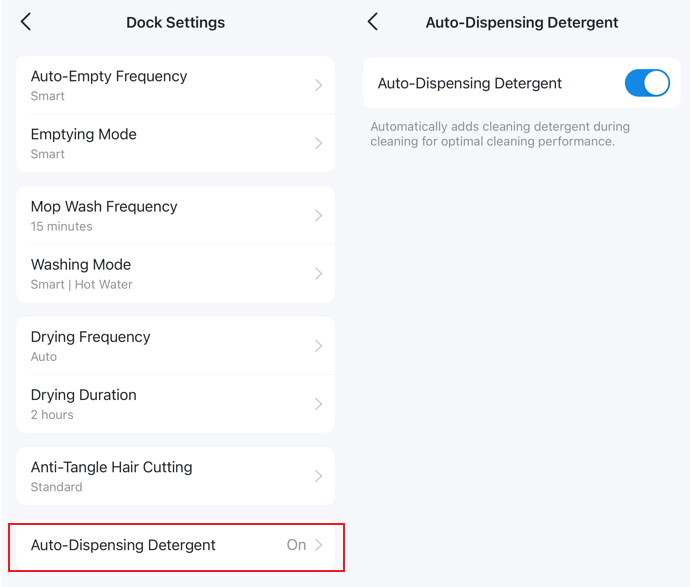
Configurable options in the Tapo app:
- Auto-Empty Frequency: off, Daily, and High-Frequency
- Emptying Mode: Smart, Light, Balanced, and Max
Mop Wash
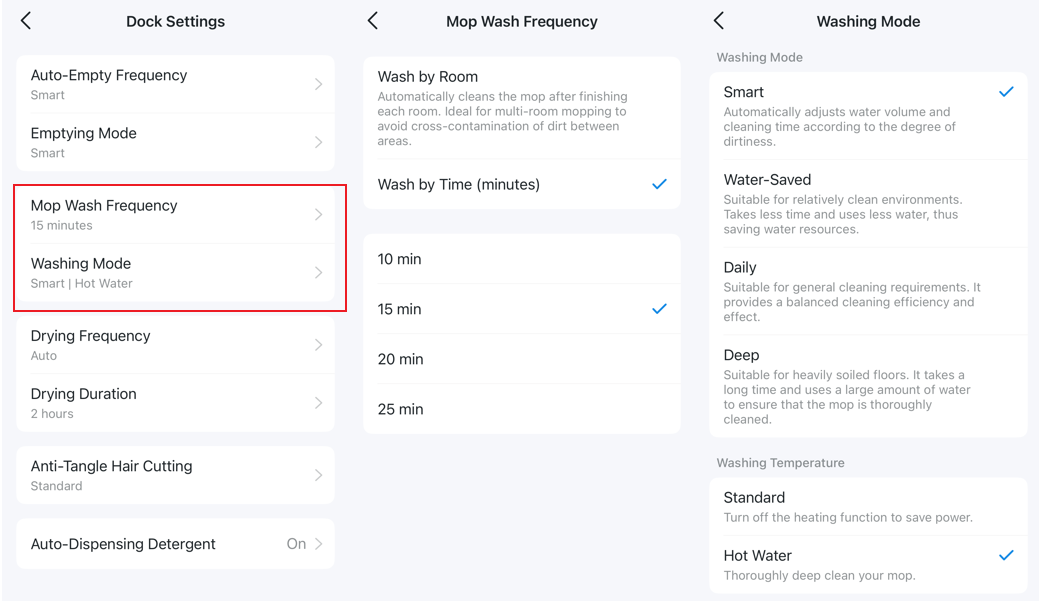
The Mop Wash function cleans the robot’s mopping pads inside the docking station using fresh water and a scrub mechanism. Wastewater is directed to a separate dirty-water tank, and the clean pads are dried with heated air to prevent mildew and odors.
Configurable options in the Tapo app:
- Mop Wash Frequency: Wash by Room or Wash by Time (10, 15, 20, or 25 minutes)
- Washing Mode: Smart, Water-Saved, Daily, or Deep
- Washing Temperature: Standard or Hot Water.
Drying
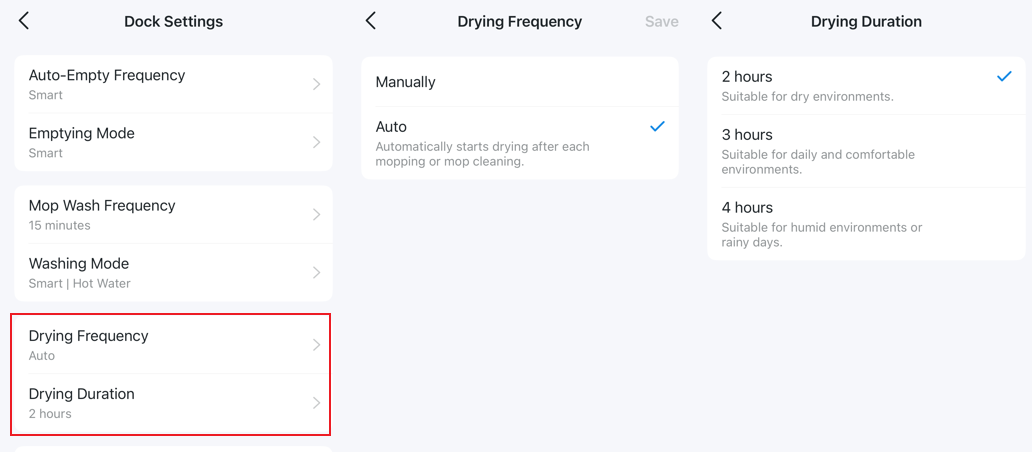
After washing the mopping pads, the vacuum dries them by blowing warm or hot air, reducing the risk of bacteria, mold, and odors.
Configurable options in the Tapo app:
- Drying Frequency: Manually or Auto
- Dry Duration: 2, 3, or 4 Hours
Anti-Tangle Hair Cutting
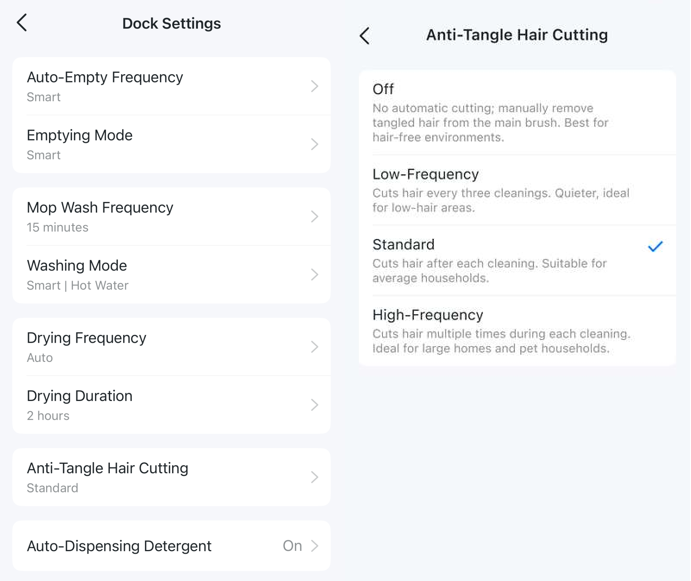
The anti-tangle hair-cutting feature eliminates the need for manual hair removal. When the vacuum returns to the dock, it cuts long hair and pet fur tangled around the brush, allowing the dock to suction debris more effectively.
Anti-Tangle Hair Cutting provides 4 options: Off, Low-Frequency, Standard, and High-Frequency.
Auto Dispensing Detergent
Automatically dispenses cleaning detergent during cleaning for optimal performance. This feature can be enabled or disabled in the app.
Looking For More
Is this faq useful?
Your feedback helps improve this site.

TP-Link Community
Still need help? Search for answers, ask questions, and get help from TP-Link experts and other users around the world.