
How do I renew the IP address of my computer (Windows XP, Vista, 7, 8,10, Mac)
 2710784
 If you have configured your computer to Obtain an IP address automatically, sometimes such as after you change the IP address of your network gateway like router, you need renew the IP address of your computer to access the router.
Choose your computer’s operating system.


Step 1
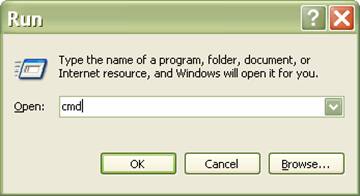
Click Start->Run, type cmd and press Enter.
Step 2
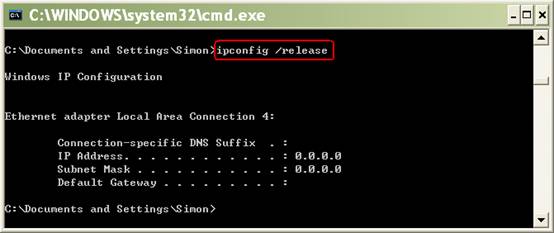
Type ipconfig /release at the prompt window, press Enter, it will release the current IP configuration.
Step 3
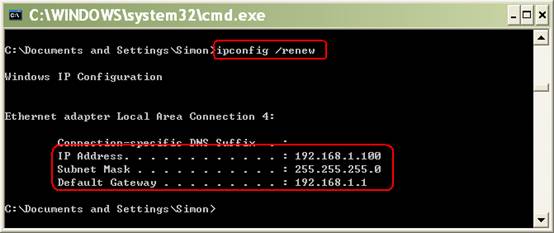
Type ipconfig /renew at the prompt window, press Enter, wait for a while, the DHCP server will assign a new IP address for your computer.
Step 1
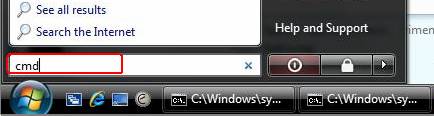
Click Start on the task bar, type cmd into the search box and press Enter.
Step 2
Type ipconfig /release at the prompt window, press Enter, it will release the current IP configuration.
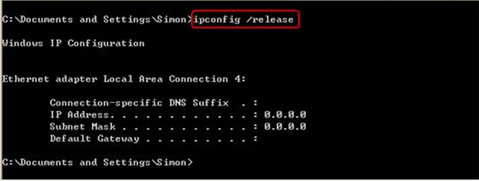
Step 3
Type ipconfig /renew at the prompt window, wait for a while, the DHCP server will assign a new IP address for your computer.
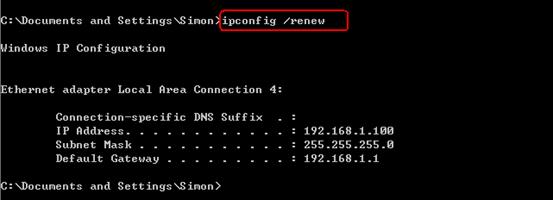
Step 1
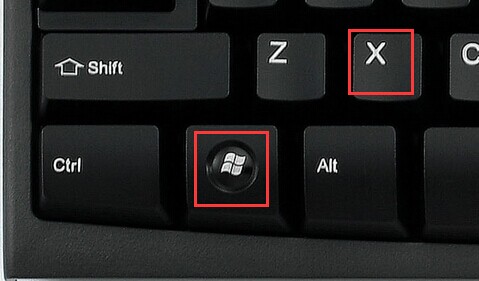
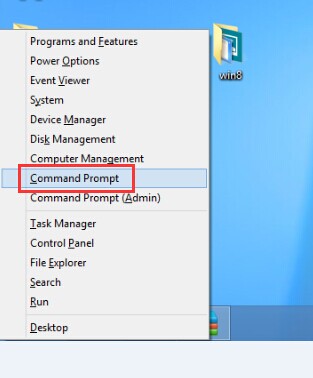
Press windows key and X key at the same time. Then click at Command Prompt.
Step 2
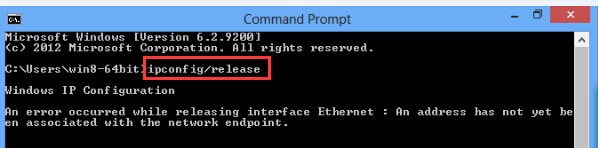
Type ipconfig /release at the Command Prompt window, press Enter, it will release the current IP configuration.
Step 3
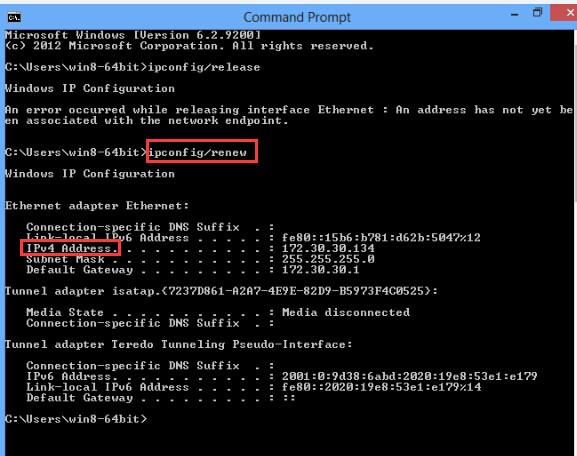
Type ipconfig /renew at the Command Prompt window, wait for a while, the DHCP server will assign a new IP address for your computer.
Step 1
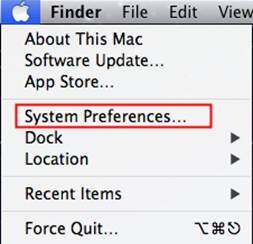
Click APPLE button and go to System Preferences….
Step 2
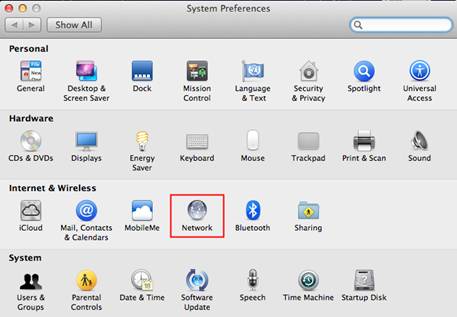
Click Network.
Step 3
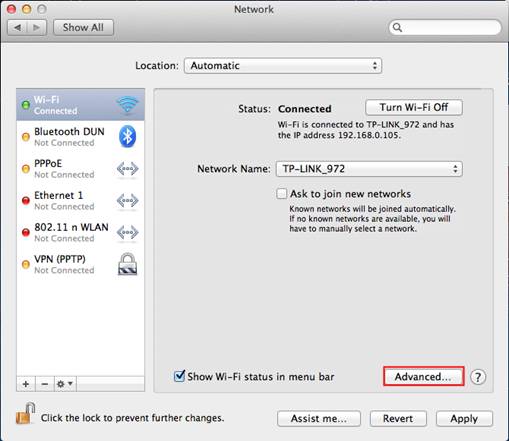
Click on Wi-Fi or Ethernet (Depends on which one is used) in the left side box, and click Advanced on the right side corner.
Step 4
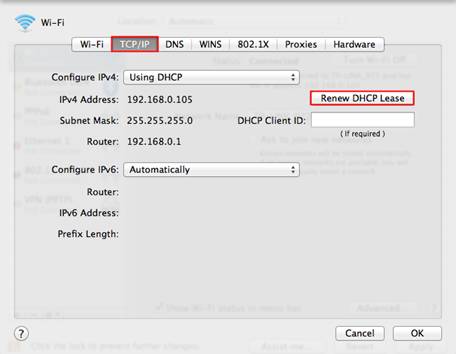
In the top options, select TCP/IP. By default setting, Configure IPv4 is Using DHCP, you can see Renew DHCP Leasebutton. Click it to renew the IP address.
Is this faq useful?
Your feedback helps improve this site.

TP-Link Community
Still need help? Search for answers, ask questions, and get help from TP-Link experts and other users around the world.


