
How to Subscribe to a Tapo Care Plan via the App or Website
Tapo Care is a paid cloud storage subscription service for Tapo cameras and doorbells that enables video cloud storage and advanced features. You can start a Tapo care subscription through the Tapo app or on the official Tapo Care website. Tapo Care Plans renew automatically but can be canceled at any time.
Key Takeaways
- Tapo Care is a paid cloud storage service for Tapo cameras and doorbells, available as a subscription through the Tapo app or the official Tapo Care website.
- The Tapo app subscription is processed through the iOS App Store or Google Play; the website supports credit card and PayPal payments.
- Subscriptions renew automatically unless canceled, and cancellation is available at any time.
- After subscribing, the cameras covered by the plan can be selected and modified at any time.
How to Subscribe to a Tapo Care Plan
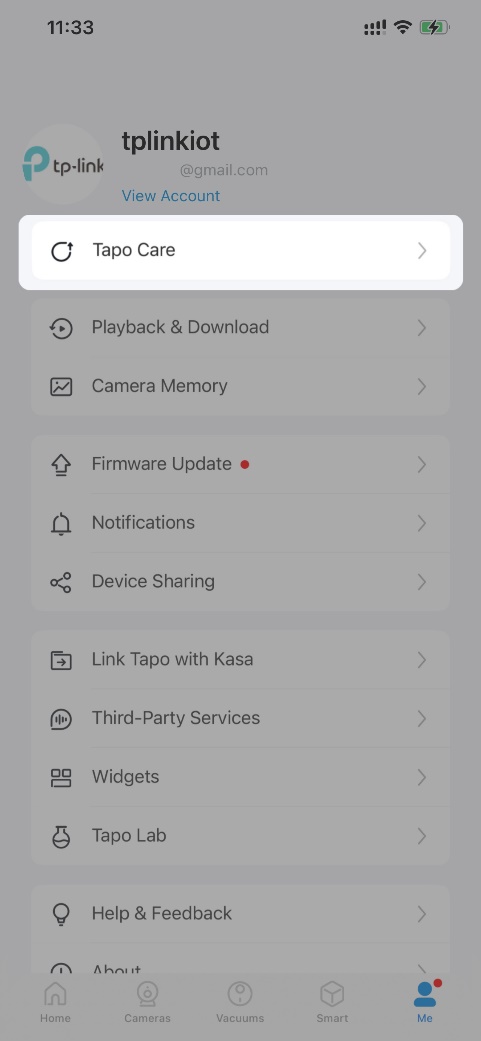
Step 1. Open Tapo Care via App or Website
Option 1: Open Tapo app Me page (tap Me at the bottom right or the profile picture in the top left), then tap Tapo Care.
Option 2: Visit Tapo Care website and log in with your TP-Link ID.
 or
or 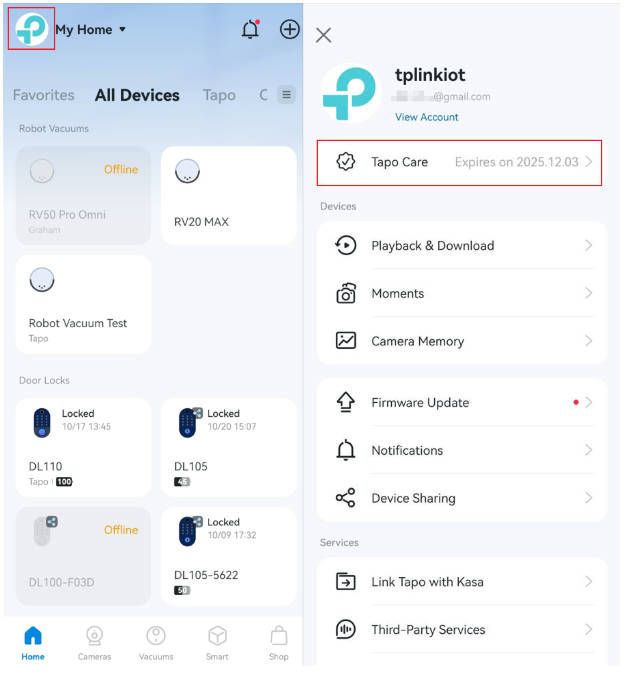
Step 2. Select a Plan
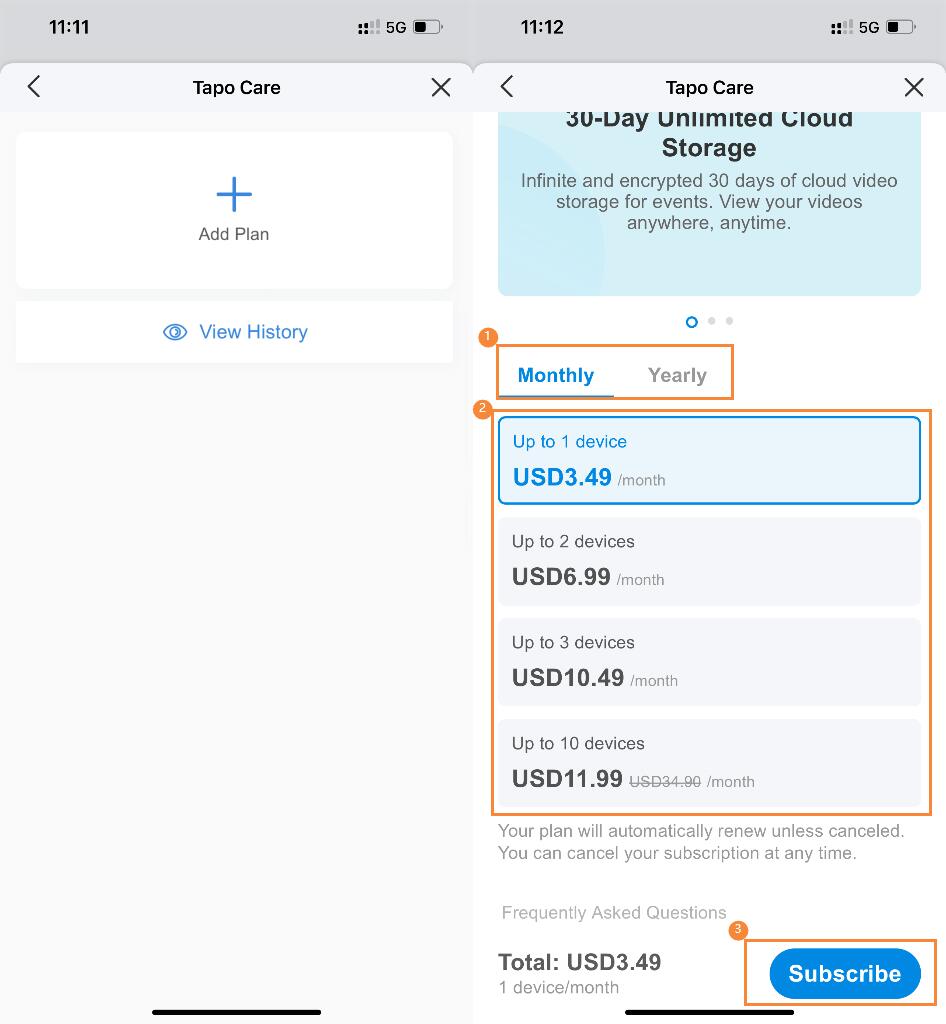
Tap Add Plan and choose a plan based on your number of cameras/doorbells, storage needs, and required features.
To compare differences between Tapo Care plans, refer to: General Questions about Tapo Care | TP-Link
Note: Available plans may vary by region or account—refer to what is shown in the Tapo app or Tapo Care website for the most accurate information.
Step 3. Choose a Payment Method
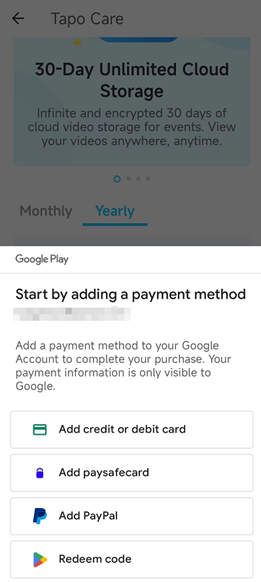
Via Tapo App: Tap Subscribe and complete payment through the iOS App Store or Google Play.
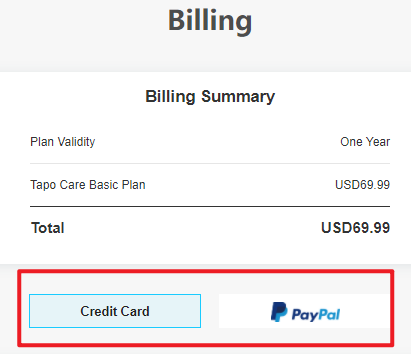
Via Tapo Care Website: Complete payment via bank card or PayPal.
To get the invoice, see: How can I get the invoice for my Tapo Care/Kasa Care subscription? | TP-Link
Note: Tapo Care Plans renew automatically unless canceled. You can cancel at any time. For cancellation instructions, refer to: How to Cancel Tapo Care Subscription | TP-Link
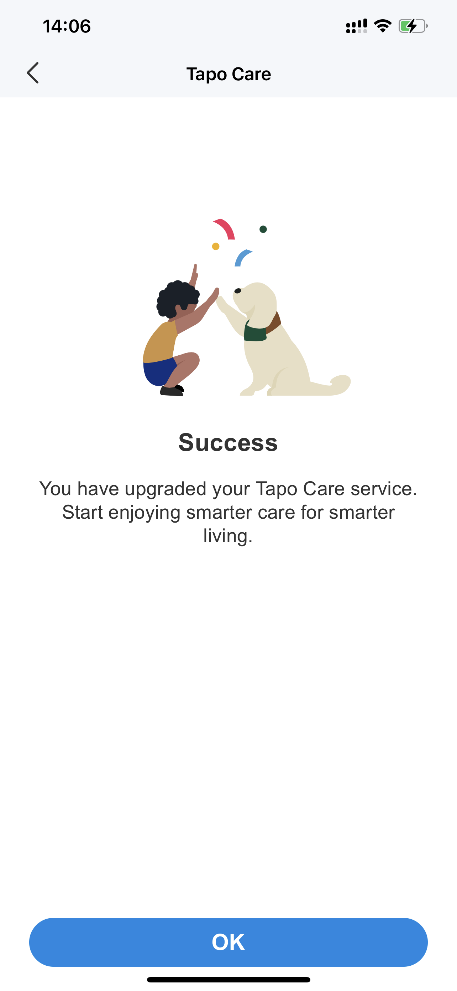
Step 4: Add Devices to Your Plan
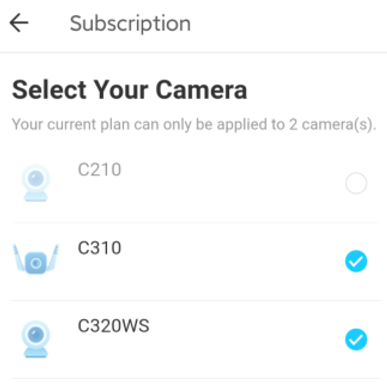
Select the cameras or doorbells you want to include. Selected devices will receive Tapo Care features after subscription.
If a device doesn’t appear, make sure it is updated to the latest firmware and connected to the internet.
You can also modify your device list later referring to: How to add new cameras to my Tapo Care plan | TP-Link
Please contact TP-Link technical support with the following information if you need further help:
- TP-Link ID
- Screenshot of the error message
- Problem description
To learn more about each function and configuration, please visit the Download Center to download the manual for your product.
Looking For More
Is this faq useful?
Your feedback helps improve this site.


TP-Link Community
Still need help? Search for answers, ask questions, and get help from TP-Link experts and other users around the world.