
How to Set Up 4G/5G Backup on your TP-Link 4G/5G Deco in Wi-Fi Router Mode
4G/5G Backup allows you to use the SIM card installed in your 4G/5G Deco as a backup internet connection. This feature is available when a 4G/5G Deco is the main Deco and the network operates in Wi-Fi Router mode.
If the primary wired internet connection fails, the main Deco automatically switches to the 4G/5G mobile network to keep your internet online. Once the wired connection is restored, the Deco system automatically switches back.
Key Takeaways
- 4G/5G Internet Backup uses the SIM card in the main 4G/5G Deco when the wired internet connection fails.
- The 4G/5G Deco must operate as the main Deco in Wi-Fi Router mode.
- An active, compatible SIM card and a mobile data plan are required.
- Deco switches to the mobile network during an outage and switches back automatically when wired service returns.
- The Deco app lets you manage outage detection, mobile data, SMS, SIM security, and supported external antennas.
Requirements
- Confirm that the 4G/5G Deco is configured as the main Deco in Wi-Fi Router mode.
- Insert an active, compatible SIM card with an available mobile data plan.
- Place the main Deco where it receives a stable 4G/5G signal.
Set Up 4G/5G Backup
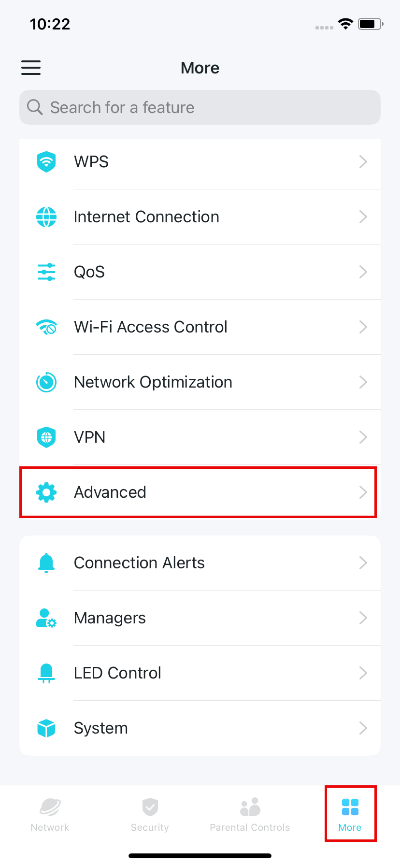
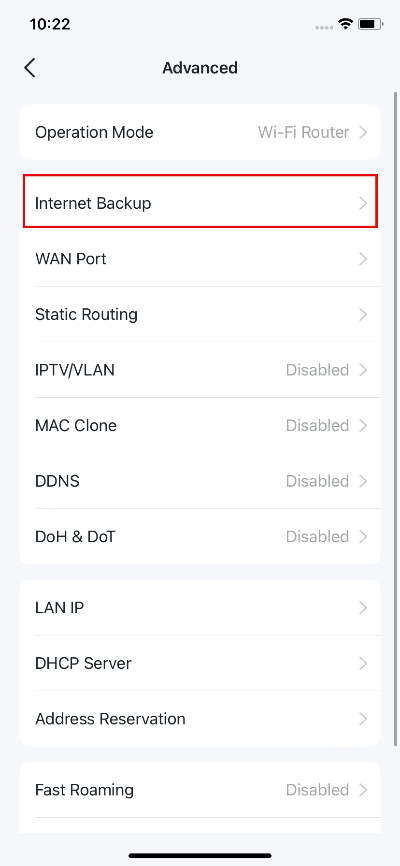
1. Open the Deco app, go to More > Advanced > Internet Backup.
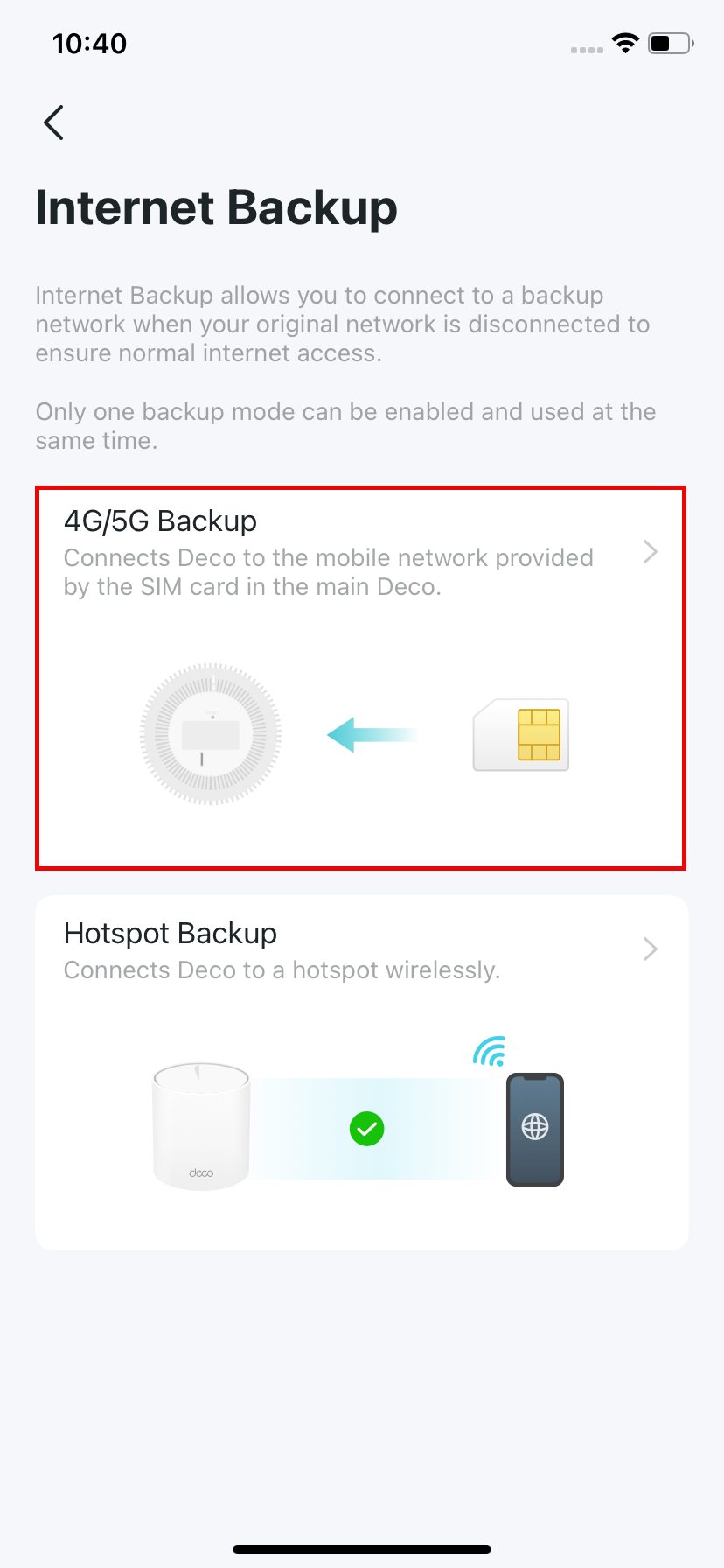
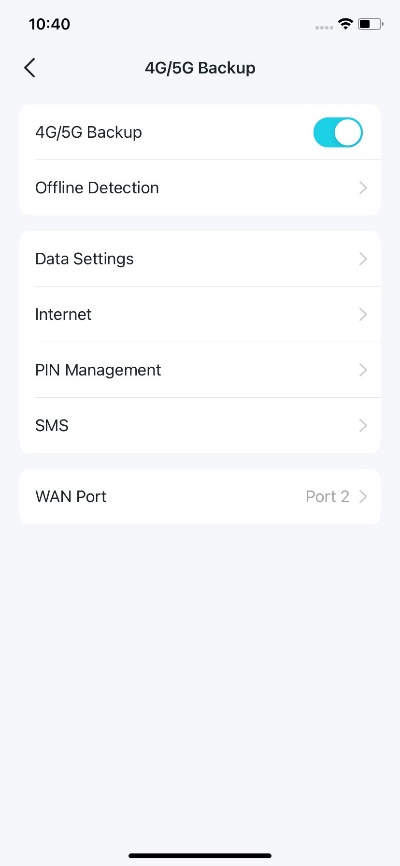
2. Select 4G/5G Backup and enable it.
3. (Optional) It is recommended to set a fixed WAN port to ensure that wired clients can connect to the internet when using the backup network.
Note: Go to More > Advanced > WAN Port. Then disable Auto WAN Port and set a fixed WAN port for your Deco.
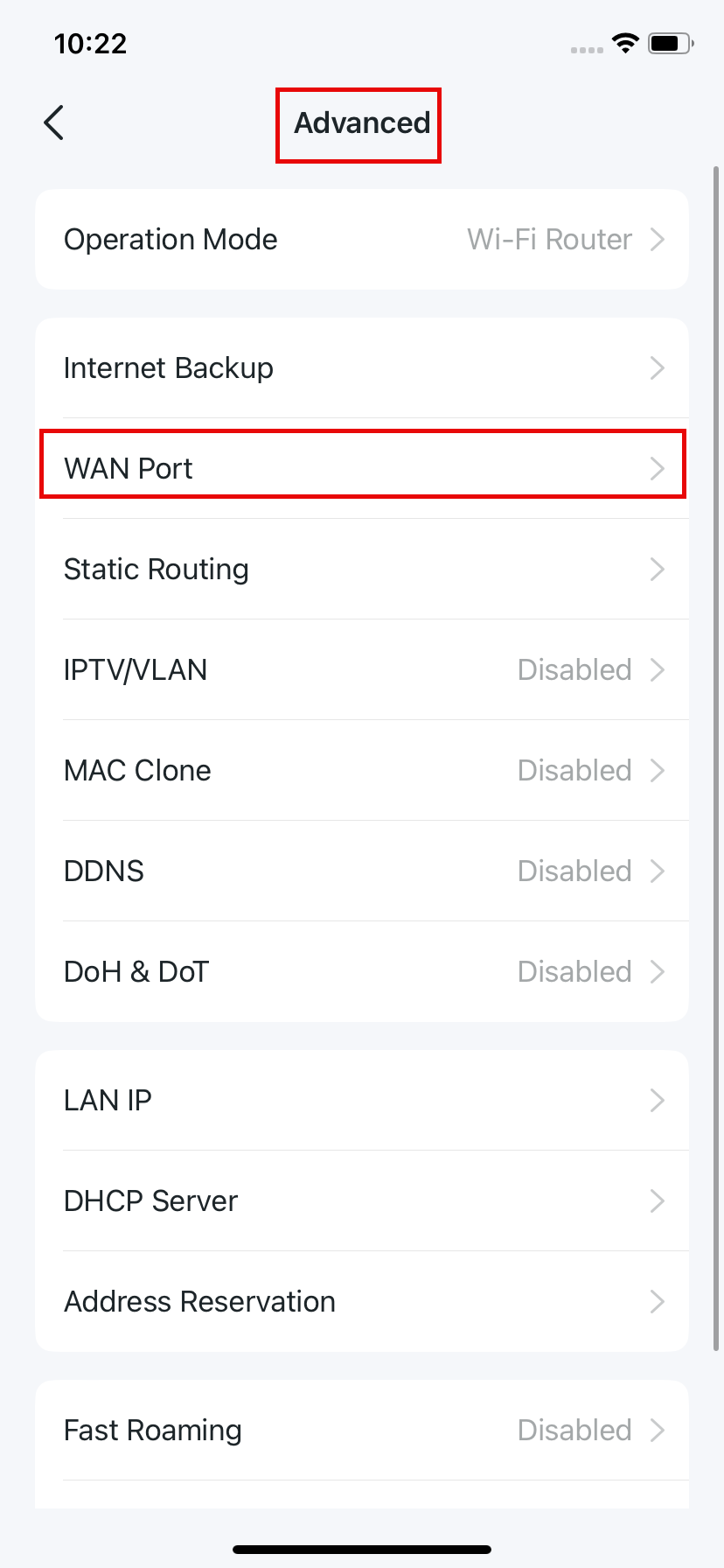
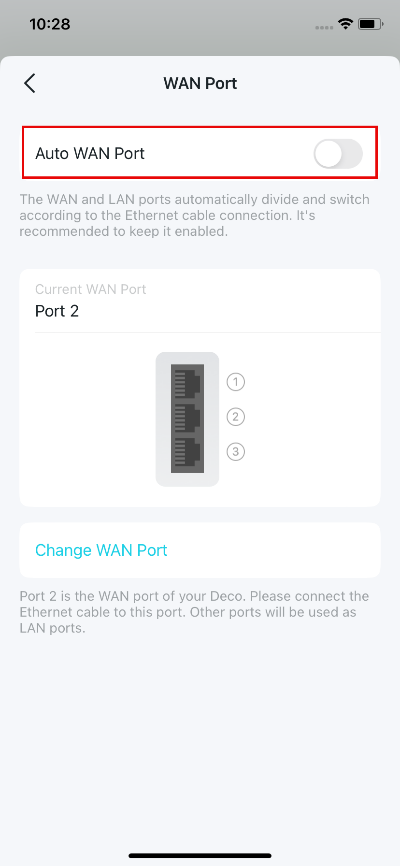
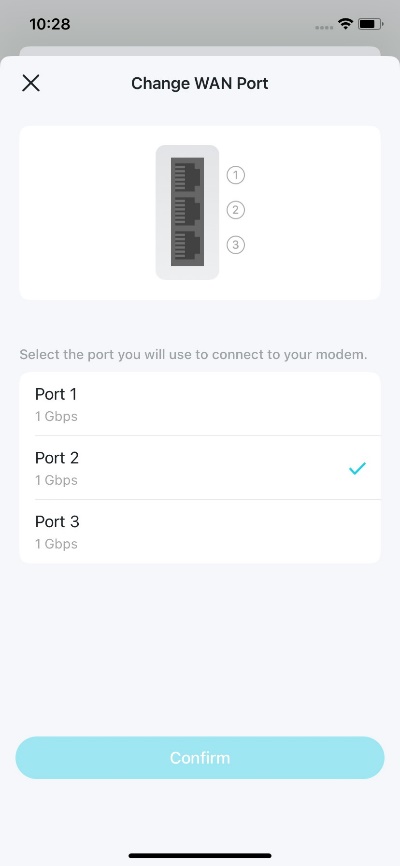
4. (Optional) You can configure the following settings as needed.
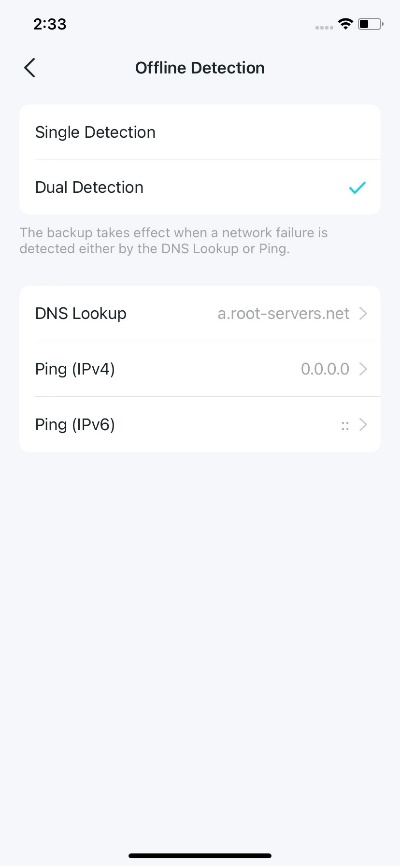
- Offline Detection: Select Single Detection (DNS Lookup) or Dual Detection (DNS Lookup and Ping) to determine when Deco activates the backup connection.
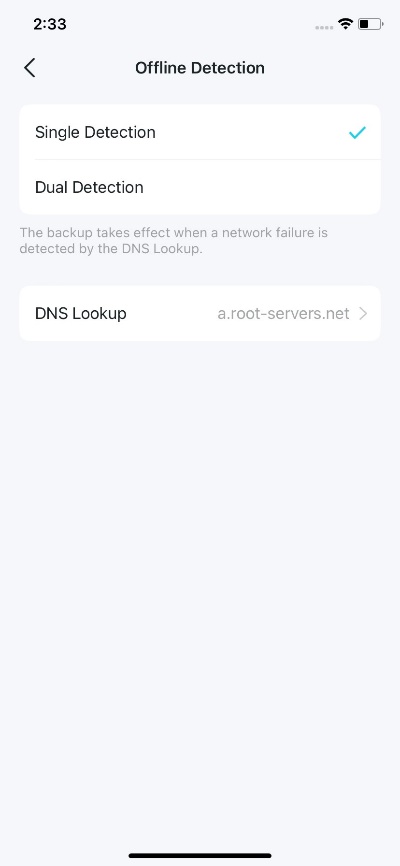
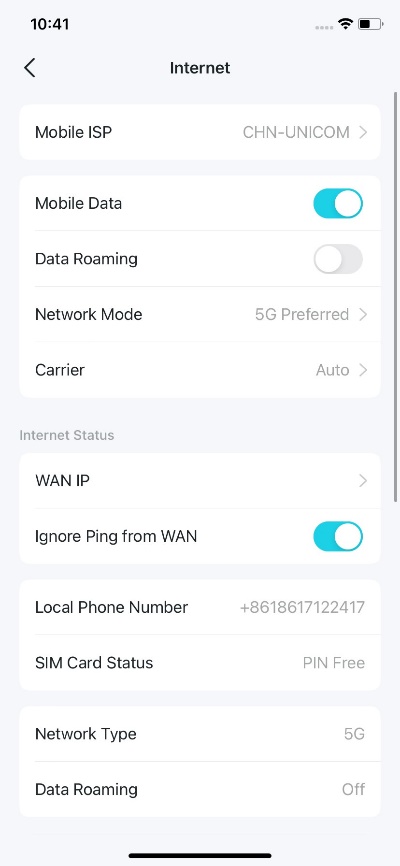
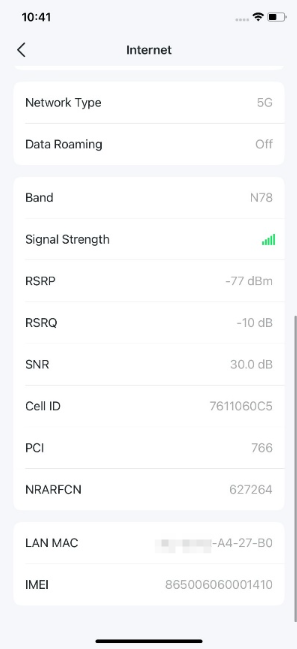
- Internet: Configure the SIM card's internet settings and check the connection status.
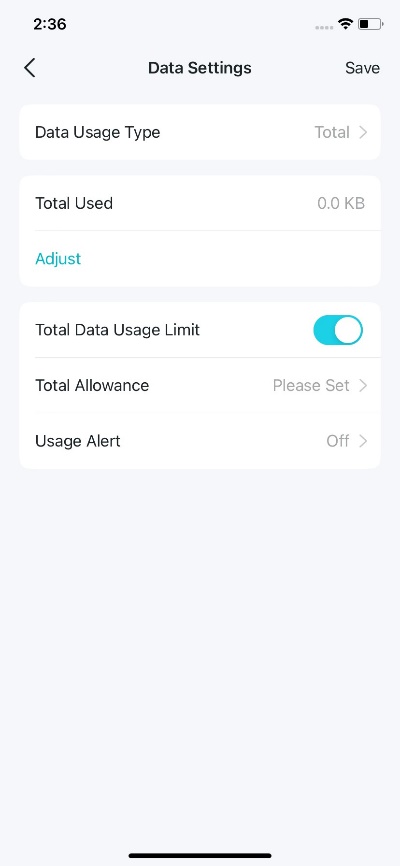
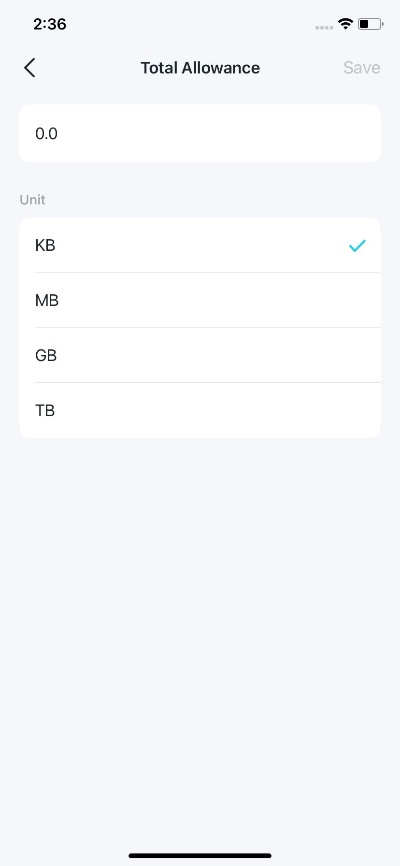
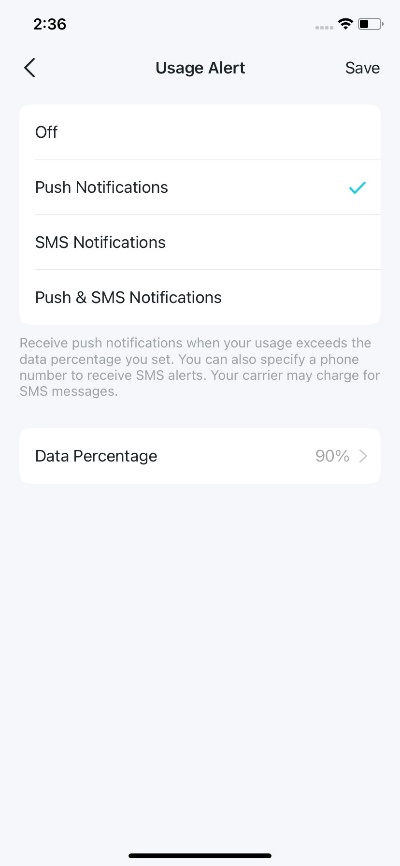
- Data Settings: Monitor mobile data usage or set a usage limit.
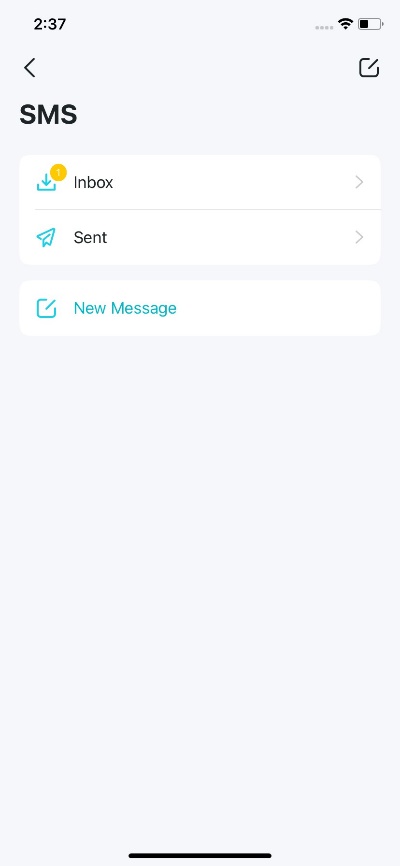
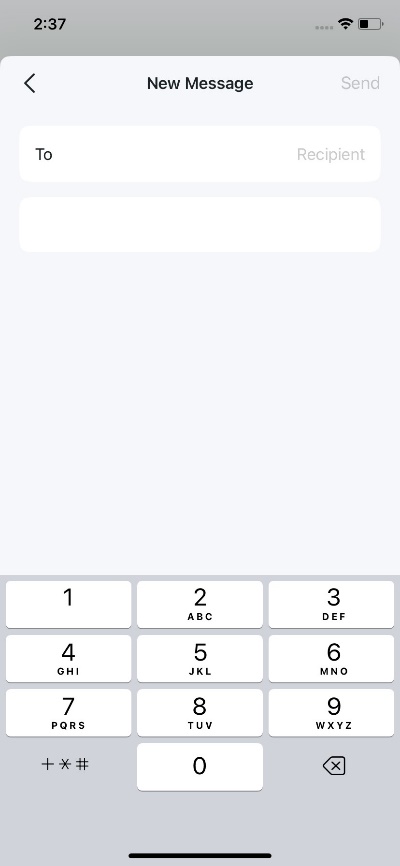
- SMS: View, send, and receive messages for the SIM card.
- PIN Management: Set a PIN to prevent unauthorized use of the SIM card.
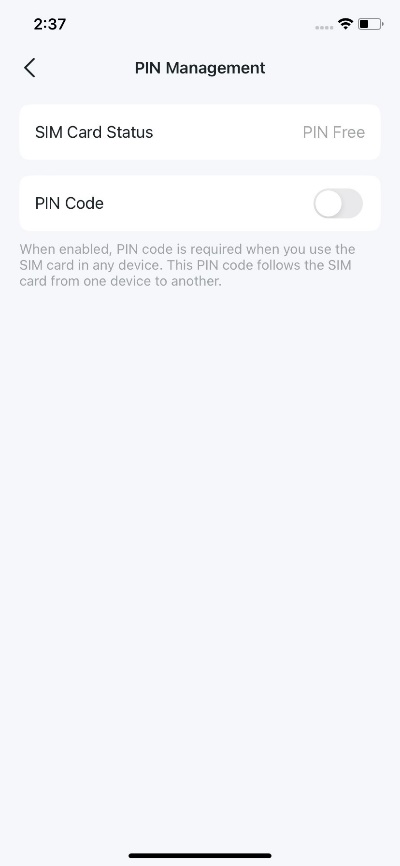
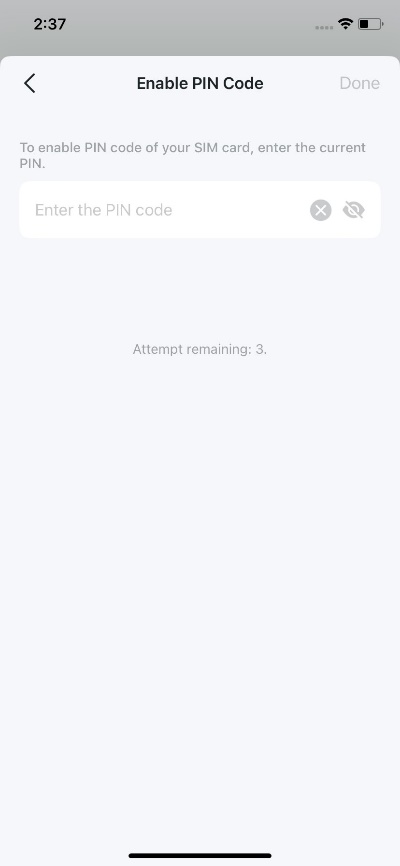
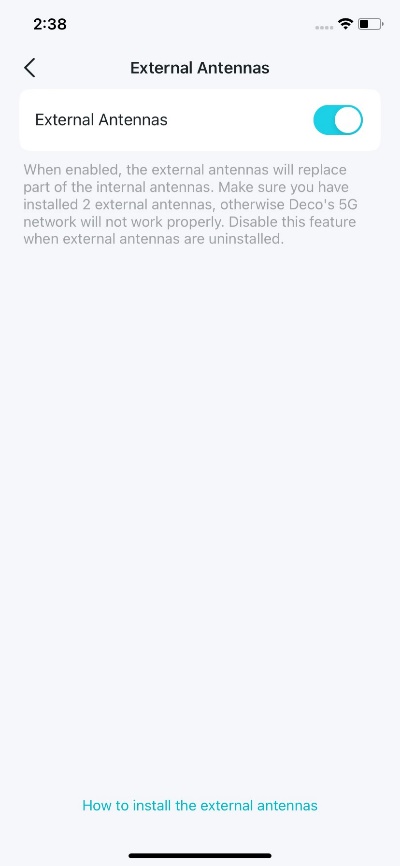
- External Antennas: Enable this option if external 5G antennas are installed to improve the Deco's 5G signal reception.
Setup complete!
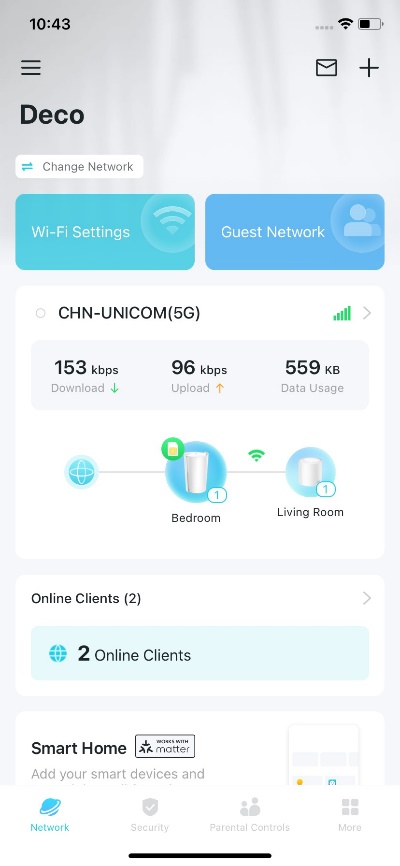
When the primary WAN connection fails, the Deco network automatically uses the mobile connection provided by the SIM card in the 4G/5G main Deco.
To learn more about each function and configuration, please visit the Download Center to download the manual for your product.
Looking For More
Is this faq useful?
Your feedback helps improve this site.
-1.0-FRONT_normal_20230817102457o.png)
3.0_A_RGB_normal_1584493572647x.png)


TP-Link Community
Still need help? Search for answers, ask questions, and get help from TP-Link experts and other users around the world.