
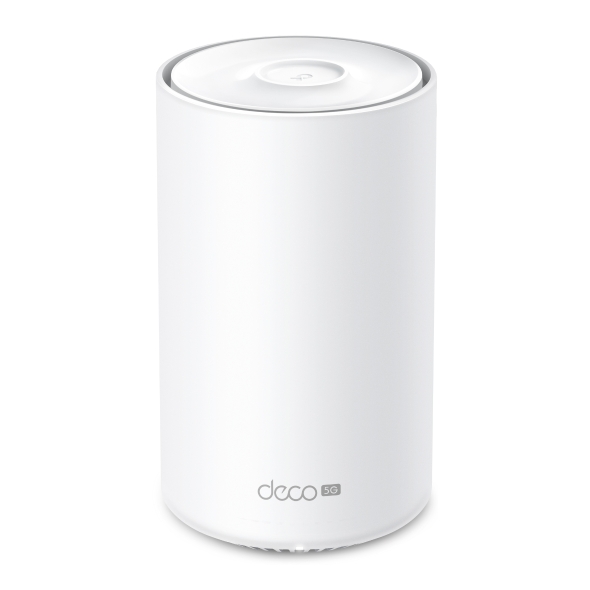
Deco X10-5G
Deco WiFi 6 Mesh 5G para todo el hogar AX1500 (Disponibilidad según la región)
Cutting-Edge 5G,
Ultra-Fast Experience
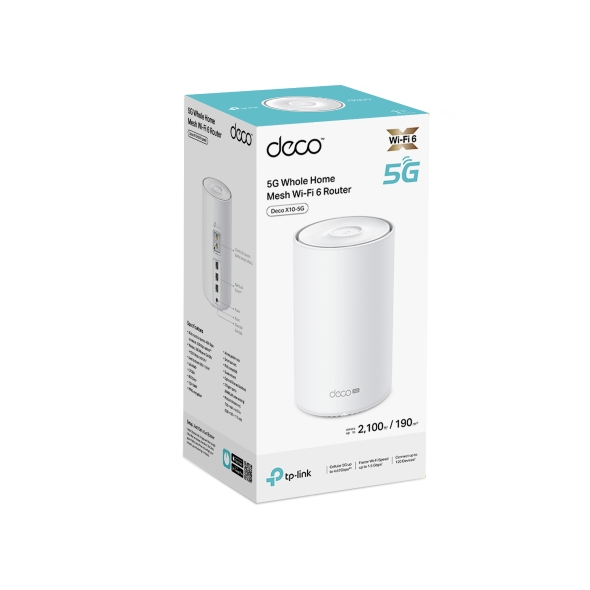
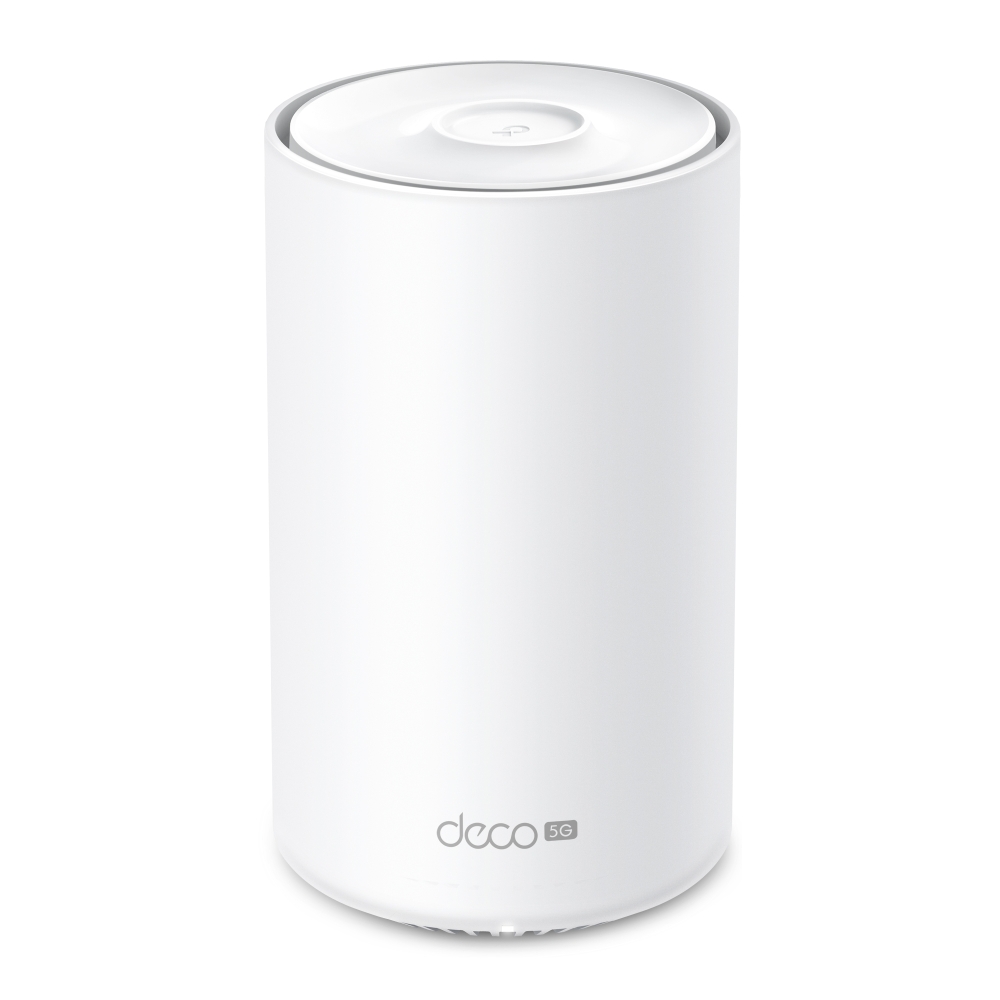
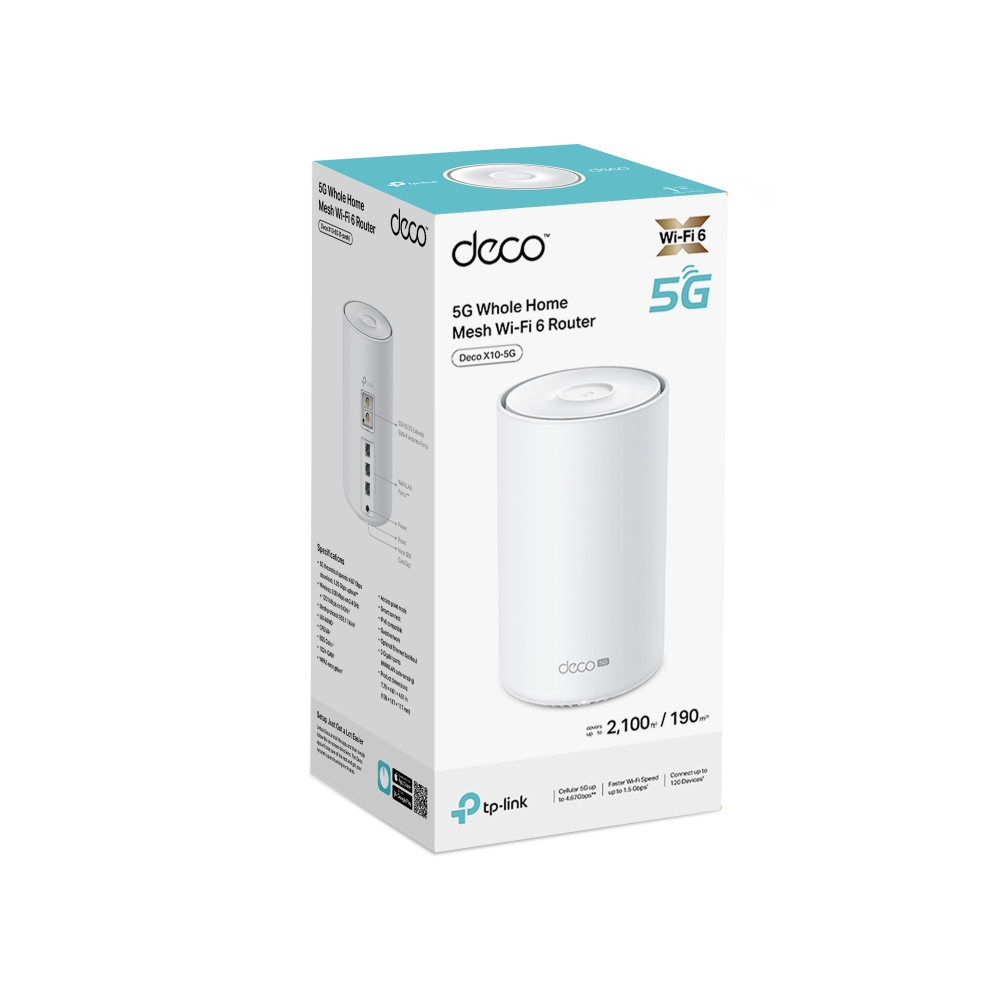
5G Whole Home Mesh WiFi 6 Router
Deco X10-5G






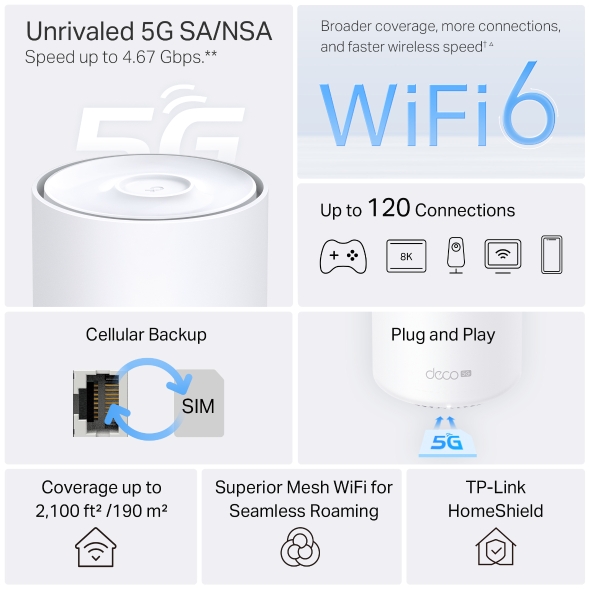
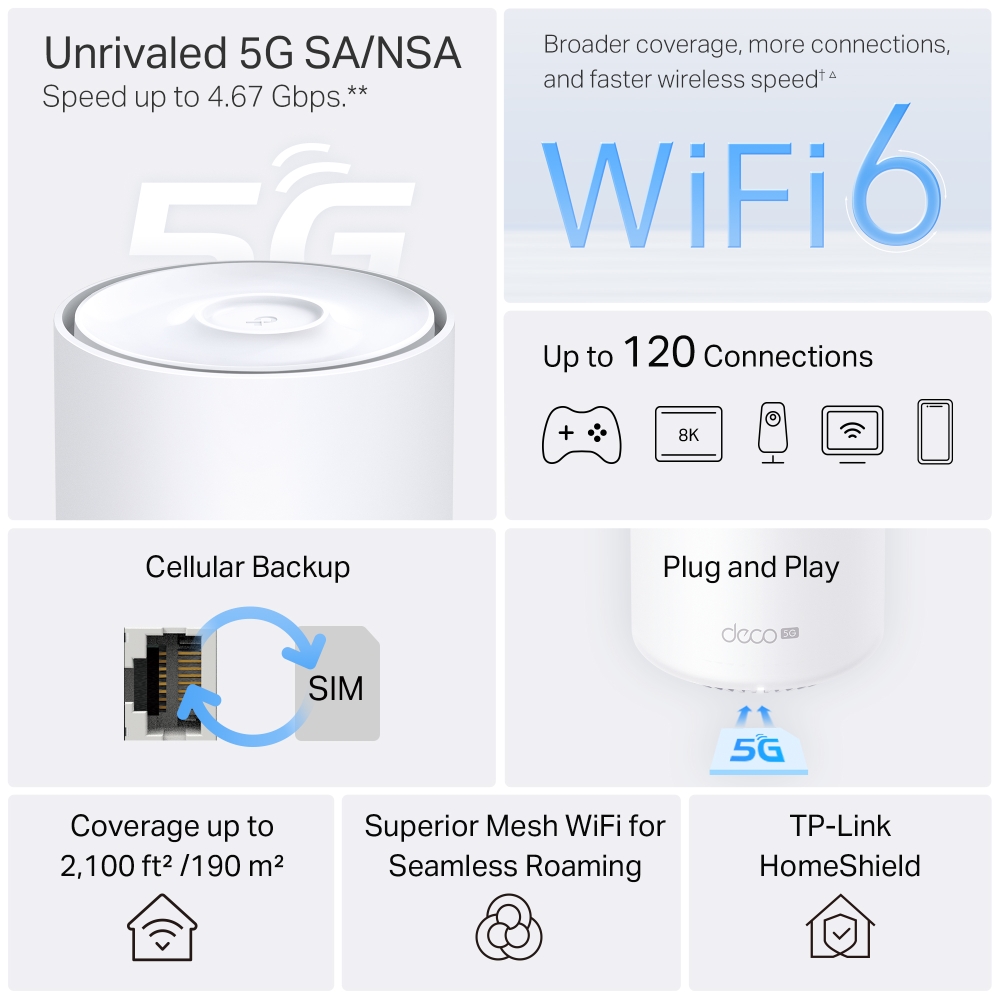
Unrivaled 5G SA/NSA
Speed up to 4.67 Gbps.**
Broader coverage, more connections, and faster wireless speed †△
5G/4G/3G SIM Card, Plug and Play
Cellular Backup
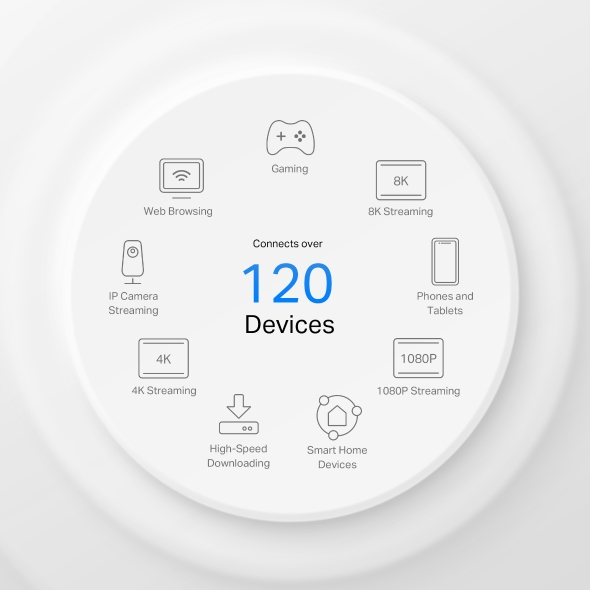
Up to 120 Connections
Coverage up to 2,100 ft² /190 m²
Superior Mesh WiFi for Seamless Roaming
TP-Link HomeShield
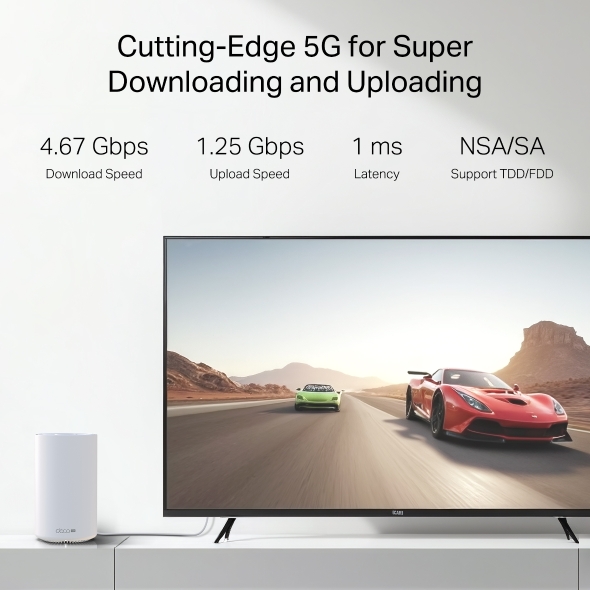
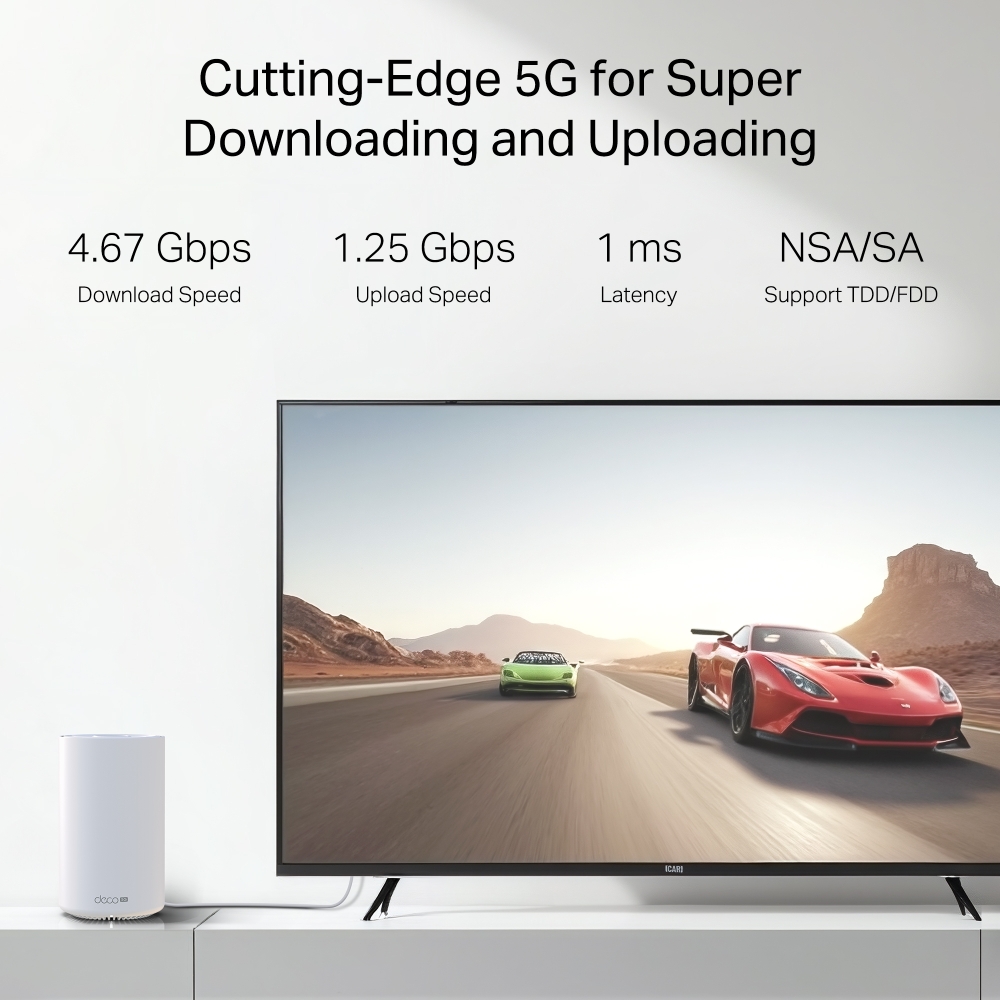
Cutting-Edge 5G for Super Downloading and Uploading
Deco X10-5G supports sub-6GHz, provides the theoretical peak download speed up to 4.67 Gbps and upload speed up to 1.25 Gbps.. Enjoy your online streaming, gaming, and AR / VR without congestion with only 1 ms latency. **
-
4.67 Gbps
Download Speed
-
1.25 Gbps
Upload Speed
-
1 ms
Latency
-
NSA/SA
Support TDD/FDD
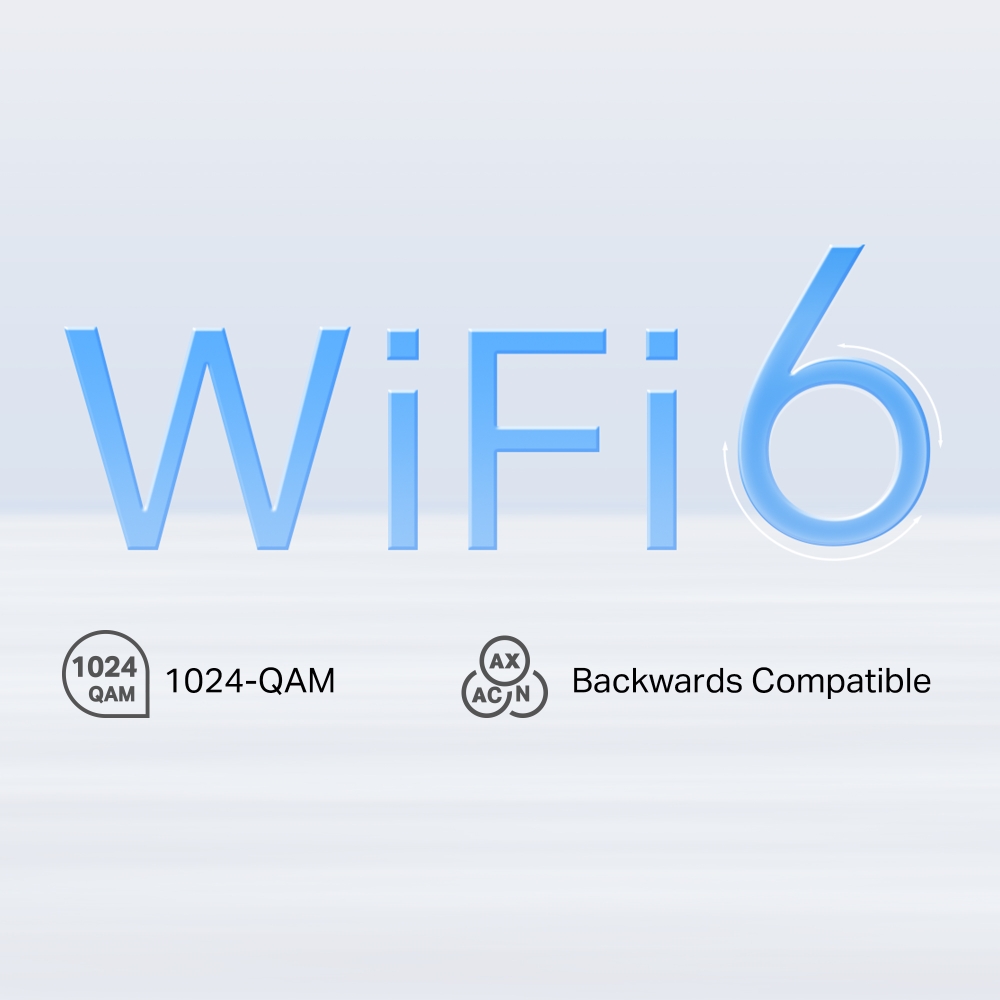
WiFi 6 Upgrades Everything
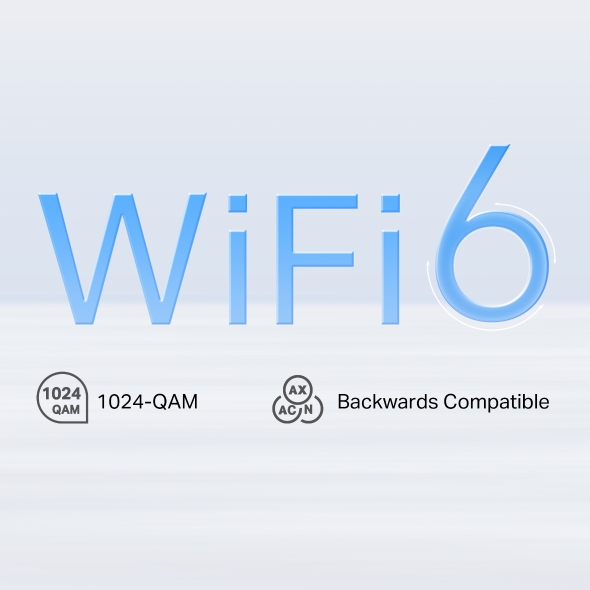
Armed with WiFi 6 technology, Deco whole home mesh WiFi is designed to deliver a huge boost in coverage, speed, and total capacity. Get on the latest mesh WiFi to enjoy the future network that loads faster and connects more. △
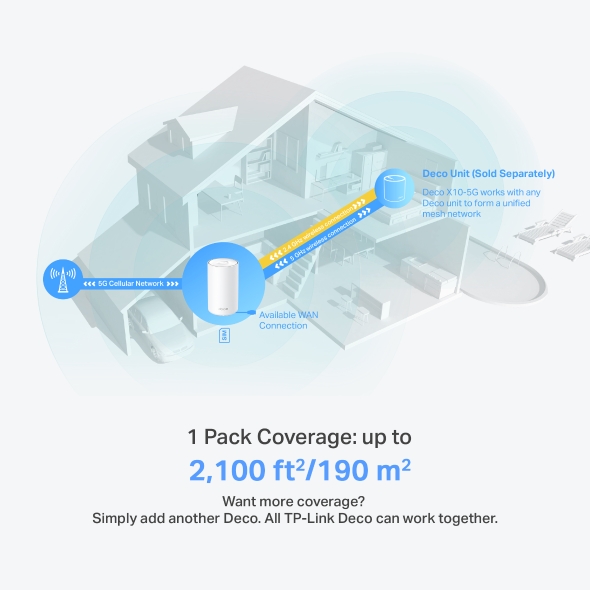
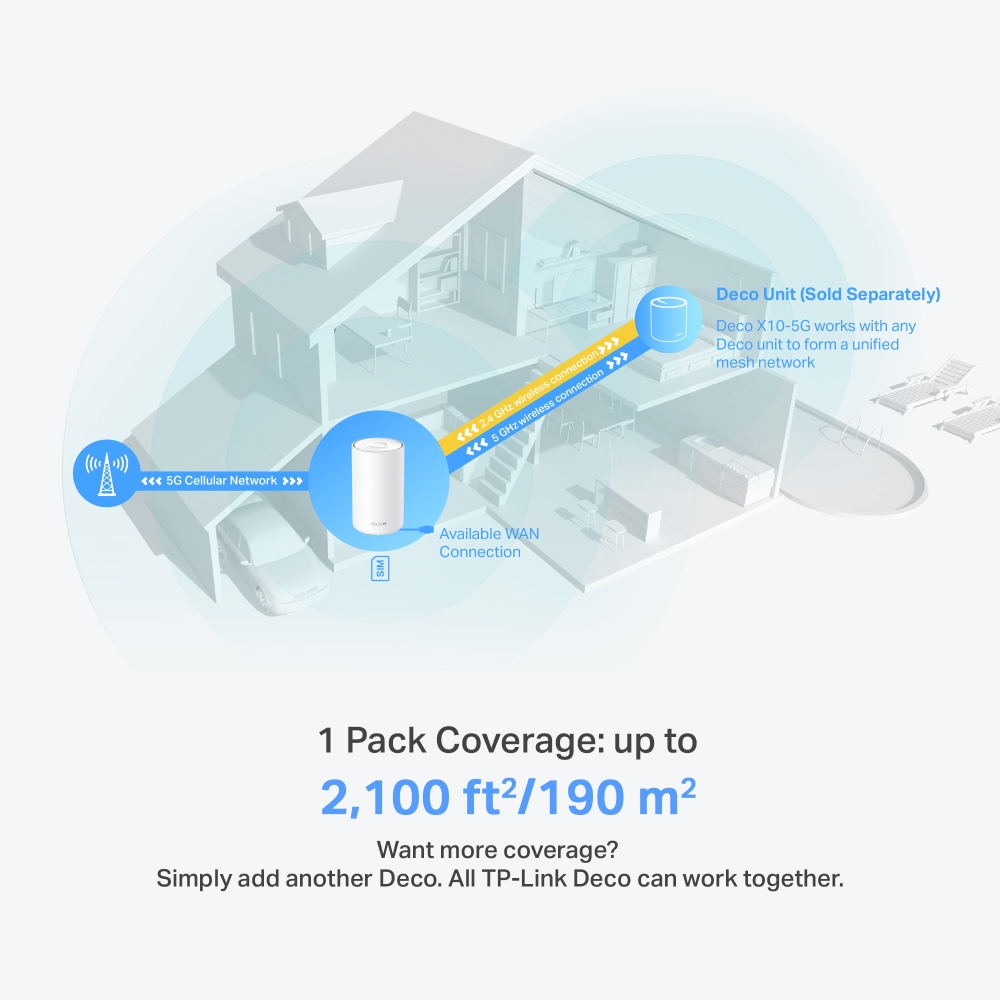
Deco Unit (Sold Separately)
Want more coverage? Simply add another Deco. All TP-Link Deco can work together.
1 Pack Coverage: up to
2,100 ft2/190 m2
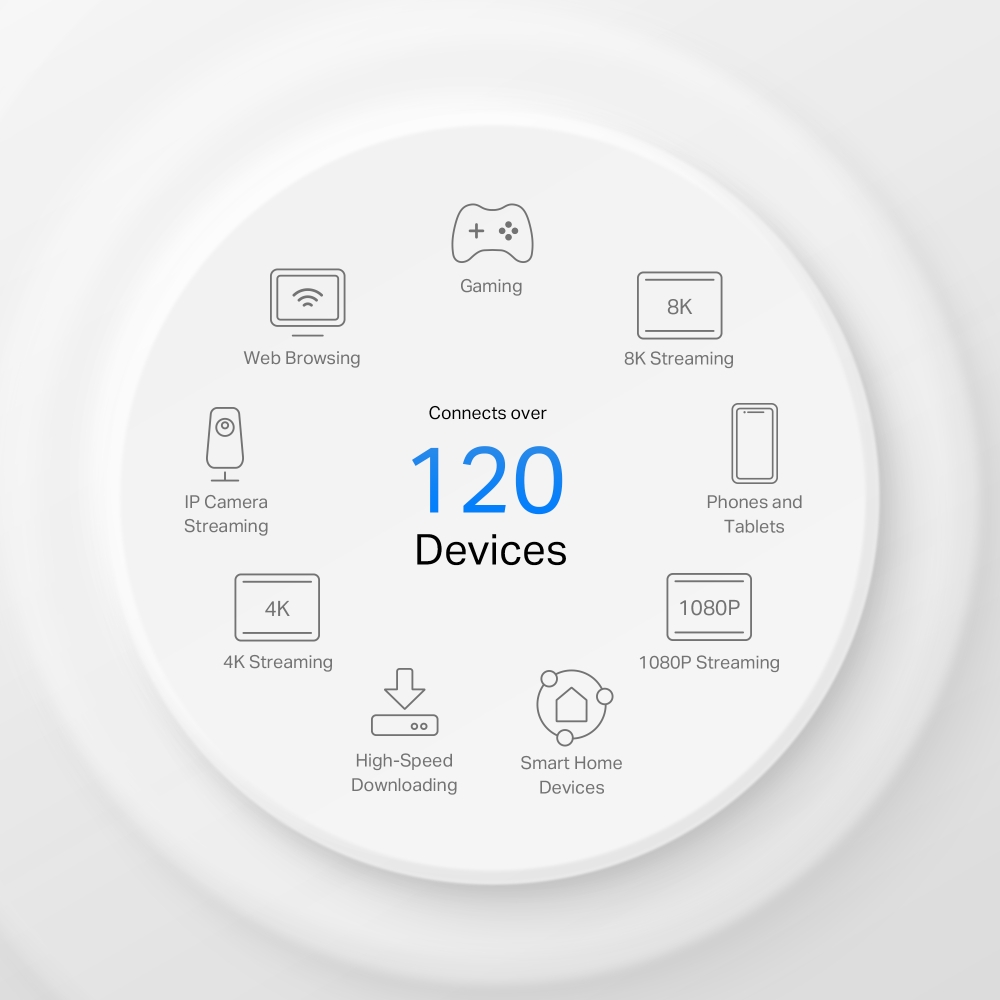
Engineered for More Devices
Deco products are aimed to dramatically improve capacity and efficiency in traffic-dense environments. No matter how many screens or devices are on at once, everyone is able to enjoy a more efficient network that loads faster without dragging down performance.†
Gaming
8K Streaming
Phones and
Tablets
1080P Streaming
Smart Home
Devices
High-Speed
Downloading
4K Streaming
IP Camera
Streaming
Web Browsing
connects up to
120
devices
Plug and Play, Enjoy 5G Network Everywhere
Simple, just one SIM card
Traditional broadband or cable installation is expensive and time-consuming for your vacation home, farm, or suburban warehouse. Long contract periods also create headaches for short-rentals, pop-up venues, and temporary shops to access the internet. Deco X10-5G ensures a comfortable and no-block network installation. Plug in your SIM card and enjoy high-speed internet!
Better Signal for Connections Everywhere
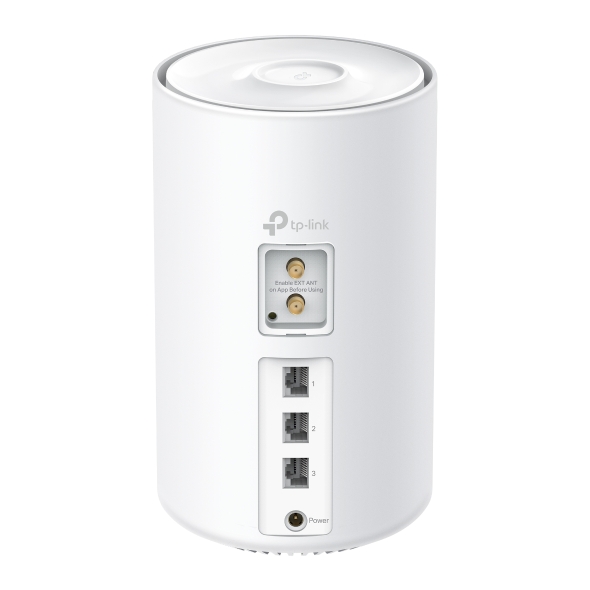
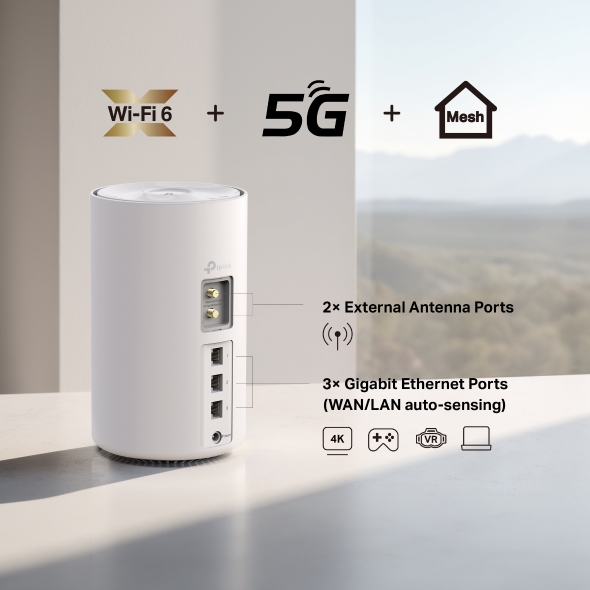
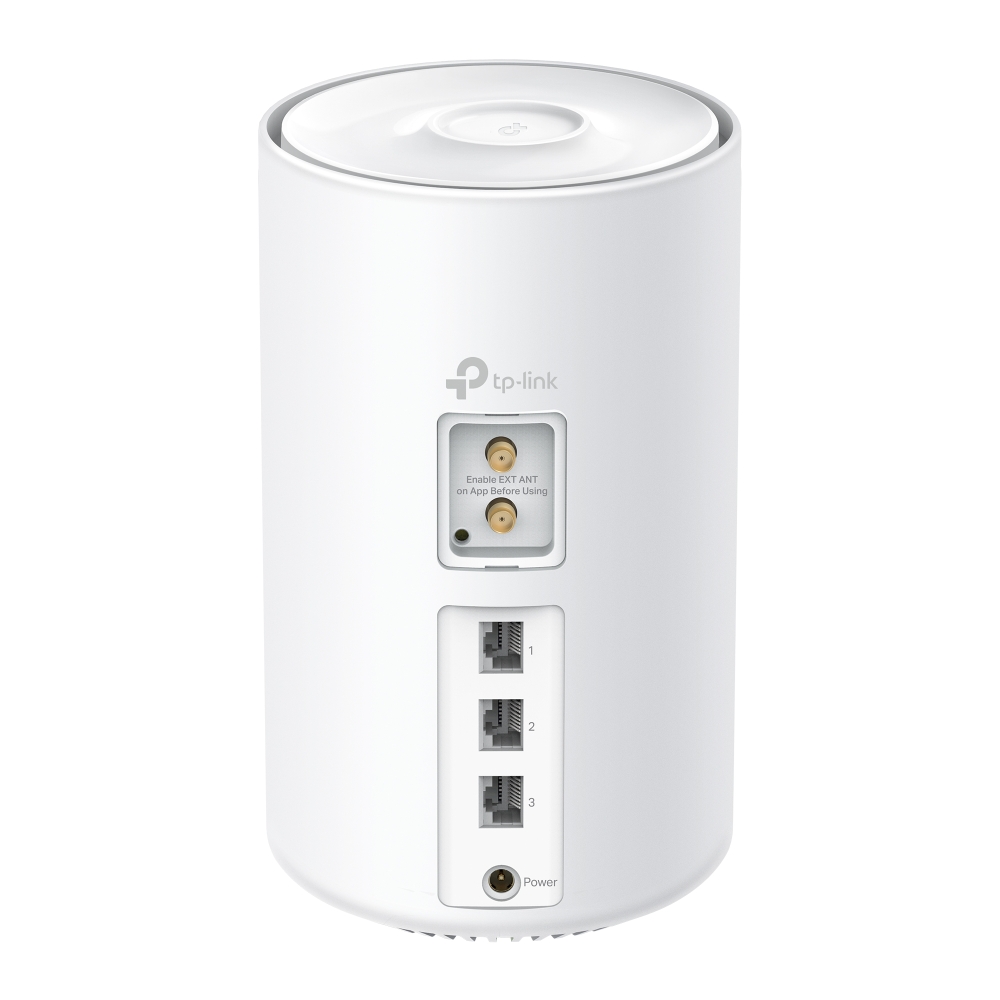
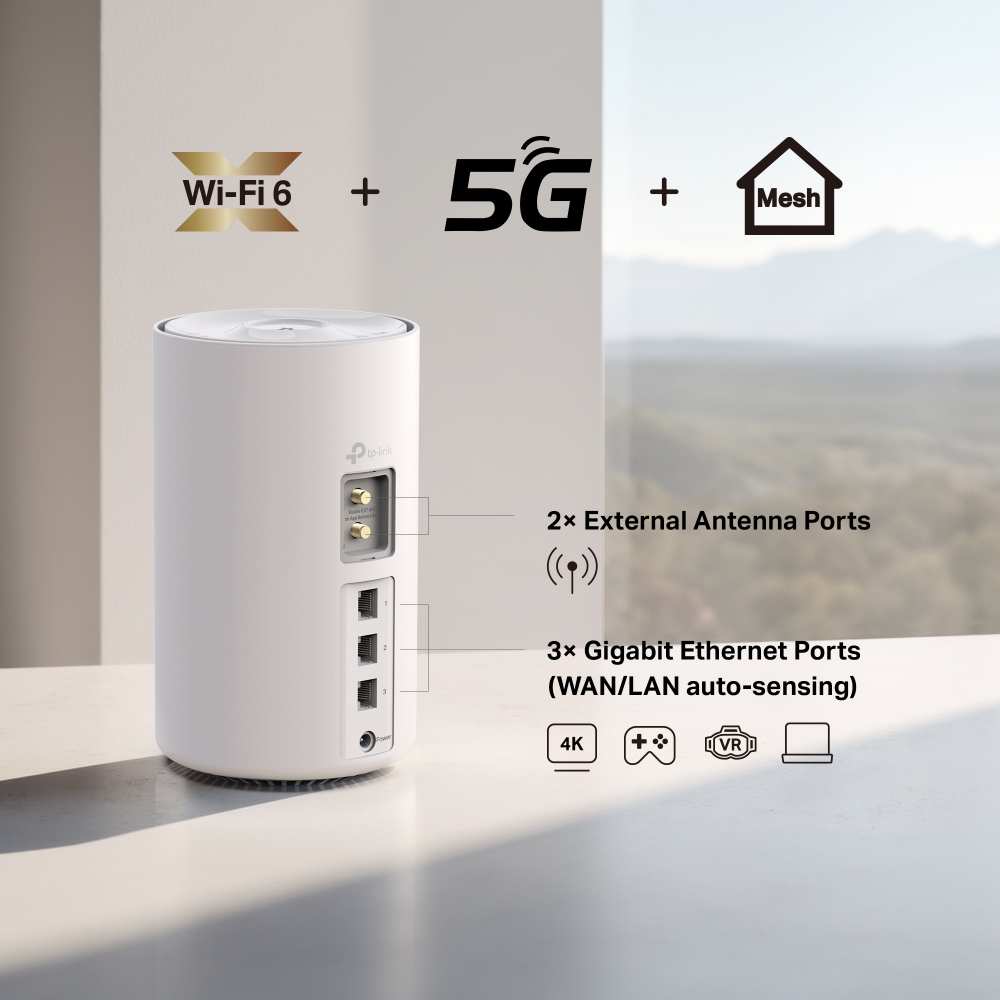
Through 3 Gigabit WAN/LAN ports, you can connect your favorite wired devices to Deco X10-5G, or set it as a wireless router. When it’s set as a wireless router, all Ethernet ports support being used as backup broadband access points.
Furthermore, two external antenna ports allow external antenna access which can receive 5G/4G signals more effectively, resulting in improved 5G/4G performance.


Seamless Roaming with One WiFi Name
TP-Link Mesh means Deco units work together to form one unified network. Your phone or tablet automatically connects to the fastest Deco as you move through your home, creating a truly seamless WiFi experience.‡
-
Whole Home Coverage
Eliminate weak signal areas throughout your house
-
Smart Roaming
Uninterrupted streaming when moving between rooms
-
One WiFi Name
No more switching WiFi network names
-
Unified Management
Control your home WiFi by managing the central node via the Deco App
-
Deco X10-5G Mesh Wi-Fi System

-
Traditional Router with Extender Wi-Fi

Smart Security for Smart Living
HomeShield provides a series of built-in services that protect all your devices comprehensively with various features for when you’re at home or on the go. With HomeShield, safer internet experiences bring more happiness to your smart living.
-
Parental Controls
Simply configure your gateway and achieve whole home network security. HomeShield examines your network by scanning and identifying potential risks, stopping them in their tracks before they harm your network.*
-
Maintain Protection Away from Home
Parental Controls protect your kids, while helping them maintain healthy digital habits. Parents can set app blocking, web filtering, YouTube restrictions, SafeSearch, and online time limits to keep kids safe while they’re having fun online.*
-
Quality of Service (QoS)
KidShield App
Devices Security App
Devices remain secure everywhere with devices security app. And through KidShield, parents can monitor their kids’ locations and set geofencing. This way, kids stay digitally protected even on the go.*
Simple. Easy. Yet Powerful.
Setup and manage your network anytime and anywhere on the friendly TP-Link Deco app. In just three easy steps your entire home can be blanketed in strong and reliable WiFi.
CONNECT
to a modem and power on both.
DOWNLOAD
and launch the Deco app.
CONFIGURE
by following the in-app instructions.
Control Anyway You Want
-

Easy Management
Manage your WiFi at home or away on the Deco app. See every connected device, prioritize your own, and set up a guest network.
-

Voice Control
Use an Amazon Alexa or Google Assistant-enabled device to control Deco X10-5G with just your voice.


-

All Decos Work Together
Deco X10-5G is compatible with every other Deco model to form a Mesh network. Expand Mesh WiFi coverage anytime by adding more Decos.
-
Sótano

-
Patio

-
Garaje

Itinerancia Perfecta
Las unidades Deco funcionan en conjunto formando una red unificada con un solo nombre de red. Tu teléfono o tablet se conecta automáticamente al Deco más rápido mientras te mueves por tu casa. El cambio tarda menos de 0.3 segundos y es fluído e imperceptible, creando una experiencia online perfecta.
-
Enrutamiento Adaptativo
La Tecnología Mesh de TP-Link elige dinamicamente la mejor ruta y banda para tus conexiones y aplicaciones, garantizando una Wi-Fi rápida sin importar donde te encuentras en tu casa.


-
Autocuración
Si un Deco presenta algún problema, el sistema enrutará de manera automática tus datos vía los demás Deco asegurando que estés online.
Wi-Fi + Powerline
Las conexiones powerline usan la red eléctrica de tu casa para unir los Decos, traspasando hasta los muros más gruesos y techos.
El Wi-Fi de banda dual y el powerline funcionan en conjunto para transmitir los datos entre las unidades Deco. La velocidad de red total se ve muy mejorada en comparación a usar solo Wi-Fi.
- Wi-Fi + Powerline:
- Sistema Wi-Fi Híbrido Más Velocidad
- Wi-Fi Mesh Tradicional:
- Sistema Wi-Fi Tradicional
- Powerline
- Nota:Wi-Fi + Powerline solo en Deco P9
IoT Mesh
A diferencia de los centros inteligentes tradicionales, la tecnología TP-Link Mesh proporciona cobertura IoT para todo el hogar con Wi-Fi, Bluetooth y Zigbee integrados en un solo sistema. Disfruta de la magia de tu hogar inteligente en todas las habitaciones con la tecnología TP-Link Mesh. Di adiós a innumerables hubs.
- - - - Wi-Fi
- - - - Zigbee
- - - - Bluetooth
Wi-Fi 6 Mesh
Armado con tecnología Wi-Fi 6,
el Wi-Fi Mesh para todo el hogar Deco está diseñado para dar un gran impulso en la cobertura, la velocidad y la capacidad total. Conéctate al último Wi-Fi Mesh para disfrutar de la red futura que se carga más rápido y se conecta más.
-
Cobertura Amplia
-
Más Conexiones
-
Wi-Fi 6 Velocidades Más Rápidas
Mesh Impulsada por IA
Armado con la tecnología IA Mesh, Deco aprende y se mejora automáticamente a partir de la experiencia. Esto hace que Wi-Fi mesh sea ideal para crear un entorno de red único. Camina por tu casa y disfruta de una transmisión fluida a las velocidades más rápidas posibles.
Por qué TP-Link Mesh Technology
es una Solución Líder en la Industria?
| Tabla Comparativa | |||
| Model Number | TP-Link Deco | Netgear Orbi | Google WiFi |
| Wireless Backhaul | Tri-Band(2.4G+5G_1+5G_2)¹ | Single-Band(5G_1 Only) | Dual-Band(2.4G+5G) |
| Mesh Protocol Supported | IEEE 802.11k/v/r | IEEE 802.11k/v | IEEE 802.11s |
| True Seamless Roaming | √ | × | × |
| APS(Adaptive Path Selection) | √ | × | √ |
| IoT Mesh | √² | × | × |
| Wi-Fi 6 Mesh | √5 | √ | × |
| AI-Driven Mesh | √6 | × | × |
| Powerline Backhaul | √³ | × | × |
| Wireless + Powerline Bandwidth | √⁴ | × | × |
| Band Steering | √ | √ | √ |
| AP Steering | √ | √ | √ |
| Self-Healing | √ | √ | √ |
| Notes: 1&2 For Deco M9 Plus Only;5 for Deco X20;Deco X90;6 for Deco X90 only. Spec sourced by Dec. 2019 |
|||
Series Deco
Deco
-

Deco BE65
BE11000 Whole Home Mesh WiFi 7 System
-
_Overview_normal_20230128023814m.png)
Deco X60
AX5400 Whole Home Mesh Wi-Fi 6 Unit
-

Deco X20
AX1800 Whole Home Mesh Wi-Fi 6 System
-

Deco S7
AC1900 Whole Home Mesh Wi-Fi System
¡La gestión de la red Deco a tu alcance!
La aplicación Deco proporciona la forma más sencilla de configurar, administrar y monitorear su sistema Wi-Fi en malla para toda la casa Deco a través de sus dispositivos iOS o Android.
La configuración ahora es mucho más sencilla
Desempaquete Deco, instale la aplicación y luego simplemente siga las instrucciones en pantalla. La aplicación Deco se encargará del resto y pondrá su red en funcionamiento en minutos.
-
Conecte Deco a su módem de cable y encienda ambos dispositivos
-
Descargue y ejecute la aplicación Deco
-
Siga las instrucciones de la aplicación para configurar su sistema Deco.
Gestión sencilla
Deco te permite administrar fácilmente tu Wi-Fi desde cualquier lugar, ya sea que estés en el sofá, en el trabajo o en cualquier otro lugar.
-
Panel de control de gestión simple
Visualiza el estado de funcionamiento de tu red, verifica los dispositivos conectados y obtén todas las funcionalidades que ofrece tu router.
-
Múltiples Decos, una aplicación
La aplicación Deco administra todas tus redes Deco y los dispositivos conectados a tu Deco Wi-Fi.
-
Comprobar los dispositivos conectados
Vea una lista de sus dispositivos conectados con la capacidad de pausar y reanudar el acceso a Internet, probar la velocidad de Internet y priorizar o bloquear los dispositivos.
-
Gestión remota
Tome el control remoto de la red con un toque en su teléfono, sin importar dónde se encuentre.
Controles parentales potentes
Los controles parentales simples e intuitivos facilitan la protección de sus hijos mientras están en línea.
-
Cree fácilmente un perfil para cada miembro de la familia y establezca límites de tiempo personalizados y permisos de tiempo en línea. Asigne dispositivos a perfiles para que las reglas se extiendan a dispositivos individuales y a miembros de la familia.
-
Mantenga a su familia segura en línea con configuraciones de seguridad de un solo toque que bloquean contenido según la edad apropiada.
-
Establezca límites sobre el tiempo que cada persona de su familia puede pasar en línea.
-
Con Insights, puedes consultar qué sitios visitan tus hijos y cuánto tiempo pasan en cada uno. Es una excelente manera de saber que tus hijos están seguros mientras se divierten en línea.
-
Tómate un descanso del Wi-Fi para cenar o disfrutar de las noches de juegos en familia. Solo tienes que pulsar un botón para suspender el acceso a Internet de todos los miembros de tu hogar.
Una aplicación intuitiva y llena de funciones
Resumen de uso mensual
Vea una lista completa de los detalles de su red cada mes, incluido el uso,
el contenido bloqueado, las amenazas de seguridad y más.
Automatización del hogar
Hazte la vida más fácil con potentes herramientas de automatización y control por voz.
*Actualmente solo para Deco M9 Plus
Atajo flexible
Controle de forma flexible todos los dispositivos desde su teléfono o tableta con solo un clic.
*Actualmente solo para Deco M9 Plus
Proteja su red
El antivirus incorporado le ayuda a defenderse de sitios web maliciosos y a proteger sus pagos en línea.
*Actualmente solo para Deco M9 Plus, Deco P7 y Deco M5
Prioriza tus dispositivos
Elija qué dispositivos tendrán siempre las conexiones más rápidas
o establezca prioridad durante un período de tiempo específico.
Establecer prioridades de aplicación
Asigne más ancho de banda a las actividades más importantes para usted con controles simples.
*Actualmente solo para Deco M9 Plus, Deco P7 y Deco M5
Comparte Wi-Fi con amigos
Configure perfiles de Wi-Fi separados para invitados y comparta la contraseña para
que les resulte más fácil conectarse.
Comprueba tu velocidad
Realiza una prueba de velocidad para asegurarte de que estás obteniendo la velocidad de Internet por la que estás pagando.
Observa todos los dispositivos de tu red y descubre cuánto ancho de banda están utilizando.
Nuestro apoyo siempre te respalda
¿Tienes preguntas sobre Deco? La ayuda está siempre a un clic de distancia. Encuentra las respuestas en la aplicación Deco y no dudes en contactarnos con un simple clic.
Apoyo| Standards and Protocols | Wi-Fi 6IEEE 802.11ax/ac/n/a 5 GHzIEEE 802.11n/b/g 2.4 GHz |
|---|---|
| WiFi Speeds | AX15005 GHz: 1201Mbps (802.11ax)2.4 GHz: 300 Mbps (802.11n) |
| WiFi Range | 1-2 Bedroom Houses (1-pack) TP-Link Mesh TechnologyOptional Ethernet backhaul work together to link Deco units to provide seamless coverage8 LTE antennas, 2 Wi-Fi antennas (Internal)Multiple antennas form a signal-boosting array to cover more directions and large areas |
| WiFi Capacity | High Dual-BandDistribute devices to different bands for optimal performance2×2 MU-MIMOSimultaneously communicates with multiple MU-MIMO clientsOFDMASimultaneously communicates with multiple WiFi 6 clients4 StreamsMore than enough bandwidth for connected devices |
| Working Modes | 3G/4G/5G Router, Router, Access Point |
| Network Security | SPI FirewallAccess Control |
|---|---|
| Guest Network | 1× 5 GHz Guest Network1× 2.4 GHz Guest Network |
| WiFi Encryption | WPA-Personal WPA2-Personal WPA3-Personal |
| Ethernet Ports | 3× Gigabit PortsSupports WAN/LAN auto-sensing |
|---|---|
| Botones | RESET Button |
| Puertos y Conexiones | 2× 5G/4G/3G External SMA-F Antenna PortsNano-SIM SlotCompatibility· 5G: N1/N3/N5/N7/N8/N20/N28/N38/N40/N41/N75/N76/N77/N78· 4G FDD-LTE: B1/B3/B5/B7/B8/B20/B28/B32· 4G TDD-LTE: B38/B40/B41/B42/B43· 3G: B1/B5/B8 |
| Protocols | IPv4IPv6 |
|---|---|
| Parental Controls | Custom ProfilesProfessional Content Filter LibraryFamily TimeBedtimeOff TimeTime RewardsFamily Online Time RankingPause the InternetWeekly and Monthly Report |
| WAN Types | Dynamic IPStatic IPPPPoEL2TPPPTP |
| Quality of Service | QoS by Device |
| Cloud Service | OTA Firmware UpgradeTP-Link IDDDNS |
| NAT Forwarding | Port Forwarding UPnP |
| IPTV | IGMP ProxyIGMP SnoopingBridgeTag VLAN |
| DHCP | Address ReservationDHCP Client ListServer |
| DDNS | TP-Link |
| Management Features | Deco App |
| Network Services Enabled by Default | Web Server Manage and configure device through web (HTTP/HTTPS)• Port: 80/443 Protocol: TCP DNS DNS• Port: 53 Protocol: TCP & UDP DHCP Server IP address assignment (DHCP)• Port: 67 Protocol: UDP App management Manage and configure device through app• Port: 22 Protocol: TCP• Port: 20001 Protocol: TCP• Port: 30001 Protocol: TCP• Port: 20002 Protocol: UDP |
|---|---|
| WiFi Transmission Power | CE: ≤20 dBm (2.4GHz)≤23 dBm (5GHz) |
|---|---|
| Dimensions (W×D×H) | 7.79 × 4.61 × 4.61 in (198 × 117 × 117 mm) |
|---|---|
| Certificacion | CE |
|---|---|
| Contenidos del Paquete | 1-pack1 Deco X10-5G unit1 RJ45 Ethernet Cable1 Power AdapterQuick Installation Guide |
| Ambiente | Operating Temperature: 0°C~40°C (32°F~104°F)Storage Temperature: -40°C~60°C (-40°F~140°F)Operating Humidity: 10%~90%RHStorage Humidity: 5%~90%RH |
† Las velocidades máximas de señal inalámbrica son las velocidades físicas derivadas de las especificaciones del estándar IEEE 802.11. El rendimiento real de datos inalámbricos, la cobertura inalámbrica y la cantidad de dispositivos conectados no están garantizados y variarán en función de las condiciones de la red, las limitaciones del cliente y los factores ambientales, incluidos los materiales de construcción, los obstáculos, el volumen y la densidad del tráfico y la ubicación del cliente.
‡ Los clientes deben ser compatibles con 802.11k/v/r y podrían requerir configuración adicional. El rendimiento puede variar según el dispositivo del cliente.
△ El uso de WiFi 6 y otras funciones, como OFDMA, MU-MIMO, 1024-QAM y BSS Color, requiere que los clientes también sean compatibles con las funciones correspondientes.
HomeShield incluye el Plan Básico gratuito. El Plan Pro tiene un costo adicional. Visite tp-link.com/homeshield para obtener más información. Algunas funciones están en desarrollo y se incluirán en futuras actualizaciones de software.
*El uso de WAP3 requiere que los clientes también sean compatibles con la función correspondiente.
**La velocidad máxima de descarga 5G depende de factores externos como la cobertura de la red 5G local, el plan de datos, la capacidad de la red en tiempo real, las limitaciones del cliente y los factores ambientales. Bandas de frecuencia 5G compatibles: n1/n3/n5/n7/n8/n20/n28/n38/n40/n41/n75/n76/n77/n78. Las bandas de frecuencia compatibles reales pueden variar ligeramente en diferentes regiones debido a la certificación.
La velocidad real de la red puede verse limitada por la velocidad del puerto Ethernet WAN o LAN del producto, la velocidad que admita el cable de red, factores del proveedor de servicios de Internet y otras condiciones ambientales.