
How to set up my TP-Link modem router as a pure modem
 220579
User’s Application Scenario
I already have a router and bought another TP-Link modem router. I don’t want my home network to have double NAT, so I need to set up my TP-Link modem router as a pure modem.
How can I do that?
Follow the steps below, here takes Archer VR300 as demonstration:
1. Open the web browser and type in tplinkmodem.net or 192.168.1.1. Press Enter.
2. Create a login password for future login attempts or use “admin” (lower) for both username and password.
3. Go to Advanced > Network > Internet.
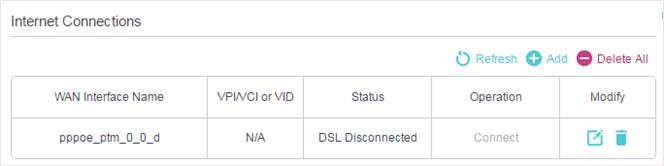
4. Click Add and select Bridge in the Internet Connection Type column.
Note:
- If your Internet Service Provider requires VLAN tagging for Internet access, you’ll need to enable VLAN ID and enter the value provided by your ISP.
- The backend devices must not be configured with an additional VLAN tag, as doing so will prevent the Internet connection from working properly.
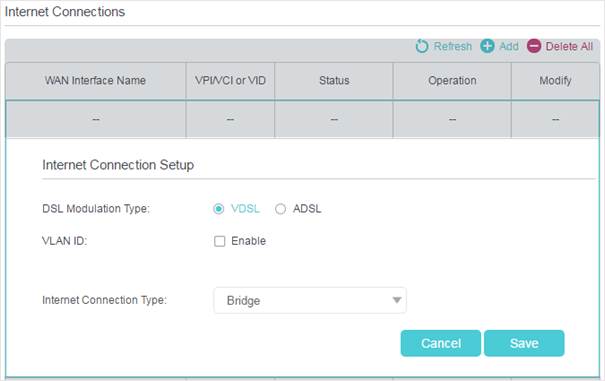
6. Click Save to make the settings effective.
7. Succeed! You can use your modem router as a pure modem now.
Get to know more details of each function and configuration please go to Download Center to download the manual of your product.
¿Es útil esta pregunta frecuente?
Sus comentarios nos ayudan a mejorar este sitio.


