
How to Subscribe to a Tapo Care Plan via the App or Website
Tapo Care is a paid cloud storage subscription service for Tapo cameras and doorbells that enables video cloud storage and advanced features. You can start a Tapo care subscription through the Tapo app or on the official Tapo Care website. Tapo Care Plans renew automatically but can be canceled at any time.
Key Takeaways
- Tapo Care is a paid cloud storage service for Tapo cameras and doorbells, available as a subscription through the Tapo app or the official Tapo Care website.
- The Tapo app subscription is processed through the iOS App Store or Google Play; the website supports credit card and PayPal payments.
- Subscriptions renew automatically unless canceled, and cancellation is available at any time.
- After subscribing, the cameras covered by the plan can be selected and modified at any time.
How to Subscribe to a Tapo Care Plan
Step 1. Open Tapo Care via App or Website
Option 1: Open Tapo app Me page (tap Me at the bottom right or the profile picture in the top left), then tap Tapo Care.
Option 2: Visit Tapo Care website and log in with your TP-Link ID.
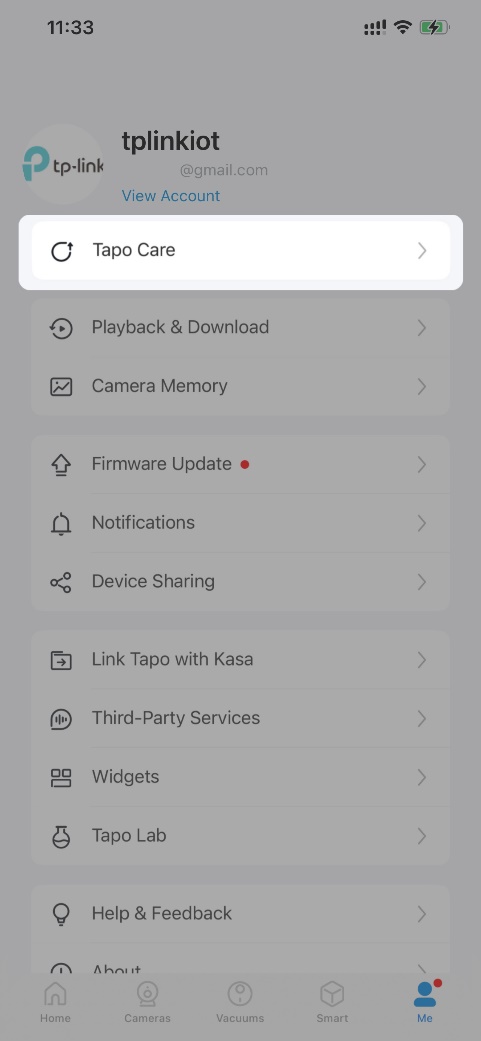 or
or 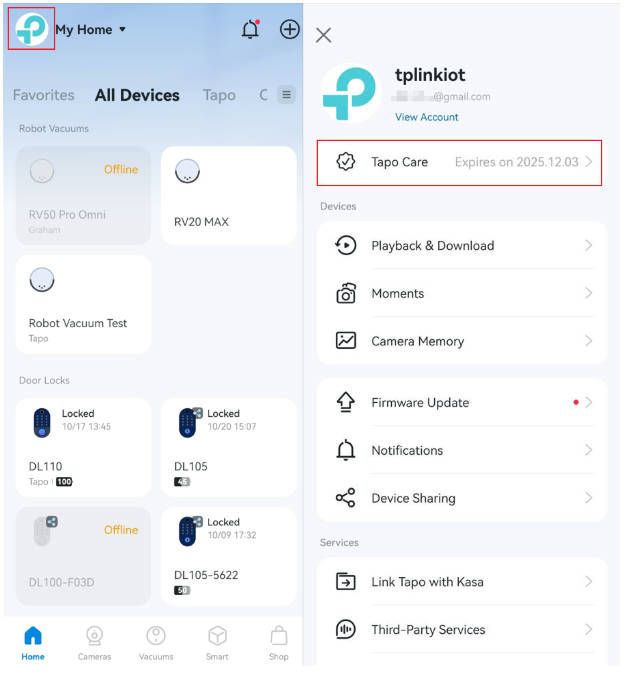
Step 2. Select a Plan
Tap Add Plan and choose a plan based on your number of cameras/doorbells, storage needs, and required features.
To compare differences between Tapo Care plans, refer to: General Questions about Tapo Care | TP-Link
Note: Available plans may vary by region or account—refer to what is shown in the Tapo app or Tapo Care website for the most accurate information.
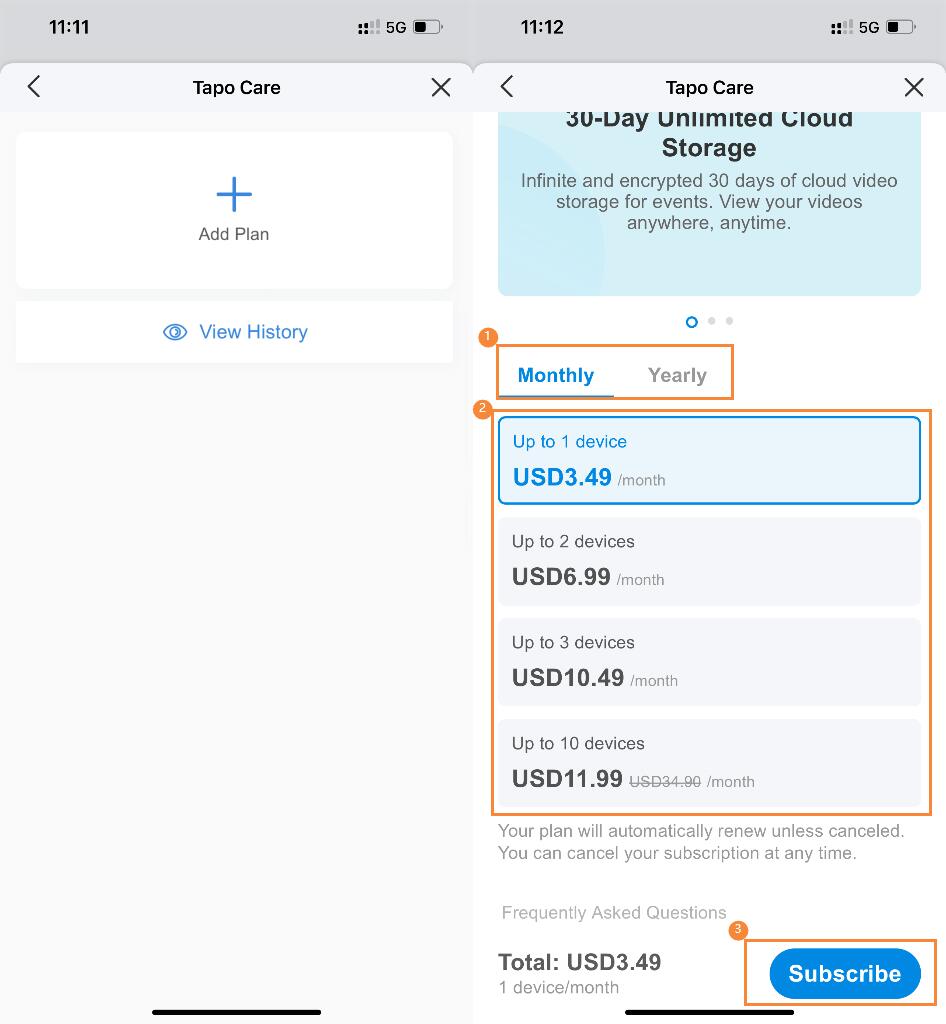
Step 3. Choose a Payment Method
Via Tapo App: Tap Subscribe and complete payment through the iOS App Store or Google Play.
Via Tapo Care Website: Complete payment via bank card or PayPal.
To get the invoice, see: How can I get the invoice for my Tapo Care/Kasa Care subscription? | TP-Link
Note: Tapo Care Plans renew automatically unless canceled. You can cancel at any time. For cancellation instructions, refer to: How to Cancel Tapo Care Subscription | TP-Link
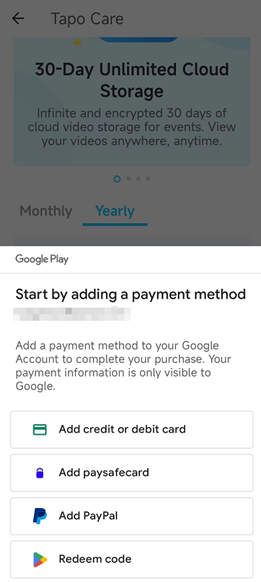
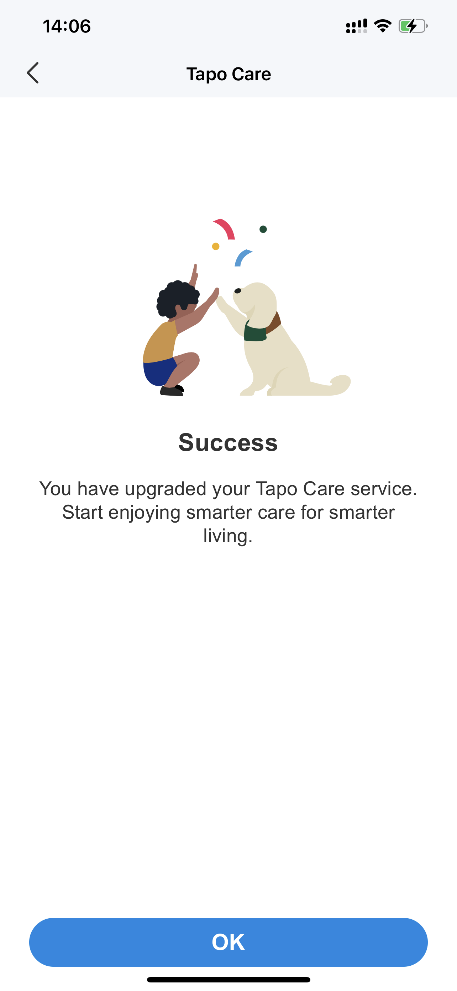
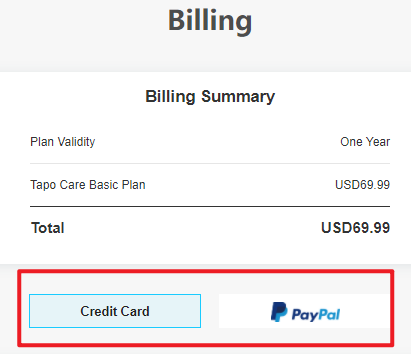
Step 4: Add Devices to Your Plan
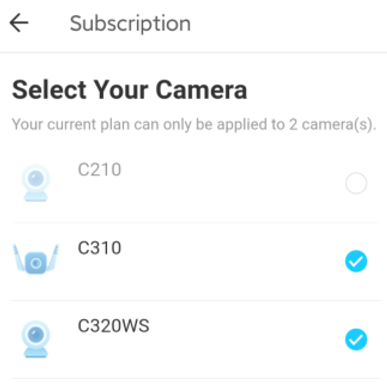
Select the cameras or doorbells you want to include. Selected devices will receive Tapo Care features after subscription.
If a device doesn’t appear, make sure it is updated to the latest firmware and connected to the internet.
You can also modify your device list later referring to: How to add new cameras to my Tapo Care plan | TP-Link
Please contact TP-Link technical support with the following information if you need further help:
- TP-Link ID
- Screenshot of the error message
- Problem description
To learn more about each function and configuration, please visit the Download Center to download the manual for your product.
Looking For More
Ez a GY.I.K. hasznos volt?
Véleménye segíti az oldal fejlesztését


TP-Link Community
Still need help? Search for answers, ask questions, and get help from TP-Link experts and other users around the world.