
How to find the firmware of your smart home device in the Kasa app
Note: Here takes a smart switch for example.
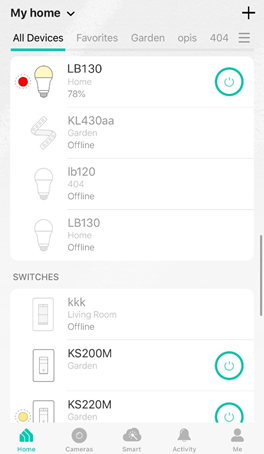
Step 1: Log into the Kasa app, then tap your device.
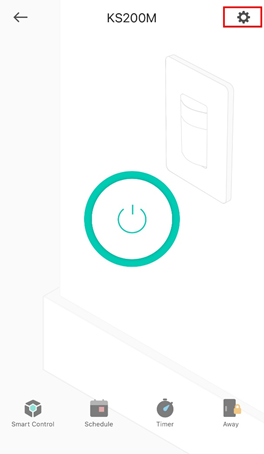
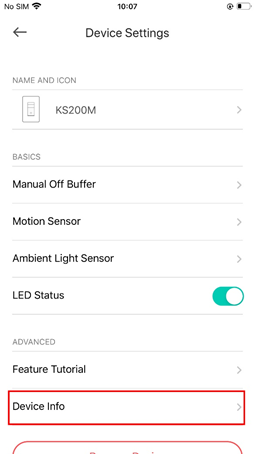
Step 2: Tap the “Settings” button, then tap “Device Info”.
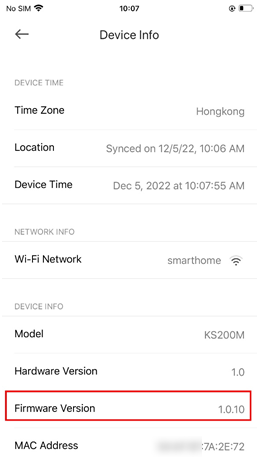
Step 3: Scroll down the page and then you will see the firmware of your device.
Finden Sie diese FAQ hilfreich?
Mit Ihrer Rückmeldung tragen Sie dazu bei, dass wir unsere Webpräsenz verbessern.



TP-Link Community
Still need help? Search for answers, ask questions, and get help from TP-Link experts and other users around the world.
Von United States?
Erhalten Sie Produkte, Events und Leistungen speziell für Ihre Region