
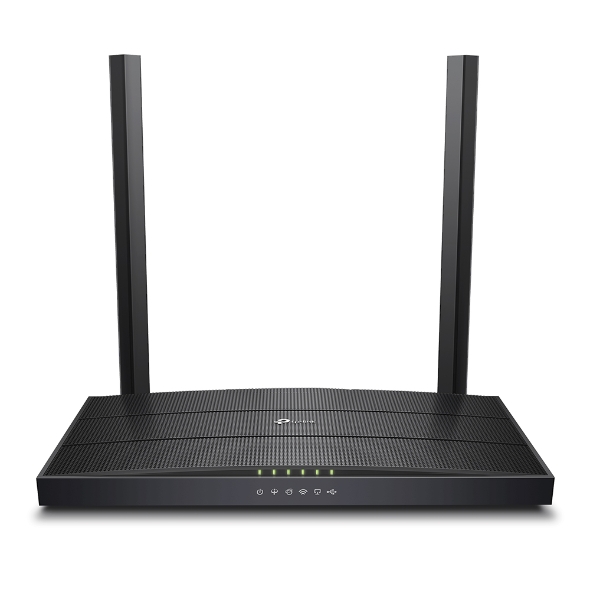
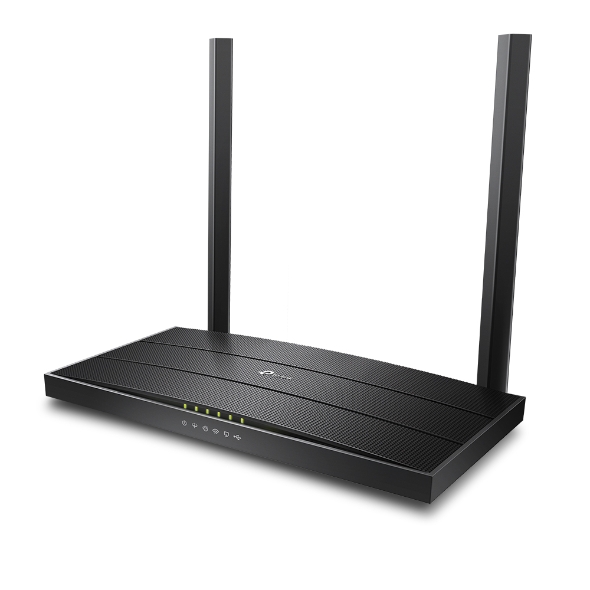
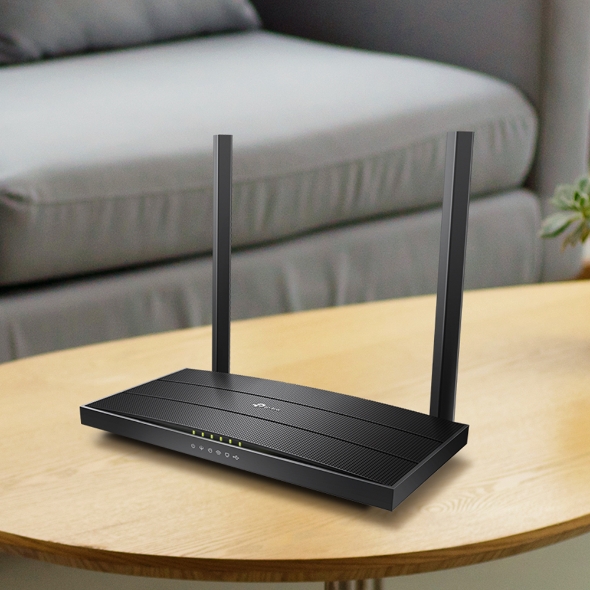
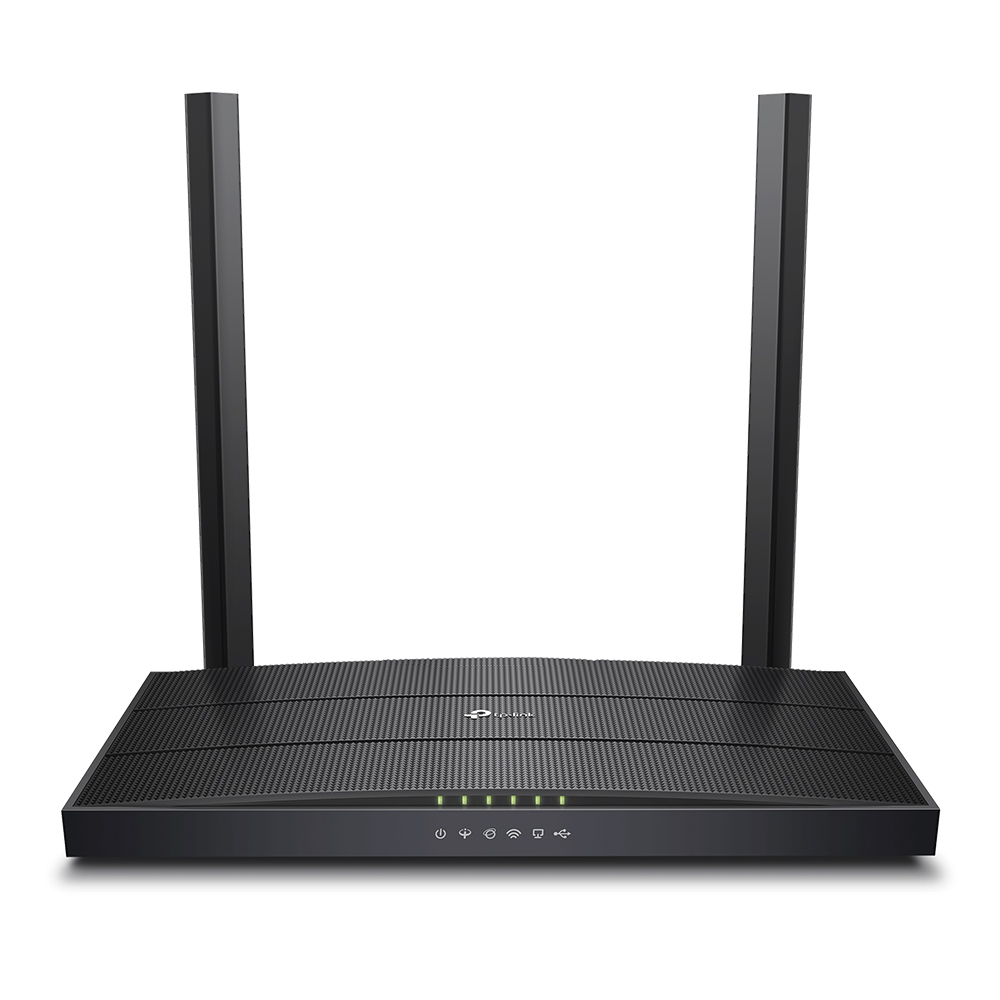
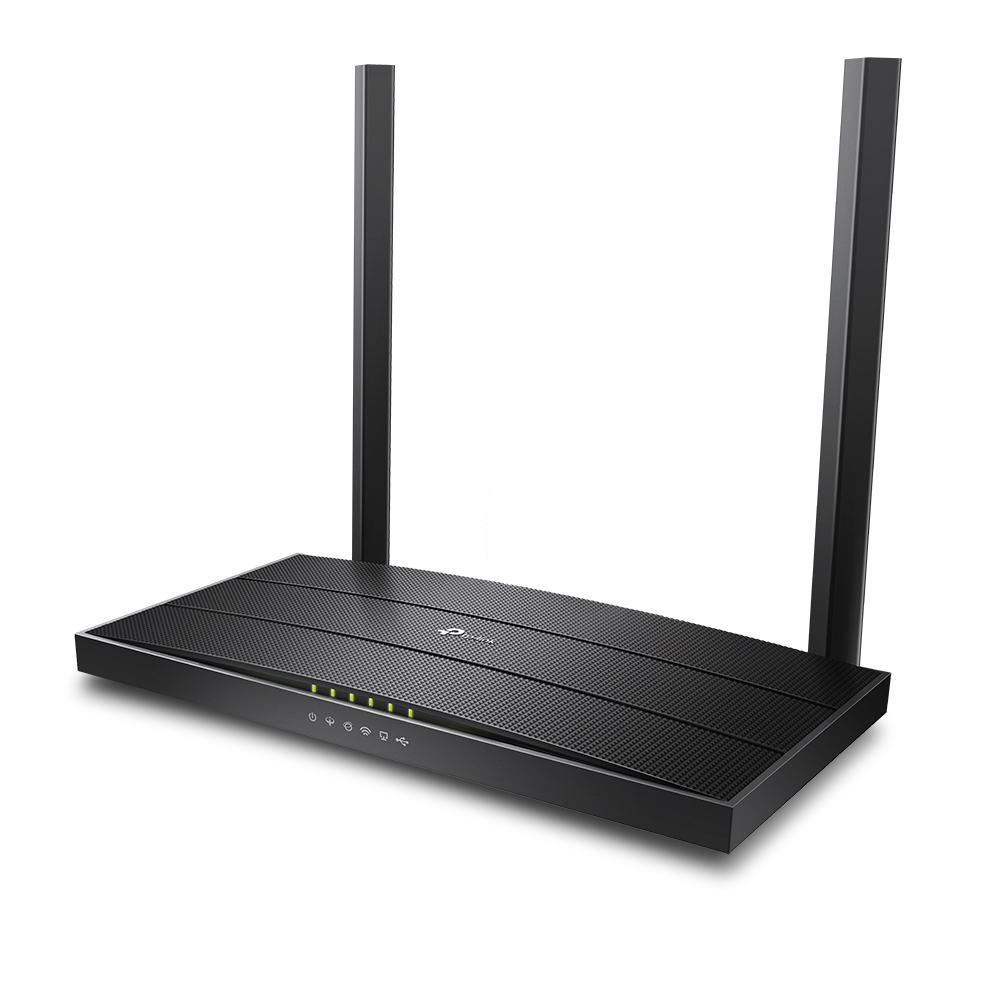

AC1200 Wireless MU-MIMO VDSL/ADSL Modem Router
- Speedy WiFi – Experience superb wireless connections with 867 Mbps (5 GHz) + 300 Mbps (2.4 GHz) dual band WiFi
- Superior Range – Two fixed omnidirectional antennas with Beamforming technology provide stable wireless connections and optimal coverage
- Versatile Connectivity – Fully compatible with VDSL2/ADSL2+/ADSL2/ADSL standards, as well as fiber, cable, and 3G/4G internet services
- Whole-Home Coverage with OneMeshTM – Works alongside TP-Link OneMeshTM products to create a flexible Mesh network
- MU-MIMO Technology – Simultaneously transfers data to multiple devices, reducing wait times
- Full Gigabit Ports – Take full advantage of broadband speeds up to 1 Gbps
- Tether App– TP-Link Tether provides the easiest way to access and manage your router on your iOS and Android devices
A Modem for All
Your Networking Needs
AC1200 Wireless MU-MIMO VDSL/ADSL Modem Router
Archer VR400
Superfast WiFi Up to 1.2 Gbps
Archer VR400 unlocks the full potential of your internet connection by providing combined dual band WiFi speeds of up to 1.2 Gbps, including 867 Mbps on the 5 GHz band and 300 Mbps on the 2.4 GHz band, eliminating lag and buffering from your online activities.
Two dedicated WiFi networks support more devices and reduce wireless interference to create stable connections.
High-Speed
VDSL Modem Router
Advanced VDSL2 technology allows Archer VR400 to deliver impressive VDSL broadband speeds of up to 100 Mbps—nearly 4× faster than ADSL2+. Archer VR400 serves as a DSL modem and wireless router, combining two devices in one.
*The integrated DSL port supports all standard DSL connections, including VDSL2, ADSL2+, ADSL2, and ADSL.
| VDSL | - 100 Mbps |
| ADSL2+ | - 24 Mbps |
Versatile Backup Connectivity
With multiple ports, Archer VR400 provides you with a variety of options when connecting to the internet. As a backup, the LAN/WAN port allows Archer VR400 to accept connections from cable and fiber modems via an Ethernet cable. Additionally, the USB port supports 3G/4G dongle connections.
Flexibly Create a Whole Home WiFi
OneMesh™ is a simple way to form a Mesh network with a single WiFi name for seamless whole-home coverage. Just connect a OneMeshTM range extender to a OneMesh™ router. No more searching around for a stable connection.
Wi-Fi Dead-Zone KillerEliminate weak signal areas with Wi-Fi coverage for the whole house |
Smart
|
One Wi-Fi
|
Unified ManagementManage the whole-home Wi-Fi by managing the central node via Tether app/Web UI |
Superior Range and Stability
Two high-performance external antennas help Archer VR400 create an expansive home network. Advanced Beamforming technology automatically locates wireless devices and forms targeted, highly efficient wireless connections.
 |
 |
| Other Router without Beamforming | Archer VR400 |
MU-MIMO for Higher Efficiency
MU-MIMO technology serves multiple devices at once, reducing wait time, increasing WiFi throughput for every device, and making each stream more efficient
 Archer VR400
Blazing Fast Wired Performance
To help your wired devices achieve peak performance, the router’s Gigabit Ethernet ports operate 10× faster than standard Ethernet. Full Gigabit ports provide rapid, reliable wired connections to computers, TVs, and game consoles.
Easy Setup and Use
Set up Archer VR400 in minutes thanks to its intuitive web interface and the powerful Tether app. Tether also lets you manage the router’s network settings from any Android or iOS device, including parental controls and guest network.



|
Power
DSL
Internet
WiFi
LAN
USB
201mm
124.6mm
31.6mm
215.6mm
|
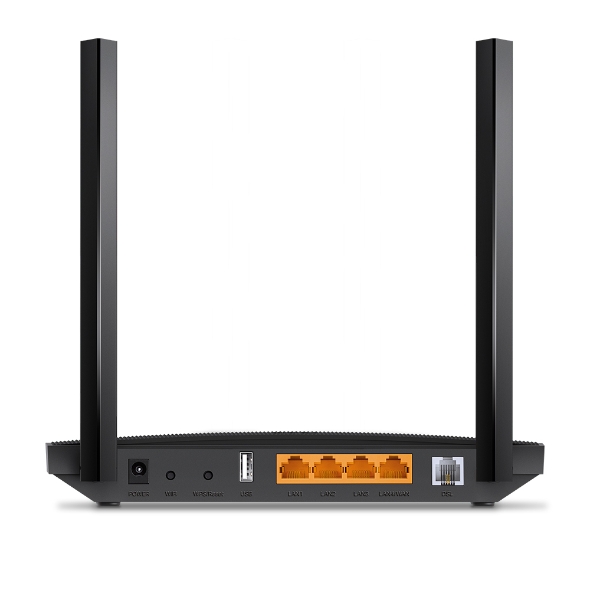
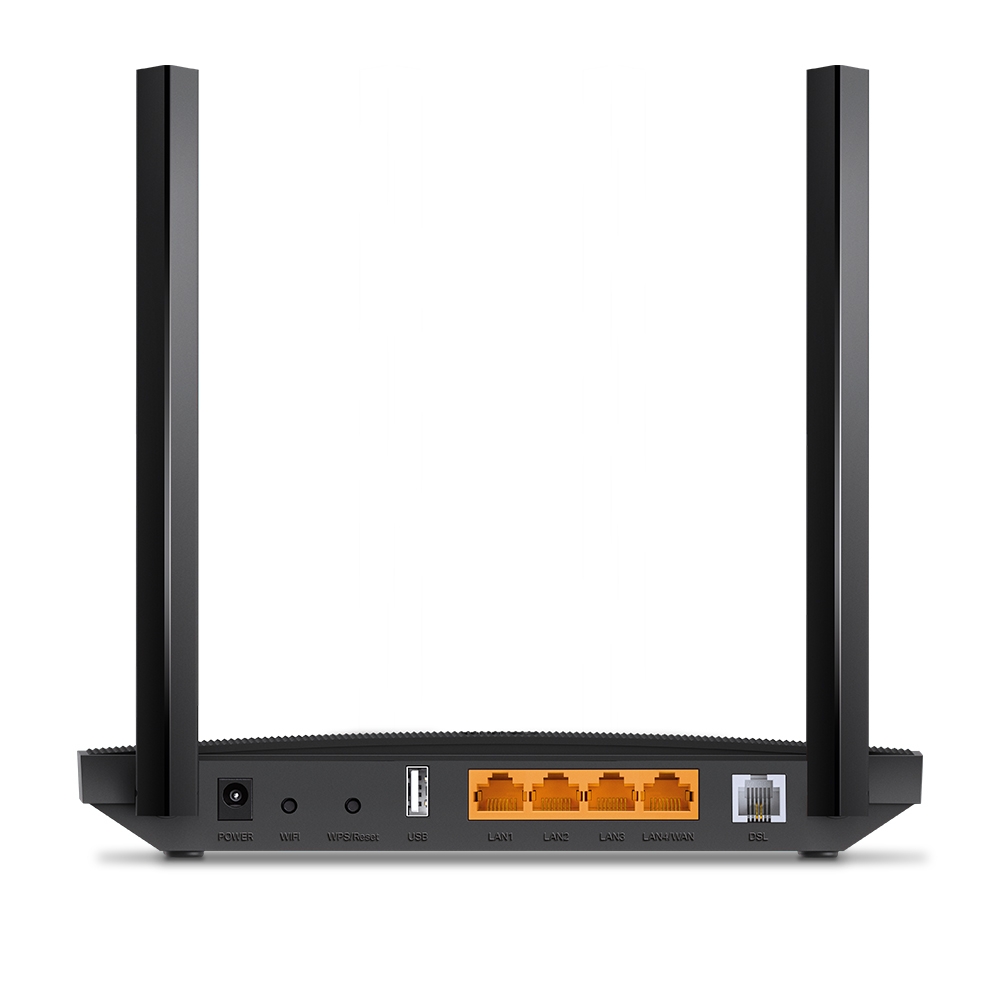
Power
WiFi
WPS / Reset
Gigabit LAN Ports 10× faster than standard Ethernet
VDSL/ADSL Connect to the internet
USB 2.0 3G/4G Dongle supported for backup connection
Gigabit LAN/WAN port Internet access from Cable Modem or Fiber Modem
|
| Interface | 3× 10/100/1000Mbps RJ45 LAN Ports, 1× 10/100/1000Mbps RJ45 WAN/LAN Port, 1× RJ11 Port,1× USB 2.0 Port |
|---|---|
| Button | WPS Button, Wi-Fi On/Off Button, Reset Button |
| External Power Supply | 12V/1A |
| IEEE Standards | IEEE 802.3, IEEE 802.3u, 802.3ab |
| VDSL2 Standards | ITU G.993.2, Up to 17a profile (POTS)ITU-T G.993.5 (G.vector)ITU-T G.998.4 (G.INP) |
| ADSL Standards | Full-rate ANSI T1.413 Issue 2,ITU-T G.992.1(G.DMT),ITU-T G.992.2(G.Lite),ITU-T G.994.1 (G.hs), |
| ADSL2 Standards | ITU-T G.992.3 (G.DMT.bis) |
| ADSL2+ Standards | ITU-T G.992.5 |
| Dimensions ( W x D x H ) | 8.5 × 4.9 × 1.2 in (215.6 × 124.6 × 31.6 mm) |
| Antenna | 2× fixed Omini-Directional antennas |
| Advanced Features | Parental Controls, Network Address Translation(NAT), Port Mapping(Grouping), Static Routing, DDNS, IGMP V1/V2/V3 |
|---|---|
| Security | NAT Firewall, SPI Firewall, Access Control, Service Filtering, Denial of Service (DoS), SYN Flooding, Ping of Death, IP and MAC Address Binding |
| Operating Modes | VDSL/ADSL Modem Router, Wireless Router, 3G/4G Router |
| Management Features | Web-Based Configuration (HTTP / HTTPS), Remote management, SSL for TR-069, SNMP v1/2c, Firmware Upgrade, Diagnostic Tools, Free Online Firmware Update |
| DHCP | Server, Client, DHCP Client List, Address Reservation, DHCP Relay |
| Port Forwarding | Virtual Server, Port Triggering, DMZ, ALG, UPnP |
| Dynamic DNS | DynDns, NO-IP, TP-Link |
| VPN | OpenVPN, PPTP VPN, IPSec VPN |
| Protocols | Supports IPv4 and IPv6 |
| ATM/PPP Protocols | ATM Forum UNI3.1/4.0, PPP over ATM (RFC 2364), PPP over Ethernet (RFC2516), IPoA (RFC1577/2225), MER\IPoE (RFC 1483 Routed), Bridge (RFC1483 Bridge), PVC – Up to 8 PVCs |
| Guest Network | 2.4GHz Guest Network, 5GHz Guest Network |
| Wireless Standards | IEEE 802.11ac/n/a 5GHz, IEEE 802.11b/g/n 2.4GHz |
|---|---|
| Frequency | 2.4 GHz and 5 GHz |
| Signal Rate | 867Mbps at 5 GHz, 300Mbps at 2.4 GHz |
| Wireless Functions | Enable/Disable Wireless Radio, WMM, Wireless Statistics |
| Wireless Security | 64/128-bit WEP, WPA/WPA2, WPA-PSK/WPA2-PSK encryptions |
| Transmission Power | <20dBm (2.4 GHz), <23dBm (5 GHz) |
| Wireless Schedule | Support 2.4 GHz and 5 GHz Wireless Schedule |
| Network Services Enabled by Default | Web Server Manage and configure device through web (HTTP/HTTPS) • Port: 80/443 Protocol: TCP DHCP Server IP address assignment (DHCP) • Port: 67 Protocol: UDP DNS • Port: 53 Protocol: TCP App management Manage and configure device through app • Port: 22 Protocol: TCP • Port: 20002 Protocol: TCP CWMP CPE WAN Management Protocol • Port: 7547 Protocol: TCP |
|---|---|
| Certification | CE, RCM |
|---|---|
| Package Content | AC1200 Wireless MU-MIMO VDSL/ADSL Modem Router Archer VR400External SplitterRJ11 DSL CableRJ45 Ethernet CablePower AdapterQuick Installation Guide |
| System Requirements | Microsoft Windows 98SE, NT, 2000, XP, Vista™ or Windows 7, 8, 8.1, 10, macOS, NetWare, UNIX or LinuxInternet Explorer 11, Firefox 12.0, Chrome 20.0, Safari 4.0, or otherJava-enabled browserSubscription with an internet service provider (for internet access) |
| Environment | Operating Temperature: 0℃~40℃ (32℉ ~104℉)Operating Humidity: 10%~90% non-condensing |
† Maximum wireless signal rates are the physical rates derived from IEEE Standard 802.11 specifications. Range, coverage, and the maximum number of connected devices are based on test results under normal usage conditions. Actual wireless data throughput, wireless coverage, and the number of connected devices are not guaranteed and will vary as a result of 1) environmental factors, including building materials, physical objects, and obstacles, 2) network conditions, including local interference, volume and density of traffic, product location, network complexity, and network overhead, and 3) client limitations, including rated performance, location, connection quality, and client condition.
Actual network speed may be limited by the rate of the product's Ethernet WAN or LAN port, the rate supported by the network cable, Internet service provider factors and other environmental conditions.