
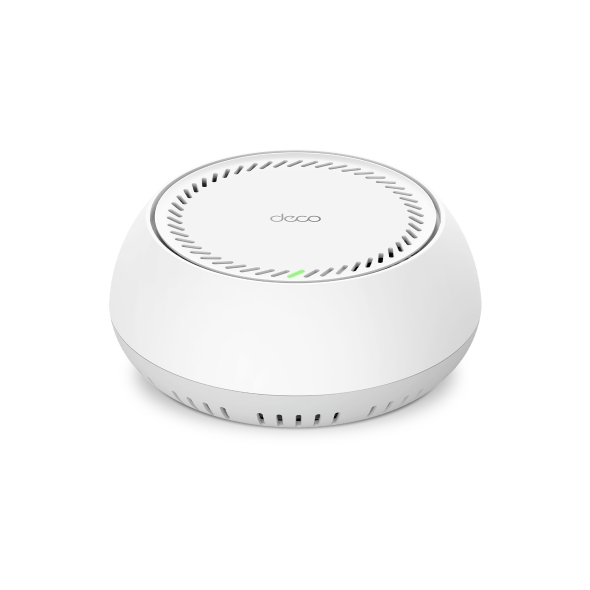
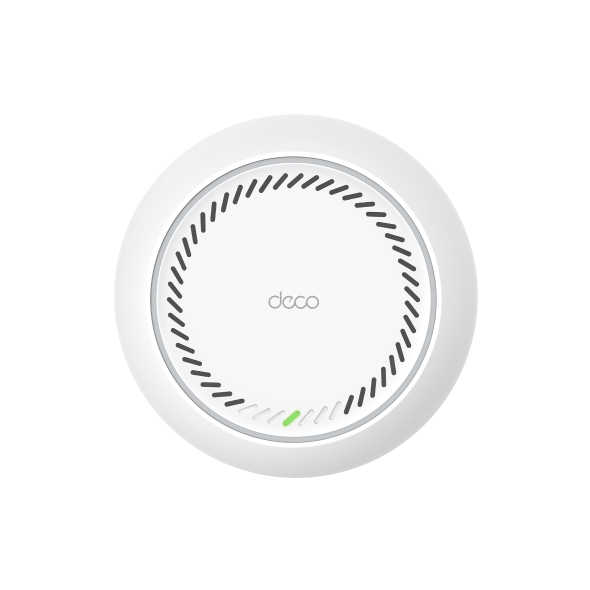
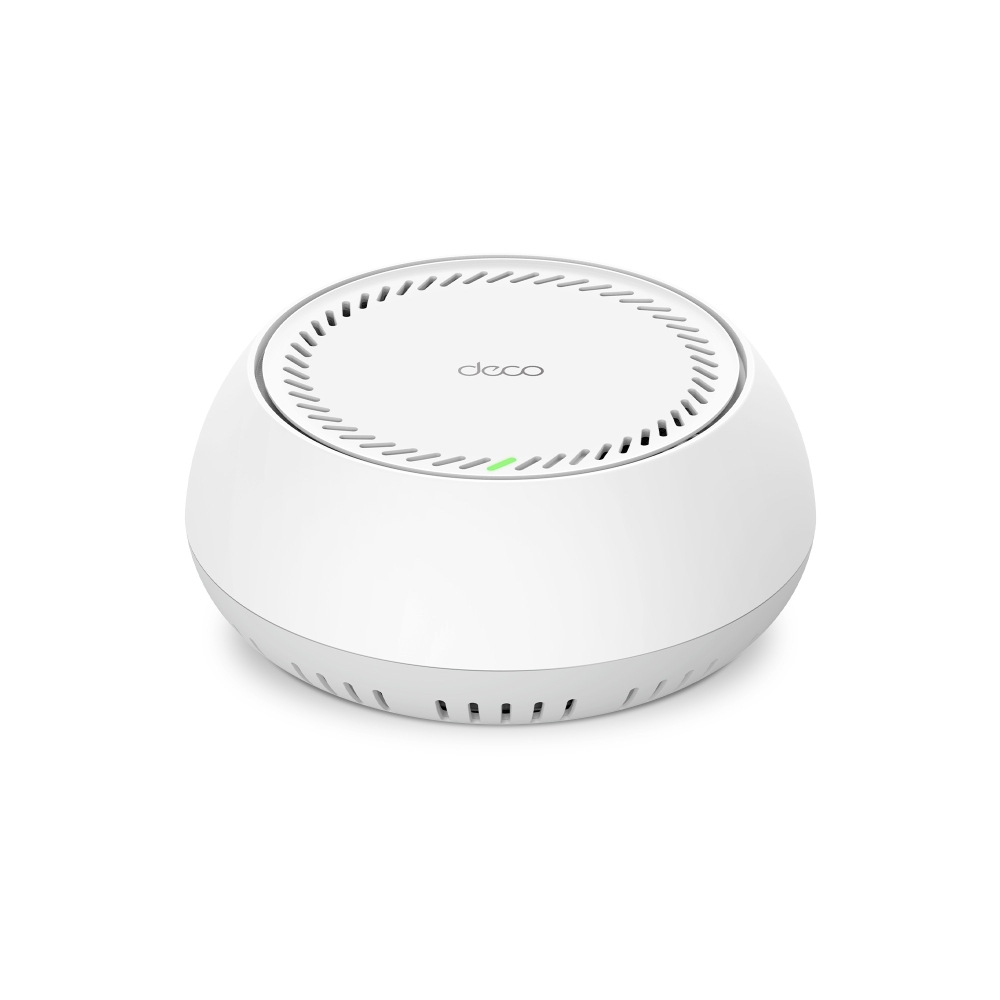
Deco BE65-PoE
Mesh WiFi 7 systém BE9300 pro celou domácnost s napájením PoE
- Třípásmová Wi-Fi BE9300 – 5765 Mb/s (6 GHz) + 2882 Mb/s (5 GHz) + 688 Mb/s (2,4 GHz).†
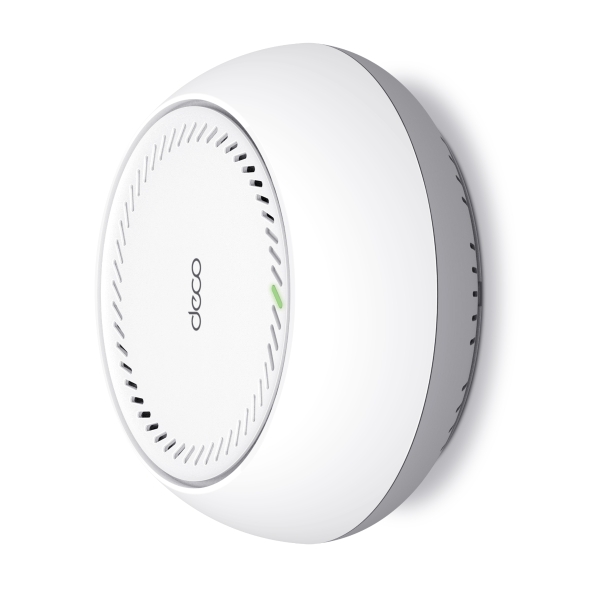
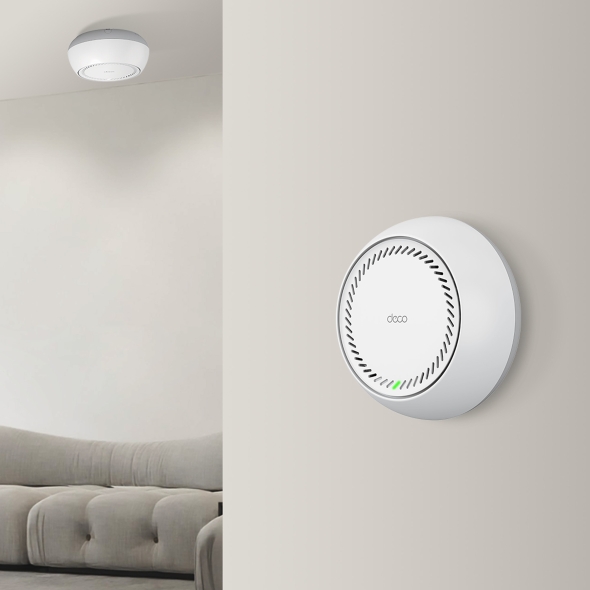
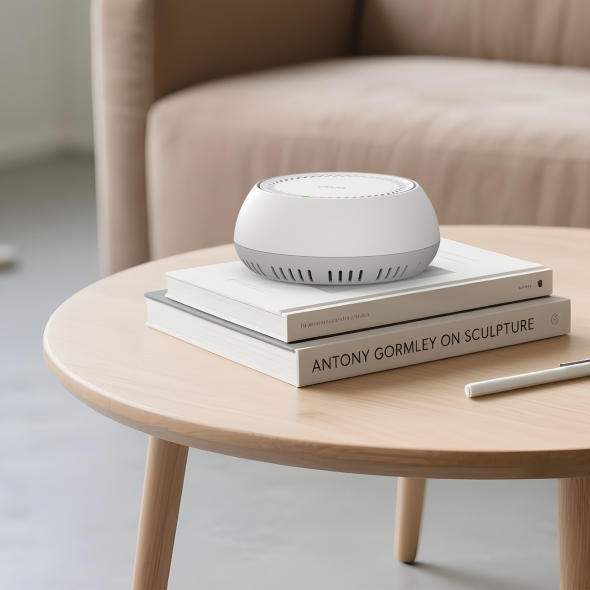
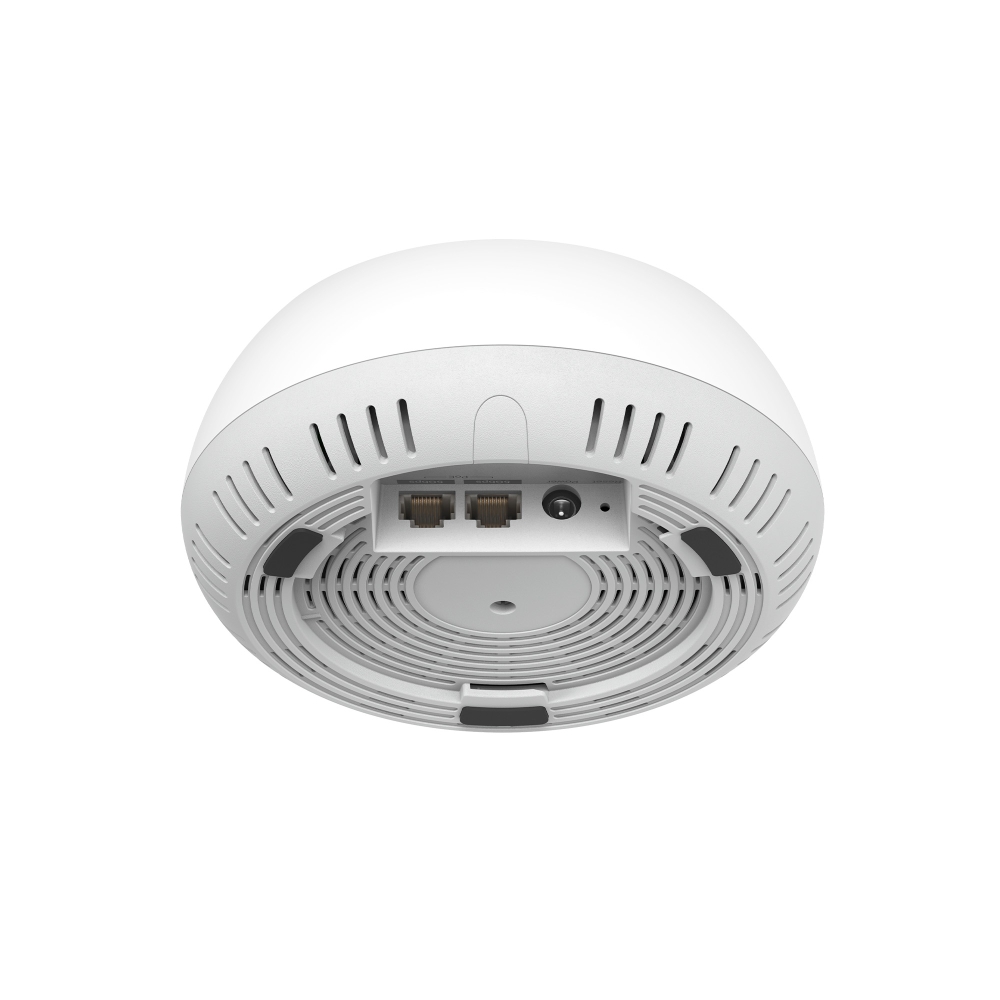
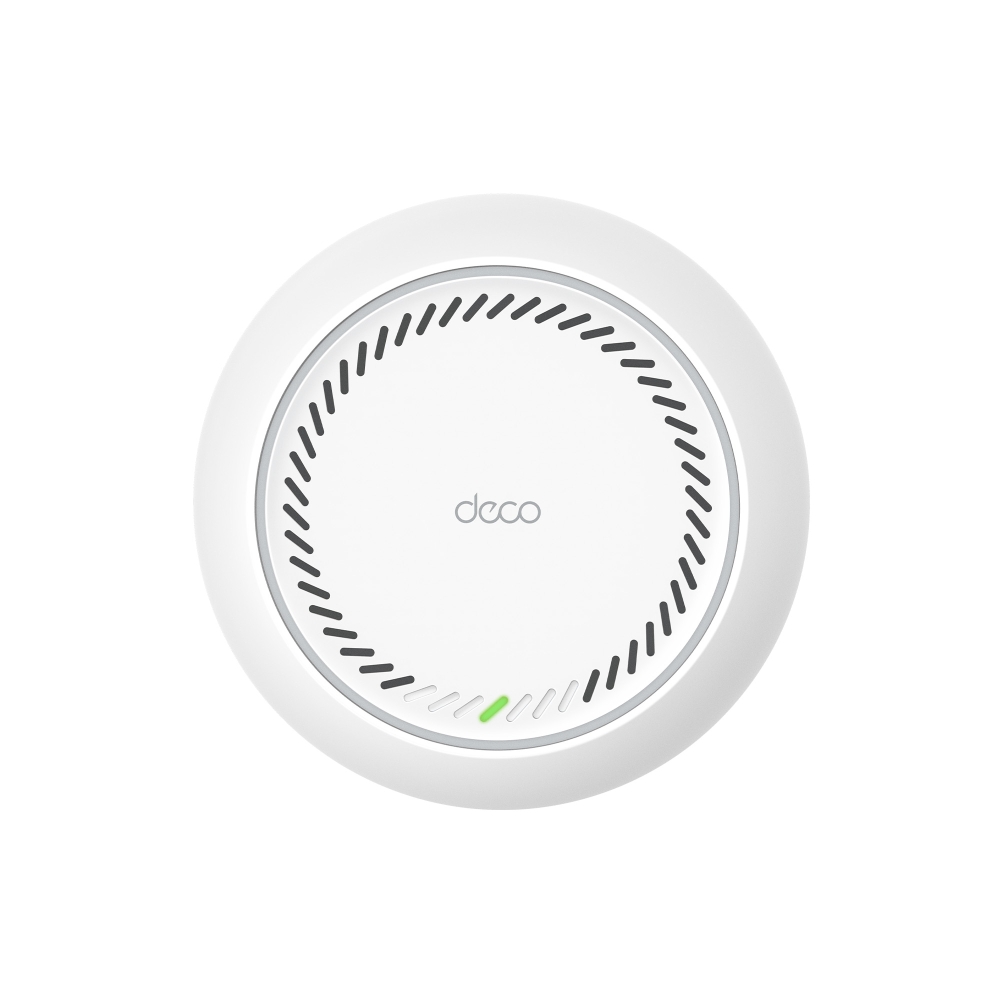
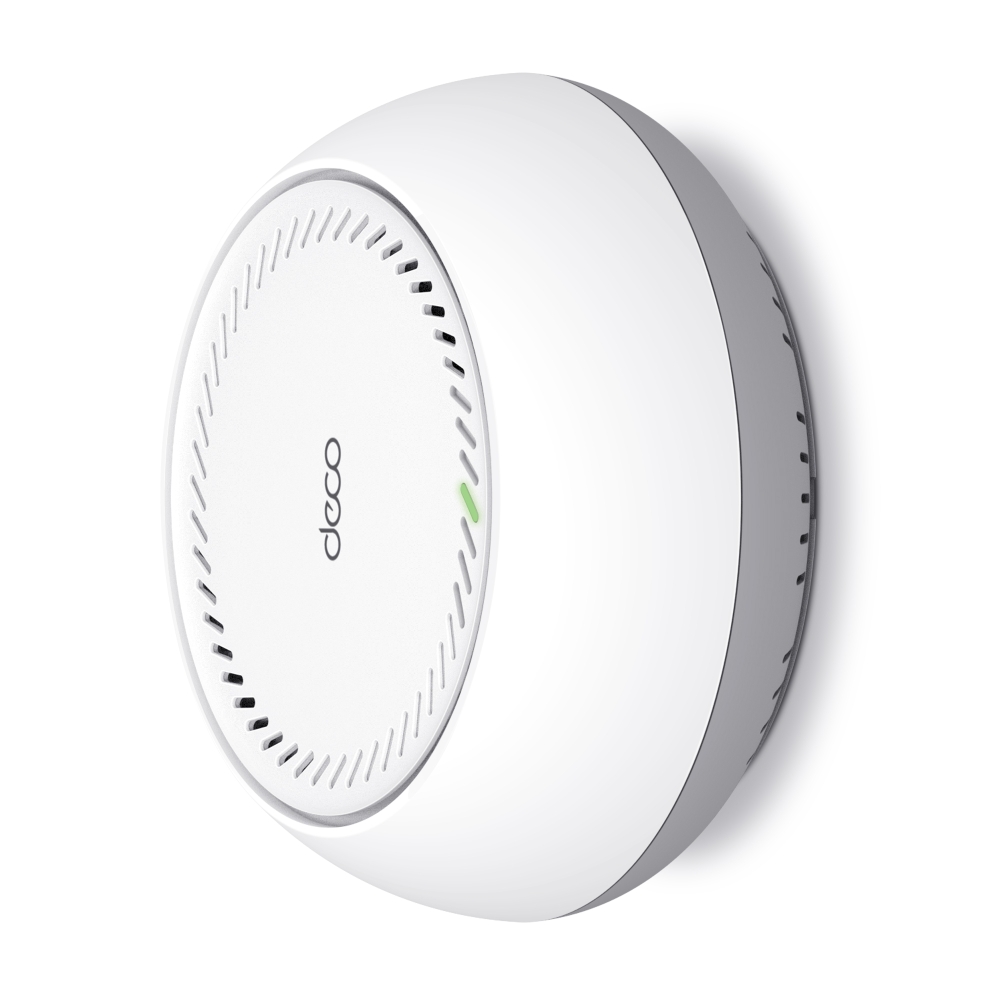
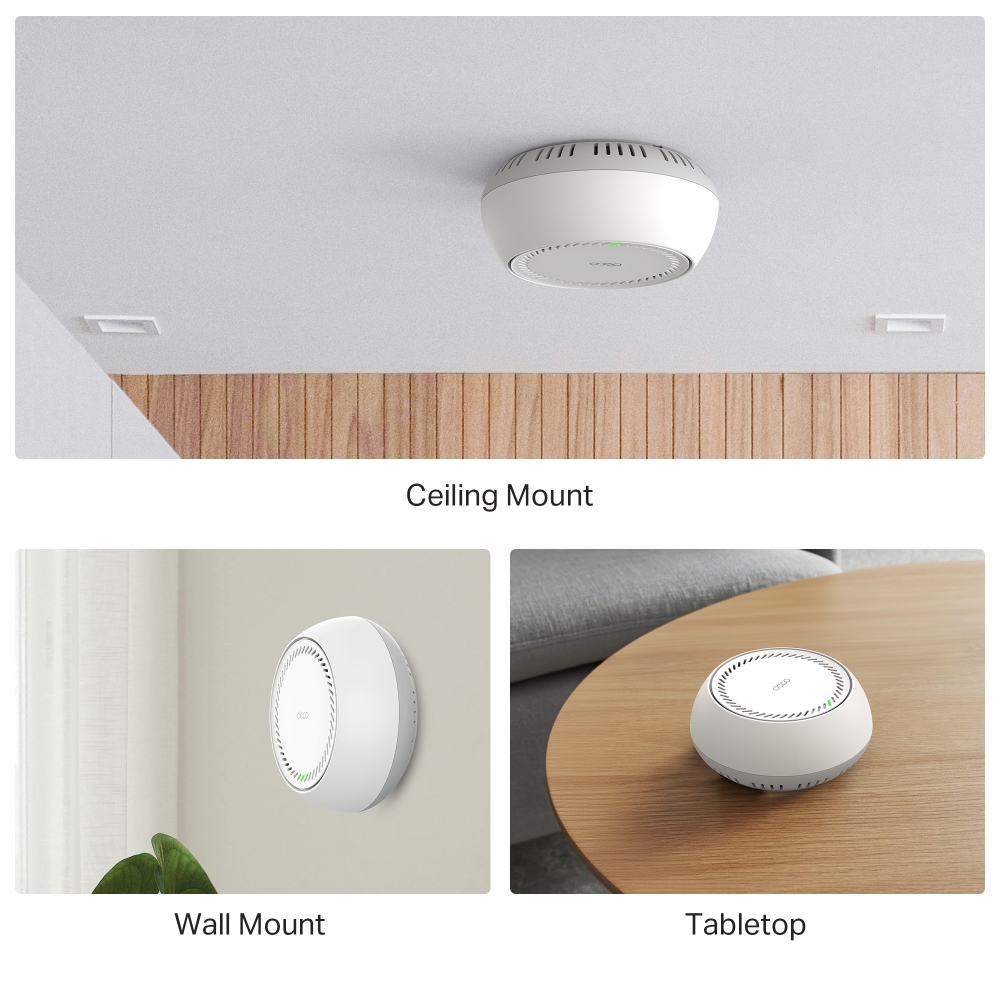
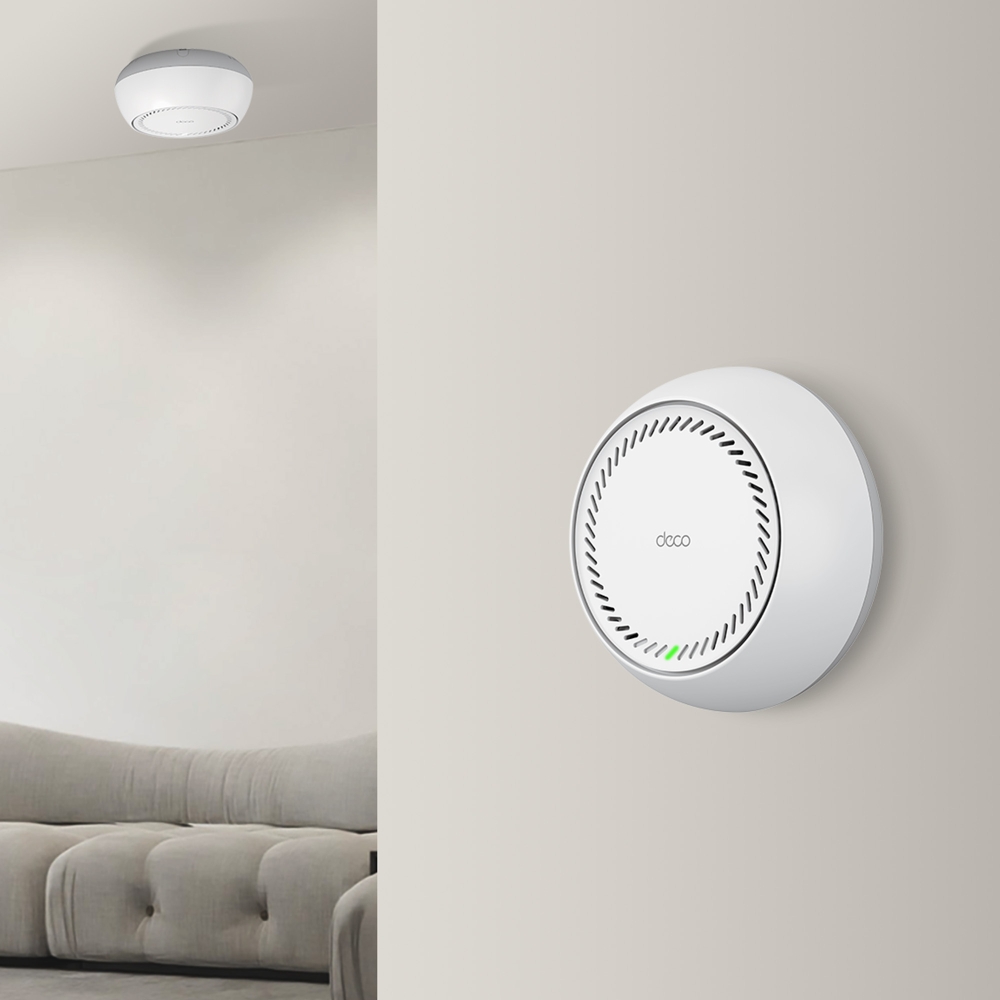
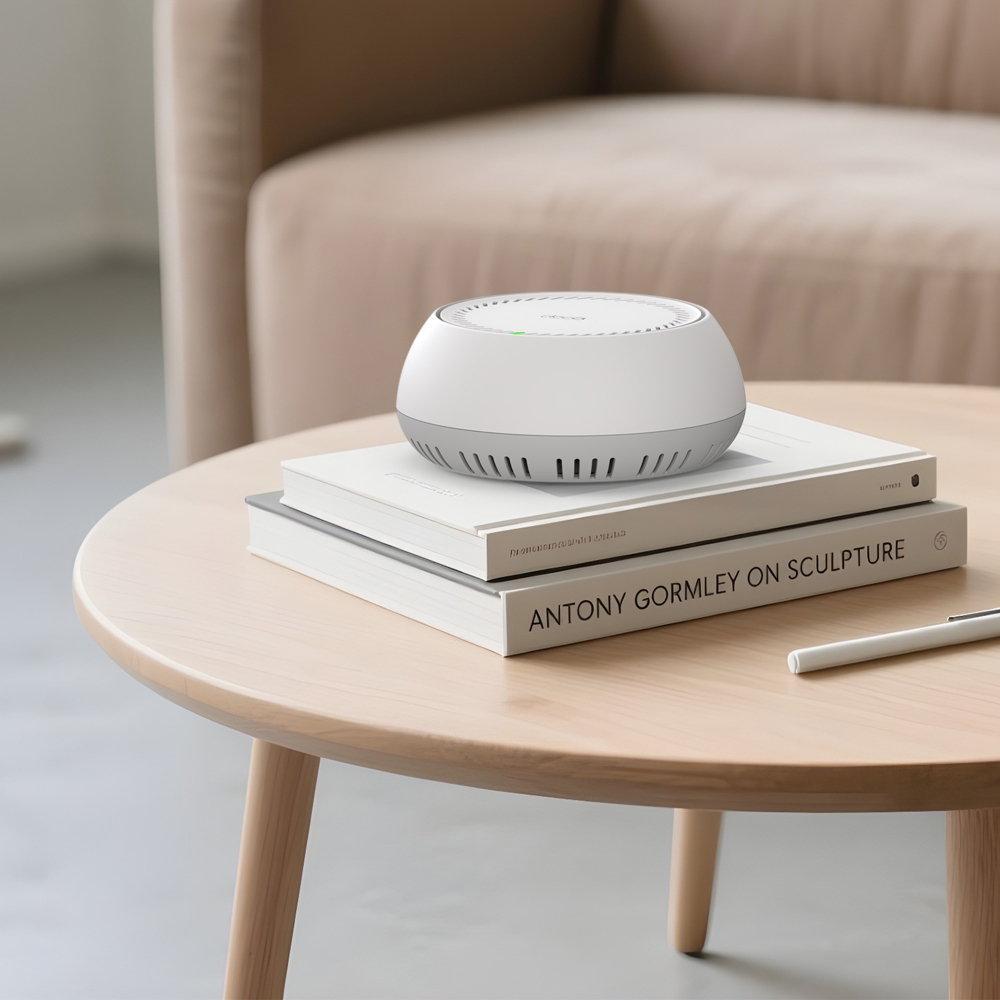
- Několik možností instalace – Umístěte jej na stůl nebo jej nainstalujte na strop či stěnu pomocí adaptivního příslušenství.
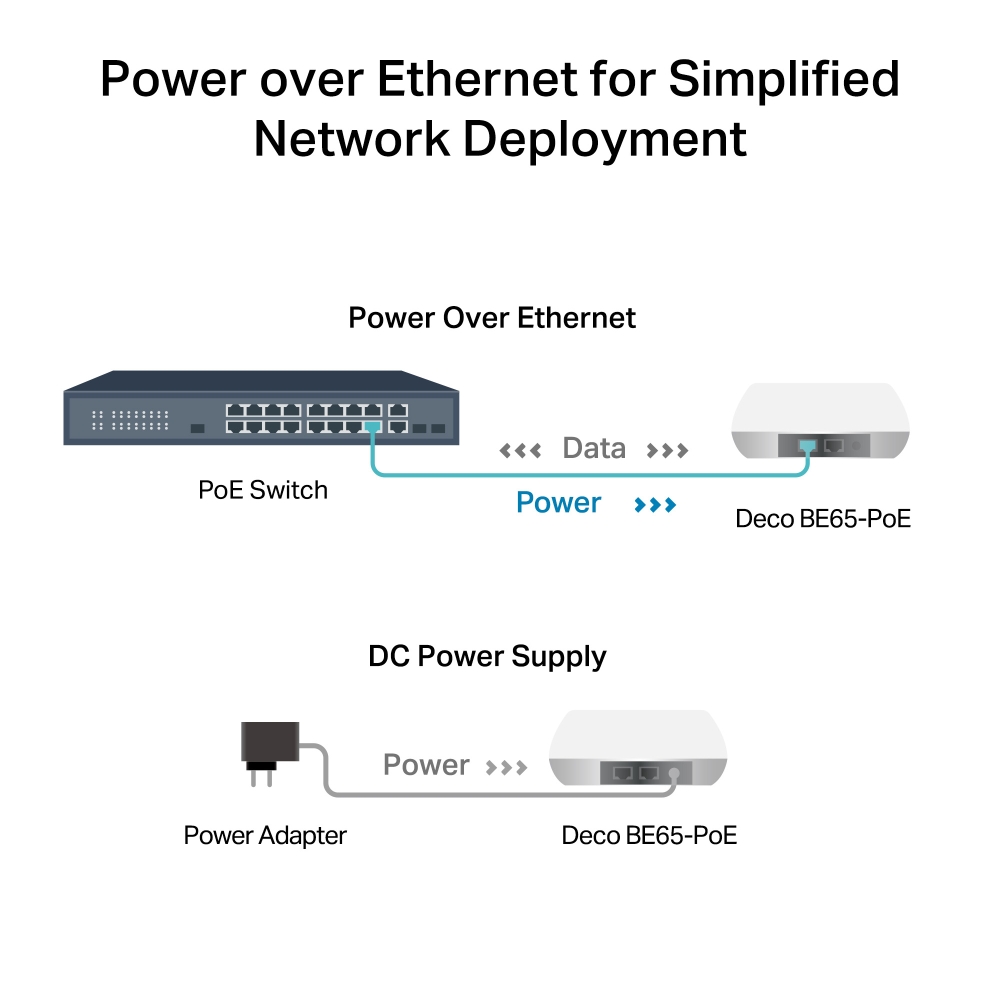
- Podpora PoE – Napájení přes Ethernet pro zjednodušené nasazení sítě.
- Multi-Gigabitová 5 Gb/s kabelová síť – 2× 5 Gb/s porty §
- Multi-Link Operation (MLO) – Současné odesílání a přijímání dat v různých pásmech a kanálech pro zvýšení propustnosti, snížení latence a zlepšení spolehlivosti.△
- 320 MHz kanály – Zdvojnásobují šířku pásma a umožňují mnohem více souběžných přenosů při nejvyšších možných rychlostech.△
- Funguje v pásmu 6 GHz – Minimalizuje přetížení díky novému spektru a poskytuje robustní vysokorychlostní připojení.△
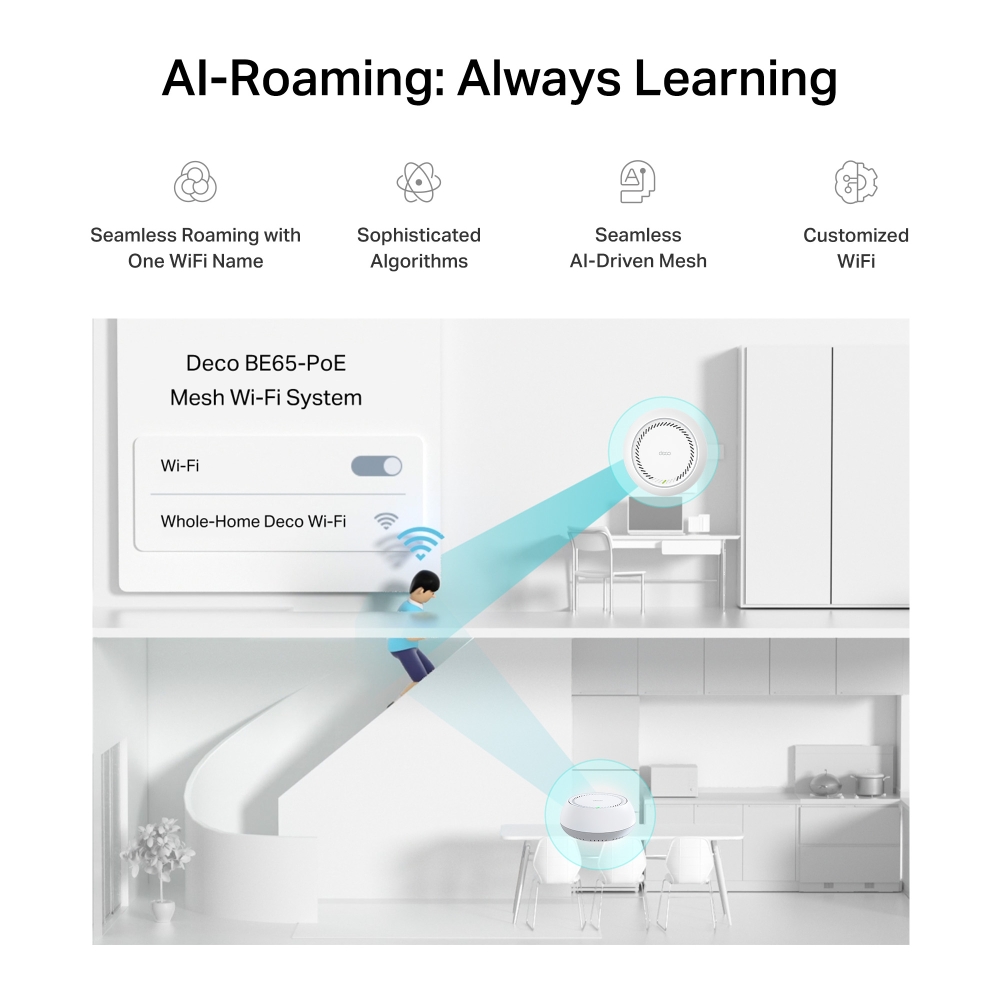
- Plynulá AI-Driven Mesh síť – Inteligentně se učí vaše síťové prostředí a poskytuje ideální Wi-Fi na míru vašemu domovu.‡
- TP-Link HomeShield – Poskytuje komplexní ochranu sítě, robustní rodičovskou kontrolu a zabezpečení IoT v reálném čase.*
- Univerzální kompatibilita – Zpětně kompatibilní se všemi generacemi Wi-Fi; spolupracuje s jakýmkoli poskytovatelem internetových služeb (ISP) a modemem.☆
Mesh Wi-Fi pro každou situaci splní všechny vaše potřeby
BE9300 Whole Home Mesh Wi-Fi 7 systém s napájením přes PoE
Deco BE65-PoE

BE9300 Třípásmová Wi-Fi se 6 streamy
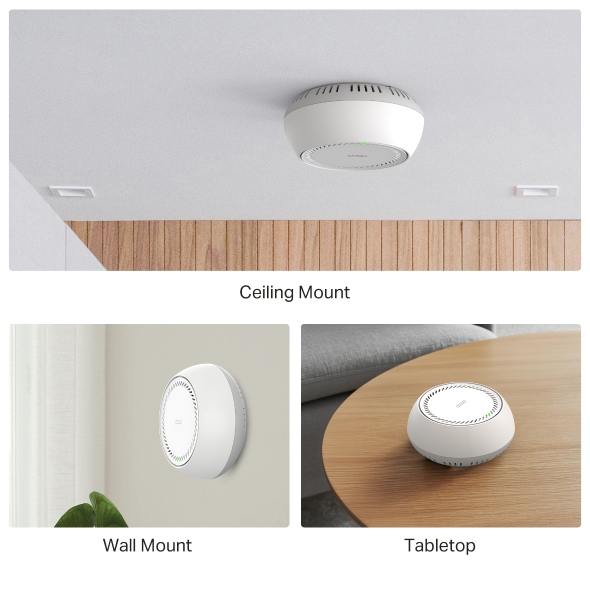
Několik možností instalace
Montáž na strop
Montáž na stěnu
Umístění na stůl
Skutečná Multi-Gigabitová Mesh WiFi pro celý dům
5 GbE port Přístup k internetu s rychlostí až 5 Gb/s
Připojení až 200 zařízení
Podpora napájení PoE/DC
6 GHz + 320 MHz HomeShield
Bezproblémový AI roaming
TP-Link HomeShield
Bleskově rychlá třípásmová Wi-Fi až 9,3 Gb/s
Wi-Fi 7 naplno využívá potenciál 4K-QAM a pásma 6 GHz s kanály o šířce až 320 MHz, což přináší nevídanou rychlost Wi-Fi až 9,3 Gb/s. Nové pásmo 6 GHz poskytuje výjimečnou šířku pásma a kanály bez zahlcení.†
přerušení
zpožděním
chytré domácnosti
kdykoli
Několik možností instalace, umístěte Deco kamkoli chcete
Deco BE65-PoE nabízí flexibilní instalaci pro různé scénáře. Umístěte jej na stůl nebo jej nainstalujte na strop či stěnu pomocí našeho adaptivního příslušenství.
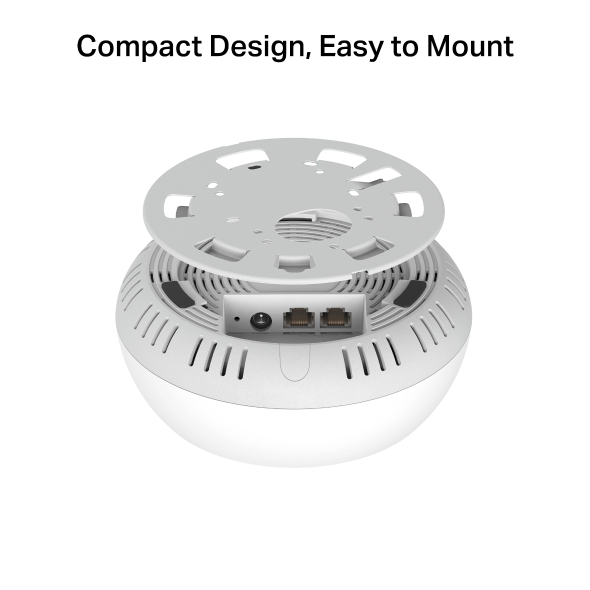
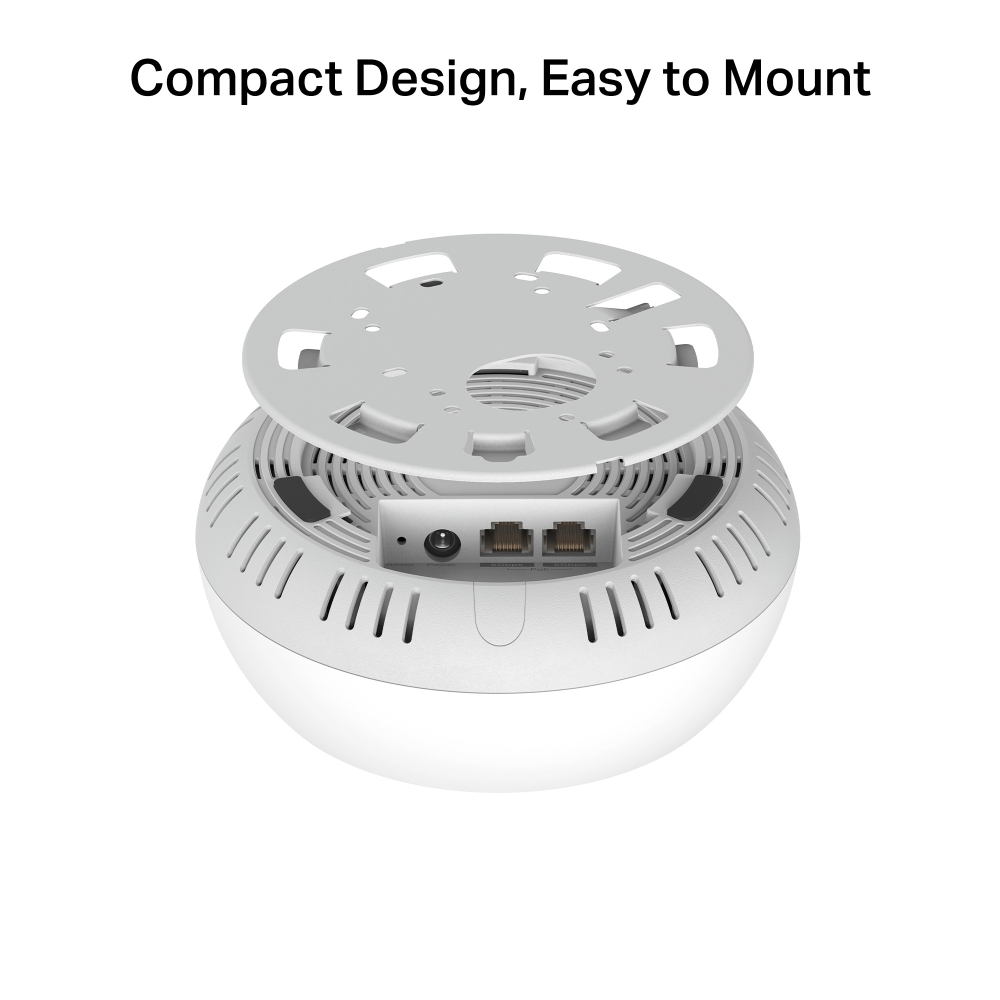
Kompaktní design, snadná montáž
Jednotku Deco lze namontovat na stěnu, strop nebo elektroinstalační krabici pomocí dodaných šroubů. Výjimečný výkon v kombinaci s kompaktním designem zajišťuje jednoduchou instalaci WiFi a zároveň šetří místo. Elegantní vzhled Deco BE65-PoE s jemným tělem z něj dělá ideální doplněk, který splyne s různými styly domácích dekorací.
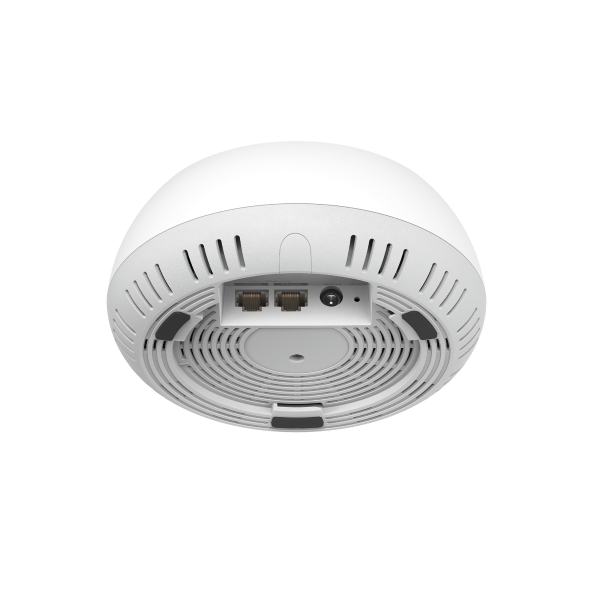
Multi-Gig 5 Gb/s PoE port
Deco BE65-PoE, vybavený dvěma 5gigabitovými ethernetovými porty, poskytuje výjimečný multi-gigabitový výkon, který uspokojí neustálou poptávku po lepší a rychlejší Wi-Fi. Překonejte 1G úzké hrdlo a dožeňte svá zařízení k maximálnímu výkonu. Nebo využijte 5 GbE port pro bleskově rychlá kabelová připojení. §
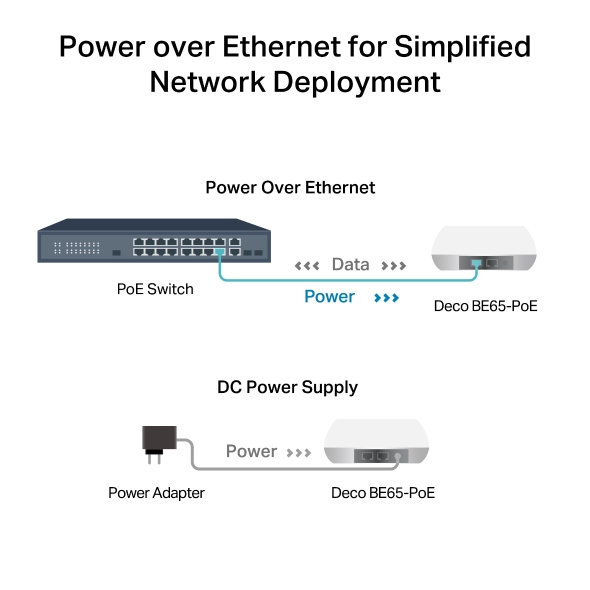
Power over Ethernet pro zjednodušené nasazení sítě
Deco BE65-PoE je navrženo tak, aby pro přenos dat i napájení využívalo jediný ethernetový kabel. Podporuje také DC napájení (napájecí adaptér je součástí balení) pro flexibilní instalaci.
-
 Bez starostí Zjednodušte instalaci a zefektivněte nasazení – není potřeba volat elektrikáře.
 -
 Nákladová efektivita Není potřeba dalších kabelů a napájecích adaptérů – snižte náklady na infrastrukturu.
 -
 Flexibilita Více možností umístění umožňuje nasazení i v komplexních prostředích.
Pokryjte každý kout svého domova
Jednotky Deco spolupracují jako výkonná Mesh síť a zajišťují širší pokrytí pro připojení v každém rohu. Chcete větší pokrytí? Jednoduše přidejte další jednotku Deco. Všechny modely Deco mohou spolupracovat.
- 5765 Mb/s v pásmu 6 GHz
- 2882 Mb/s v pásmu 5 GHz
- 688 Mb/s v pásmu 2,4 GHz
Bezproblémová Mesh síť řízená AI
Nepřetržité streamování při pohybu mezi místnostmi
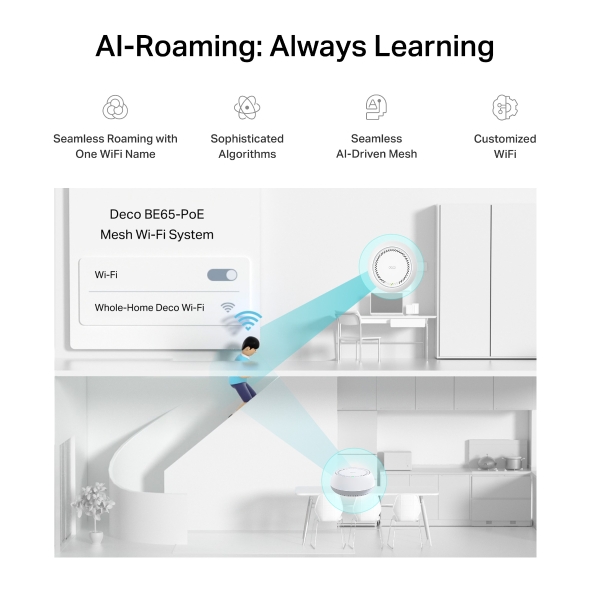
Deco Mesh vytváří jednotnou síť s jediným názvem. Díky vestavěné technologii AI-Roaming vytváří ideální WiFi řešení pomocí pokročilých algoritmů a samoučení. Procházejte domovem a užívejte si plynulé streamování při nejvyšších možných rychlostech.‡
-

Bezproblémový roaming s jedním názvem WiFi
-

Sofistikované algoritmy
-

Bezproblémová
Mesh síť řízená AI -

WiFi na míru
-


Deco Be65-PoE
Mesh Wi-Fi systém -

Chytré zabezpečení pro chytrý život
HomeShield je vestavěná služba, která poskytuje řadu funkcí pro komplexní ochranu všech vašich zařízení doma i na cestách. S HomeShield přináší bezpečnější internetové zážitky více radosti do vašeho chytrého bydlení.
Aplikace KidShield
Aplikace pro zabezpečení zařízení
-
Jednoduše nakonfigurujte svou bránu a získejte zabezpečení celé domácí sítě. HomeShield prověřuje vaši síť skenováním a identifikací potenciálních rizik, která zastaví dříve, než stačí uškodit.*
-
Rodičovská kontrola chrání vaše děti a pomáhá jim udržovat zdravé digitální návyky. Rodiče mohou nastavit blokování aplikací, filtrování webu, omezení YouTube, SafeSearch a časové limity online.*
-
Aplikace KidShield
Aplikace pro zabezpečení zařízení
Zařízení zůstávají v bezpečí všude díky aplikaci Device Security. A prostřednictvím KidShield mohou rodiče sledovat polohu svých dětí. Děti tak zůstávají digitálně chráněny i na cestách.*
Soukromá IoT síť pro větší bezpečí
Nastavte samostatnou WiFi pro IoT zařízení a využijte HomeShield spolu s pokročilým šifrováním WPA3**, abyste lépe chránili bezpečnost své domácí sítě a IoT zařízení.


Jednoduché. Snadné. Přesto výkonné.
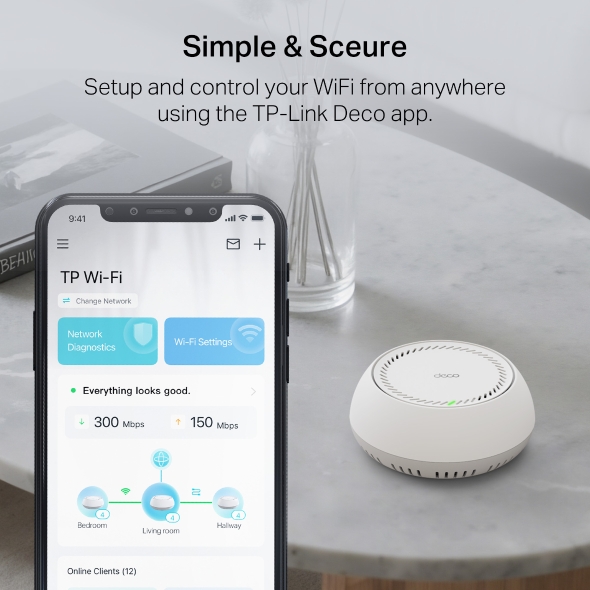
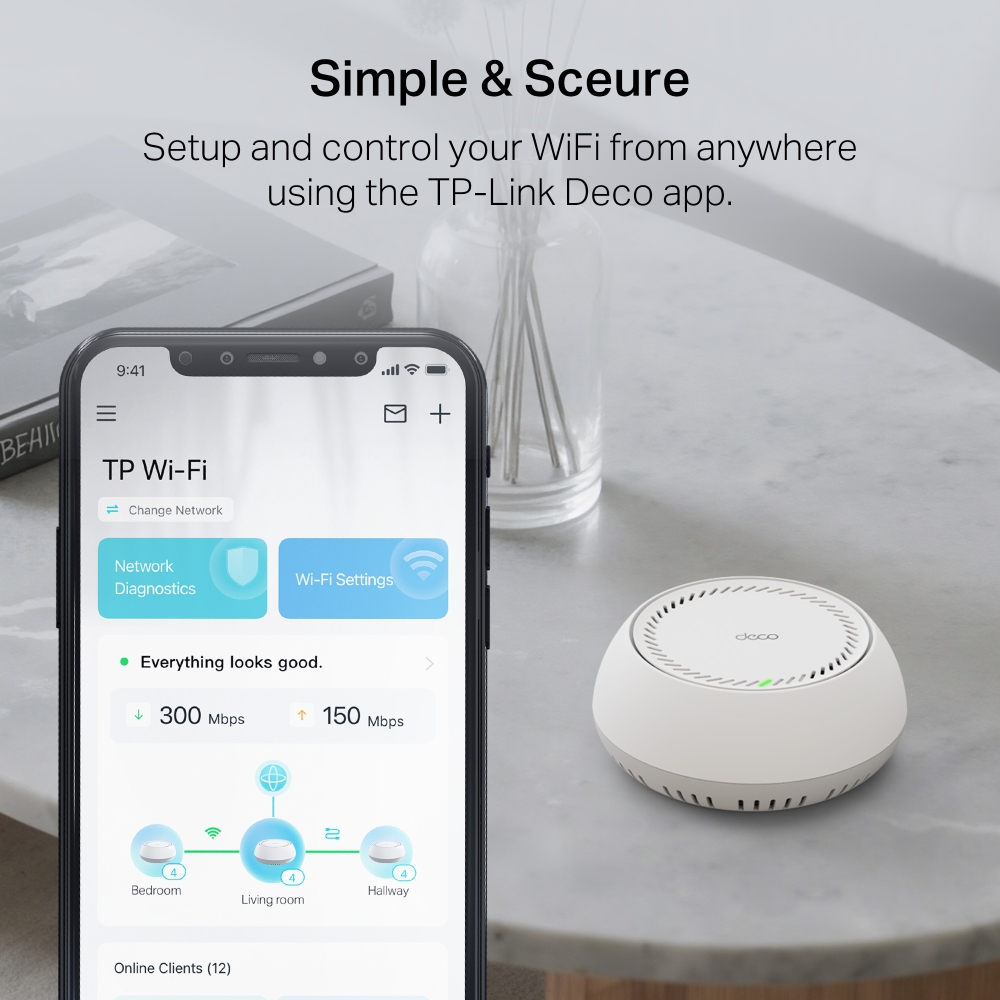
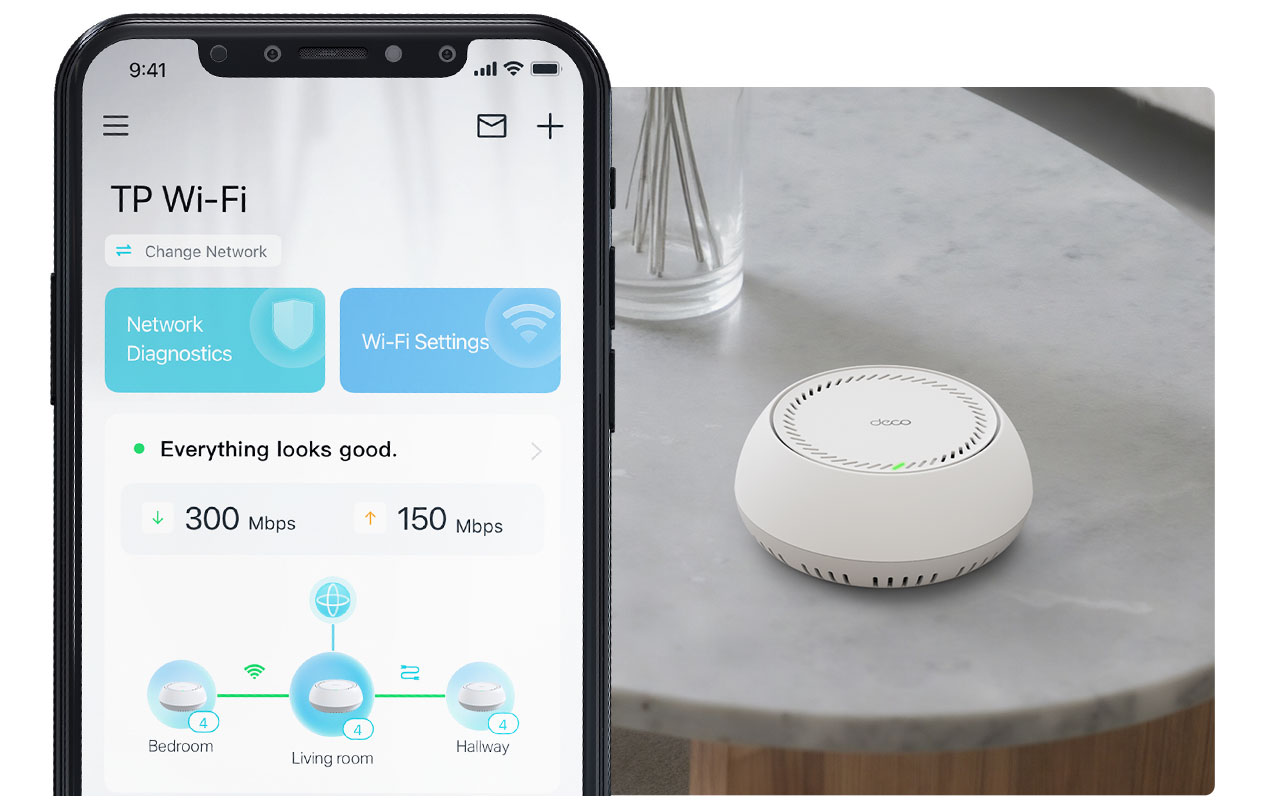
Nastavte a spravujte svou síť kdykoli a kdekoli v uživatelsky přívětivé aplikaci TP-Link Deco. Ve třech snadných krocích můžete celý domov pokrýt silnou a spolehlivou WiFi.
-
1 PŘIPOJTE
k modemu a obě zařízení zapněte. -
2 STÁHNĚTE
a spusťte aplikaci Deco. -
3 KONFIGURUJTE
podle pokynů v aplikaci.
Podpora VPN klientů a serverů
Umožněte zařízením ve vaší domácí síti přístup ke vzdáleným VPN serverům bez nutnosti instalovat VPN software na každé zařízení. Můžete vytvořit různé typy VPN připojení, včetně OpenVPN, PPTP, L2TP/IPSec a WireGuard VPN. Deco také podporuje širokou škálu VPN třetích stran. Kromě toho může Deco provozovat VPN i běžné internetové připojení současně.


Úspora energie s režimem ECO
Navrženo pro úsporu energie a ekologičtější životní styl. Režim ECO od TP-Link automaticky upravuje spotřebu energie na základě používání, čímž snižuje účty za elektřinu a vaši uhlíkovou stopu, zatímco zajišťuje plynulé připojení v celém domě.

Hlasové ovládání
Používejte zařízení s podporou Amazon Alexa nebo Google Assistant k ovládání Deco BE65-PoE pouze svým hlasem.


-
Suterén

-
Dvůr

-
Garáž

Skutečně bezproblémový roaming
Jednotky Deco mezi sebou spolupracují, aby vytvořily sjednocenou síť s jedním názvem. Váš telefon nebo tablet se automaticky připojují k nejrychlejší jednotce Deco, jak se pohybujete po domě. Přepnutí trvá méně než 0,3 sekundy a probíhá hladce a bez povšimnutí, takže se můžete spolehnout na nepřerušované internetové připojení.
-
Adaptivní výběr cesty připojení
Technologie TP-Link Mesh dynamicky vybírá nejvhodnější cestu a pásmo pro vaše připojení a aplikace, čímž zaručuje rychlé Wi-Fi připojení odkudkoliv v rámci vaší domácnosti.
-
Automatické odstranění problémů
Pokud se u některé z jednotek Deco vyskytnou potíže, systém automaticky přesměruje data přes ostatní jednotky, abyste zůstali připojení.
Wi-Fi + Powerline
Připojení Powerline využívá existující elektrické okruhy v domě k propojení jednotek Deco, aby signál prošel i těmi nejtlustšími zdmi a stropy.
Dvoupásmová Wi-Fi síť a Powerline síť mezi sebou spolupracují a přenášejí data mezi jednotkami Deco. Celková rychlost sítě je tak mnohem vyšší než při použití samotné Wi-Fi sítě.
- Wi-Fi + Powerline:
- Hybridní Wi-Fi systém s vylepšenou rychlostí
- Tradiční Mesh Wi-Fi síť:
- Standardní Wi-Fi systém
- Powerline
- Note:Wi-Fi + Powerline is only for Deco P9
IoT Mesh
Na rozdíl od tradičních chytrých hubů technologie TP-Link Mesh zajišťuje IoT pokrytí celé domácnosti pomocí Wi-Fi, Bluetooth a Zigbee integrovaných do jednoho systému. Užívejte si kouzelné možnosti chytré domácnosti v každé místnosti s technologií TP-Link Mesh. Zapomeňte na nespočet hubů.
- - - - Wi-Fi
- - - - Zigbee
- - - - Bluetooth
Wi-Fi 6 Mesh
S technologií Wi-Fi 6 za zády
je Deco Wi-Fi Mesh systém pokrývající celou domácnost navržen k tomu, aby zajistil výrazné zlepšení v pokrytí, rychlosti a celkové kapacitě. Pořiďte si nejnovější Wi-Fi Mesh systém a získejte výhody sítě budoucnosti, která poskytuje vyšší přenosovou rychlost a připojí více zařízení.
-
Širší
pokrytí -
Více připojených zařízení
-
Vyšší přenosové rychlosti Wi-Fi 6
Systém Mesh s umělou inteligencí (AI)
Jednotka Deco je vybavena technologií AI Mesh, díky které se automaticky učí a zlepšuje své chování podle získaných zkušeností. Umí tak poskytnout ideální Mesh Wi-Fi síť přesně podle požadavků vaší domácnosti a síťového prostředí. Pohybujte se po domácnosti a dopřejte si ničím nerušené streamování s nejrychlejšími možnými přenosovými rychlostmi.
Proč je technologii TP-Link Mesh
upřednostňovaným řešením v odvětví?
| Srovnání s konkurencí | |||
| Model | TP-Link Deco | Netgear Orbi | Google WiFi |
| Wireless Backhaul | Tri-Band(2.4G+5G_1+5G_2)¹ | Single-Band(5G_1 Only) | Dual-Band(2.4G+5G) |
| Podpora protokolu Mesh | IEEE 802.11k/v/r | IEEE 802.11k/v | IEEE 802.11s |
| True Seamless Roaming | ✔ | × | × |
| APS(Adaptive Path Selection) | ✔ | × | ✔ |
| IoT Mesh | ✔² | × | × |
| Wi-Fi 6 Mesh | ✔5 | ✔ | × |
| AI-Driven Mesh | ✔6 | × | × |
| Powerline Backhaul | ✔³ | × | × |
| Wireless + Powerline Bandwidth | ✔⁴ | × | × |
| Band Steering | ✔ | ✔ | ✔ |
| AP Steering | ✔ | ✔ | ✔ |
| Self-Healing | ✔ | ✔ | ✔ |
| Notes: 1&2 For Deco M9 Plus Only;5 for Deco X20;Deco X90;6 for Deco X90 only. Spec sourced by Dec. 2019 |
|||
Deco
Deco
-
 New
NewDeco X50-PoE
AX3000 Domácí Wi-Fi 6 mesh systém s PoE
-

Deco X20
AX1800 Wi-Fi 6 mesh systém
-
 New
NewDeco BE65
Mesh systém BE9300 s Wi-Fi 7 pro pokrytí celé domácnosti
-
 New
NewDeco BE85
Třípásmový mesh systém BE19000 s Wi-Fi 7 pro celoplošné pokrytí domácnosti
-
 New
NewDeco X50-5G
5G AX3000 domácí mesh systém s Wi-Fi 6 (Dostupnost v závislosti na regionu)
-

Deco X60
AX5400 Wi-Fi 6 mesh systém
-

Deco S7
Wi-Fi mesh systém AC1900 pro celoplošné pokrytí domácnosti
-
_Overview_normal_20211225093625r.png)
Deco X50
AX3000 Wi-Fi 6 mesh systém pro celou domácnost
-
_normal_20230201014412u.png)
Deco M4
AC1200 WI-Fi mesh systém
Správa sítě Deco na dosah ruky!
Aplikace Deco představuje nejsnadnější způsob nastavení, správy a monitorování vašeho Deco Mesh systému Wi-Fi pro celou domácnost na zařízeních iOS nebo Android.
Nastavení je nyní mnohem jednodušší
Rozbalte jednotku Deco, nainstalujte aplikaci a potom jednoduše postupujte podle pokynů na displeji. O zbytek se postará jednotka Deco, která aktivuje a zprovozní síť během několika málo minut.
-
Připojte jednotku Deco ke kabelovému modemu a zapněte obě zařízení.
-
Stáhněte si aplikaci Deco a spusťte ji.
-
Nakonfigurujte systém Deco podle pokynů v aplikaci.
Snadná správa
Deco usnadňuje správu vaší Wi-Fi sítě, ať sedíte na gauči, jste v práci, nebo se nacházíte kdekoli jinde.
-
Přehledný řídicí panel pro správu
Sledujte provozní stav sítě, monitorujte připojená zařízení a získejte všechny funkce nabízené routerem.
-
Několik jednotek Deco, jedna aplikace
Aplikace Deco se postará o správu všech vašich sítí Deco a zařízení připojených k Deco Wi-Fi síti.
-
Kontrola připojených zařízení
Zobrazte si seznam připojených zařízení s možností pozastavení a obnovení přístupu k internetu, testu rychlosti internetového připojení a upřednostnění nebo blokování vybraných zařízení.
-
Vzdálená správa
Ovládejte síť vzdáleně přes svůj telefon – z libovolného místa.
Robustní rodičovská kontrola
Jednoduchá, intuitivní rodičovská kontrola pomáhá zajistit bezpečnost vašich dětí v on-line světě.
-
Snadno vytvoříte profil pro každého člena rodiny a nastavíte specifické časové limity a množství povoleného času tráveného on-line. Přiřaďte zařízení k profilům, aby se pravidla rozšířila na jednotlivá zařízení i na členy rodiny.
-
Keep your family safe online with one-touch security settings that block content based on age-appropriateness.
-
Set limits on how much time each person in your family can spend online.
-
With Insights, you can check out which sites your children visit and how much time they spend on each. It’s a great way to know your children are safe while they’re having fun online.
-
Take a break from Wi-Fi for dinner and family game nights. Just tap a button to suspend internet access for everyone in your home.
Intuitivní aplikace s mnoha funkcemi
Přehled měsíčního využívání
Prohlédněte si podrobný seznam údajů o vaší síti za měsíc, včetně využívání, blokovaného obsahu, bezpečnostních hrozeb a dalších položek.
Home Automation
Make your life easy with powerful automation and voice control tools.
*Currently only for Deco M9 Plus
Flexible Shortcut
Flexibly control all devices from your phone or tablet with just one click.
*Currently only for Deco M9 Plus
Protect Your Network
Built-in Antivirus helps you defend against malicious website and guard your online payment.
*Currently only for Deco M9 Plus, Deco P7 and Deco M5
Prioritize Your Devices
Choose which devices always have the fastest connections
or set priority for a specific time duration.
Set Application Priorities
Allocate more bandwidth for the activities most important to you with simple controls.
*Currently only for Deco M9 Plus, Deco P7 and Deco M5
Share Wi-Fi with Friends
Set up separate Wi-Fi profiles for guests and share the password to
make it easier for them to hop online.
Check Your Speed
Run a speed test to ensure you’re getting the internet speeds you’re paying for.
View every device on your network and see how much bandwidth they’re using.
Naše podpora vám kryje záda
Máte otázky k systému Deco? Pomoc je vždy nablízku. Odpovědi najdete v aplikaci Deco, a pokud ne, stačí jedno kliknutí a můžete nás kontaktovat.
Podpora| Standards and Protocols | Wi-Fi 7IEEE 802.11be/ax 6 GHzIEEE 802.11be/ax/ac/n/a 5 GHzIEEE 802.11be/ax/n/b/g 2.4 GHz |
|---|---|
| WiFi Speeds | BE110006 GHz: 5765 Mbps (802.11be)5 GHz: 4324 Mbps (802.11be)2.4 GHz: 688 Mbps (802.11be) |
| WiFi Range | 4-7+ Bedroom Houses (3-pack) TP-Link Mesh TechnologyOptional Ethernet backhaul work together to link Deco units to provide seamless coverageAI-Driven MeshIntelligently learns the network environment to provide ideal Wi-Fi unique to your home4× Antennas (Internal)Multiple antennas form a signal-boosting array to cover more directions and large areas |
| WiFi Capacity | Very High Tri-BandDistribute devices to different bands for optimal performance2×2 MU-MIMOSimultaneously communicates with multiple MU-MIMO clientsOFDMASimultaneously communicates with multiple WiFi 7 clients6 StreamsMore than enough bandwidth for connected devices |
| Working Modes | Router ModeAccess Point Mode |
| Advanced Features | • Multi-Link Operation (MLO)• 320 MHz Channel• 4K-QAM• Multi-RUs• Works with Alexa and Google Assistant |
| Network Security | SPI FirewallAccess ControlHomeShield Security Real-Time IoT ProtectionMalicious Site BlockerIntrusion Prevention SystemDDoS Attack PreventionHome Network Scanner |
|---|---|
| Guest Network | 1× 6 GHz Guest Network1× 5 GHz Guest Network1× 2.4 GHz Guest Network Effective TimeBandwidth Control |
| VPN Server | • OpenVPN Server• PPTP VPN Server• L2TP/IPSec VPN Server |
| VPN Client | • OpenVPN Client• PPTP VPN Client• L2TP/IPSec VPN Client |
| WiFi Encryption | WPA-Personal WPA2-Personal WPA3-Personal |
| Power Supply | • 802.3at PoE• 12V DC(EU Version: 12V/1.2A DC. US Version: 12V/1.5A DC).Note: DC adapter is included in the package |
|---|---|
| Ethernet Ports | You need to "Publish Page" in product admin After you modify the content of this page.(Except filter)Ethernet Ports• 2× 5 Gbps*Per Deco Unit Supports WAN/LAN auto-sensing |
|---|---|
| Buttons | 1× Reset Button1× WPS |
| Advanced Features | • Reboot Schedule• Tapo/Kasa Onboarding• IoT network & Device Isolation• Static Routing Function• Node/Band Connection Preference |
|---|---|
| Protocols | IPv4 IPv6 |
| Service Kit | HomeShieldLearn More> |
| Parental Controls | HomeShield Parental Controls Youtube RestrictionSafeSearchCustom ProfilesProfessional Content Filter LibraryFamily TimeBedtimeOff TimeTime RewardsFamily Online Time RankingPause the InternetWeekly and Monthly Reports |
| WAN Types | Dynamic IPStatic IPPPPoEPPTPL2TP |
| Quality of Service | HomeShield QoS QoS by Device |
| Cloud Service | OTA Firmware UpgradeTP-Link ID DDNS |
| NAT Forwarding | Port Forwarding UPnP |
| IPTV | IGMP ProxyIGMP SnoopingBridge Tag VLAN |
| DHCP | Address ReservationDHCP Client ListServer |
| DDNS | TP-Link |
| Management Features | Deco App |
| Certifications | CE, FCC, RoHS |
|---|---|
| Environment | Operating Temperature: 0°C~40°C (32 °F~104 °F)Storage Temperature: -40°C~60°C (-40 °F~140 °F)Operating Humidity: 10%~90% RHStorage Humidity: 5%~90% RH |
| Dimensions (W×D×H) | 6.5 × 6.5 × 2.7 in (165 × 165 × 68.5 mm) |
|---|---|
| Package Content | Deco BE65-PoE (3-pack)3 Deco Deco BE65-PoE units1 RJ45 Ethernet cable3 Power adapters3 Ceiling/Wall Mounting KitsQuick Installation Guide Deco BE65-PoE (2-pack)2 Deco BE65-PoE units1 RJ45 Ethernet cable2 Power adapters2 Ceiling/Wall Mounting KitsQuick Installation GuideDeco BE65-PoE (1-pack)1 Deco BE65-PoE unit1 RJ45 Ethernet cable1 Power adapter1 Ceiling/Wall Mounting KitQuick Installation Guide |
†Maximální rychlosti bezdrátového signálu jsou fyzické rychlosti odvozené ze specifikací standardu IEEE 802.11. Připojení k více než 200 zařízením vychází z údajů z laboratorních testů, které analyzovaly současné připojení různých zařízení v pásmech 6 GHz, 5 GHz a 2,4 GHz. Tato zařízení simulovala typický scénář v domácnosti spouštěním souběžných aplikací ve stejné místnosti, které zahrnovaly 4K video, 1080p video, 720p video, stahování souborů, prohlížení webu, IP kamery a další IoT zařízení. Skutečná propustnost bezdrátových dat, bezdrátové pokrytí a počet připojených zařízení nejsou zaručeny a budou se lišit v důsledku faktorů poskytovatele internetových služeb, síťových podmínek, omezení klientů a faktorů prostředí, včetně stavebních materiálů, překážek, objemu a hustoty provozu a umístění klienta.
△Použití Wi-Fi 7 (802.11be), Wi-Fi 6 (802.11ax) a funkcí včetně Multi-Link Operation (MLO), šířky pásma 320 MHz, 4K-QAM, Multi-RU, OFDMA, MU-MIMO a BSS Color vyžaduje, aby klienti tyto odpovídající funkce rovněž podporovali. Šířka pásma 320 MHz je k dispozici pouze v pásmu 6 GHz. V některých regionech/zemích nemusí být šířky pásma 160 MHz a 240 MHz nebo šířka pásma 320 MHz v pásmech 5 GHz nebo 6 GHz k dispozici z důvodu regulačních omezení. Dvojnásobná šířka kanálu a rychlost se vztahují k 320 MHz ve srovnání se 160 MHz u Wi-Fi 6 mesh.
§Internetové rychlosti 5 Gb/s vyžadují kompatibilní servisní plány a vybavení. Všechny porty WAN/LAN budou fungovat jako porty WAN nebo LAN. Jako port WAN může v daný okamžik sloužit pouze jeden port.
*HomeShield zahrnuje základní i pokročilé funkce. Pokročilé funkce vyžadují placené předplatné. Podrobnosti naleznete na adrese tp-link.com/homeshield. Některé funkce jsou ve fázi vývoje a budou podporovány v následných aktualizacích softwaru.
※4,2× vyšší rychlost Wi-Fi označuje teoretické rychlosti klientů Wi-Fi 7 při připojení k Deco BE65-PoE ve srovnání s 2×2 MIMO Wi-Fi 6 nebo Wi-Fi 6E mesh. Klienti Wi-Fi 7 musí podporovat funkci Multi-Link Operation (MLO) a pásmo 6 GHz, aby při současném připojení k pásmům 5 GHz a 6 GHz u Deco BE65-PoE dosáhli rychlosti až 10 Gb/s. 2×2 MIMO Wi-Fi 6 a Wi-Fi 6E mesh mohou poskytovat pouze 2402 Mb/s v pásmech 5 GHz nebo 6 GHz samostatně.
※※4× nižší latence označuje zlepšení latence Wi-Fi 7 mesh ve srovnání s Wi-Fi 6/6E mesh na základě údajů z laboratorních testů. Testovací podmínky měly stejné jednofrekvenční bezdrátové rušení 5 GHz nebo 6 GHz a testovaly maximální latence klientů Wi-Fi 7 (se zapnutým MLO) připojujících se současně k pásmům 5 GHz a 6 GHz u Deco BE65-PoE (se zapnutým MLO) a k pásmům 5 GHz nebo 6 GHz u Wi-Fi 6/6E mesh (bez funkce MLO).
☆Generace WiFi představují bezdrátový standard IEEE 802.11 a/b/g/n/ac/ax/be. Uživatelé mohou pro získání přístupu k internetu vyžadovat další modemové zařízení, které je kompatibilní s jejich poskytovatelem internetových služeb.
Skutečná rychlost sítě může být omezena rychlostí ethernetového portu WAN nebo LAN produktu, rychlostí podporovanou síťovým kabelem, faktory poskytovatele internetových služeb a dalšími podmínkami prostředí.
Toto Deco nemusí podporovat všechny povinné funkce podle specifikace IEEE 802.11be.
Pro dostupnost některých funkcí mohou být vyžadovány další aktualizace softwaru. Google a Google Home jsou ochranné známky společnosti Google LLC.